TL;DR
A buyer’s guide ranks six Thunderbolt docking stations, led by Anker’s Prime 14-in-1 Thunderbolt 5 Dock for buyers seeking newer-generation bandwidth and many connections. The listed alternatives emphasize different needs, including Dell laptop compatibility, business features, dual displays and laptop charging; actual support depends on the host computer.
A buying guide from Thorsten Meyer AI compares six Thunderbolt docking stations and names the Anker Prime 14-in-1 Thunderbolt 5 Dock its best overall pick for buyers seeking newer-generation bandwidth and a broad range of connections, as detailed in the original guide. The guide also recommends Thunderbolt 4 and Dell models for users with different laptop, monitor and charging requirements, while warning that a dock’s ports do not guarantee compatibility with every computer.

Get the latest gadgets delivered free with Prime
- Fast, free delivery on millions of items
- Prime Video, Amazon Music and more included
- Member-only deals all year
The six picks span Thunderbolt 5, Thunderbolt 4 and Thunderbolt 3 models, with more Thunderbolt dock options available for a 2027 workspace. Anker’s 14-in-1 dock is the only Thunderbolt 5 option in the group. The guide says it supports data transfer rates of up to 120 Gbps and lists eight USB ports. Its stated dual 8K-at-60Hz support applies to Thunderbolt 5 Windows laptops, according to the source.
Plugable appears twice, with different priorities. The TBT-UDM is presented as a driverless Thunderbolt 4 option for supported Mac and Windows systems, with two HDMI ports. A second Plugable Thunderbolt 4 dock is described as offering up to 100W charging and dual-monitor support; the guide says it supports dual 4K displays at 60Hz on compatible computers. In both cases, display support depends on the host system.
The Dell choices also differ, as do docking stations for Windows laptops. The WD19TB is listed with a 180W power adapter and up to 130W power delivery, alongside DisplayPort and HDMI outputs. The related WD19TBS is positioned for Dell and other supported business laptops. Dell’s Pro SD25TB4 is the newer Thunderbolt 4 option in the guide, aimed at business users seeking charging, multiple displays and manageability features. The source does not provide a full specification table for every model.
Choose the right dock for your setup
The guide ranks six docking stations by use case, led by Anker’s Thunderbolt 5 model. Your laptop determines which ports, displays and charging features will work.
Six picks, different priorities
The recommendations span newer bandwidth, business features, displays and charging.
Anker Prime 14-in-1
Best overall in the guide for newer-generation bandwidth and a broad range of connections. Its dual 8K at 60Hz claim applies to Thunderbolt 5 Windows laptops.
Plugable options
The TBT-UDM offers driverless operation and two HDMI ports on supported systems. Another model highlights up to 100W charging and compatible dual-monitor support.
Dell docks
The WD19TB lists up to 130W power delivery and DisplayPort and HDMI outputs. The Pro SD25TB4 targets business users seeking charging, displays and manageability.
Compare the generations
The guide includes four Thunderbolt 4 options and models identified with Thunderbolt 3, alongside one Thunderbolt 5 dock.
| Generation | Guide examples | What to weigh |
|---|---|---|
| Thunderbolt 5 | Anker Prime 14-in-1 | Newer bandwidth and hardware support |
| Thunderbolt 4 | Plugable and Dell Pro SD25TB4 | Match features to your laptop and displays |
| Thunderbolt 3 | Dell WD19 models | Check support for your exact computer |
Check your host computer
A dock’s ports alone do not determine what your laptop can drive or charge.
Check its Thunderbolt or USB4 support and operating system.
Match charging needs and supported external display count and resolution.
Check the dock maker’s current specifications for your computer and monitors.
Where support can differ
Two display outputs do not guarantee two external screens on every system.
- May include two display connections
- Can list charging and bandwidth figures
- Some computers support only one external monitor
- Results depend on computer, operating system and monitor connection
Match the Dock to Your Laptop
The comparison matters because choosing by port count alone can leave buyers with a dock that cannot drive their intended displays or charge their laptop as expected. The source says compatibility varies with the computer’s capabilities, operating system and monitor connection, and some systems may support only one external monitor even when the dock has two display outputs.
The choice also involves a practical tradeoff: paying for Thunderbolt 5 bandwidth and newer hardware support, or selecting a Thunderbolt 4 or 3 dock that may better match an existing setup. Buyers should check their laptop’s charging requirements and supported display configurations against the dock’s specifications before purchasing.
Products Worth Considering

Sonos One (Gen 2) Voice-Controlled Smart Speaker, White

Amazon Kindle Scribe Colorsoft 64GB with Premium Pen
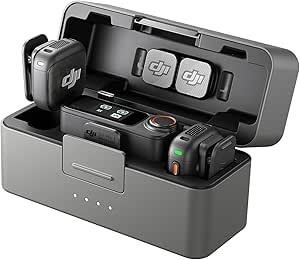
DJI Mic 3 Wireless Microphone (2 Transmitters, 1 Receiver, Charging Case)
As an affiliate, we earn on qualifying purchases.
Six Models Across Three Generations
The guide groups products from three interface generations, with four Thunderbolt 4 options, one Thunderbolt 5 dock and Dell WD19 models identified with Thunderbolt 3. Its recommendations are buyer guidance from the source, not a report of independent testing results. The supplied material does not describe a testing method, benchmark conditions or a price comparison.
The listed compatibility examples include selected Dell Latitude, Precision, Rugged and XPS models for the WD19TB; M1, M2, M3 and M4 Pro or Max MacBooks and Thunderbolt 4 or 5 Windows laptops for Anker; and macOS 11 or later and Windows 11 for the Plugable TBT-UDM. These are the guide’s stated examples, and buyers should verify support for their exact computer model.
“A dock’s port count alone does not guarantee that every screen or peripheral will work as expected.”
— Thorsten Meyer AI buying guide
Compatibility Depends on the Host
The source does not establish how each dock performs in independent testing, provide current prices or specify a publication date. It also does not give enough detail to confirm display behavior across every laptop and operating system. The 120 Gbps figure and dual 8K display claim are presented as product capabilities, with the latter limited in the guide to Thunderbolt 5 Windows laptops.
It remains unclear whether every listed model is currently available or whether specifications have changed for 2027. Readers should confirm the manufacturer’s current compatibility and power details for their particular laptop and monitors.
Check Specs Before Buying
Before choosing, buyers should identify their laptop’s Thunderbolt or USB4 support, required charging wattage, operating system and maximum external display configuration. They should then check the dock maker’s compatibility information for the exact computer model and confirm the ports needed by their monitors and peripherals.
The guide offers recommendations by use case, but its supplied material does not announce a later review or testing milestone. Availability, pricing and any updated specifications remain to be verified with retailers and manufacturers.
Key Questions
Which dock does the guide rank first overall?
It names the Anker Prime 14-in-1 Thunderbolt 5 Dock as its best overall pick for buyers who want newer-generation bandwidth and a broad set of connections.
Does every dock in the guide support two external displays?
No universal dual-display capability is established. The guide says support depends on the computer, and some systems may support only one external monitor even when a dock has two display connections.
What is the difference between the Plugable models?
The TBT-UDM is presented as a driverless option for supported Mac and Windows systems with two HDMI ports. The other Plugable Thunderbolt 4 model emphasizes up to 100W charging and dual-monitor support on compatible computers.
What should buyers check before choosing a dock?
Confirm the laptop’s port standard, charging needs, operating system and supported number and resolution of external displays. Check these against the dock maker’s specifications for the exact computer model.
Source: Thorsten Meyer AI