🔍 Read the full analysis: How To Compare AI-Powered Devices For Your Home on ThorstenMeyerAI.com

Get the latest gadgets delivered free with Prime
- Fast, free delivery on millions of items
- Prime Video, Amazon Music and more included
- Member-only deals all year
TL;DR
ThorstenMeyerAI.com published a beginner’s guide to choosing and setting up AI-powered home devices, including speakers, lights, thermostats and plugs. It advises comparing platform and network compatibility, privacy practices, safety requirements and ongoing costs before starting with a low-risk device.
ThorstenMeyerAI.com has published a beginner’s guide to comparing and setting up AI-powered home devices, advising readers to check compatibility, network requirements, privacy settings and subscription costs before buying. The guide focuses on small systems such as a smart speaker, lights, thermostat or plug, and estimates that initial setup can take 45 to 90 minutes, depending on the devices and required updates.
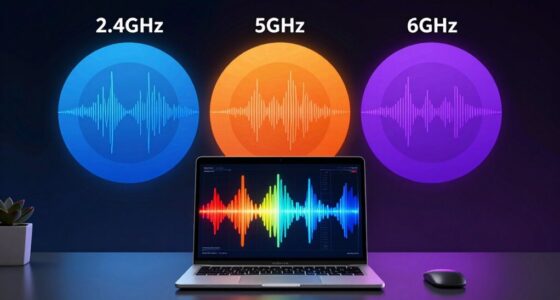
The guide recommends starting with a clear task, such as switching on a lamp by voice or setting a thermostat schedule, then checking whether a specific device model supports the chosen assistant and automation features, as discussed in this AI-powered home automation device guide. A product’s general compatibility with voice control does not necessarily mean it supports every routine or AI feature. Buyers are also advised to check whether a device needs a hub, particular Wi-Fi band or paid subscription; some devices require a 2.4 GHz network.
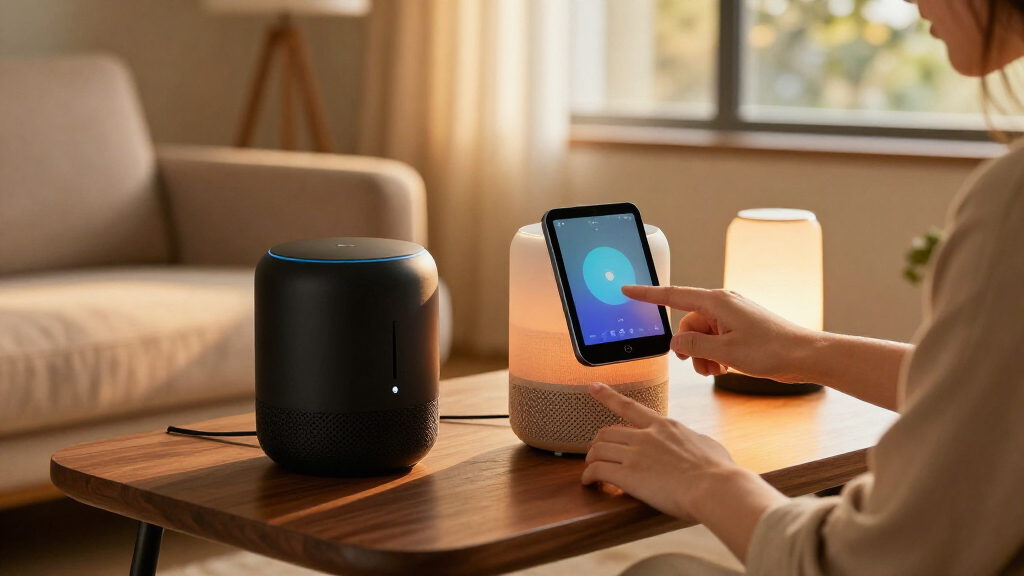
For setup, users need a smartphone or tablet, the manufacturer’s official app, the device and its power supply, the home Wi-Fi password, and access to the relevant platform account. The guide recommends installing available app and firmware updates, connecting the device through its app or hub, and assigning it a short, distinct name and the correct room. Those steps can help prevent voice commands and routines from selecting the wrong device.
Before enabling AI functions, the guide says to review whether voice commands, sensor events or usage information are processed locally or sent to a cloud service, an issue explored in guidance on smart home devices working without the internet. It advises checking recording, activity-history and data-sharing settings, using multifactor authentication when available, and limiting household account permissions. For equipment that can affect safety or access, including locks, alarms and heaters, the guide recommends getting a low-risk device working first and following manufacturer installation instructions.
Compatibility Shapes the First Purchase
The guide addresses a practical obstacle for people entering the smart-home market: devices that look similar may depend on different platforms, hubs and Wi-Fi requirements. Checking those conditions before purchase can reduce the risk of buying equipment that cannot connect to an existing network or work with the routines a household wants.
Its privacy and safety advice also points to trade-offs that can be easy to overlook in feature comparisons. AI functions may rely on cloud services, and device makers can differ in their data settings, account controls and subscription models. Comparing those details alongside price and convenience gives buyers a clearer basis for deciding whether a feature is useful enough to enable.
The source offers product recommendations for Hubitat, SwitchBot and Green, but describes them as the publisher’s verdicts rather than independent test findings. It recommends Hubitat where local, multi-protocol automation and subscription-free AI-assisted routine building are priorities; SwitchBot for camera-aware, chat-based control and bundled storage if its subscription and device limits suit the buyer; and Green as a local automation base for people who do not prioritize built-in AI features. The material does not provide comparative testing data to verify those assessments.
Products Worth Considering

Apple Watch Series 12 GPS 42mm Smartwatch
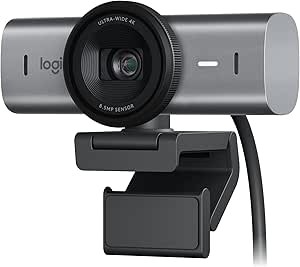
Logitech MX Brio Ultra HD 4K Webcam for Streaming and Collaboration

LG 27GS60QC-B Ultragear 27-inch Curved Gaming Monitor (QHD, 180Hz, 1ms, 1000R)
As an affiliate, we earn on qualifying purchases.
A Small Setup, Step by Step
The source frames the task as a beginner setup guide, not a report of a new product launch or a change to an industry standard. Its examples are a smart speaker, lights, thermostat and plug connected through a phone and home Wi-Fi. It gives a setup estimate of 45 to 90 minutes, though the time depends on how many devices are being added and whether apps or firmware need updates.
The suggested sequence is to choose one task and confirm device requirements, secure the account and router, install the official app and updates, pair the device, give it a clear name, then review privacy and access settings. The guide also says to place devices where they can receive power and Wi-Fi while keeping them away from water, heat and blocked vents. It cautions against modifying wiring or attempting installations that require a qualified electrician.
ThorstenMeyerAI.com’s source material includes affiliate disclosures: it says the publisher earns commissions from qualifying Amazon purchases. That commercial relationship is relevant when weighing the named product recommendations. The guide does not state a publication date, testing method or full set of criteria behind its verdicts.
“We recommend Hubitat as the best overall choice when local, multi-protocol automation and subscription-free AI-assisted routine building matter more than beginner-friendly setup.”
— ThorstenMeyerAI.com
Product Comparisons Need More Evidence
The supplied material does not identify when the guide was published or provide hands-on test results, pricing comparisons, benchmark data or detailed product model numbers. It is therefore unclear how the recommendations were evaluated or whether they apply to every version of the named products. The source also does not specify which subscriptions, features or device limits apply to particular plans or models.
Compatibility and AI capabilities can vary by device, platform, region and software version. The guide advises readers to check the product packaging or product page, but does not provide a model-by-model compatibility table. It also does not establish how each product handles data in practice beyond noting that some devices process information locally and others use cloud services. Buyers should consult current manufacturer documentation and privacy settings before deciding.
Check Models Before Buying
Readers can apply the guide’s process by selecting one low-risk task, then checking the exact device model against their phone, chosen platform, Wi-Fi band and any hub requirement. Before purchase, they should confirm current subscription terms and whether the specific AI features they want are included. After setup, the next step is to test a basic command or schedule and review what account, recording and data-sharing settings are active.
The source does not announce a follow-up test, product update or new comparison. For installations involving electrical work or equipment that affects household safety, readers should follow manufacturer instructions and seek qualified help where required.
Key Questions
How long does a small smart-home setup take?
ThorstenMeyerAI.com estimates 45 to 90 minutes, depending on how many devices are added and whether apps or firmware need updates. The source does not present this as a guaranteed time for every household.
What should I check before buying an AI-powered home device?
Check whether the exact model supports your chosen platform and needed routines, and whether it requires a hub, specific Wi-Fi band or subscription. Also review the manufacturer’s current compatibility information and privacy options.
Should I connect a smart lock or heater first?
The guide recommends starting with a low-risk device, such as a lamp, before connecting equipment that could affect safety or access. Follow installation instructions and seek qualified help for work that requires an electrician.
Do AI home devices keep data locally?
Not always. The guide says some devices process commands locally, while others send voice, sensor or usage data to a cloud service. Check the specific product’s privacy documentation and account settings before enabling features.
Are the Hubitat, SwitchBot and Green recommendations independently tested?
The supplied source gives the publisher’s verdicts but does not include a testing method or comparative results. It also discloses that it earns commissions from qualifying Amazon purchases, so readers should treat the recommendations as publisher assessments and verify current product details.
Source: ThorstenMeyerAI.com