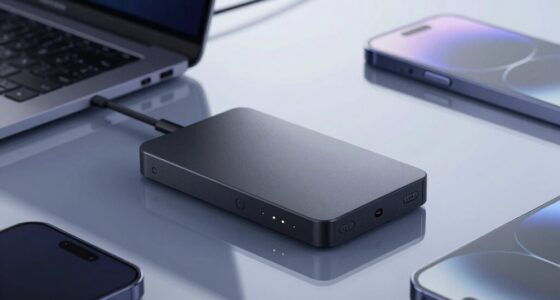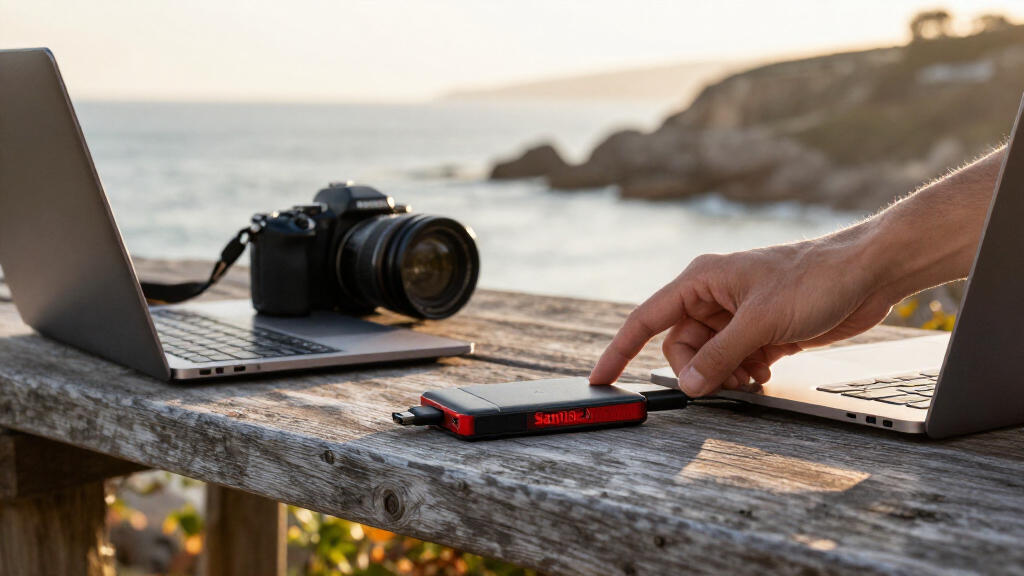

The best SanDisk storage device for most people is the SanDisk Extreme Portable SSD, 1TB, Up to 2000MB/s: it pairs generous capacity with the lineup’s highest listed speed, making it a strong fit for large files and regular backups. For a compact everyday option, the 512GB Extreme Fit USB-C is designed to stay connected with minimal protrusion, while the Ultra Dual Drive Go offers both USB-C and USB-A connectors for moving files between newer and older devices. The main tradeoffs are speed versus portability, SSD capacity versus flash-drive convenience, and connector compatibility. A model’s stated speed is only one factor; your device’s port and your file-transfer habits matter too. Read on for the full breakdown and guidance on choosing the right SanDisk drive for your setup.

Get the latest gadgets delivered free with Prime
- Fast, free delivery on millions of items
- Prime Video, Amazon Music and more included
- Member-only deals all year
Complete the kit



Key Takeaways
- The 1TB Extreme Portable SSD rated up to 2000MB/s leads on listed speed, but buyers should check that their computer’s port and workload can make use of that performance.
- SanDisk’s portable SSDs serve different capacity and speed needs: the lineup includes 500GB and 1TB choices, a 1TB model rated up to 800MB/s, and a 2TB Extreme PRO for users prioritizing capacity.
- Dual-connector drives solve a different problem from SSDs: the Ultra Dual Drive Go and Luxe, older m3.0, and phone drives focus on connecting across device types rather than sustained high-speed storage.
- The smallest form factor is not automatically the best everyday pick: the 512GB Extreme Fit is suited to leaving in a USB-C port, while a lanyard-equipped dual drive is easier to carry and share.
- Phone compatibility narrows the choice quickly: the Android Phone Drive pairs USB-C with USB-A, while the iPhone Phone Drive pairs USB-C with Lightning; connector fit should come before capacity.
| SanDisk Extreme Portable SSD, 1TB, Up to 2000MB/s |  | Best for Rugged, High-Speed Storage | Capacity: 1 TB | Interface: USB 3.0 | Connector: USB Type-C | VIEW LATEST PRICE | See Our Full Breakdown |
| SanDisk 1TB Ultra Dual Drive Go USB Flash Drive (Type-C & Type-A) with Lanyard |  | Best for Moving Files Between USB-C and USB-A | Capacity: 1 TB | Interface: USB 3.2 Gen 1 | Connectors: USB Type-C and USB Type-A | VIEW LATEST PRICE | See Our Full Breakdown |
| SanDisk Extreme Portable SSD, 1TB |  | Best for Balanced Everyday SSD Backups | Capacity: 1 TB | Interface: USB-C | Maximum read speed: Up to 1000 MB/s | VIEW LATEST PRICE | See Our Full Breakdown |
| SanDisk Extreme Portable 500GB External SSD, USB-C, USB 3.1 |  | Best Compact Rugged Pick for Smaller Backups | Capacity: 500 GB | Interface: USB 3.1 | Connector: USB Type-C | VIEW LATEST PRICE | See Our Full Breakdown |
| SanDisk 512GB Extreme Fit USB-C Flash Drive, up to 400MB/s |  | Best for Low-Profile USB-C Expansion | Capacity: 512 GB | Interface: USB 3.2 Gen 1 | Connector: USB Type-C | VIEW LATEST PRICE | See Our Full Breakdown |
| SanDisk Extreme PRO Portable SSD, 2TB |  | Best for Demanding Creative Work | Storage capacity: 2 TB | Interface: USB 3.0 | Connector: USB Type-C | VIEW LATEST PRICE | See Our Full Breakdown |
| SanDisk 1TB Portable SSD, Up to 800MB/s Read Speed |  | Best for Rugged Everyday Carry | Storage capacity: 1 TB | Drive type: Portable solid-state drive | Read speed: Up to 800 MB/s | VIEW LATEST PRICE | See Our Full Breakdown |
| SanDisk 500GB Portable Drive, USB-C, Up to 600MB/s Read Speed |  | Best Compact SSD | Storage capacity: 500 GB | Read speed: Up to 600 MB/s | Interface: USB 3.0 | VIEW LATEST PRICE | See Our Full Breakdown |
| SanDisk Ultra Dual Drive m3.0 256GB USB 3.0 Flash Drive |  | Best for Older Micro-USB Android Devices | Storage capacity: 256 GB | Connectors: Micro-USB, USB 3.0 Type-A | Read speed: Up to 130 MB/s | VIEW LATEST PRICE | See Our Full Breakdown |
| SanDisk 256GB Phone Drive for Android, USB-C and USB-A Dual Connector |  | Best for USB-C Phone Backups | Storage capacity: 256 GB | Connectors: USB-C and USB-A | Read speed: Up to 100 MB/s | VIEW LATEST PRICE | See Our Full Breakdown |
| SanDisk Ultra Dual Drive Luxe 1TB USB-C Flash Drive with Lanyard |  | Best High-Capacity Dual-Connector Flash Drive | Storage capacity: 1 TB | Connectors: USB Type-A and USB Type-C | Interface: USB 3.1 Gen 1 | VIEW LATEST PRICE | See Our Full Breakdown |
| SanDisk 1TB Portable SSD, Up to 1000 MB/s Read Speed, Black |  | Best Portable SSD for Fast Everyday Transfers | Storage capacity: 1 TB | Interface: USB 3.0 | Connector: USB Type-C | VIEW LATEST PRICE | See Our Full Breakdown |
| SanDisk 256GB Phone Drive for iPhone with USB-C and Lightning Connectors |  | Best for Backing Up Mixed-Generation iPhones | Storage capacity: 256 GB | Connectors: USB-C and Lightning | Read speed: Up to 150 MB/s | VIEW LATEST PRICE | See Our Full Breakdown |
| SanDisk storage device | Interface | Storage capacity | Read speed | Connector |
|---|---|---|---|---|
| SanDisk Extreme Portable SSD | USB 3.0 | — | — | USB Type-C |
| SanDisk 1TB Ultra Dual Drive G | USB 3.2 Gen 1 | — | — | — |
| SanDisk Extreme Portable SSD | USB-C | — | — | — |
| SanDisk Extreme Portable 500GB | USB 3.1 | — | — | USB Type-C |
| SanDisk 512GB Extreme Fit USB- | USB 3.2 Gen 1 | — | — | USB Type-C |
| SanDisk Extreme PRO Portable S | USB 3.0 | 2 TB | Up to 4,000 MB/s | USB Type-C |
| SanDisk 1TB Portable SSD | USB 3.2 Gen 2 | 1 TB | Up to 800 MB/s | USB Type-C |
| SanDisk 500GB Portable Drive | USB 3.0 | 500 GB | Up to 600 MB/s | USB Type-C |
| SanDisk Ultra Dual Drive m3.0 | — | 256 GB | Up to 130 MB/s | — |
| SanDisk 256GB Phone Drive for | — | 256 GB | Up to 100 MB/s | — |
| SanDisk Ultra Dual Drive Luxe | USB 3.1 Gen 1 | 1 TB | Up to 150 MB/s | — |
| SanDisk 1TB Portable SSD | USB 3.0 | 1 TB | Up to 1000 MB/s | USB Type-C |
| SanDisk 256GB Phone Drive for | — | 256 GB | Up to 150 MB/s | — |
More Details on Our Top Picks
SanDisk Extreme Portable SSD, 1TB, Up to 2000MB/s
The SanDisk Extreme Portable SSD, 1TB, Up to 2000MB/s is the strongest fit here for buyers who need fast storage that can travel beyond a desk. Its stated read speed is double that of the 1TB Extreme Portable SSD rated at up to 1000 MB/s, which can shorten waits when opening or copying large project files. IP65 dust and water resistance and protection against drops of up to 3 meters add reassurance for commutes and outdoor shoots. The tradeoff is that the 2000 MB/s figure applies to reads, not writes, and compatible devices and connections affect actual speeds. It also costs more in storage space than a flash drive may need for everyday document shuttling. Password protection uses 256-bit AES encryption, but requires a software download and supports Windows 10+ and macOS 12+.
Pros:- Up to 2000 MB/s read speed can reduce waits with large files on compatible setups
- IP65-rated dust and water resistance suits travel and outdoor work
- Drop protection up to 3 meters adds physical protection in a portable setup
- Compact 1.6-ounce design with optional 256-bit AES password protection
Cons:- Write speeds are lower than the stated maximum read speed
- Password protection requires a software download and supported Windows or macOS versions
- The USB connection and host device may limit the advertised speed
Best for: Photographers, videographers, and mobile workers who move large files and want a rugged 1TB drive for compatible computers, tablets, or phones.
Not ideal for: Buyers who mainly shuttle small files between USB-A and USB-C devices, or who need predictable high write speeds rather than a stated maximum read speed.
- Capacity:1 TB
- Interface:USB 3.0
- Connector:USB Type-C
- Maximum read speed:Up to 2000 MB/s
- Dimensions:3.35 × 2 × 0.39 inches
- Weight:1.6 ounces
- Protection:IP65 dust and water resistance; drop protection up to 3 meters
- Encryption:256-bit AES password protection
Our verdict“Choose this 1TB SSD for fast, rugged portable storage, but favor the 1TB Extreme Portable SSD rated at 1000 MB/s if that lower speed tier better matches your file-transfer needs.”
SanDisk 1TB Ultra Dual Drive Go USB Flash Drive (Type-C & Type-A) with Lanyard
This 1TB Ultra Dual Drive Go earns its place through connector flexibility rather than SSD-class speed. Its USB-C and USB-A connectors let buyers move files between a newer phone or laptop and a computer with a traditional USB-A port, without carrying an adapter. At up to 400 MB/s read speed, it is better suited to accessing and transferring everyday files than to sustained work with large video projects; the SanDisk Extreme Portable SSD rated at up to 1000 MB/s is a better match for that workload. A lanyard helps keep the small drive attached to a bag or key ring, though it does not add rugged water or dust protection. Mobile use also depends on the phone or tablet supporting OTG, and the advertised read speed should not be mistaken for write performance.
Pros:- USB-C and USB-A connectors support transfers across newer and older devices
- 1TB capacity in a compact flash-drive format
- Up to 400 MB/s read speed supports quick access to many everyday files
- Included lanyard helps keep the drive close at hand
Cons:- Write speeds are typically slower than the stated maximum read speed
- Direct mobile connection requires OTG support
- Does not offer the stated dust, water, or drop protection of the Extreme Portable SSD
Best for: Students and office workers who regularly transfer files between USB-C phones or laptops and USB-A computers, and want 1TB in one small drive.
Not ideal for: Video editors or frequent large-file writers who need SSD-level sustained transfers, or phone users whose devices lack OTG support.
- Capacity:1 TB
- Interface:USB 3.2 Gen 1
- Connectors:USB Type-C and USB Type-A
- Maximum read speed:Up to 400 MB/s
- Color:Black
- Included accessories:1 lanyard
- Model number:SDDDC3-1T00-G46
Our verdict“Pick the Ultra Dual Drive Go when compatibility across USB-C and USB-A matters more than the faster, more rugged storage of the Extreme Portable SSD.”
SanDisk Extreme Portable SSD, 1TB
For buyers who want an external SSD without choosing the fastest or most rugged option in this group, this 1TB Extreme Portable SSD offers a useful balance: up to 1000 MB/s read and 950 MB/s write. The write-speed figure makes its stated performance more informative for backups and creative workflows than products listing only a maximum read speed. Compared with the 2000 MB/s Extreme Portable SSD, it has a lower stated read ceiling, but it can still suit routine photo, video, and project-file transfers on compatible USB-C devices. It also supports Time Machine for Mac backups. The supplied data does not list a protection rating, so I would not choose it over the IP65-rated model for wet or dusty field work. The listed model number also appears inconsistent with the stated 1TB capacity, so buyers should confirm the exact version before ordering.
Pros:- Up to 1000 MB/s read and 950 MB/s write speeds are specified
- USB-C connection works with compatible computers and mobile devices
- 1TB capacity suits photo, video, and project-file storage
- Supports Time Machine for Mac backups
Cons:- Lower stated maximum read speed than the 2000 MB/s Extreme Portable SSD
- USB-C may require an adapter for devices without that connector
- The listed model number appears inconsistent with the stated capacity
Best for: Mac users and other USB-C device owners who want a 1TB external SSD with stated read and write speeds for regular backups and creative files.
Not ideal for: Buyers who need a documented dust-and-water rating for field use, need USB-A without an adapter, or want to avoid uncertainty about the listed model number.
- Capacity:1 TB
- Interface:USB-C
- Maximum read speed:Up to 1000 MB/s
- Maximum write speed:Up to 950 MB/s
- Drive type:External solid-state drive
- Compatible devices:Laptop, desktop, smartphone, tablet, Mac
- Color:Black
- Model number:SDSSDE62-2T00-GAO
Our verdict“Choose this model for balanced 1TB USB-C backups with a stated write speed, provided you verify the model details and do not need a listed ruggedness rating.”
SanDisk Extreme Portable 500GB External SSD, USB-C, USB 3.1
The 500GB Extreme Portable SSD makes sense when portability and basic rugged protection matter more than capacity or cutting-edge speed. Its pocket-sized, 1.44-ounce build and IP55 rating offer a more travel-ready setup than the Ultra Dual Drive Go, while the solid-state core is specified to resist shock and vibration. The tradeoff is clear beside the 1TB Extreme Portable SSD rated at up to 1000 MB/s: this drive holds half as much and lists a maximum read speed of 550 MB/s. That can still work for transferring photos and videos, but large libraries or frequent project backups may fill it quickly. After water exposure, the drive must be clean and dry before use, and actual transfer performance depends on the host device, operating system, application, and drive capacity.
Pros:- Pocket-sized design weighs 1.44 ounces
- IP55-rated water and dust resistance
- Solid-state core is specified for shock and vibration resistance
- USB-C connection and up to 550 MB/s read speed suit compatible devices
Cons:- 500GB capacity may be restrictive for large photo or video collections
- Maximum stated read speed is lower than either 1TB Extreme Portable SSD
- Must be clean and dry before use after water exposure
Best for: Traveling students, photographers, and laptop users who need a compact 500GB backup drive with a stated dust, water, shock, and vibration protection profile.
Not ideal for: People storing large video libraries or working with frequent large transfers who would benefit from the greater capacity and speed of the 1TB Extreme Portable SSD models.
- Capacity:500 GB
- Interface:USB 3.1
- Connector:USB Type-C
- Maximum read speed:Up to 550 MB/s
- Water and dust resistance:IP55
- Shock resistance:Up to 1500G
- Vibration resistance:5g RMS, 10–2000 Hz
- Weight:1.44 ounces
- Warranty:3-year limited manufacturer warranty
Our verdict“Choose this compact 500GB SSD for protected travel backups, but move to a 1TB Extreme Portable SSD if capacity or transfer speed matters more.”
SanDisk 512GB Extreme Fit USB-C Flash Drive, up to 400MB/s
The 512GB Extreme Fit USB-C Flash Drive is the most discreet pick in this group: its plug-and-stay format is designed to sit in a USB-C port, making it handy for adding storage to a compatible laptop or tablet without carrying a separate drive. It offers more capacity than a typical small file-transfer stick and up to 400 MB/s read speed, but it is not a substitute for the 1TB Extreme Portable SSD when repeated large transfers or protected field storage are the priority. Unlike that SSD, the Extreme Fit listing does not specify water, dust, or drop protection, and performance at the stated level requires a USB 3.2 port. SanDisk Memory Zone can help with file management and backups, though installing an app adds a step and is not required to make the drive physically fit.
Pros:- Low-profile design can remain plugged into a compatible USB-C device
- 512GB capacity provides room for files, photos, and videos
- Up to 400 MB/s read speed is specified
- Memory Zone app can help manage and back up files
Cons:- Stated read speed requires a USB 3.2 port
- Memory Zone requires download and installation
- No dust, water, or drop-protection rating is listed
Best for: Laptop and tablet owners with a USB-C port who want semi-permanent extra space for documents, photos, and other files.
Not ideal for: People who frequently remove storage, need rugged protection for outdoor work, or transfer large creative files and want SSD-class performance.
- Capacity:512 GB
- Interface:USB 3.2 Gen 1
- Connector:USB Type-C
- Maximum read speed:Up to 400 MB/s
- Compatible devices:Tablet, smartphone, personal computer
- Color:Black
- Dimensions:0.73 × 0.54 × 0.63 inches (D × W × H)
- Additional feature:Lightweight
Our verdict“Choose the Extreme Fit for discreet extra storage that can stay in a USB-C device, not for rugged backups or repeated large-file transfers like the Extreme Portable SSD.”
SanDisk Extreme PRO Portable SSD, 2TB
The 2TB Extreme PRO Portable SSD is the performance pick for large video projects and editing workflows that benefit from fast transfers and ample working space. Its listed speeds reach 4,000 MB/s read, with average sustained writes of 3,100 MB/s, giving it a more workload-focused profile than the SanDisk 1TB Portable SSD, which is aimed at everyday mobile storage. The ruggedness also suits travel: IP65 protection and drop protection up to three meters add reassurance beyond the two-meter protection listed for the standard portable drive. The tradeoff is that those speed ceilings depend on the host device and interface, and the encryption feature requires a software download. Choose it for demanding projects, not simply because the headline speed is largest.
Pros:- 2TB capacity suits large project files and media libraries.
- Up to 4,000 MB/s read speed and 3,100 MB/s average sustained write speed target demanding workloads.
- IP65 dust and water resistance plus drop protection up to three meters.
- Password protection with 256-bit AES encryption.
Cons:- Encryption requires downloading software.
- Actual transfer speeds vary with the host device, interface, and usage conditions.
Best for: Video editors and other creative professionals who need 2TB of portable workspace, rugged protection, and high sustained write performance.
Not ideal for: People moving occasional documents or photos who do not need high throughput, or buyers whose devices cannot take advantage of the drive’s listed speeds.
- Storage capacity:2 TB
- Interface:USB 3.0
- Connector:USB Type-C
- Read speed:Up to 4,000 MB/s
- Average sustained write speed:3,100 MB/s
- Ingress protection:IP65
- Drop protection:Up to 3 m
- Encryption:256-bit AES
Our verdict“Choose this model for demanding creative work and rugged 2TB storage; skip it if everyday transfers do not justify its performance focus.”
SanDisk 1TB Portable SSD, Up to 800MB/s Read Speed
For a general-purpose drive that can travel in a bag, this 1TB Portable SSD balances useful capacity with a protective rubber enclosure and a practical attachment hook. The hook gives it a more secure carry option than the compact SanDisk 500GB Portable Drive, while its listed read speed of up to 800 MB/s is higher than that model’s 600 MB/s. That makes this a sensible middle ground for backups, photo libraries, and moving files between compatible devices—not an editing drive on the level of the Extreme PRO Portable SSD. Drop protection reaches two meters, but the supplied information does not list water or dust resistance. Write speeds are lower than read speeds, and real performance depends on the host, so buyers with sustained heavy workloads should choose a faster option.
Pros:- 1TB capacity provides room for backups and large personal libraries.
- Read speeds reach up to 800 MB/s.
- Rubber enclosure and drop protection up to two meters suit mobile use.
- Rubber hook can attach the drive to a belt loop or backpack.
Cons:- Write speeds are lower than read speeds.
- Actual performance varies by host device, interface, and usage conditions.
- No water or dust-resistance rating is provided in the product data.
Best for: Students, travelers, and photographers who want 1TB of portable storage with a rubberized enclosure and a way to attach it to a bag.
Not ideal for: Video editors seeking very high sustained write speeds, or people who need stated water and dust resistance.
- Storage capacity:1 TB
- Drive type:Portable solid-state drive
- Read speed:Up to 800 MB/s
- Interface:USB 3.2 Gen 2
- Connector:USB Type-C
- Included cable:USB-C to USB-A
- Drop protection:Up to 2 meters
- Enclosure material:Rubber
Our verdict“Pick this for portable 1TB storage with useful carry protection, but choose the Extreme PRO for demanding creative workloads.”
SanDisk 500GB Portable Drive, USB-C, Up to 600MB/s Read Speed
This 500GB Portable Drive is the compact SSD choice for people who want pocketable storage without moving up to a larger-capacity drive. At 1.12 ounces and under three inches long, it is easier to tuck into a small bag than the 1TB Portable SSD, though it gives up capacity and some listed read speed: up to 600 MB/s versus 800 MB/s. Its solid-state design has no moving parts, and the stated two-meter drop protection helps with everyday travel. USB-C connectivity also supports a range of listed devices, including phones and tablets. This is a better fit for carrying current files or a modest backup than holding a large video library. The main performance caveat is that write speed is lower than the advertised read maximum.
Pros:- Compact dimensions and 1.12-ounce weight make it easy to carry.
- Read speeds reach up to 600 MB/s.
- Solid-state design has no moving parts.
- Drop protection is rated up to two meters.
Cons:- Write speed is lower than the advertised maximum read speed.
- 500GB offers less room than the 1TB Portable SSD.
- Listed read speed is lower than the 1TB Portable SSD’s 800 MB/s maximum.
Best for: USB-C device owners who want a small, light SSD for carrying a working set of files, documents, or a modest photo collection.
Not ideal for: People maintaining large media libraries or transferring heavy workloads regularly; its 500GB capacity and lower listed read speed favor lighter use.
- Storage capacity:500 GB
- Read speed:Up to 600 MB/s
- Interface:USB 3.0
- Connector:USB Type-C
- Drop protection:Up to 2 meters
- Weight:1.12 ounces
- Dimensions:2.95 × 1.77 × 0.39 inches
- Compatible devices:Desktop, laptop, smartphone, tablet
Our verdict“Choose this for lightweight USB-C storage and everyday file carrying; move to the 1TB Portable SSD if you need more room or faster listed reads.”
SanDisk Ultra Dual Drive m3.0 256GB USB 3.0 Flash Drive
The Ultra Dual Drive m3.0 has a specific advantage that newer USB-C flash drives do not: its micro-USB and USB-A connectors can move files between compatible older Android devices and computers without a separate adapter. Its retractable design protects the connectors when stored, and 256GB is generous for a flash drive aimed at phone transfers. Compared with the newer SanDisk 256GB Phone Drive for Android, this model is the better match only when the phone has micro-USB rather than USB-C. Its read speed reaches 130 MB/s, but writes are listed at 40 MB/s, so moving large video collections can take longer. Android use also depends on both a micro-USB port and OTG support; this is a compatibility-specific pick, not a universal phone drive.
Pros:- Micro-USB and USB-A connectors bridge compatible Android devices and computers.
- 256GB capacity supports substantial file collections.
- Retractable design protects the connectors when not in use.
- Read speeds reach up to 130 MB/s.
Cons:- Android compatibility requires a micro-USB port and OTG support.
- Listed 40 MB/s write speed is well below its maximum read speed.
- Write performance may vary by capacity and usage conditions.
Best for: Owners of compatible micro-USB Android phones with OTG support who also transfer files to computers with USB-A ports.
Not ideal for: People with USB-C-only phones, or anyone who needs a flash drive for fast, frequent transfers of large files.
- Storage capacity:256 GB
- Connectors:Micro-USB, USB 3.0 Type-A
- Read speed:Up to 130 MB/s
- Write speed:40 MB/s
- Design:Retractable
- Compatible Android devices:Devices with Micro-USB and OTG support
- Computer connection:USB Type-A
- Color:Black
Our verdict“Choose this for file transfers from a compatible micro-USB Android phone to a USB-A computer, not for USB-C phones or write-heavy tasks.”
SanDisk 256GB Phone Drive for Android, USB-C and USB-A Dual Connector
This 256GB Phone Drive for Android is the more suitable dual-connector flash drive for people whose phones have USB-C: it also includes USB-A for moving files to compatible computers. Compared with the Ultra Dual Drive m3.0, it trades the older model’s micro-USB connector and higher listed read speed for a modern USB-C connection and app-assisted backup features. The Memory Zone app can automate backups after you download and configure it, while included RescuePRO Deluxe software adds a file-recovery option. Its keyring attachment helps keep the drive accessible. The listed read speed is up to 100 MB/s, making this a convenience-focused backup tool rather than a high-throughput SSD alternative. Automatic backup also takes setup, and actual speed depends on the connected device.
Pros:- USB-C and USB-A connectors support transfers between compatible phones, tablets, and computers.
- 256GB capacity accommodates photos, videos, music, and other files.
- Memory Zone app supports automatic backups.
- RescuePRO Deluxe file recovery software is included.
Cons:- Automatic backup requires downloading and configuring the app.
- Read speed is listed up to 100 MB/s and depends on the host device and usage conditions.
- Its USB-C connection does not suit micro-USB-only phones, unlike the Ultra Dual Drive m3.0.
Best for: Android users with USB-C phones who want a portable way to back up files and transfer them to USB-A computers.
Not ideal for: Owners of micro-USB-only phones, or buyers who prioritize faster listed reads over app-assisted backup features.
- Storage capacity:256 GB
- Connectors:USB-C and USB-A
- Read speed:Up to 100 MB/s
- Write speed:100
- Compatible devices:USB-C and USB-A smartphones, tablets, and computers
- Dimensions:2.76 × 3.15 × 0.44 inches
- Backup support:SanDisk Memory Zone app
- File recovery software:RescuePRO Deluxe
Our verdict“Choose this for USB-C Android phone backups and easy USB-A transfers, provided you are willing to set up the backup app.”
SanDisk Ultra Dual Drive Luxe 1TB USB-C Flash Drive with Lanyard
The Ultra Dual Drive Luxe is the most direct choice here for moving a large library between devices with different ports. Its USB-A and USB-C connectors let you transfer files between compatible phones, tablets, and computers without carrying an adapter, while the 1TB capacity gives it far more room than the 256GB Phone Drive. The swiveling metal body protects the connectors and includes a loop for the supplied lanyard, though it is less pocket-friendly than a small, single-connector drive. Its stated speeds of up to 150 MB/s are suited to everyday file transfers, not the large-project workflows served better by the SanDisk 1TB Portable SSD. Phone transfers also depend on USB-C OTG support. Choose this when broad connector compatibility and capacity matter more than SSD-class speed.
Pros:- USB-A and USB-C connectors simplify transfers between compatible older and newer devices
- 1TB capacity accommodates a substantial file library
- Swiveling metal design protects the connectors without a separate cap
- Lanyard and attachment loop make it easier to carry
Cons:- Read and write speeds of up to 150 MB/s are far below the SanDisk 1TB Portable SSD’s stated read speed
- USB-C mobile devices need OTG support for file transfers
- A swiveling flash drive is less suited to sustained high-volume workflows than a portable SSD
Best for: People who regularly move large files between USB-A computers and OTG-compatible USB-C phones or tablets
Not ideal for: Buyers who need fast transfers for frequent large media projects or whose USB-C phone lacks OTG support
- Storage capacity:1 TB
- Connectors:USB Type-A and USB Type-C
- Interface:USB 3.1 Gen 1
- Read speed:Up to 150 MB/s
- Write speed:Up to 150 MB/s
- Material and color:Metal, silver
- Compatible devices:Laptop, mobile, tablet
- Included accessory:Everything But Stromboli lanyard
Our verdict“Choose it for high-capacity transfers between compatible USB-A and USB-C devices, but pick the SanDisk 1TB Portable SSD when speed matters more.”
SanDisk 1TB Portable SSD, Up to 1000 MB/s Read Speed, Black
This 1TB Portable SSD is the stronger pick for moving large files quickly while keeping a full terabyte in a small package. Its read speeds up to 1000 MB/s put it well ahead of the Ultra Dual Drive Luxe’s stated 150 MB/s, making it better suited to bulky photo and video libraries. At 1.12 oz, it is easy to carry, and the solid-state design has no moving parts; listed drop protection extends up to 2 meters. SanDisk’s Extreme Portable SSD models are the alternatives to examine when a buyer wants a more performance-oriented tier, while this drive’s stated speed and simple USB-C connection suit general portable storage. The tradeoffs are that write speed is not specified here and may be lower, and the dust and water protection details are limited. Keep it clean and dry before connecting.
Pros:- Read speeds up to 1000 MB/s support faster transfers of large files than the Ultra Dual Drive Luxe
- 1TB capacity in a lightweight, pocket-sized enclosure
- Solid-state construction has no moving parts
- Tested for drop protection up to 2 meters
Cons:- Write speed is not specified and may be lower than the stated maximum read speed
- Dust and water protection details are limited
- The drive should be clean and dry before use
Best for: Laptop and phone users who carry large files and want much faster transfers than a flash drive can provide
Not ideal for: Buyers who need a clearly stated write-speed target or detailed dust and water protection specifications
- Storage capacity:1 TB
- Interface:USB 3.0
- Connector:USB Type-C
- Read speed:Up to 1000 MB/s
- Weight:1.12 oz
- Dimensions:1.77 × 3.35 × 0.39 in
- Compatibility:Mac, PC, desktop, laptop, smartphone, tablet
- Protection:Drop protection up to 2 m; dust and water resistant
Our verdict“Choose this SSD for compact 1TB storage and faster stated read speeds; look at SanDisk’s Extreme Portable SSD models if you want a more performance-oriented alternative.”
SanDisk 256GB Phone Drive for iPhone with USB-C and Lightning Connectors
The 256GB Phone Drive fills a specific gap in this lineup: it supports both Lightning and USB-C, so compatible older and newer iPhones can share one backup drive. SanDisk’s Memory Zone app handles manual and automatic backups, file management, and password-protected encryption; USB-C connections can also use Apple’s Files app for access. That makes it more focused on iPhone backup than the 1TB Ultra Dual Drive Luxe, which offers much more capacity and a standard USB-A connector but lacks this drive’s Lightning plug and app-based backup features. The tradeoff is capacity: 256GB is less suited to keeping a large archive on hand. Lightning copying and automatic backups require Memory Zone, and its stated write speeds of 10–50 MB/s make it a slower choice for frequent transfers of large files.
Pros:- USB-C and Lightning connectors support compatible newer and older iPhone models
- Memory Zone supports manual and automatic backups with progress tracking
- Password-protected file encryption is available through the app
- Compact metal enclosure is easy to carry
Cons:- Lightning copy and backup functions require the SanDisk Memory Zone app
- Automatic backup also requires the app
- 256GB capacity and 10–50 MB/s write speed are limiting for large archives and frequent bulk transfers
Best for: Households or individuals using both Lightning and USB-C iPhones who want app-supported file backup and transfer
Not ideal for: People who need 1TB of portable storage or want fast, frequent transfers of large files
- Storage capacity:256 GB
- Connectors:USB-C and Lightning
- Read speed:Up to 150 MB/s
- Write speed:10–50 MB/s
- Dimensions:0.34 × 0.61 × 1.97 in (D × W × H)
- Compatible devices:USB-C iPhone 15 or newer; Lightning iPhone 14 or older; compatible iPads, Macs, and other devices
- App:SanDisk Memory Zone for iOS
- Encryption:Password-protected file encryption via app
Our verdict“Pick this for app-supported backups across compatible Lightning and USB-C iPhones, but choose the 1TB Ultra Dual Drive Luxe if capacity and USB-A connectivity matter more.”
How We Picked
I compared these 13 SanDisk devices by the problems they solve: fast external storage, portable backup capacity, low-profile expansion, and file transfer between phones and computers. The ranking gives weight to stated capacity and speed, connector compatibility, portability, and how clearly each model fits a buyer’s needs. I treated listed maximum speeds as manufacturer claims, not guaranteed results, since host ports, cables, file sizes, and workloads can affect real transfers.
The higher-ranked picks offer broad usefulness or a clear advantage for a common task. The 1TB Extreme Portable SSD rated up to 2000MB/s leads for its combination of capacity and listed performance; dual-connector flash drives rank well for device flexibility, while narrower or older-connector options suit more specific setups. Larger capacity and faster specifications do not make a drive the right choice if it is incompatible with your devices or more storage than you need, so the order reflects fit as well as headline specs.
| SanDisk storage device | Interface |
|---|---|
| SanDisk Extreme Portable SSD | USB 3.0 |
| SanDisk 1TB Ultra Dual Drive G | USB 3.2 Gen 1 |
| SanDisk Extreme Portable SSD | USB-C |
| SanDisk Extreme Portable 500GB | USB 3.1 |
| SanDisk 512GB Extreme Fit USB- | USB 3.2 Gen 1 |
| SanDisk Extreme PRO Portable S | USB 3.0 |
| SanDisk 1TB Portable SSD | USB 3.2 Gen 2 |
| SanDisk 500GB Portable Drive | USB 3.0 |
| SanDisk Ultra Dual Drive m3.0 | — |
| SanDisk 256GB Phone Drive for | — |
| SanDisk Ultra Dual Drive Luxe | USB 3.1 Gen 1 |
| SanDisk 1TB Portable SSD | USB 3.0 |
| SanDisk 256GB Phone Drive for | — |
Factors to Consider When Choosing Best SanDisk Storage Devices
Before choosing among SanDisk’s SSDs and flash drives, start with the device you will connect and the job the storage must do. The right match depends on more than capacity: connector type, expected transfer frequency, portability, and how you plan to protect a second copy of important files all shape the decision.
Match the connector to every device you use
Make a list of the ports on your computer, phone, tablet, and any older device that needs access to the files. USB-C and USB-A are not interchangeable without the right connector or adapter, and an iPhone with Lightning needs a different connection from an Android phone with USB-C. Dual-connector models can reduce adapter clutter, but they do not make every storage format or app compatible with every device. Check whether the phone can browse files directly or needs a companion app before relying on a drive for regular transfers. If you switch between newer and older hardware, compatibility may matter more than a higher speed rating.
Choose SSD or flash drive based on the workload
An external SSD is generally the more suitable format for frequent transfers of large files, working project folders, or regular computer backups. A flash drive is easier to slip into a pocket and can be convenient for sharing documents or moving a modest set of files. Do not assume that every SSD will reach its advertised maximum speed: the host port, cable, file sizes, and sustained workload can all change transfer times. For small, occasional transfers, the convenience of a compact flash drive may outweigh the SSD’s performance headroom. For repeated large transfers, prioritize a model whose specifications and connection match the computer you will use.
Buy capacity for the files you will keep, not the maximum available
Estimate the space needed for your current files, then leave room for growth rather than filling a drive immediately. Photos, video, and project files can occupy storage much faster than office documents, while phone transfers may be occasional and selective. A 2TB drive can make sense for a growing archive, but it adds little value if you only move a few folders at a time. Smaller options can also encourage a clearer separation between work files, media, and backups. Keep a second copy of irreplaceable files elsewhere; a portable drive is storage, not a complete backup plan by itself.
Treat speed claims as a comparison point, not a promise
SanDisk’s listed maximum read speeds help distinguish models, but they do not predict every real-world transfer. Performance depends on the computer or phone, the port standard, the cable, the type of files, and whether you are reading or writing. Many small files can transfer differently from one large video, and a device may not support the fastest connection available from the drive. Before paying for a faster model, check the specifications of the host device and identify whether transfers are frequent enough for speed to matter. If not, connector convenience or usable capacity may be the better priority.
Think about physical design and everyday handling
A tiny flash drive can stay attached to a laptop with less protrusion, which is useful when the drive will remain plugged in during travel. That same small size can make it easier to misplace, and a drive designed to stay in a port is less convenient to share between devices. Lanyards can make portable drives easier to find and carry, though they do not replace a protective case or careful handling. Portable SSDs suit buyers who want a separate device to pack away after a transfer or work session. Choose the form factor around how you will carry, connect, and store it—not only its capacity.
Check phone workflow and file-system needs before relying on mobile storage
A connector that fits a phone is only part of mobile compatibility. Your phone’s operating system, file-management tools, apps, and file-system support can affect whether you can copy, open, or edit the files you need. This matters especially when moving large videos or sharing files between phones and computers with different systems. If the drive will hold files used across platforms, confirm that those devices can read the chosen format or plan for reformatting, which can erase existing data. Test the workflow with nonessential files before making the drive your only route for transferring important media.
Frequently Asked Questions
Is the SanDisk Extreme Portable SSD rated up to 2000MB/s the right choice for every computer?
No. Its listed speed is most useful when the computer, port, and cable can support a connection fast enough to take advantage of it. On an older or slower port, transfers may run below the drive’s stated maximum. For routine document storage, a less performance-focused option may be a better match. Check your computer’s port specifications and your typical file sizes before choosing based on speed alone.
Should I choose an SSD or a dual-connector flash drive for moving files between a phone and computer?
Choose based on both the file size and the devices involved. A dual-connector flash drive can be convenient for occasional transfers between USB-C and USB-A devices, while an SSD is more suited to larger files and regular computer use. For phone transfers, confirm that the phone can access the drive through its file tools or required app. Also check whether your phone has USB-C or Lightning; a connector that does not match may require an adapter or a different model.
Can I use one SanDisk drive with both an iPhone and an Android phone?
Possibly, but the connectors alone do not guarantee that both phones will handle the same files or drive format. The listed Android Phone Drive combines USB-C and USB-A, while the iPhone Phone Drive combines USB-C and Lightning, so the phone models you own determine which physical connection fits. Operating-system support and file-management apps can affect access as well. Check compatibility for each phone and test with sample files before depending on one drive for transfers between them.
Is a 2TB portable SSD worth choosing over a 1TB model?
It makes sense when you expect to keep a large or growing collection of files on the drive, such as video projects or a substantial backup set. If your active files fit comfortably on 1TB and you can archive older material elsewhere, the larger capacity may not improve your day-to-day workflow. Also compare the model’s speed and connector needs rather than assuming capacity alone makes it a better fit. Keep another copy of important files regardless of which capacity you choose.
Can I leave a compact SanDisk USB-C flash drive plugged into my laptop all the time?
A low-profile model such as the 512GB Extreme Fit is designed to protrude less than a conventional flash drive, which can make it convenient for staying connected. Leaving any drive attached still raises the chance of bumps, accidental removal, or loss if the laptop is carried with the drive in place. It may also be exposed to wear or unexpected disconnection during use. For files that matter, keep a separate backup and remove the drive when its position could put the connector at risk.
Conclusion
For the best overall balance of listed speed and capacity, I would start with the SanDisk Extreme Portable SSD, 1TB, Up to 2000MB/s, provided your host device can use its performance. Buyers seeking the best value for straightforward storage should compare the 500GB and 1TB portable SSD options against the amount of space they actually need rather than paying for unused capacity. For a best premium, higher-capacity pick, the 2TB Extreme PRO is the lineup’s clearest choice for users who need room for larger collections. Beginners making occasional transfers may prefer a dual-connector flash drive for its simpler cross-device workflow, while the Extreme Fit suits people who want a compact USB-C drive that can stay connected. For specific phone needs, match the Android USB-C/USB-A or iPhone USB-C/Lightning Phone Drive to your handset, then confirm software and file-format support before moving important files.
Evergreen bestsellers Picks

Ninja Mega Kitchen System Blender and Food Processor, 1500W, 72 oz Pitcher, 8-Cup Bowl, Black (BL770)

KitchenAid Classic Series 4.5-Quart Tilt-Head Stand Mixer, Onyx Black

KitchenAid Artisan 5-Quart Tilt-Head Stand Mixer, Almond Cream
As an affiliate, we earn on qualifying purchases.