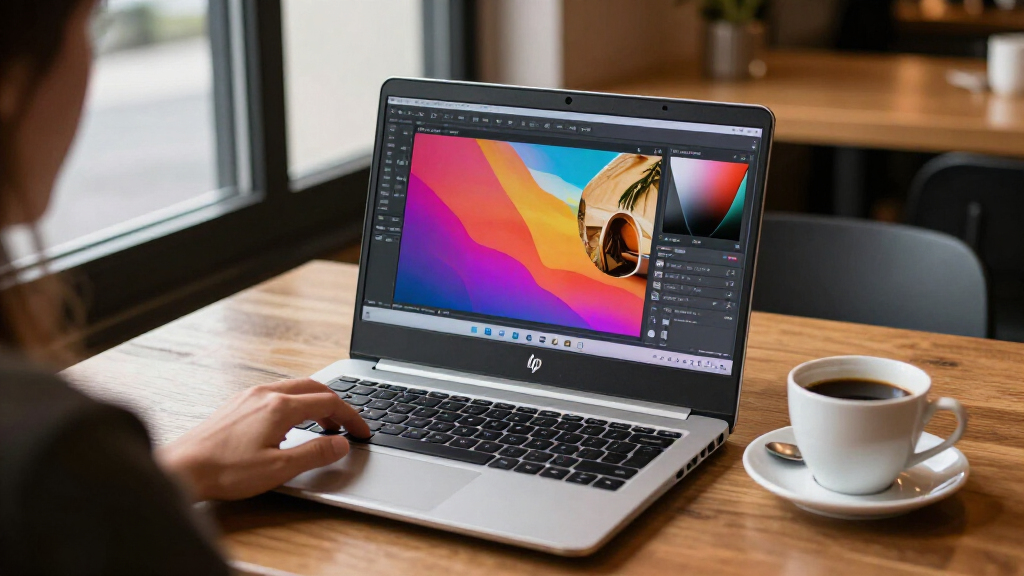

The best OLED HP laptops in this lineup range from versatile convertibles to traditional touchscreen notebooks. My best overall pick is the HP OmniBook 7 Flip 16 with 3K OLED at 120Hz, which combines a high-refresh display, pen support, 32GB of memory, and flexible 2-in-1 use. For a smaller footprint, the OmniBook X 14 pairs a compact design with a 3K OLED screen, while the OmniBook 7 16-inch OLED configurations suit buyers who prefer a conventional laptop with a Core i9 processor. The key tradeoffs are screen resolution and refresh rate, convertible flexibility, processor platform, and how much memory and storage you need. Read on for my full comparison, buying advice, and picks for different needs.

Get the latest gadgets delivered free — and shop member deals
- Fast, free delivery on millions of items
- Access to Prime Big Deal Days deals on October 6–7
- Prime Video, Amazon Music and more included
Complete the kit



Key Takeaways
- The 3K, 120Hz OmniBook 7 Flip 16 leads for versatility: its sharper, faster display, pen support, and 32GB RAM make it a stronger all-round fit than the 2K touchscreen options.
- Several OmniBook 7 Flip listings overlap heavily; compare processor details, 1TB versus 2TB storage, and Windows 11 Home versus Pro rather than treating the model name as a clear distinction.
- The OmniBook X 14 is the compact pick, trading the larger screen and 2-in-1 form factor of the 16-inch Flips for a more portable 3K OLED touchscreen.
- OmniBook X 16 Snapdragon models prioritize a different platform from the Intel Core i9 and Core Ultra options; check software and peripheral compatibility before choosing one.
- Some apparent storage upgrades are not equivalent: one OmniBook X 16 listing bundles a 512GB SSD with a 1TB docking station, unlike a laptop with 1.5TB of internal SSD capacity.
| HP OmniBook 7 Flip 16-inch 2-in-1 Laptop, 3K OLED 120Hz Touchscreen, Intel Core Ultra 7 258V, 32GB RAM, 1TB SSD, Intel Arc 140V, Pen, Windows 11 Home |  | Best Overall Convertible | Processor: Intel Core Ultra 7 258V, 8-core, up to 4.8 GHz | Display: 16-inch 3K OLED touchscreen, 2880 × 1800, 120Hz, 400 nits | Memory: 32GB LPDDR5x-8533 | VIEW LATEST PRICE | See Our Full Breakdown |
| HP OmniBook 7 16″ OLED Touchscreen Laptop, Intel Core i9, 32GB RAM, 1TB SSD, Windows 11, with Accessories |  | Best for Processor-Heavy Multitasking | Processor: Intel Core i9 270H, 14 cores, up to 5.8GHz | Display: 16-inch 2K OLED touchscreen, 2048 × 1280, 120Hz | Memory: 32GB DDR5-5600 | VIEW LATEST PRICE | See Our Full Breakdown |
| HP OmniBook 5 16-inch Next Gen AI PC with 2K OLED Touchscreen |  | Best for Long-Battery-Day Productivity | Processor: Snapdragon X Plus X1P-42-100 | Display: 16-inch 2K OLED touchscreen | Memory: 16GB LPDDR5x | VIEW LATEST PRICE | See Our Full Breakdown |
| HP OmniBook 7 Flip 16″ 2-in-1 Laptop with AI, 3K OLED Touchscreen, Intel Core Ultra 7, 32GB RAM, 2TB SSD, Windows 11 Pro |  | Best Premium Storage and Business Features | Processor: Intel Core Ultra 7; exact model not specified | Display: 16-inch 3K OLED touchscreen, 120Hz | Memory: 32GB LPDDR5 | VIEW LATEST PRICE | See Our Full Breakdown |
| HP OmniBook X 14 Laptop with 3K OLED Touchscreen, Intel Octa-core Processor, 16GB RAM, 1TB SSD, Windows 11 Pro |  | Best Compact OLED Pick | Processor: Intel Octa-core Ultra 7 355, up to 4.7GHz | Display: 14-inch 3K OLED touchscreen, 2880 × 1800, 120Hz, HDR up to 1100 nits, 100% DCI-P3 | Memory: 16GB DDR SDRAM | VIEW LATEST PRICE | See Our Full Breakdown |
| HP OmniBook 7 Flip 16 2-in-1 Business Laptop, 16″ 3K OLED Touch, Intel 8-core, 32GB RAM, 1TB SSD, Windows 11 Pro |  | Best for Business Versatility | Display: 16-inch 3K OLED touchscreen | Processor: Intel Core Ultra 7 258V, 8 cores | Memory: 32GB RAM | VIEW LATEST PRICE | See Our Full Breakdown |
| HP OmniBook 7 Flip 16″ 2-in-1 Laptop AI PC with 3K OLED Touchscreen, Intel Core Ultra 7, 32GB RAM, 1TB SSD, Windows 11 Pro |  | Best for a Slimmer 3K OLED Convertible | Display: 16-inch 3K OLED touchscreen | Processor: Intel Core Ultra 7 258V, 8 cores, up to 4.8 GHz | Memory: 32GB LPDDR5X | VIEW LATEST PRICE | See Our Full Breakdown |
| HP OmniBook X 16″ 2K OLED Touch Laptop, Snapdragon X Plus X1P-42-100, 16GB RAM, 1.5TB Storage (512GB SSD + 1TB Docking Station), Backlit Keyboard, Windows 11 Home |  | Best for Snapdragon Value and Desk Connectivity | Display: 16-inch 2K OLED touchscreen, 2560 x 1600 | Processor: Qualcomm Snapdragon X Plus X1P-42-100 | Memory: 16GB LPDDR5X | VIEW LATEST PRICE | See Our Full Breakdown |
| HP OmniBook X 16″ 2K OLED Touch Laptop, Snapdragon X Plus X1P-42-100, 16GB RAM, 1.5TB Storage, Windows 11 Pro |  | Best Snapdragon Pick for Windows 11 Pro | Display: 16-inch 2K OLED touchscreen | Processor: Qualcomm Snapdragon X Plus X1P-42-100 | Memory: 16GB LPDDR5X | VIEW LATEST PRICE | See Our Full Breakdown |
| HP OmniBook 7 AI Laptop 16″ 2K OLED Touchscreen, Intel Core i9, 32GB RAM, 1TB SSD, Windows 11 |  | Best for CPU-Heavy Workloads | Display: 16-inch 2K OLED touchscreen, 2048 x 1280, 120Hz, HDR, 500 nits | Processor: Intel Core i9-270H, 14 cores, up to 5.8 GHz | Memory: 32GB DDR5 | VIEW LATEST PRICE | See Our Full Breakdown |
| HP OmniBook 7 16-inch 2K OLED Touchscreen Laptop, Intel Core i9, 32GB RAM, 1TB SSD, Windows 11 Pro, Silver |  | Best for Windows Pro Power Users | Display: 16-inch 2K OLED touchscreen, 120Hz, HDR, Low Blue Light | Processor: Intel Core i9, 14-core, up to 5.8 GHz | Memory: 32GB RAM | VIEW LATEST PRICE | See Our Full Breakdown |
| OLED HP laptop | Processor | Display | Memory | Storage |
|---|---|---|---|---|
| HP OmniBook 7 Flip 16-inch 2-i | Intel Core Ultra 7 258V, 8-core, up to 4.8 GHz | 16-inch 3K OLED touchscreen, 2880 × 1800, 120Hz, 400 nits | 32GB LPDDR5x-8533 | 1TB PCIe Gen4 NVMe SSD |
| HP OmniBook 7 16" OLED Touchsc | Intel Core i9 270H, 14 cores, up to 5.8GHz | 16-inch 2K OLED touchscreen, 2048 × 1280, 120Hz | 32GB DDR5-5600 | 1TB PCIe Gen4 NVMe SSD |
| HP OmniBook 5 16-inch Next Gen | Snapdragon X Plus X1P-42-100 | 16-inch 2K OLED touchscreen | 16GB LPDDR5x | 512GB PCIe Gen4 NVMe M.2 SSD |
| HP OmniBook 7 Flip 16" 2-in-1 | Intel Core Ultra 7; exact model not specified | 16-inch 3K OLED touchscreen, 120Hz | 32GB LPDDR5 | 2TB PCIe Gen4 NVMe SSD |
| HP OmniBook X 14 Laptop with 3 | Intel Octa-core Ultra 7 355, up to 4.7GHz | 14-inch 3K OLED touchscreen, 2880 × 1800, 120Hz, HDR up to 1100 nits, 100% DCI-P3 | 16GB DDR SDRAM | 1TB SSD |
| HP OmniBook 7 Flip 16 2-in-1 B | Intel Core Ultra 7 258V, 8 cores | 16-inch 3K OLED touchscreen | 32GB RAM | 1TB SSD |
| HP OmniBook 7 Flip 16" 2-in-1 | Intel Core Ultra 7 258V, 8 cores, up to 4.8 GHz | 16-inch 3K OLED touchscreen | 32GB LPDDR5X | 1TB PCIe NVMe SSD |
| HP OmniBook X 16" 2K OLED Touc | Qualcomm Snapdragon X Plus X1P-42-100 | 16-inch 2K OLED touchscreen, 2560 x 1600 | 16GB LPDDR5X | 512GB SSD plus 1TB docking station |
| HP OmniBook X 16" 2K OLED Touc | Qualcomm Snapdragon X Plus X1P-42-100 | 16-inch 2K OLED touchscreen | 16GB LPDDR5X | 512GB SSD plus 1TB docking-station storage |
| HP OmniBook 7 AI Laptop 16" 2K | Intel Core i9-270H, 14 cores, up to 5.8 GHz | 16-inch 2K OLED touchscreen, 2048 x 1280, 120Hz, HDR, 500 nits | 32GB DDR5 | 1TB SSD |
| HP OmniBook 7 16-inch 2K OLED | Intel Core i9, 14-core, up to 5.8 GHz | 16-inch 2K OLED touchscreen, 120Hz, HDR, Low Blue Light | 32GB RAM | 1TB SSD |
More Details on Our Top Picks
HP OmniBook 7 Flip 16-inch 2-in-1 Laptop, 3K OLED 120Hz Touchscreen, Intel Core Ultra 7 258V, 32GB RAM, 1TB SSD, Intel Arc 140V, Pen, Windows 11 Home
The OmniBook 7 Flip is my strongest all-round pick for buyers who want an OLED laptop that can also serve as a tablet or drawing surface. Its 3K, 120Hz touchscreen gives fine detail and smooth pen input, while the included rechargeable pen makes the convertible design useful from day one. With 32GB RAM and a 1TB SSD, it has more room for demanding multitasking than the OmniBook 5, which has 16GB and 512GB. The Core Ultra 7 258V and Arc 140V graphics suit everyday creative work, though neither makes this a substitute for a dedicated-GPU workstation. At about 3.95 pounds, it is easier to carry than the 4.3-pound OmniBook 7 i9, but still substantial for frequent travel. Choose it for flexibility, not maximum portability.
Pros:- 3K OLED touchscreen combines high detail with a smooth 120Hz refresh rate
- 360-degree convertible design and included rechargeable pen support writing, drawing, and tablet use
- 32GB RAM and 1TB SSD provide generous capacity for multitasking and files
- Wi-Fi 7, Thunderbolt 4, HDMI 2.1, and a 5MP IR camera offer capable connectivity and video calls
Cons:- Approximately 3.95 pounds is heavy for regular commuting
- Integrated Intel Arc graphics are not a replacement for a dedicated GPU in graphics-heavy workloads
Best for: Students, hybrid professionals, and sketching or note-taking users who want a large OLED convertible with a pen and ample memory.
Not ideal for: Frequent travelers who prioritize a light bag, or buyers who need dedicated graphics for demanding 3D work.
- Processor:Intel Core Ultra 7 258V, 8-core, up to 4.8 GHz
- Display:16-inch 3K OLED touchscreen, 2880 × 1800, 120Hz, 400 nits
- Memory:32GB LPDDR5x-8533
- Storage:1TB PCIe Gen4 NVMe SSD
- Graphics:Intel Arc 140V
- Wireless:Wi-Fi 7, Bluetooth 5.4
- Battery:68Wh, 4-cell
- Weight:Approximately 3.95 lbs
- Included accessory:Rechargeable HP USB-C MPP 2.0 tilt pen
Our verdict“Choose this Flip for a well-equipped large-screen OLED convertible with pen support, provided its weight fits your routine.”
HP OmniBook 7 16″ OLED Touchscreen Laptop, Intel Core i9, 32GB RAM, 1TB SSD, Windows 11, with Accessories
For buyers who put processor throughput ahead of portability, this OmniBook 7 with Core i9 takes a different route from the convertible OmniBook 7 Flip. Its 14-core Core i9 and 32GB of DDR5 memory are the stronger fit for heavy multitasking and CPU-intensive work, while the 16-inch OLED touchscreen keeps video and creative projects visually engaging. The screen is 2K rather than the Flip’s 3K panel, so text and images are less detailed, and this model does not offer the Flip’s 360-degree hinge or included pen. At 4.3 pounds, it is the heaviest of these picks, and battery capacity or runtime is not specified. The bundled headset, cooling pad, and Office license may suit a desk setup, but the extras do not erase its portability and battery-information tradeoffs.
Pros:- 14-core Intel Core i9 processor is suited to demanding CPU-focused multitasking
- 32GB DDR5 memory and a 1TB PCIe Gen4 SSD provide substantial working memory and storage
- 16-inch 120Hz OLED touchscreen offers vivid contrast and smooth motion
- Wi-Fi 7, Thunderbolt 4, and HDMI 2.1 support current workplace connections
Cons:- At 4.3 pounds, it is heavier than the OmniBook 7 Flip and the 14-inch OmniBook X
- 2K resolution is lower than the 3K OLED panels on both Flip models in this batch
- Battery specifications are not provided, making unplugged suitability harder to judge
Best for: Home-office users and multitaskers who want a high-core-count Intel processor, 32GB RAM, and a large OLED touchscreen.
Not ideal for: Commuters seeking a lighter laptop, or buyers who want a 3K display, convertible hinge, pen, or clearly specified battery capacity.
- Processor:Intel Core i9 270H, 14 cores, up to 5.8GHz
- Display:16-inch 2K OLED touchscreen, 2048 × 1280, 120Hz
- Memory:32GB DDR5-5600
- Storage:1TB PCIe Gen4 NVMe SSD
- Graphics:Intel integrated graphics
- Wireless:Wi-Fi 7, Bluetooth 5.4
- Weight:4.3 lbs
- Operating system:Windows 11 Home
- Ports:Thunderbolt 4, HDMI 2.1, USB-C, USB-A
Our verdict“Pick this OmniBook 7 when its Core i9 and 32GB memory matter more than lower weight, 3K resolution, or convertible flexibility.”
HP OmniBook 5 16-inch Next Gen AI PC with 2K OLED Touchscreen
The OmniBook 5 is the battery-focused choice in this group: HP lists up to 34 hours of battery life, a notable contrast with the OmniBook 7 models here, whose battery runtime is not specified. Its Snapdragon X Plus platform, 16GB of memory, and 512GB SSD are aimed at everyday productivity and media rather than the highest workloads. The 16-inch 2K OLED touchscreen still brings the rich contrast that makes OLED appealing, but it lacks the 3K resolution and 120Hz refresh rate listed for the OmniBook 7 Flip. That tradeoff can make sense if reducing charger dependence matters more than display sharpness or extra memory. I would check that your key apps support the Snapdragon platform before buying, particularly if your work depends on specialized software.
Pros:- Up to 34 hours of listed battery life supports long stretches away from an outlet
- 16-inch OLED touchscreen delivers deep contrast for media and everyday work
- Snapdragon X Plus platform is designed for efficient multitasking and AI features
- Recycled metal and recycled plastics are used in the materials
Cons:- 16GB RAM and 512GB SSD are less generous than the 32GB and 1TB configurations in the OmniBook 7 models
- 2K display is lower resolution than the 3K OLED panels in both OmniBook 7 Flip options
- Snapdragon processor compatibility may limit some specialized apps or workflows
Best for: Mobile professionals and students who prioritize long listed battery life and OLED screen quality for office tasks, browsing, and media.
Not ideal for: Creators who need 32GB RAM, more storage, a high-refresh 3K panel, or confirmed compatibility with specialized Windows applications.
- Processor:Snapdragon X Plus X1P-42-100
- Display:16-inch 2K OLED touchscreen
- Memory:16GB LPDDR5x
- Storage:512GB PCIe Gen4 NVMe M.2 SSD
- Graphics:Qualcomm Adreno GPU
- Battery life:Up to 34 hours
- Camera:HP True Vision FHD IR Camera
- Wireless:Wi-Fi 6E, Bluetooth 5.3
- Materials:Recycled metal, ocean-bound plastic, and post-consumer recycled materials
Our verdict“Choose the OmniBook 5 for its stated long battery life and OLED productivity setup, after confirming your apps work well on Snapdragon.”
HP OmniBook 7 Flip 16″ 2-in-1 Laptop with AI, 3K OLED Touchscreen, Intel Core Ultra 7, 32GB RAM, 2TB SSD, Windows 11 Pro
This OmniBook 7 Flip is the productivity-heavy sibling to the 1TB OmniBook 7 Flip: it keeps the 16-inch 3K OLED convertible design and 32GB memory, then doubles storage to 2TB and adds Windows 11 Pro. That combination suits professionals who keep large project files local or need Pro’s business-focused Windows features. Its 360-degree hinge gives it more presentation and touch flexibility than the conventional Core i9 OmniBook 7, while the listed Arc 140V graphics support everyday creative tasks. The listing does not specify battery life, and the 16-inch chassis is described as heavy and bulky, so it is less appealing for frequent travel. Processor details are also imprecise, and no pen is listed here, unlike the 1TB Flip that includes one.
Pros:- 3K OLED touchscreen and 360-degree hinge support detailed work, presentations, and touch-first use
- 2TB PCIe Gen4 SSD offers twice the listed capacity of the other Flip in this batch
- 32GB memory and Windows 11 Pro suit demanding multitasking and business-oriented setups
- 5MP IR camera and listed privacy and enterprise security features support work calls and device management
Cons:- Battery capacity and runtime are not specified
- Large convertible chassis is bulky for frequent travel
- Processor model description is ambiguous, and an included pen is not listed
Best for: Business users and creators who need a 3K OLED convertible, Windows 11 Pro, 32GB RAM, and 2TB of local storage.
Not ideal for: Buyers who want a clearly specified battery runtime, a light travel laptop, or an included pen without checking the package contents.
- Processor:Intel Core Ultra 7; exact model not specified
- Display:16-inch 3K OLED touchscreen, 120Hz
- Memory:32GB LPDDR5
- Storage:2TB PCIe Gen4 NVMe SSD
- Graphics:Intel Arc 140V
- Operating system:Windows 11 Pro
- Connectivity:Wi-Fi 7, Thunderbolt 4, HDMI 2.1, USB-C, USB-A
- Camera:5MP IR with noise reduction
- Material:Sandblasted aluminum
Our verdict“Choose this model over the 1TB Flip if Windows 11 Pro and doubled storage matter more than a specified included pen or clearer battery details.”
HP OmniBook X 14 Laptop with 3K OLED Touchscreen, Intel Octa-core Processor, 16GB RAM, 1TB SSD, Windows 11 Pro
The OmniBook X 14 is the portability pick: at 2.9 pounds, it is notably easier to carry than either 16-inch Flip or the 4.3-pound Core i9 OmniBook 7. Its 14-inch 3K OLED touchscreen pairs compact dimensions with a 120Hz refresh rate, HDR support, and 100% DCI-P3 coverage, making it the most travel-friendly option here for viewers and color-focused creators. The tradeoff is capacity: it has 16GB RAM, half the memory of the 32GB Flip models, and its integrated graphics are better suited to general creative work than GPU-heavy production. Unlike the OmniBook 5, it offers a 3K, high-refresh display and Windows 11 Pro, but its battery runtime is not specified. Choose it when a vivid screen and lighter bag outweigh upgrade headroom.
Pros:- 2.9-pound chassis is substantially lighter than the 16-inch laptops in this roundup
- 3K 120Hz OLED touchscreen combines fine detail, smooth motion, HDR, and 100% DCI-P3 coverage
- 1TB SSD and Windows 11 Pro provide useful storage and business-oriented software features
- Two Thunderbolt 4 ports, Wi-Fi 7, HDMI 2.1, and a 5MP IR camera support a mobile work setup
Cons:- 16GB RAM is less suitable for heavier multitasking than the 32GB OmniBook 7 models
- Integrated graphics are not aimed at demanding GPU-intensive workloads
- Battery runtime is not specified despite the 68Wh battery capacity
Best for: Frequent travelers, consultants, and mobile creators who want a lightweight 14-inch OLED laptop with a high-resolution, wide-color display.
Not ideal for: Users who need 32GB RAM, dedicated graphics, large local storage beyond 1TB, or a confirmed all-day battery runtime.
- Processor:Intel Octa-core Ultra 7 355, up to 4.7GHz
- Display:14-inch 3K OLED touchscreen, 2880 × 1800, 120Hz, HDR up to 1100 nits, 100% DCI-P3
- Memory:16GB DDR SDRAM
- Storage:1TB SSD
- Graphics:Intel integrated graphics
- Battery:68Wh
- Weight:2.9 lbs
- Operating system:Windows 11 Pro
- Connectivity:2× Thunderbolt 4, USB-A 3.2, HDMI 2.1, Wi-Fi 7
Our verdict“Pick the OmniBook X 14 if low carry weight and a color-rich 3K OLED matter more than 32GB memory or dedicated graphics.”
HP OmniBook 7 Flip 16 2-in-1 Business Laptop, 16″ 3K OLED Touch, Intel 8-core, 32GB RAM, 1TB SSD, Windows 11 Pro
The OmniBook 7 Flip 16 pairs a sharp 3K OLED touchscreen with a 360-degree convertible design, so I’d favor it for professionals who want one large-screen device for laptop work, presentations, and pen input. Its 32GB of RAM and 1TB SSD give it more multitasking headroom than the 16GB OmniBook X models, while Windows 11 Pro and the 5MP IR camera suit a work-focused setup. Thunderbolt 4, HDMI 2.1, and USB-A also make connecting office peripherals easier. The tradeoff is size: a 16-inch convertible is less convenient to carry than the 3.77-pound OmniBook X 16, and the listing provides no battery estimate. Choose this Flip for its display resolution and flexible modes, not for light travel or maximum graphics performance.
Pros:- 16-inch 3K OLED touchscreen supports detailed work and touch or pen input
- 32GB RAM and 1TB SSD provide generous capacity for multitasking and files
- Windows 11 Pro and a 5MP IR camera fit business use
- Thunderbolt 4, HDMI 2.1, USB-C, and USB-A offer flexible connections
Cons:- Large 16-inch convertible design is less travel-friendly than the OmniBook X 16
- Integrated Intel Arc graphics are not a substitute for a dedicated GPU
- Battery life and device weight are not specified
Best for: Business users who want a high-resolution OLED touchscreen, stylus input, Windows 11 Pro, and room for demanding multitasking.
Not ideal for: Frequent travelers who prioritize a lighter laptop, or buyers who need discrete graphics for demanding 3D work.
- Display:16-inch 3K OLED touchscreen
- Processor:Intel Core Ultra 7 258V, 8 cores
- Memory:32GB RAM
- Storage:1TB SSD
- Graphics:Integrated Intel Arc
- Camera:5MP IR
- Connectivity:Wi-Fi 7, Thunderbolt 4, USB-C, USB-A 3.2, HDMI 2.1
- Operating system:Windows 11 Pro
Our verdict“Choose this model for a work-ready 3K OLED convertible with generous memory, provided portability matters less than screen space.”
HP OmniBook 7 Flip 16″ 2-in-1 Laptop AI PC with 3K OLED Touchscreen, Intel Core Ultra 7, 32GB RAM, 1TB SSD, Windows 11 Pro
This OmniBook 7 Flip keeps the central draw of the B0G3P5171X model—16-inch 3K OLED touch, 32GB RAM, and a pen-friendly convertible format—but its listing emphasizes a slim, lightweight build and fast-charge support. That makes it the more appealing of the two Flip entries for buyers who expect to move between rooms or use it as a tablet, though no actual weight or battery runtime is supplied to verify the portability claim. The Core Ultra 7 258V and integrated Arc graphics suit productivity and everyday creative tasks, not GPU-heavy workloads. Wi-Fi 7, Thunderbolt 4, HDMI, and USB-A give it a useful mix of modern and familiar connections. Compared with the OmniBook X 16, this Flip offers 3K resolution and conversion modes, but carries the usual larger-screen portability compromise.
Pros:- 3K OLED touchscreen offers higher stated resolution than the OmniBook X 16’s 2K panel
- Convertible form supports laptop and touch-first use
- 32GB LPDDR5X RAM and 1TB PCIe NVMe SSD
- Wi-Fi 7, Thunderbolt 4, HDMI, and fast-charge support
Cons:- Actual weight and battery runtime are not stated despite portability and battery claims
- Integrated graphics limit suitability for GPU-intensive work
- 16-inch convertible remains larger to carry than a compact laptop
Best for: Hybrid workers and students who want a high-resolution touchscreen convertible for notes, presentations, and multitasking.
Not ideal for: Buyers seeking a compact daily carry, a verified long-runtime battery, or graphics performance for demanding games and 3D applications.
- Display:16-inch 3K OLED touchscreen
- Processor:Intel Core Ultra 7 258V, 8 cores, up to 4.8 GHz
- Memory:32GB LPDDR5X
- Storage:1TB PCIe NVMe SSD
- Graphics:Integrated Intel Arc
- Operating system:Windows 11 Pro
- Connectivity:Wi-Fi 7, Bluetooth 5.4
- Camera:5MP IR with noise reduction
- Ports:Thunderbolt 4, USB-C, USB-A, HDMI, headphone/mic
Our verdict“Pick this Flip if 3K resolution and convertible flexibility matter more than a clearly documented weight or battery runtime.”
HP OmniBook X 16″ 2K OLED Touch Laptop, Snapdragon X Plus X1P-42-100, 16GB RAM, 1.5TB Storage (512GB SSD + 1TB Docking Station), Backlit Keyboard, Windows 11 Home
The OmniBook X 16 is the more portability-minded OLED choice in this group: its listed weight is 3.77 pounds, and its Snapdragon X Plus platform pairs with 16GB RAM for everyday productivity. The 2K OLED touchscreen has less resolution than the 3K panels on both OmniBook 7 Flip models, but should still suit browsing, documents, and video while keeping the configuration focused on mainstream use. Its advertised 1.5TB total storage needs a closer look: only 512GB is described as the laptop SSD, with the other 1TB supplied by a docking station. That dock can help at a desk, but it is not the same as 1.5TB of built-in storage. Compared with the Windows 11 Pro OmniBook X version, this one runs Windows 11 Home and lists the dock in its configuration.
Pros:- 3.77-pound weight is specified, making portability easier to judge
- 16-inch 2K OLED touchscreen with touch support
- Docking station adds 1TB of listed storage and desk connectivity
- Backlit keyboard and Wi-Fi 6E
Cons:- Only 512GB is listed as the laptop’s internal SSD; remaining storage is in the docking station
- 16GB RAM is less headroom than the 32GB in the OmniBook 7 Flip models
- Snapdragon platform may not suit every legacy or specialized Windows application
Best for: Students and everyday users who want a lighter 16-inch OLED touchscreen and expect to use the included storage dock at a desk.
Not ideal for: Buyers who need 1.5TB of internal storage, Windows 11 Pro, or confirmed compatibility with specialized Windows software.
- Display:16-inch 2K OLED touchscreen, 2560 x 1600
- Processor:Qualcomm Snapdragon X Plus X1P-42-100
- Memory:16GB LPDDR5X
- Storage:512GB SSD plus 1TB docking station
- Graphics:Qualcomm Adreno
- Operating system:Windows 11 Home
- Weight:3.77 lb
- Connectivity:Wi-Fi 6E, Bluetooth 5.3
- Ports:2 x USB-C, 1 x USB-A, headphone/microphone jack
Our verdict“Choose this OmniBook X for a comparatively light OLED laptop and desk-based dock, but do not mistake dock storage for built-in capacity.”
HP OmniBook X 16″ 2K OLED Touch Laptop, Snapdragon X Plus X1P-42-100, 16GB RAM, 1.5TB Storage, Windows 11 Pro
This OmniBook X shares the other X model’s 3.77-pound chassis, Snapdragon X Plus processor, 16GB RAM, and 2K OLED touchscreen, but its clearest distinction is Windows 11 Pro. That makes it the more suitable X configuration for buyers who need Pro features, while the B0HFQJ4FLC listing specifies Windows 11 Home and explicitly includes a 1TB docking station. Here, the stated 1.5TB is still a combined figure of a 512GB SSD and docking-station storage, so I would not count it as all internal capacity. The 2K panel is a step below the 3K OmniBook 7 Flip displays in resolution, and the ARM-based Snapdragon can create software-compatibility questions. For office work and general use, its weight and Pro edition are stronger reasons to choose it than raw performance.
Pros:- Windows 11 Pro edition distinguishes it from the Home version of the OmniBook X
- 3.77-pound weight and 0.52-inch profile support easier carrying
- 2K OLED touchscreen provides rich contrast and touch input
- Wi-Fi 6E, USB-C, USB-A, and a headphone/microphone jack
Cons:- Snapdragon processor may have compatibility limits with some Windows applications
- 16GB RAM is below the 32GB offered by the OmniBook 7 Flip models
- The 1.5TB figure includes docking-station storage rather than all internal SSD capacity
Best for: Mobile professionals who want a relatively light OLED laptop with Windows 11 Pro and mainly use applications compatible with Snapdragon systems.
Not ideal for: Users dependent on legacy x86 software, buyers needing 32GB RAM, or anyone who wants all listed storage inside the laptop.
- Display:16-inch 2K OLED touchscreen
- Processor:Qualcomm Snapdragon X Plus X1P-42-100
- Memory:16GB LPDDR5X
- Storage:512GB SSD plus 1TB docking-station storage
- Graphics:Qualcomm Adreno
- Operating system:Windows 11 Pro
- Weight:3.77 lb
- Connectivity:Wi-Fi 6E, Bluetooth 5.3
- Ports:2 x USB-C, 1 x USB-A, headphone/microphone combo jack
Our verdict“Favor this version over the Windows 11 Home OmniBook X when Pro is a requirement and your software runs well on Snapdragon.”
HP OmniBook 7 AI Laptop 16″ 2K OLED Touchscreen, Intel Core i9, 32GB RAM, 1TB SSD, Windows 11
The OmniBook 7 AI is the performance-oriented pick here: its 14-core Intel Core i9 and 32GB DDR5 RAM give demanding multitaskers more conventional x86 headroom than the 16GB Snapdragon OmniBook X models. The 16-inch OLED touchscreen adds HDR support and a 120Hz refresh rate, making scrolling and touch interactions feel smoother than on the listed 2K OmniBook X panels. Its 2K resolution, however, is lower than the 3K display on either OmniBook 7 Flip, and this model is not described as a convertible. At 4.23 pounds, it is also the heaviest option among the products with stated weights. I’d shortlist it for CPU-intensive office or creator workflows, not for pen-based flexibility or frequent commuting; its integrated graphics remain a limit for graphics-heavy production.
Pros:- 14-core Intel Core i9 is the strongest stated CPU configuration in this batch
- 32GB DDR5 RAM and 1TB SSD support substantial multitasking and local files
- 120Hz 2K OLED touchscreen with HDR and stated 500-nit brightness
- 70Wh battery and a listed weight of 4.23 pounds
Cons:- Heavier than the 3.77-pound OmniBook X 16 models
- 2K resolution is below the 3K panels on the OmniBook 7 Flip models
- Integrated Intel graphics are a constraint for GPU-intensive creative work
Best for: Professionals and creators who prioritize a strong multi-core Intel processor, 32GB memory, and a smooth 120Hz OLED touchscreen.
Not ideal for: Frequent commuters who want a lighter laptop, convertible users, or creators whose work depends on powerful dedicated graphics.
- Display:16-inch 2K OLED touchscreen, 2048 x 1280, 120Hz, HDR, 500 nits
- Processor:Intel Core i9-270H, 14 cores, up to 5.8 GHz
- Memory:32GB DDR5
- Storage:1TB SSD
- Graphics:Integrated Intel Graphics
- Battery:70Wh lithium-ion polymer
- Weight:4.23 lb
- Dimensions:14.09 x 10.03 x 0.59 in
Our verdict“Choose this OmniBook 7 when CPU power and a 120Hz OLED matter more than a 3K panel, convertible design, or lighter carry weight.”
HP OmniBook 7 16-inch 2K OLED Touchscreen Laptop, Intel Core i9, 32GB RAM, 1TB SSD, Windows 11 Pro, Silver
I’d pick this OmniBook 7 for buyers who want a large OLED workspace paired with strong multitasking specs and Windows 11 Pro. Its 16-inch 2K OLED touchscreen adds HDR and 120Hz refresh, making scrolling feel smoother while giving photos and video rich contrast. The Core i9 and 32GB of RAM suit demanding office workloads and keeping many applications open; compared with the OmniBook 7 Flip 16-inch 3K OLED, this model trades the Flip’s higher resolution and convertible design for a conventional laptop format and a specified Core i9 processor.
The tradeoffs matter: Intel Graphics is a weaker fit for graphics-heavy gaming or creative work than a laptop with discrete graphics, and the listing provides no battery-life estimate. At 4.23 pounds, it is portable for a 16-inch laptop, but frequent commuters may prefer the smaller OmniBook X 14. I’d choose this version when Windows Pro and processing headroom matter more than pen use or maximum display sharpness.
Pros:- 16-inch 2K OLED touchscreen with 120Hz refresh and HDR
- Core i9 processor and 32GB RAM support demanding multitasking
- Windows 11 Pro suits users who need its business-oriented operating system
- Wi-Fi 7, Thunderbolt 4, and USB-C provide modern connectivity
Cons:- Integrated Intel Graphics is a limitation for graphics-intensive gaming and production
- Battery life is not specified, making unplugged-use planning difficult
- Larger and heavier than the 14-inch OmniBook X option
Best for: Windows Pro users who want a large touch OLED screen, substantial memory, and a Core i9 for multitasking and demanding productivity work.
Not ideal for: Frequent travelers seeking a compact laptop, or gamers and creators who need stronger graphics performance or a stated battery-life target.
- Display:16-inch 2K OLED touchscreen, 120Hz, HDR, Low Blue Light
- Processor:Intel Core i9, 14-core, up to 5.8 GHz
- Memory:32GB RAM
- Storage:1TB SSD
- Graphics:Intel Graphics
- Operating system:Windows 11 Pro
- Battery:4-cell 70Wh Li-ion
- Weight:4.23 lbs
- Connectivity:Wi-Fi 7, Bluetooth 5.4
Our verdict“Choose this OmniBook 7 if you want Windows 11 Pro, Core i9 performance, and a spacious OLED touchscreen in a standard laptop rather than a convertible.”
How We Picked
I compared these HP OLED laptops around the factors that change the day-to-day buying decision: display resolution and refresh rate, touchscreen and convertible flexibility, stated processor platform, memory, storage, operating system, and portability. OLED is common across this group, so I gave more weight to what differentiates the screens and how each laptop’s format fits work, study, travel, or creative use. I also treated bundled accessories and external storage cautiously, since they do not provide the same convenience as built-in laptop features.
The ranking favors a balanced configuration with a clearly useful feature advantage, then separates compact, conventional, and Snapdragon-based choices by their intended buyer. The 3K 120Hz OmniBook 7 Flip ranks first for combining a distinctive screen with pen-enabled convertible use and 32GB RAM. Closely named Flip and OmniBook 7 listings rank below it when their descriptions do not state the same refresh-rate advantage or when configuration differences matter more than the shared OLED format. Because several listings provide limited detail, I avoid assuming unlisted battery life, weight, or performance results; buyers should verify the exact configuration before ordering.
| OLED HP laptop | Operating system |
|---|---|
| HP OmniBook 7 Flip 16-inch 2-i | — |
| HP OmniBook 7 16" OLED Touchsc | Windows 11 Home |
| HP OmniBook 5 16-inch Next Gen | — |
| HP OmniBook 7 Flip 16" 2-in-1 | Windows 11 Pro |
| HP OmniBook X 14 Laptop with 3 | Windows 11 Pro |
| HP OmniBook 7 Flip 16 2-in-1 B | Windows 11 Pro |
| HP OmniBook 7 Flip 16" 2-in-1 | Windows 11 Pro |
| HP OmniBook X 16" 2K OLED Touc | Windows 11 Home |
| HP OmniBook X 16" 2K OLED Touc | Windows 11 Pro |
| HP OmniBook 7 AI Laptop 16" 2K | — |
| HP OmniBook 7 16-inch 2K OLED | Windows 11 Pro |
Factors to Consider When Choosing Best OLED HP Laptops
Choosing among these models takes more than deciding whether you want OLED. I would first match the laptop’s shape and screen to how you work, then check the exact configuration details that can get lost among similar OmniBook names.
Choose a screen size and shape for your routine
A 16-inch screen gives documents, split-screen work, and media more room, but a larger laptop is less convenient to carry every day. A 14-inch model can make more sense for commuting or moving between classes, even if it leaves less workspace. A 2-in-1 adds useful flexibility for handwriting, presenting, and touch-first tasks, but that only pays off if you will actually fold or use the screen as a tablet. Buyers who mostly type at a desk may get more value from a conventional laptop layout. Think about where the computer will sit during a normal day, not just how appealing a convertible sounds in a feature list.
Do not treat OLED resolution and refresh rate as the same upgrade
OLED describes the display technology, while resolution and refresh rate describe different parts of the viewing experience. A 3K panel offers more detail than a 2K panel, which can help with fine text and detailed creative work, while a 120Hz refresh rate can make scrolling and motion feel smoother. Neither specification alone tells you whether a screen is right for your tasks, and a higher-resolution panel may matter less on a smaller display viewed at ordinary distances. Touch support is another separate feature; confirm it if you expect to use a finger or pen. Avoid paying for a display advantage you will rarely notice when memory, storage, or portability matters more to you.
Match the processor platform to your apps
These listings include Intel Core Ultra, Intel Core i9, and Snapdragon X Plus configurations, so the processor name is not just a performance tier label. Your daily applications, workplace tools, device drivers, and specialist accessories can influence which platform is the safer fit. Before choosing a Snapdragon model, check that any essential software and peripherals support the version of Windows and processor architecture it uses. For Intel models, compare the exact chip details rather than assuming that every OmniBook 7 listing has the same processor. If your work depends on a particular application, its compatibility requirements should carry more weight than a broad AI PC label.
Check what the storage number actually includes
Storage listings can combine internal capacity with accessories, and those are not interchangeable. A laptop with a 512GB SSD plus a 1TB docking station does not provide the same built-in space as a system with a 1TB or 2TB internal SSD. External storage can be useful at a desk, but it may need to be connected, carried, or kept separate from the laptop. Consider your offline files, photo and video libraries, and work applications before deciding how much internal capacity you need. Also check whether the listing describes a single SSD or a bundle, so the headline total does not lead you to expect more internal storage than you will receive.
Treat Windows editions and bundles as configuration choices
Windows 11 Home and Pro are not simply different names for the same configuration; some workplaces require Pro features or a managed-device setup, while many personal users may not need them. Confirm the edition your school or employer supports before picking a listing. Accessories can add practical value only when they match your needs, and bundled extras should not distract from the laptop’s screen, processor, memory, or storage. Similar product titles may also hide differences in memory, included pen support, or processor details. Read the complete configuration line and verify the contents, rather than relying on a shared OmniBook model name.
Frequently Asked Questions
Is the 3K 120Hz OmniBook 7 Flip worth choosing over a 2K OLED HP laptop?
It makes the strongest case if you will benefit from sharper detail, smoother motion, touch, or the convertible design. The 120Hz panel is a specific advantage over listings that only state 2K OLED, but its value depends on your work and viewing habits. For basic browsing, writing, and streaming, a 2K screen may already suit you well. Compare the full configurations too: memory, storage, processor, and Windows edition can matter more than resolution for some buyers. Choose the Flip for its combined display and flexibility, not just because 3K sounds like a higher number.
Which OmniBook listing is best for a smaller bag or frequent commuting?
The 14-inch OmniBook X is the clearest compact option in this group, while most of the other models have 16-inch screens. A smaller display can make the laptop easier to fit into a daily carry setup, but check the actual dimensions and weight for the specific configuration before deciding. If you regularly work with several windows side by side, the larger models may be more comfortable even if they take up more space. The OmniBook X 14 also has a 3K OLED touchscreen, so selecting a compact laptop does not mean giving up a high-resolution panel. Think about your carrying habits and typical work setup together.
Should I choose a Snapdragon OmniBook X 16 or an Intel OmniBook 7?
Start with application and accessory compatibility, not the family name or an AI label. The OmniBook X 16 listings use Snapdragon X Plus, while the OmniBook 7 options are listed with Intel processors; software support can differ between these platforms. If you rely on work apps, specialist drivers, or older peripherals, confirm they are supported on the exact Windows configuration before buying. Intel Core i9 and Core Ultra listings also vary, so check the precise processor rather than assuming the OmniBook 7 name guarantees identical hardware. The better fit is the platform that supports your real workload with the fewest compromises.
Does the OmniBook X 16 listing with 1.5TB storage have 1.5TB inside the laptop?
Not necessarily. One listed configuration describes 1.5TB as a 512GB SSD plus a 1TB docking station, so the bundled total includes storage outside the laptop. That setup can work well for a desk-based user who wants extra capacity nearby, but it is less convenient when traveling or working away from the dock. Another OmniBook X 16 listing also states 1.5TB, so read its full configuration details rather than assuming the arrangements match. If you need your files available on the go, prioritize confirmed internal SSD capacity.
Do I need Windows 11 Pro on an OLED HP laptop?
Many personal and student users can choose based on their software and setup needs rather than the Pro label alone. Pro may be a better fit when an employer, school, or IT administrator requires its management or security features. This roundup includes both Home and Pro listings, including similar OmniBook models, so verify the exact edition before ordering. Do not assume that Pro means a faster laptop or a better OLED screen; those depend on the hardware configuration. If you are unsure, ask your organization which Windows edition it supports.
Conclusion
For the broadest mix of display quality and flexibility, my best overall is the HP OmniBook 7 Flip 16 with 3K OLED at 120Hz. The best value is the OmniBook 7 16-inch 2K OLED configuration that meets your memory and storage needs without paying for a convertible or a higher-resolution screen you may not use; compare the exact listings before deciding. For a best premium fit, choose the Flip configuration with 2TB SSD if you need more internal room alongside its 3K OLED convertible design. The best for beginners is a straightforward OmniBook 7 16-inch touchscreen with 32GB RAM and 1TB SSD, provided its processor and Windows edition suit your needs. For specific needs, the OmniBook X 14 is the compact choice, while the OmniBook X 16 Snapdragon is worth considering after confirming app compatibility and checking whether its storage is internal or bundled with a dock.
Halloween Picks
halloween
As an affiliate, we earn on qualifying purchases.