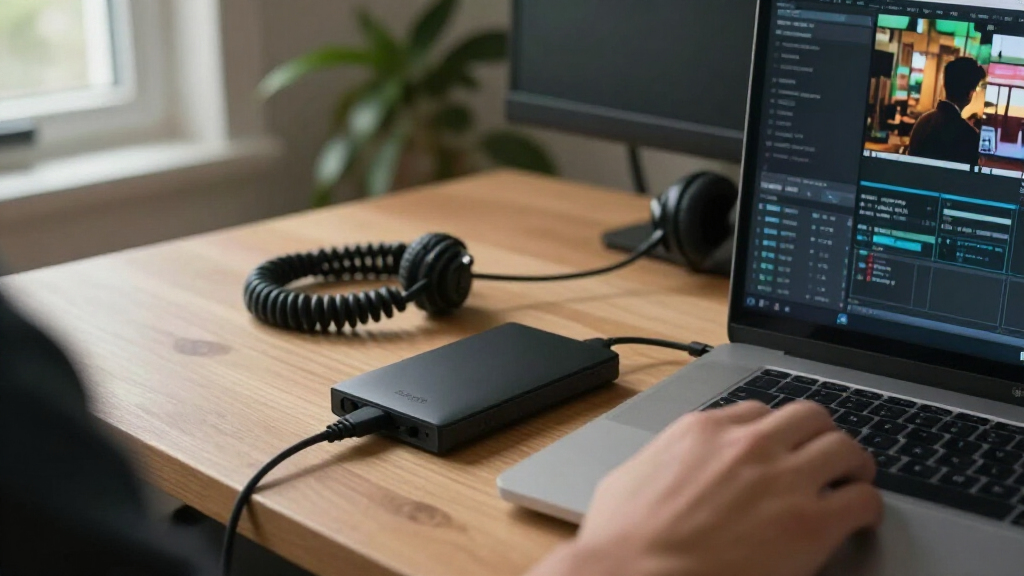

The best Seagate external hard drive for most people is the Seagate Expansion Portable 4TB: its portable design and useful capacity make it a balanced choice for everyday files and backups. For a desk-based archive, the Expansion 8TB Desktop offers more room, while the Backup Plus Slim 2TB suits buyers who prioritize a compact drive. The main tradeoffs are portability versus capacity, and a simple plug-in drive versus a premium feature set. Desktop models need a power outlet, while portable models are easier to move but offer less room per drive. Read on for how the full lineup compares and which Seagate model fits your needs.

Get the latest gadgets delivered free with Prime
- Fast, free delivery on millions of items
- Prime Video, Amazon Music and more included
- Member-only deals all year
Complete the kit



Key Takeaways
- Portable drives make the most sense for everyday carry: the 2TB, 4TB, and 5TB portable options trade desktop-level capacity for a smaller setup that travels more easily.
- Desktop Expansion models favor fixed storage: the 4TB, 6TB, and 8TB versions are better suited to a home or office desk, where the separate power supply is less of a drawback.
- The 28TB Expansion is a specialized high-capacity choice, not the default pick: its renewed status and desktop format call for more scrutiny than a standard new portable drive.
- Two 2TB drives can serve different priorities: the Backup Plus Slim emphasizes a thin profile, while basic Portable and Expansion Portable models favor straightforward storage.
- The FireCuda Forge stands apart on interface and positioning: its USB4 connection and 8TB capacity may appeal to buyers seeking a premium external HDD, but the rest of the setup must support the interface to make that feature useful.
| Seagate Portable 2TB External Hard Drive, USB 3.0, Dark Grey |  | Best for Everyday Portability | Storage capacity: 2 TB | Interface: USB 3.0 | Form factor: 2.5 inches | VIEW LATEST PRICE | See Our Full Breakdown |
| Seagate 4 TB Expansion Portable External Hard Drive (STGX4000400) | | Best High-Capacity Portable Pick | Storage capacity: 4 TB (4000 GB) | Interface: USB 3.0, backward compatible with USB 2.0 | Form factor: 2.5-inch | VIEW LATEST PRICE | See Our Full Breakdown |
| Seagate Expansion 8TB Desktop External Hard Drive, USB 3.0 |  | Best for Plug-and-Play Desktop Backups | Storage capacity: 8 TB | Drive type: Desktop external hard drive | Form factor: 3.5 inches | VIEW LATEST PRICE | See Our Full Breakdown |
| Seagate Expansion 28TB External Desktop Hard Drive, USB 3.0, with Rescue Data Recovery Services (Renewed) |  | Best for Maximum Desktop Capacity | Storage capacity: 28 TB | Condition: Renewed | Interface: USB 3.0 | VIEW LATEST PRICE | See Our Full Breakdown |
| Seagate Expansion 6TB External Desktop Hard Drive, USB 3.0 |  | Best Mid-Size Desktop Backup Drive | Storage capacity: 6 TB | Drive type: Mechanical HDD | Form factor: 3.5 inches | VIEW LATEST PRICE | See Our Full Breakdown |
| Seagate Expansion Desktop 4TB External Hard Drive, USB 3.0 (STKP4000400) |  | Best for Stationary Bulk Storage | Storage capacity: 4 TB | Interface: USB 2.0/3.0 | Form factor: 3.5 inches | VIEW LATEST PRICE | See Our Full Breakdown |
| Seagate Backup Plus Portable 5TB External Hard Drive, USB 3.0, Black |  | Best High-Capacity Portable Pick | Storage capacity: 5 TB | Interface: USB 3.0 | Form factor: 2.5 inches | VIEW LATEST PRICE | See Our Full Breakdown |
| Seagate One Touch 2TB External Hard Drive (Silver, USB 3.0) |  | Best for Photo-Workflow Extras | Capacity: 2 TB | Interface: USB 3.0 | Form factor: 2.5-inch portable | VIEW LATEST PRICE | See Our Full Breakdown |
| Seagate 2TB Portable External Hard Drive, USB 3.0 (STGX2000400) |  | Best Simple Plug-and-Play Pick | Storage capacity: 2 TB | Drive type: Mechanical hard drive | Interface: USB 3.0 | VIEW LATEST PRICE | See Our Full Breakdown |
| Seagate Backup Plus Slim 2TB Portable External Hard Drive, Black |  | Best Slim Backup Drive | Storage capacity: 2 TB | Interface: USB 2.0/3.0 | Dimensions: 4.52 × 3.07 × 0.46 inches | VIEW LATEST PRICE | See Our Full Breakdown |
| Seagate FireCuda Forge 8TB External HDD with USB4 (STNS8000400) |  | Best for Hybrid Gaming Storage | HDD capacity: 8 TB | Interface: USB 3.0 | Connectivity: Thunderbolt, USB; USB4 workflows supported | VIEW LATEST PRICE | See Our Full Breakdown |
| Seagate Expansion Portable 2TB External Hard Drive |  | Best for Simple Portable Backups | Storage capacity: 2 TB | Drive type: Mechanical external hard drive | Interface: USB 3.0 | VIEW LATEST PRICE | See Our Full Breakdown |
| Seagate external hard drife | Interface | Storage capacity | Form factor | Read speed |
|---|---|---|---|---|
| Seagate Portable 2TB External | USB 3.0 | 2 TB | 2.5 inches | 120 MB/s |
| Seagate 4 TB Expansion Portabl | USB 3.0, backward compatible with USB 2.0 | 4 TB (4000 GB) | 2.5-inch | 120 MB/s |
| Seagate Expansion 8TB Desktop | USB 3.0 Micro-B | 8 TB | 3.5 inches | 120 MB/s |
| Seagate Expansion 28TB Externa | USB 3.0 | 28 TB | 3.5-inch | — |
| Seagate Expansion 6TB External | USB 3.0 | 6 TB | 3.5 inches | 120 MB/s |
| Seagate Expansion Desktop 4TB | USB 2.0/3.0 | 4 TB | 3.5 inches | 120 MB/s |
| Seagate Backup Plus Portable 5 | USB 3.0 | 5 TB | 2.5 inches | — |
| Seagate One Touch 2TB External | USB 3.0 | — | 2.5-inch portable | 120 MB/s |
| Seagate 2TB Portable External | USB 3.0 | 2 TB | — | 120 MB/s |
| Seagate Backup Plus Slim 2TB P | USB 2.0/3.0 | 2 TB | — | — |
| Seagate FireCuda Forge 8TB Ext | USB 3.0 | — | 3.5 inches | — |
| Seagate Expansion Portable 2TB | USB 3.0 | 2 TB | 2.5 inches | 120 MB/s |
More Details on Our Top Picks
Seagate Portable 2TB External Hard Drive, USB 3.0, Dark Grey
The Seagate Portable 2TB is the straightforward pick for carrying everyday files between computers. Its 2.5-inch design weighs 190 g, and USB-powered, plug-and-play setup keeps the kit simple: connect the included cable and start moving files without installing backup software. Compared with the Seagate 4 TB Expansion Portable, this model gives up half the capacity but is a practical choice when lighter, routine storage matters more than keeping a large media library on one drive. Windows and Mac compatibility also makes it useful for moving files across platforms.
The tradeoff is USB 3.0 hard-drive performance, not SSD responsiveness, and 2TB may fill quickly with video or game installs. The 18-inch cable is convenient at a desk but can limit placement. Choose it for documents, photos, and travel backups; skip it if you need several terabytes or regularly move very large folders.
Pros:- Compact 2.5-inch design weighs 190 g for easier travel.
- Plug-and-play setup avoids additional software installation.
- Works with Windows and Mac computers.
- Includes an 18-inch USB 3.0 cable.
Cons:- USB 3.0 hard-drive performance is less responsive than an SSD.
- 2TB may be limiting for large video or game libraries.
- The 18-inch cable can restrict placement away from a computer.
Best for: Students and mobile workers who want a compact drive for documents, photos, and routine file transfers between Windows and Mac computers.
Not ideal for: Video creators and gamers with large libraries who are likely to outgrow 2TB or want SSD-level transfer responsiveness.
- Storage capacity:2 TB
- Interface:USB 3.0
- Form factor:2.5 inches
- Weight:190 g
- Read speed:120 MB/s
- Included cable:18-inch USB 3.0 cable
- Compatibility:PC, laptop, and Mac
- Warranty:1-year limited
Our verdict“Choose this model for portable, everyday file storage; choose the Seagate 4 TB Expansion Portable if capacity matters more than keeping the drive small and simple.”
Seagate 4 TB Expansion Portable External Hard Drive (STGX4000400)
If a portable drive needs to hold more than a basic travel backup, the Seagate 4 TB Expansion Portable offers a useful step up without the desktop size and power adapter required by the Seagate Expansion 8TB Desktop. Its 4 TB capacity suits a larger collection of photos, videos, and game files, while USB power means one cable handles connection and power. Plug-and-play operation also keeps setup simple, and USB 3.0 is backward compatible with USB 2.0 ports.
That extra capacity comes with a meaningful caveat: the product data says the manufacturer warranty does not apply to this special edition. Compatibility is also described more narrowly than some other drives in this roundup, focusing on Windows and specific consoles. Its hard-drive speeds are moderate next to SSDs, so it is better for storing and retrieving files than for workflows that demand rapid repeated transfers. Pick it for capacity on the move, not speed or warranty reassurance.
Pros:- 4 TB capacity in a portable 2.5-inch drive.
- Runs from the USB connection without a separate power adapter.
- Plug-and-play setup requires no software installation.
- USB 3.0 connection is backward compatible with USB 2.0.
Cons:- Manufacturer warranty does not apply to this special edition.
- Listed compatibility focuses on Windows and specific gaming consoles.
- Hard-drive transfer performance is moderate compared with SSDs.
Best for: PC and Xbox One or PlayStation 4 owners who want several terabytes of USB-powered storage they can move between locations.
Not ideal for: Buyers who need a clearly covered manufacturer warranty, broad listed platform support, or faster-than-hard-drive performance.
- Storage capacity:4 TB (4000 GB)
- Interface:USB 3.0, backward compatible with USB 2.0
- Form factor:2.5-inch
- Read speed:120 MB/s
- Power source:USB cable; no external power supply needed
- Compatible devices:PC, Xbox One, and PlayStation 4
- Model number:STGX4000400
- Enclosure material:Aluminum/glass
Our verdict“Choose this portable model when 4TB and single-cable power matter more than a manufacturer warranty or SSD-like speed.”
Seagate Expansion 8TB Desktop External Hard Drive, USB 3.0
The Seagate Expansion 8TB Desktop is a strong fit for a desk-based library that needs more room than portable models can provide. Its exFAT formatting supports out-of-the-box use with Windows and Mac, so moving files across those systems does not require an initial reformat. Seagate also includes a USB cable, AC adapter, backup software, and Rescue Data Recovery Services. Compared with the Seagate Expansion 6TB Desktop, this model provides an additional 2TB and the same general desktop approach, making it the better match for larger collections.
The tradeoff is a fixed setup: this 3.5-inch drive needs an AC adapter and is not as easy to carry as the 2TB or 4TB portable options. Its listed read speed is 120 MB/s, so it suits bulk storage and backups better than fast, frequent project transfers. Mac users relying on Time Machine should check formatting needs before choosing it, since exFAT compatibility does not remove every backup setup step.
Pros:- 8 TB capacity gives large desktop libraries room to grow.
- Preformatted exFAT supports Windows and Mac out of the box.
- Includes a USB cable, power adapter, and Toolkit backup software.
- Includes Rescue Data Recovery Services.
Cons:- Requires an AC adapter and a stationary desk setup.
- 3.5-inch desktop form factor is less portable than the 2.5-inch drives.
- Listed read speed is modest for frequent transfers of large working files.
Best for: Home-office users with growing photo, video, and computer-backup libraries who want a ready-to-connect drive shared between Windows and Mac.
Not ideal for: Traveling users, people without a convenient outlet, and Mac owners seeking a drive ready for Time Machine without reformatting.
- Storage capacity:8 TB
- Drive type:Desktop external hard drive
- Form factor:3.5 inches
- Interface:USB 3.0 Micro-B
- File system:exFAT
- Rotational speed:7200 rpm
- Read speed:120 MB/s
- Weight:2.87 lbs
- Included items:USB cable, power adapter, Toolkit backup software, and Rescue Data Recovery Services
Our verdict“Choose this drive for a large Windows-and-Mac desktop archive, but favor the Expansion 6TB if you need less capacity or a portable model if you need to travel.”
Seagate Expansion 28TB External Desktop Hard Drive, USB 3.0, with Rescue Data Recovery Services (Renewed)
Among these Seagate options, the Expansion 28TB Desktop is the capacity-first choice by a wide margin. It can consolidate extensive media, project files, and backups in one place, while USB 3.0 and the included cable keep connection familiar on compatible computers. Compared with the Seagate Expansion 8TB Desktop, it offers far more room for a single large archive, which can reduce the need to spread files across multiple drives.
That capacity comes with buying conditions the other desktop picks do not share: this unit is Renewed, carries a 90-day limited warranty, and needs an external power adapter. Rescue Data Recovery Services are included for eligible incidents, but availability varies by country. Mac users may need to reformat for Time Machine. This is a specialized choice for buyers who value maximum storage over a longer stated warranty or a more familiar new-product purchase. I would skip it for ordinary backups when 6TB or 8TB is enough.
Pros:- 28 TB capacity accommodates very large archives.
- USB 3.0 connection works with compatible Windows and Mac computers.
- Includes a power adapter and USB cable.
- Includes Rescue Data Recovery Services for eligible incidents.
Cons:- Renewed condition may not suit buyers seeking a new drive.
- 90-day limited warranty is shorter than the 1-year warranty listed for the 2TB portable model.
- Requires external power, and Rescue service availability varies by country.
Best for: Media archivists and project teams who need to consolidate exceptionally large files onto one desktop drive and accept renewed-product terms.
Not ideal for: Buyers who want a new drive, a longer stated warranty, portability, or predictable Rescue service availability in their country.
- Storage capacity:28 TB
- Condition:Renewed
- Interface:USB 3.0
- Form factor:3.5-inch
- Rotational speed:7200 rpm
- Weight:1176 g
- Warranty:90-day limited
- Included service:Seagate Rescue Data Recovery Services; availability varies by country
Our verdict“Choose this renewed model only if one-drive capacity is your priority and you accept its shorter warranty, external power requirement, and regional service limits.”
Seagate Expansion 6TB External Desktop Hard Drive, USB 3.0
The Seagate Expansion 6TB Desktop hits a useful middle ground for buyers who need more room than a portable drive offers but do not need the 8TB or 28TB options. It handles photos, videos, music, and general computer backups through simple drag-and-drop transfers, with a USB cable and power adapter included. Compared with the Seagate Expansion 8TB Desktop, it gives up 2TB while retaining the same desktop format and included Rescue Data Recovery Services, making it a sensible fit for a moderately sized archive.
Its 3.5-inch design requires external power, so it belongs near a computer rather than in a travel bag. Mac users planning to use Time Machine must reformat it, adding a setup step that the 8TB model’s exFAT formatting may avoid for ordinary cross-platform file use. The listed read speed is 120 MB/s, which suits storage and backups better than active work requiring rapid large-file transfers. Choose it when 6TB is enough and desk space is available.
Pros:- 6 TB capacity suits substantial home backups and media collections.
- Drag-and-drop transfers do not require extra software.
- Includes a USB 3.0 cable and power adapter.
- Includes Rescue Data Recovery Services.
Cons:- Requires a power adapter, limiting convenient travel use.
- Must be reformatted for Apple Time Machine.
- Provides less capacity than the Expansion 8TB Desktop for a similar stationary setup.
Best for: Home users with a moderate photo, video, or computer-backup library who want desktop capacity without stepping up to 8TB.
Not ideal for: Frequent travelers, Mac users who want immediate Time Machine setup, or households expecting to store very large archives.
- Storage capacity:6 TB
- Drive type:Mechanical HDD
- Form factor:3.5 inches
- Interface:USB 3.0
- Read speed:120 MB/s
- Weight:1.18 kg
- Cable length:18 inches
- Power adapter:18 W
- Included services:Rescue Data Recovery Services
Our verdict“Choose the 6TB Expansion for a stationary home archive that fits its capacity; step up to the 8TB model if your library is already growing beyond it.”
Seagate Expansion Desktop 4TB External Hard Drive, USB 3.0 (STKP4000400)
The 4TB Expansion Desktop makes the most sense when a computer or console needs a roomy file archive that will stay in one place. Its drag-and-drop setup avoids a required backup app, and the included 18-inch cable and power adapter mean the essentials are in the box. Unlike the bus-powered Seagate Backup Plus Slim 2TB, this desktop drive offers twice the capacity but takes up more space and needs a wall outlet. Its listed 120 MB/s read speed suits general file storage and transfers, not buyers chasing SSD-like responsiveness. Mac users can use it with Time Machine after reformatting, which adds setup work. I’d choose it over a portable model for a desk-bound library, but skip it if easy travel matters.
Pros:- 4TB capacity accommodates large photo, video, and game libraries
- Drag-and-drop setup works without additional transfer software
- Includes an 18-inch USB 3.0 cable and 18W power adapter
- Compatible with Windows and Mac computers
Cons:- Requires an external power adapter and a nearby outlet
- Time Machine use requires reformatting
- Larger desktop form factor is less convenient to carry than portable picks
Best for: Desktop users or PS4 owners who want a 4TB file library that can stay connected near a power outlet
Not ideal for: Commuters and laptop users who need a compact, bus-powered drive, or Mac users who want immediate Time Machine setup
- Storage capacity:4 TB
- Interface:USB 2.0/3.0
- Form factor:3.5 inches
- Read speed:120 MB/s
- Rotational speed:5400 rpm
- Power adapter:18W
- Included cable:18-inch USB 3.0 cable
- Compatibility:Windows, Mac, desktop, laptop, gaming console
Our verdict“Choose this desktop model for a stationary 4TB archive; pick the Backup Plus Slim 2TB if portability matters more than capacity.”
Seagate Backup Plus Portable 5TB External Hard Drive, USB 3.0, Black
The Backup Plus Portable 5TB is the capacity-first choice for buyers who still want a drive they can carry. Its 2.5-inch format packs more storage than the 2TB Seagate One Touch while remaining far smaller than the 4TB Expansion Desktop, which needs its own power adapter. One-click and scheduled backups give it a more guided backup workflow than the basic Seagate 2TB Portable, which relies on drag-and-drop file handling. The tradeoff is that 5TB in a compact mechanical drive is still a storage solution, not a speed upgrade; the supplied data doesn’t specify a read speed. Mac users may need to reformat for Time Machine, and the bundled Adobe plan is temporary. I’d favor it for carrying a large library, not for a slim, minimal-capacity backup.
Pros:- 5TB capacity is unusually generous for a portable form factor
- Supports one-click and scheduled backups
- Metal enclosure and 8.8-ounce listed weight suit travel
- Includes a two-year limited warranty
Cons:- Time Machine may require reformatting
- Mechanical drive performance is not specified in the supplied data
- Included Adobe Photography Plan membership lasts only two months
Best for: Photographers, students, and frequent travelers who need to carry several terabytes and want scheduled backup options
Not ideal for: Buyers who prioritize the thinnest enclosure, SSD-level file access, or native Time Machine setup without reformatting
- Storage capacity:5 TB
- Interface:USB 3.0
- Form factor:2.5 inches
- Dimensions:4.51 × 3.07 × 0.81 inches
- Weight:8.8 ounces
- Compatibility:PC, Mac, laptop
- Backup options:One-click or scheduled daily, weekly, or monthly backups
- Warranty:2-year limited warranty
Our verdict“Pick this for a portable multi-terabyte archive with scheduled backups; choose the One Touch 2TB if you prefer a smaller capacity and brushed-metal style.”
Seagate One Touch 2TB External Hard Drive (Silver, USB 3.0)
The Seagate One Touch 2TB pairs everyday portable storage with a more polished metal enclosure and bundled photo tools. It suits a photographer who wants single-click or scheduled backups plus the included Mylio Create and Adobe Creative Cloud Photography subscriptions. Compared with the basic Seagate 2TB Portable, it offers a more feature-rich backup and software package; compared with the Backup Plus Portable 5TB, it gives up capacity in exchange for a smaller 2TB target and a silver brushed-metal finish. The supplied 120 MB/s read speed is typical of a mechanical drive, so large project folders won’t feel like they do on an SSD. Time Machine may require reformatting, and subscription redemption is limited by time and region. I’d choose it for a tidy photo workflow, not maximum storage per drive.
Pros:- Compact 2.5-inch portable form with a metal enclosure
- Supports single-click and scheduled automatic backups
- Includes Mylio Create and Adobe Creative Cloud Photography subscriptions
- USB 3.0 connectivity and 120 MB/s listed read speed
Cons:- 2TB capacity is much lower than the 5TB Backup Plus Portable
- Mechanical-drive speeds lag behind SSDs for active project work
- Time Machine may require reformatting, and software redemption has limits
Best for: Laptop photographers who want a portable backup drive with photo-management and editing subscriptions
Not ideal for: Video editors with large active projects, buyers needing more than 2TB, or Mac users seeking out-of-box Time Machine compatibility
- Capacity:2 TB
- Interface:USB 3.0
- Form factor:2.5-inch portable
- Enclosure material:Metal
- Read speed:120 MB/s
- Data transfer rate:540 Mbps
- Compatibility:PC, Mac, laptop, desktop
- Model number:STKB2000401
Our verdict“Choose the One Touch for portable photo backups and bundled tools; go with the Backup Plus Portable if capacity is your main priority.”
Seagate 2TB Portable External Hard Drive, USB 3.0 (STGX2000400)
The Seagate Portable 2TB keeps the job straightforward: connect the included cable and move files with drag and drop. That simplicity is its main distinction from the One Touch 2TB and Backup Plus Slim 2TB, both of which add one-click or scheduled backup options and software bundles. Those extras may suit photo-focused users, but this model makes more sense for someone who wants plain, portable storage without extra backup features to configure. It works with Windows and Mac computers and is also listed as compatible with PS4. At 2TB, it offers less room than the 5TB Backup Plus Portable, and the listed 120 MB/s read speed is a mechanical-drive ceiling rather than a fast-work-drive promise. Mac Time Machine setup isn’t specified here, so check formatting needs before relying on it for that purpose.
Pros:- Plug-and-play drag-and-drop file transfers without additional software
- Portable form factor with an included 18-inch USB 3.0 cable
- Compatible with Windows and Mac computers
- Listed for use with laptops and Sony PlayStation 4
Cons:- No one-click or scheduled backup feature is listed
- 2TB capacity is below the Backup Plus Portable 5TB
- One-year warranty is shorter than the two-year coverage listed for Backup Plus models
Best for: People who want a straightforward 2TB drive for moving files between Windows or Mac computers and compatible devices
Not ideal for: Photographers who want scheduled backup software, travelers needing more than 2TB, or users expecting SSD-class transfer performance
- Storage capacity:2 TB
- Drive type:Mechanical hard drive
- Interface:USB 3.0
- Cable length:18 inches
- Read speed:120 MB/s
- Rotational speed:7200 RPM
- Compatible platforms:Windows, Mac
- Warranty:1 year
Our verdict“Choose this for uncomplicated file storage and transfers; select the One Touch or Backup Plus Slim if automated backups matter more.”
Seagate Backup Plus Slim 2TB Portable External Hard Drive, Black
The Backup Plus Slim 2TB is the most pocket-friendly choice here, with a 0.46-inch profile and a listed weight of 126 g. It adds one-click and scheduled backups to a compact brushed-metal enclosure, making it a better fit for routine laptop backups than the basic Seagate 2TB Portable, which focuses on manual drag-and-drop transfers. Compared with the One Touch 2TB, the Slim has a similarly compact purpose but lists compatibility with PS4 and PS5 and a two-year limited warranty. Its 2TB capacity is modest beside the 5TB Backup Plus Portable, so it’s better for a focused backup set than a large media archive. Mac Time Machine may require reformatting, and the included Mylio and Adobe subscriptions have defined terms. I’d pick it for a slim daily-carry backup drive, not for maximum storage.
Pros:- Slim 0.46-inch profile and 126 g listed weight are easy to carry
- Supports one-click and scheduled backups
- Compatible with Mac and Windows computers
- Includes a two-year limited warranty and photo-software subscriptions
Cons:- 2TB capacity is less than the Backup Plus Portable 5TB
- Time Machine may require reformatting
- Included Mylio and Adobe subscriptions are time-limited
Best for: Laptop owners who want a thin, easy-to-carry 2TB drive with scheduled backup options and console compatibility
Not ideal for: Buyers building a large media archive, those who need Time Machine ready without reformatting, or users expecting SSD speeds
- Storage capacity:2 TB
- Interface:USB 2.0/3.0
- Dimensions:4.52 × 3.07 × 0.46 inches
- Weight:126 g
- Compatibility:Mac and Windows computers
- Compatible game consoles:Sony PlayStation 4 and PlayStation 5
- Data transfer rate:640 megabits per second
- Warranty:2-year limited warranty
Our verdict“Choose the Backup Plus Slim for compact, scheduled 2TB backups; step up to the Backup Plus Portable if you need substantially more room.”
Seagate FireCuda Forge 8TB External HDD with USB4 (STNS8000400)
The FireCuda Forge is the most specialized pick here: its 8TB hard drive handles a large game and media library, while a separately purchased compatible M.2 NVMe SSD can speed access to frequently used data. That hybrid approach gives it a different role from the straightforward Seagate Expansion 8TB Desktop External Hard Drive, which offers large-capacity storage without the SSD tier or its setup requirements. USB4 support suits demanding workflows, and adaptive data management is designed to reduce manual file shuffling. The tradeoff is extra cost and effort beyond the drive itself: you must supply a supported SSD, stay within the 1TB recognized SSD limit, and back up data before installation because the process erases the SSD. Choose this for a feature-rich gaming setup, not uncomplicated plug-and-play storage.
Pros:- 8TB HDD capacity provides room for large game and media libraries.
- USB4 support suits demanding data-transfer workflows.
- Compatible M.2 NVMe SSD adds a faster tier for frequently used data.
- Adaptive data management reduces the need to move files between tiers manually.
Cons:- A compatible M.2 2280 NVMe SSD is sold separately.
- Recognizes up to 1TB of SSD capacity, limiting the faster tier.
- SSD installation erases existing data, so the SSD must be backed up first.
Best for: PC gamers and multimedia creators who want a large library drive with an SSD tier for frequently accessed data and are comfortable installing a compatible M.2 NVMe SSD.
Not ideal for: Buyers seeking simple, ready-to-use storage or a portable drive; the SSD is sold separately, installation requires preparation, and the 3.5-inch unit weighs about 1.9 kg.
- HDD capacity:8 TB
- Interface:USB 3.0
- Connectivity:Thunderbolt, USB; USB4 workflows supported
- USB connector:USB Type-C
- Form factor:3.5 inches
- Rotational speed:7200 rpm
- Recommended SSD:M.2 2280 NVMe, no heatsink, PCIe Gen3 or higher
- Recognized SSD capacity:Up to 1 TB
- Weight:1919 g
Our verdict“Choose the FireCuda Forge for hybrid gaming storage and USB4 workflows; choose the Seagate Expansion 8TB Desktop instead if you want large-capacity storage without SSD installation.”
Seagate Expansion Portable 2TB External Hard Drive
This Expansion Portable is the straightforward travel pick: 2TB of storage in a 2.5-inch mechanical drive, with a USB-C connector and plug-and-play setup for compatible Windows and macOS devices. Compared with the Seagate Backup Plus Portable 5TB, it gives up capacity, but its role is clearer for buyers who want a compact drive for everyday backups rather than a larger library. Rescue Data Recovery Services add a recovery option if data is lost, though they do not make a mechanical drive a substitute for keeping another backup. Its listed read speed is 120 MB/s, so it is better suited to documents, photos, and routine file copies than sustained high-speed creative work. You may also need an adapter or compatible port, and the mechanical design is less suited to rough handling than an SSD.
Pros:- Compact 2.5-inch design is convenient for travel.
- Plug-and-play USB connection supports straightforward setup.
- Compatible with Windows and macOS.
- Includes Rescue Data Recovery Services.
Cons:- Mechanical drive is less suited to rough handling than solid-state storage.
- Listed read speed of 120 MB/s is modest for frequent large-file transfers.
- USB connection may require a compatible port or adapter.
Best for: Students, commuters, and laptop owners who need a compact 2TB drive for routine Windows or macOS backups and file transport.
Not ideal for: Video editors moving large projects frequently, buyers needing more than 2TB, or travelers who need storage built for frequent knocks and drops.
- Storage capacity:2 TB
- Drive type:Mechanical external hard drive
- Interface:USB 3.0
- Connector:USB-C
- Form factor:2.5 inches
- Read speed:120 MB/s
- Compatible systems:Windows, macOS
- Included:USB cable, quick start guide
- Data recovery:Rescue Data Recovery Services
Our verdict“Pick this Expansion Portable for uncomplicated 2TB travel backups; choose the Seagate Backup Plus Portable 5TB if you need substantially more room for files.”
How We Picked
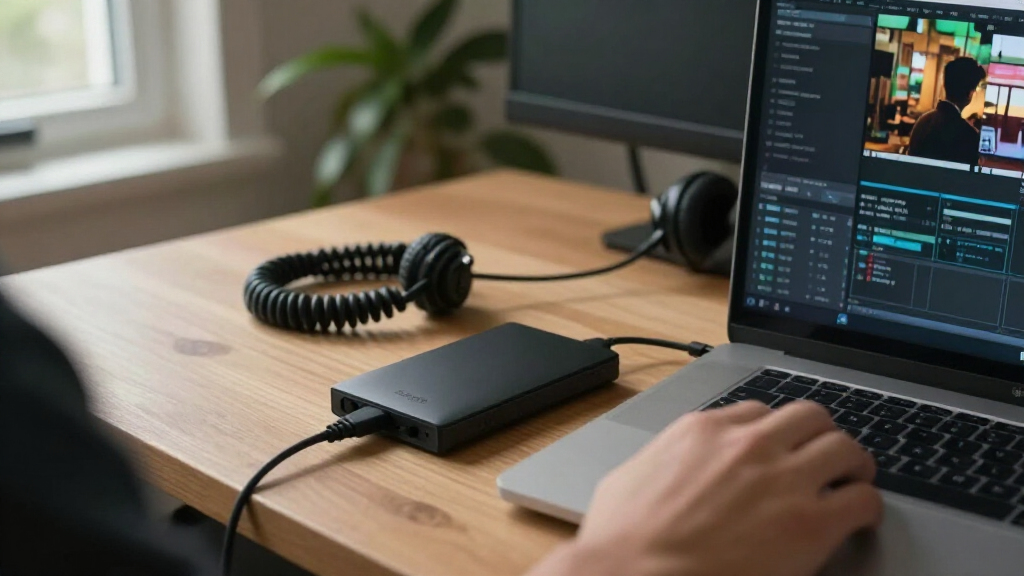
I ranked these drives by how well their stated capacity, form factor, connection, and intended use match common storage jobs. Portability, usable capacity, setup demands, and feature fit mattered more than a larger number on the box alone: a drive that needs a wall outlet is a different purchase from one designed to travel in a bag.
The lineup’s order reflects versatility and buyer fit. Standard portable models rank well for simple, flexible storage; desktop Expansion drives earn their place when capacity matters more than mobility. I treated the renewed 28TB model and USB4 FireCuda Forge as more specialized choices, since their appeal depends on a buyer’s tolerance for renewed hardware or ability to benefit from a newer interface. Since product names alone do not establish real-world transfer speeds or compatibility with every device, I avoid assuming performance figures that are not specified.
| Seagate external hard drife | Interface |
|---|---|
| Seagate Portable 2TB External | USB 3.0 |
| Seagate 4 TB Expansion Portabl | USB 3.0, backward compatible with USB 2.0 |
| Seagate Expansion 8TB Desktop | USB 3.0 Micro-B |
| Seagate Expansion 28TB Externa | USB 3.0 |
| Seagate Expansion 6TB External | USB 3.0 |
| Seagate Expansion Desktop 4TB | USB 2.0/3.0 |
| Seagate Backup Plus Portable 5 | USB 3.0 |
| Seagate One Touch 2TB External | USB 3.0 |
| Seagate 2TB Portable External | USB 3.0 |
| Seagate Backup Plus Slim 2TB P | USB 2.0/3.0 |
| Seagate FireCuda Forge 8TB Ext | USB 3.0 |
| Seagate Expansion Portable 2TB | USB 3.0 |
Factors to Consider When Choosing Best Seagate External Hard Drives
Before choosing a Seagate drive, match its design to the way you will use it. Capacity is only one part of the decision: portability, computer ports, backup habits, and the consequences of drive failure all affect which option makes sense.
Choose Portable or Desktop Around Where the Drive Will Live
A portable drive is the practical choice if you move files between locations or want a compact backup device that can sit beside a laptop. Desktop drives suit a permanent workspace and can provide a higher-capacity storage target without requiring a small form factor. The tradeoff is setup: desktop models generally need their own power connection, which adds cables and limits where they can go. A common mistake is buying a desktop drive for a laptop bag because the capacity looks attractive. If the drive will stay connected at home, desktop storage can be a better fit; if it will travel, prioritize the portable lineup.
Buy Capacity for Your Actual Files, Then Leave Room to Grow
Photos, video, game libraries, and computer backups can consume space at very different rates, so estimate your current storage before choosing a capacity. Leave headroom for future files and temporary copies rather than filling a drive immediately. Larger drives can reduce the number of devices you need, but a single high-capacity drive also concentrates more of your data in one place. Multiple smaller drives can separate work, personal files, or backup copies, though they take more management. Do not treat a capacity label as the amount of space available for files; formatting and system use reduce the usable total.
Check the Connection on Both Ends
A USB connector that fits physically does not guarantee every advertised interface benefit will work with your computer. Check the host device’s ports, operating system, and any cable requirements before choosing a model built around USB4. A newer interface can be valuable in a compatible setup, but it does not turn a mechanical hard drive into an SSD or guarantee a particular transfer rate. For ordinary backups and file storage, connection compatibility and convenience may matter more than chasing the newest port standard. Confirm how the drive connects to your specific computer before relying on a feature listed in the product name.
Decide Whether You Need a Simple Storage Drive or a Backup Plan
External drives can hold backups, but owning one does not automatically create a reliable backup routine. Set a schedule, decide which folders need protection, and check that the backup software or operating system supports your workflow. Keep a second copy of irreplaceable files in another location or on another device; one drive can fail, be lost, or be damaged. A basic Expansion model may be enough for manual file copies, while buyers who want a more guided workflow should check the software and services included with the exact model. Do not assume that every Seagate drive in this roundup includes the same backup tools or recovery coverage.
Treat Renewed Status and Recovery Coverage as Separate Questions
A renewed drive can offer a large capacity in a more specialized package, but its condition, return window, and warranty terms deserve close attention. Read the listing details to learn what has been inspected, what accessories are included, and how long support lasts. A recovery service is not a substitute for a backup: coverage may have eligibility rules, limits, or a defined service period. For important work or personal archives, decide how much risk you are comfortable accepting before choosing a renewed model. Buyers who prefer a simpler ownership experience may favor a standard new drive with a capacity closer to their needs.
Think About Failure, Noise, and Long-Term Handling
Hard drives have moving parts, so they benefit from careful handling and a stable place to operate. Avoid moving a desktop drive while it is running, and protect portable models from drops, pressure, and loose cables. A drive intended for a desk may be less convenient in a quiet room or shared space if its operating sounds bother you; product names do not provide enough information to compare noise levels reliably. Keep the drive’s ventilation area unobstructed and disconnect it safely when your operating system calls for it. If your priority is frequent travel or rough handling, consider whether an external SSD would better fit that job, even though this roundup focuses on Seagate hard drives.
Frequently Asked Questions
Should I choose a 4TB portable drive or a 4TB desktop drive?
Choose the portable version if you need to move files or want a drive that can sit in a laptop bag without a separate desktop-style power setup. Choose the desktop version if it will stay in one place and you prefer a fixed storage station. The same nominal capacity does not make the two form factors equally convenient. Check the exact model’s power and connection requirements before ordering. For travel, the portable design is usually the simpler match; for a permanent desk, either can work depending on your setup.
Is an 8TB Seagate external HDD a better choice than a 28TB model?
It depends on how much data you need and how comfortable you are with the details of the specific listing. An 8TB standard desktop drive is a more straightforward fit for many home archives, while the 28TB option is a renewed product with a much larger capacity and a more specialized ownership decision. Check the renewed model’s condition, warranty, included accessories, and recovery-service terms rather than assuming the service covers every scenario. Also consider whether you have another copy of the data; concentrating an entire archive on one drive carries risk. If you will not use the extra capacity, the larger model may add complexity without solving a real need.
Will the FireCuda Forge USB4 drive work with a computer that only has USB 3.0?
Do not assume USB4 performance or compatibility from the product name alone. Confirm the drive’s official connection requirements, included cable, and any backward-compatibility details with Seagate for your exact computer and operating system. A USB4-labeled drive may not deliver its interface’s full benefit when connected to an older port, and an adapter cannot create capabilities the computer lacks. If your main job is routine file storage, a standard USB 3.0 model may be the less complicated match. Choose the FireCuda when its connection and other features align with the equipment you already own.
Can one Seagate external hard drive safely hold my only copy of important files?
No single external drive should be treated as the only safe home for irreplaceable files. Any drive can be lost, damaged, or fail, and a recovery service cannot promise that every file can be restored. Keep another copy on a separate device or in a separate location, and check that your backups actually complete. For important documents and photos, a scheduled backup is less likely to be forgotten than occasional manual copying. Choose a drive with enough room for a complete backup, but make a second copy part of the plan.
Is the Backup Plus Slim worth choosing over a basic 2TB Seagate portable drive?
It may be the better fit if a thinner profile is a priority and you expect to carry the drive regularly. If the drive will mostly stay on a desk, a basic portable model may meet the same broad storage need without making slimness a deciding factor. Compare the exact model numbers and included features, since product-family names alone do not establish software, warranty, or compatibility differences. Also check whether 2TB leaves enough headroom for your files and backups. The choice is about form and workflow, not a guaranteed difference in transfer speed.
Conclusion
For most buyers, I recommend the Seagate Expansion Portable 4TB as the best overall because its capacity and portable format suit a broad range of everyday storage needs. The best value fit is a basic 2TB or 4TB portable model when you need straightforward file storage and can work within its capacity. For beginners, a standard portable drive is the easiest place to start; choose the Backup Plus Slim if carrying a thinner drive matters more than choosing a basic model. For premium or specialized needs, the FireCuda Forge 8TB is the standout for buyers with a compatible USB4 setup, while the Expansion 28TB renewed model is for people who specifically need a very large desktop archive and accept the extra checks that come with renewed hardware. Choose a desktop Expansion drive for a fixed home or office library, and a portable model for files that need to travel.