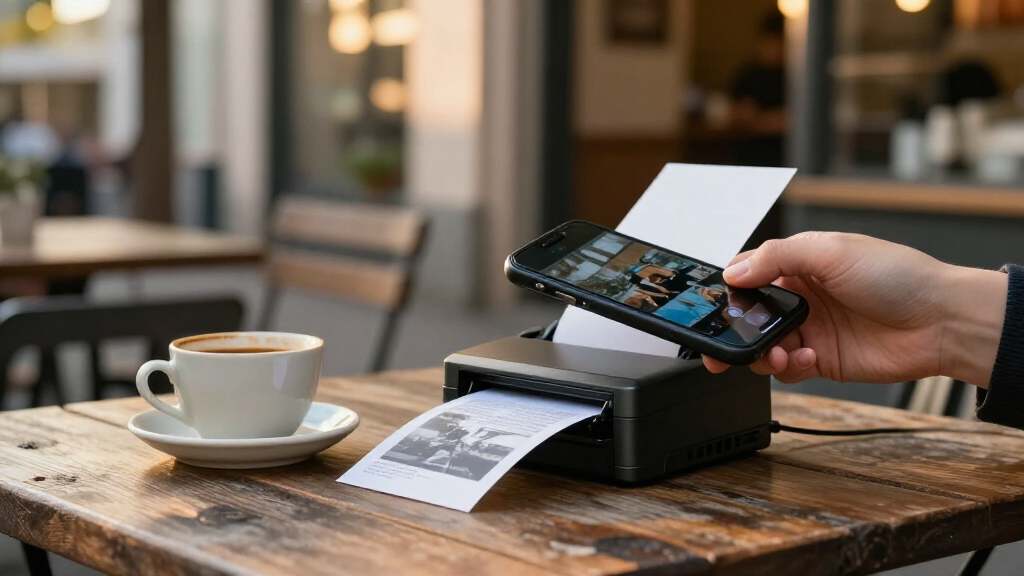
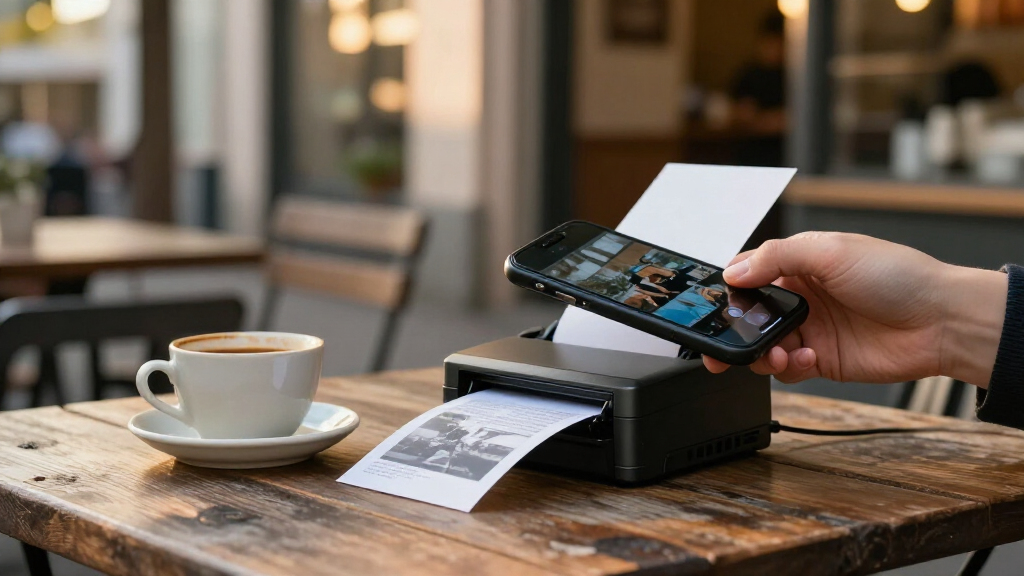
Smartphone thermal printers range from tiny sticker makers to portable printers for full-size documents, so the right pick depends on what you plan to print. My best overall pick is the Rongta F11A for shoppers who want a portable wireless printer with broader everyday utility than a mini sticker model. The Liene M100 stands out for full-color 4-by-6-inch photos, while the Rongta RP425 is the specialized choice for shipping labels. The main tradeoffs are print format, color versus monochrome, app compatibility, and ongoing paper costs. Read on for the full breakdown and help matching a printer to your phone and printing habits.

Get the latest gadgets delivered free with Prime
- Fast, free delivery on millions of items
- Prime Video, Amazon Music and more included
- Member-only deals all year
Complete the kit



Key Takeaways
- The print job matters more than the word thermal: the Liene M100 uses dye-sublimation for full-color 4-by-6-inch photos, while the mini sticker printers are better suited to compact monochrome labels and notes.
- Portable document printing and shipping labels call for different formats: the Rongta F11A is the broader portable option, while the Rongta RP425 is aimed at label workflows.
- Starter paper bundles vary across the lineup: the Cudinham X6 includes 10 rolls, the JEPEErbz includes eight, and the Gloryang includes three rolls plus a carrying case; bundled rolls do not establish long-term running cost.
- Small printers trade output flexibility for easy carrying: models such as the NDYIN D21, NADAIIN D20, and Cabaro Mini suit compact stickers better than larger documents.
- Included accessories can improve portability, not print capability: cases on the ETIKEZ D90E and Gloryang help with carrying, but buyers still need to check paper format, app support, and device compatibility.
| Liene M100 4×6 Photo Printer, Phone Printer with 100 Sheets & 3 Cartridges, Full-Color Portable Instant Photo Printer for iPhone/Android, Thermal Dye Sublimation, Wi‑Fi |  | Best for Color Photo Prints | Printing technology: Thermal dye sublimation | Output: Full color | Maximum media size: 4 × 6 inches | VIEW LATEST PRICE | See Our Full Breakdown |
| A285M Inkless Portable Thermal Printer |  | Best for Full-Page Documents | Printing technology: Inkless thermal | Output: Monochrome | Resolution: 300 dpi | VIEW LATEST PRICE | See Our Full Breakdown |
| NDYIN D21 Mini Bluetooth Thermal Sticker Printer |  | Best for Pocket-Sized Sticker Projects | Model: D21 | Printing technology: Thermal | Output: Monochrome | VIEW LATEST PRICE | See Our Full Breakdown |
| ETIKEZ D90E Inkless Portable Thermal Printer with Case |  | Best for Protected Travel Storage | Printing technology: Thermal | Output: Monochrome | Resolution: 203 × 203 dpi | VIEW LATEST PRICE | See Our Full Breakdown |
| Cudinham X6 Mini Sticker Printer with 10 Rolls |  | Best for Starter Paper Variety | Printing technology: Thermal | Output: Monochrome | Resolution: 200 × 200 DPI | VIEW LATEST PRICE | See Our Full Breakdown |
| JEPEErbz Portable Inkless Mini Thermal Printer with 8 Paper Rolls |  | Best for Starter Supplies | Printer type: Thermal | Print output: Monochrome, inkless | Connectivity: Bluetooth 4.0 | VIEW LATEST PRICE | See Our Full Breakdown |
| Rongta RP425 Bluetooth Thermal Shipping Label Printer |  | Best for Phone-Based Shipping Labels | Model: RP425 | Printer type: Thermal | Connectivity: Bluetooth | VIEW LATEST PRICE | See Our Full Breakdown |
| Rongta F11A Portable Wireless Thermal Printer |  | Best for Full-Page Phone Documents | Model: F11A | Print output: Monochrome thermal | Resolution: 203 × 203 dpi | VIEW LATEST PRICE | See Our Full Breakdown |
| NADAIIN D20 Portable Bluetooth Thermal Sticker Printer |  | Best for Lightweight Sticker Making | Model: D20 | Printer type: Thermal | Print color: Black only | VIEW LATEST PRICE | See Our Full Breakdown |
| Gloryang Inkless Portable Thermal Printer with Carrying Case and 3 Paper Rolls |  | Best for Broad Paper-Width Flexibility | Printer type: Thermal | Print output: Monochrome, inkless | Connectivity: Bluetooth | VIEW LATEST PRICE | See Our Full Breakdown |
| NDYIN N80 Bluetooth Portable Thermal Printer |  | Best for Full-Page Mobile Printing | Printer type: Direct thermal | Output: Monochrome | Resolution: 203 × 203 dpi | VIEW LATEST PRICE | See Our Full Breakdown |
| Cabaro Mini Bluetooth Thermal Sticker Printer |  | Best for Pocket-Sized Labels and Notes | Printer type: Thermal | Output: Monochrome | Resolution: 203 × 203 dpi | VIEW LATEST PRICE | See Our Full Breakdown |
| smartphone thermal printer | Connectivity | Resolution | Output | Weight |
|---|---|---|---|---|
| Liene M100 4×6 Photo Printer | Wi-Fi, USB Type-C | 300 × 300 DPI | Full color | — |
| A285M Inkless Portable Thermal | Bluetooth, USB-C | 300 dpi | Monochrome | 1.5 lb |
| NDYIN D21 Mini Bluetooth Therm | Bluetooth | 203 dpi | Monochrome | 5.76 ounces |
| ETIKEZ D90E Inkless Portable T | Bluetooth, USB | 203 × 203 dpi | Monochrome | — |
| Cudinham X6 Mini Sticker Print | Bluetooth 5.0 | 200 × 200 DPI | Monochrome | — |
| JEPEErbz Portable Inkless Mini | Bluetooth 4.0 | 203 × 203 dpi | — | — |
| Rongta RP425 Bluetooth Thermal | Bluetooth | 203 dpi | — | 0.65 kg |
| Rongta F11A Portable Wireless | Bluetooth via RONGTA app; USB cable | 203 × 203 dpi | — | 0.43 kg |
| NADAIIN D20 Portable Bluetooth | Bluetooth | — | — | 0.16 kg |
| Gloryang Inkless Portable Ther | Bluetooth | — | — | — |
| NDYIN N80 Bluetooth Portable T | Bluetooth, USB-C | 203 × 203 dpi | Monochrome | 1.7 lb |
| Cabaro Mini Bluetooth Thermal | Bluetooth 4.0 | 203 × 203 dpi | Monochrome | 160 g |
More Details on Our Top Picks
Liene M100 4×6 Photo Printer, Phone Printer with 100 Sheets & 3 Cartridges, Full-Color Portable Instant Photo Printer for iPhone/Android, Thermal Dye Sublimation, Wi‑Fi
The Liene M100 fills a different role from the other picks: it makes full-color 4×6 photos rather than monochrome notes, labels, or documents. Its dye-sublimation process produces glossy, water- and scratch-resistant prints, making it better suited to snapshots and keepsakes than the A285M, which prints practical black-and-white pages on thermal paper. The printer creates its own Wi-Fi hotspot, so a phone can connect without a home network, and its app adds simple photo edits and ID-photo layouts. The tradeoff is a more involved consumables setup: it uses proprietary cartridges, and its 20-sheet capacity means the included 100 sheets need to be loaded in batches. Choose it for color photos, not for the quick, inkless document printing that defines most of this roundup.
Pros:- Produces full-color, borderless 4×6 prints with a water- and scratch-resistant finish
- Creates its own Wi-Fi hotspot for direct phone printing without an external network
- App includes filters, image adjustments, borders, and ID-photo printing
- Works with iOS, Android, Windows, and Mac devices
Cons:- Proprietary color cartridges limit supply flexibility
- 20-sheet capacity requires reloading despite the 100 included sheets
- No Bluetooth connection option
Best for: Phone photographers who want portable, glossy 4×6 color prints for albums, gifts, or ID photos.
Not ideal for: Students or travelers who mainly need inexpensive monochrome documents, since this uses proprietary color cartridges and photo paper rather than ordinary thermal supplies.
- Printing technology:Thermal dye sublimation
- Output:Full color
- Maximum media size:4 × 6 inches
- Resolution:300 × 300 DPI
- Connectivity:Wi-Fi, USB Type-C
- Compatible devices:iOS, Android, Windows, Mac
- Included supplies:100 sheets of glossy photo paper and 3 proprietary cartridges
- Maximum sheet capacity:20 sheets
Our verdict“Choose the Liene M100 if color keepsake photos matter more than the simpler inkless document printing offered by the A285M.”
A285M Inkless Portable Thermal Printer
The A285M is the most document-focused option here: it accepts paper up to 8.5 × 11 inches, while the NDYIN D21 and Cudinham X6 are designed around small labels, stickers, and notes. Bluetooth makes phone and tablet printing straightforward, and USB-C provides a wired route to computers. At 300 dpi and a stated maximum speed of seven pages per minute, it is better suited to travel paperwork, forms, and drafts than to polished graphics. The key compromise is the paper itself: this printer needs compatible thermal media and cannot use ordinary copy paper. Its black-and-white output also rules out color work. I’d pick it over the ETIKEZ D90E when broader supported paper sizes and a higher stated print speed matter more than a travel case.
Pros:- Supports full-page media up to 8.5 × 11 inches
- Bluetooth supports printing from iOS and Android phones and tablets
- USB-C provides a computer connection
- Inkless printing avoids ink, toner, and ribbons
Cons:- Requires thermal paper rather than ordinary copy paper
- Monochrome output cannot handle color documents or photos
- Computer printing requires a USB connection and driver
Best for: Mobile professionals and students who need to print full-size forms or documents from a phone, tablet, or USB-connected computer.
Not ideal for: Buyers who need color, want to use standard copy paper, or rely on Chromebook printing.
- Printing technology:Inkless thermal
- Output:Monochrome
- Resolution:300 dpi
- Maximum media size:8.5 × 11 inches
- Supported paper sizes:US Letter, A4, 110 mm, 80 mm, 53 mm
- Connectivity:Bluetooth, USB-C
- Weight:1.5 lb
- Maximum copy speed:7 pages per minute
Our verdict“Pick the A285M for phone-friendly, full-page monochrome documents, provided you are willing to use thermal paper.”
NDYIN D21 Mini Bluetooth Thermal Sticker Printer
At 5.76 ounces and under 3.4 inches across, the NDYIN D21 is the small-format specialist in this group. It prints monochrome stickers, tickets, and project notes from a phone through the NADA Print app, with three sticker rolls included to get started. Compared with the Cudinham X6, the D21 is lighter and more compact, while the X6 includes both adhesive and standard thermal rolls plus app-based templates and OCR. The D21’s 203 dpi resolution is suited to simple text and graphics, not fine image detail, and it depends on a specific app for mobile printing. Its compact format also makes it a poor match for full-page documents like those handled by the A285M. I’d choose it when portability and sticker output outweigh versatility.
Pros:- Very light, compact body is easy to carry
- Bluetooth enables app-based printing from a phone
- Three rolls of sticker paper are included
- Inkless monochrome printing avoids cartridges
Cons:- 203 dpi output limits fine detail in images and small graphics
- Prints only in monochrome
- Mobile printing requires the NADA Print app
Best for: Journalers, crafters, and students who want a very small Bluetooth printer for short labels, tickets, and simple sticker graphics.
Not ideal for: People who need full-page documents, detailed photo reproduction, or a printer that works without the NADA Print app.
- Model:D21
- Printing technology:Thermal
- Output:Monochrome
- Resolution:203 dpi
- Connectivity:Bluetooth
- Dimensions:3.34 × 3.38 × 1.69 inches
- Weight:5.76 ounces
- Included paper:3 rolls of sticker paper
Our verdict“Choose the D21 for lightweight sticker printing on the go, but choose the A285M instead if you need full-size documents.”
ETIKEZ D90E Inkless Portable Thermal Printer with Case
The ETIKEZ D90E is a portable, full-page printer supplied with a travel case, starter paper, and a USB-C cable. That package makes it easier to keep the printer and its essentials together than the A285M, which is lighter and faster on its listed specifications but does not include a case in the provided details. The D90E connects to phones over Bluetooth through the Labelnize app and to computers by USB, printing monochrome pages up to 8.5 × 11 inches. Its 203 × 203 dpi resolution and four-page-per-minute speed place it on the practical side rather than the fast or high-detail end. Capacity is only 10 sheets, and it cannot use regular copy paper or Chromebooks. I’d choose it for travel organization, not for mixed-device offices.
Pros:- Includes a travel case, USB-C cable, and starter thermal paper
- Bluetooth supports phone printing through the Labelnize app
- Accepts media up to 8.5 × 11 inches
- Inkless operation avoids ink, toner, and ribbons
Cons:- 10-sheet capacity limits unattended or larger print jobs
- Requires thermal paper and cannot use ordinary copy paper
- Not compatible with Chromebooks
Best for: Travelers who print occasional full-size monochrome pages from a phone or USB-connected computer and want a case for storage.
Not ideal for: Chromebook users, frequent batch printers, or anyone who wants to print on standard copy paper.
- Printing technology:Thermal
- Output:Monochrome
- Resolution:203 × 203 dpi
- Maximum media size:8.5 × 11 inches
- Print speed:4 pages per minute
- Connectivity:Bluetooth, USB
- Maximum sheet capacity:10 sheets
- Dimensions and weight:10.43 × 2.32 × 1.3 inches; 2.08 lb
- Included accessories:Travel case, USB-C cable, 10 sheets of paper, guide
Our verdict“Pick the D90E if a bundled travel case matters more than the A285M’s higher listed speed and broader paper-size support.”
Cudinham X6 Mini Sticker Printer with 10 Rolls
The Cudinham X6 stands out for the variety in its box: five adhesive rolls and five standard thermal rolls let buyers try both labels and non-adhesive notes without sourcing another paper type right away. It connects to smartphones and tablets over Bluetooth 5.0, with the Tiny Print app providing templates, editing tools, and OCR. Compared with the NDYIN D21, it is less pocket-light—the D21 weighs just 5.76 ounces—but the X6 offers a broader starter paper mix and more described app tools. Its 200 × 200 DPI monochrome output is best for simple text, lists, and basic graphics; it is not a substitute for a photo printer like the Liene M100. App dependence and phone-and-tablet-only compatibility also limit its appeal for computer users.
Pros:- Includes five adhesive rolls and five standard thermal rolls
- Bluetooth 5.0 supports wireless phone and tablet printing
- Tiny Print app includes templates, editing tools, and OCR
- Compact design fits small craft or desk setups
Cons:- Monochrome output cannot reproduce color photos
- 200 × 200 DPI is limited for detailed images
- Listed compatibility is limited to smartphones and tablets
Best for: Phone and tablet users who want one compact printer for both adhesive labels and standard thermal notes, with rolls included for each.
Not ideal for: Buyers who need color, fine image detail, or printing from a laptop or desktop computer.
- Printing technology:Thermal
- Output:Monochrome
- Resolution:200 × 200 DPI
- Connectivity:Bluetooth 5.0
- Battery capacity:1200 mAh
- Dimensions:1.77 × 3.35 × 3.35 inches
- Included paper:5 adhesive rolls and 5 standard thermal rolls
- Compatible devices:Smartphones and tablets; Android 4.0 or later and iOS 9.0 or later
Our verdict“Choose the X6 for a varied starter supply of label and note paper, while the smaller D21 is the better fit when minimizing carry weight is the priority.”
JEPEErbz Portable Inkless Mini Thermal Printer with 8 Paper Rolls
The JEPEErbz is a sensible pick for phone users who want a small printer for quick notes, lists, and simple monochrome images, with paper ready in the box. Its eight included rolls—five thermal and three adhesive colorful rolls—give it a more versatile starting kit than the NADAIIN D20, which includes three rolls. The tradeoff is that the colorful paper does not make the printed image full color: output remains monochrome. Bluetooth 4.0 and the free Fun Print app support both iOS and Android, while the 1200 mAh rechargeable battery suits occasional portable use. At 203 dpi, it is aimed at compact everyday prints rather than finely detailed images. Choose it for variety in paper formats; skip it if you want wider pages or prints without relying on an app.
Pros:- Includes eight rolls, including three adhesive colorful rolls
- Bluetooth printing from compatible iOS and Android devices through Fun Print
- Rechargeable 1200 mAh battery and compact body suit portable use
- Inkless monochrome printing avoids ink and toner
Cons:- Print output is monochrome even when using colorful paper
- Requires a compatible smartphone or tablet and the Fun Print app
- Small 57 mm paper width limits the size of notes and images
Best for: Phone users who want a compact notes-and-label printer with several paper rolls, including adhesive options, included to start.
Not ideal for: Buyers who need color images, larger-format prints, or a printer that works without a compatible phone or tablet app.
- Printer type:Thermal
- Print output:Monochrome, inkless
- Connectivity:Bluetooth 4.0
- Compatibility:Android 4.0+ and iOS 8.0+
- Resolution:203 × 203 dpi
- Included paper:8 rolls: 5 thermal and 3 adhesive colorful
- Paper size:57 × 25 mm (width × diameter)
- Battery:Rechargeable 1200 mAh
- Dimensions:1.37 × 3.14 × 4.33 in (D × W × H)
Our verdict“Choose the JEPEErbz if a generous mix of included paper matters more than color printing or larger output.”
Rongta RP425 Bluetooth Thermal Shipping Label Printer
The RP425 stands apart from mini sticker printers such as the NADAIIN D20 because it is built for shipping labels up to 4.37 inches wide, not small notes or decorative stickers. Bluetooth support for iOS and Android makes it relevant to phone-first sellers, and compatibility with Windows, Mac, and Chrome OS gives it a broader workstation role than the D20. Automatic label detection and feeding can reduce manual setup when changing label formats, while a stated top speed of 150 mm/s suits batches better than occasional pocket printing. The compromise is size: at 10.2 × 7.4 × 5.3 inches, this is a desktop tool, not a printer to carry around casually. Mobile printing also requires the RONGTA app, and output is monochrome. I would choose it for shipping workflows, not general-purpose phone prints.
Pros:- Bluetooth support for iOS and Android phones
- Also supports Windows, Mac, and Chrome OS
- Automatic label detection and feeding
- Supports label widths from 0.98 to 4.37 inches
Cons:- Larger desktop footprint than compact phone sticker printers
- Mobile setup requires the RONGTA app
- Monochrome label output is not suited to color images
Best for: Small online sellers who create shipping labels from a phone or computer and want support for several label widths.
Not ideal for: People seeking a pocketable printer for photos, notes, or small stickers; this is a desktop label printer with monochrome output.
- Model:RP425
- Printer type:Thermal
- Connectivity:Bluetooth
- Compatible systems:iOS, Android, Windows 7 or newer, Mac OS 10.11 or newer, Chrome OS
- Supported label width:0.98–4.37 in
- Resolution:203 dpi
- Maximum print speed:150 mm/s
- Dimensions:10.2 × 7.4 × 5.3 in
- Weight:0.65 kg
Our verdict“Pick the RP425 if your smartphone printing is mainly about shipping labels and you value broad device and label-size support.”
Rongta F11A Portable Wireless Thermal Printer
Unlike the JEPEErbz and NADAIIN D20, which focus on narrow rolls for notes and stickers, the Rongta F11A prints Letter, Legal, and A4 thermal pages. That makes it the more useful choice when a smartphone user needs a travel-ready way to print forms, schedules, or documents rather than small labels. Bluetooth printing through the RONGTA app pairs it with phones and tablets; USB adds a route from Windows and macOS computers. Its 0.43 kg weight and slim shape are easier to pack than a conventional office printer, but this is still a simplex, monochrome device with a modest listed speed of 3.23 pages per minute. It also requires thermal paper, so ordinary sheets will not work. Choose it for full-page portability, not for two-sided documents or color output.
Pros:- Prints common Letter, Legal, and A4 thermal paper sizes
- Bluetooth support for phones and tablets plus USB for computers
- Portable 0.43 kg design
- Prints without ink cartridges or ribbons
Cons:- Works only with thermal paper, not ordinary printer paper
- Phone and tablet pairing must be done through the RONGTA app
- Simplex monochrome printing and 3.23 pages per minute limit document workflow
Best for: Travelers and field workers who need to print full-page forms or documents from a phone, tablet, or computer.
Not ideal for: Users who need regular-paper printing, duplex output, Chrome support, or small-format sticker printing.
- Model:F11A
- Print output:Monochrome thermal
- Resolution:203 × 203 dpi
- Print speed:3.23 pages per minute
- Maximum media size:Letter (8.5 × 11 in)
- Connectivity:Bluetooth via RONGTA app; USB cable
- Compatible systems:Android, iOS, Windows 7–11, macOS
- Weight:0.43 kg
- Duplex printing:Simplex
Our verdict“Choose the F11A when full-page mobile documents matter more than color, duplex printing, or standard-paper compatibility.”
NADAIIN D20 Portable Bluetooth Thermal Sticker Printer
At just 0.16 kg, the D20 is the clearest choice here for buyers who want a small printer to carry for labels, brief notes, or simple graphics. Its 2-inch maximum media width keeps it more compact than the Rongta RP425, which handles wider shipping labels but takes up desk space. The NADA PRINT app adds templates, fonts, symbols, and graphics, giving phone users more ways to design a small print than the basic appeal of the Rongta F11A’s full-page document format. Three rolls are included, but that is a lighter starter supply than the JEPEErbz’s eight rolls. Output is limited to black, and the narrow media cannot replace a document printer. I would pick the D20 for portable creative labels, not for shipping workflows or larger prints.
Pros:- Lightweight at 0.16 kg for easy carrying
- NADA PRINT app offers templates, fonts, symbols, graphics, and photo printing
- Bluetooth connection to phones and tablets
- Includes three rolls and prints without ink or toner
Cons:- Maximum media width is only 2 inches
- Prints in black only
- Three included rolls provide a smaller starter supply than the JEPEErbz
Best for: Crafters, students, and travelers who want a lightweight phone-connected printer for small monochrome stickers and notes.
Not ideal for: Sellers needing wider shipping labels or buyers who want full-page documents, color output, or more paper included.
- Model:D20
- Printer type:Thermal
- Print color:Black only
- Connectivity:Bluetooth
- App:NADA PRINT
- Maximum media width:2 in
- Print resolution:203 dpi
- Weight:0.16 kg
- Included paper:3 rolls
Our verdict“Pick the D20 for lightweight, app-designed stickers and notes, but choose a wider printer for shipping labels or documents.”
Gloryang Inkless Portable Thermal Printer with Carrying Case and 3 Paper Rolls
The Gloryang has the broadest stated media range in this group, supporting thermal paper from 2 to 8.5 inches wide. That gives it a more flexible role than the D20, which tops out at 2 inches, and makes it a possible fit for both narrow prints and page-width output. Bluetooth connects to iOS and Android through the Jadens Printer app, while computer printing is available with a driver; the included case also helps when moving it between locations. The main caveat is paper dependence: the product data says it works only with Gloryang thermal paper, which narrows supply choices compared with a standard-paper printer such as the Rongta F11A. The listed weight is inconsistent—1.75 lb in the description and 3.1 lb in product information—so portability is harder to judge. I would choose it for media flexibility only if that paper constraint suits your workflow.
Pros:- Supports a wide 2-to-8.5-inch paper-width range
- Bluetooth printing from iOS and Android through the Jadens Printer app
- Computer printing is supported with a driver
- Includes a carrying case and three paper rolls
Cons:- Product data restricts use to Gloryang thermal paper
- Conflicting listed weights make portability difficult to judge
- Monochrome simplex output does not support color or two-sided printing
Best for: Phone and laptop users who want one thermal printer for a range of print widths and can use Gloryang-branded paper.
Not ideal for: Buyers who want open-ended paper sourcing, a clear weight specification, duplex output, or ordinary-paper printing.
- Printer type:Thermal
- Print output:Monochrome, inkless
- Connectivity:Bluetooth
- Compatible devices:Laptops, PCs, smartphones, tablets
- Paper type:Gloryang thermal paper only
- Supported paper width:2–8.5 in
- Maximum resolution:203 × 203 dpi
- Dimensions:11 × 4 × 4 in
- Included accessories:Carrying case, charging cable, manual, guide card, 3 paper rolls
Our verdict“Choose the Gloryang if its wide media range and carrying case fit your needs and you are comfortable using its specified thermal paper.”
NDYIN N80 Bluetooth Portable Thermal Printer
The NDYIN N80 suits buyers who need phone-connected printing on full-size sheets, not just small stickers. Bluetooth works with iOS and Android, while USB-C connectivity also lets you print from a laptop. Its 1500 mAh battery is rated for up to 160 Letter- or A4-size sheets per charge, making it more practical for mobile forms, school materials, or work documents than compact sticker models such as the NDYIN D21. The tradeoff is the specialized media: it accepts thermal paper only, and output is monochrome, so it cannot replace a color photo printer like the Liene M100. At 1.7 pounds, it is portable but less pocket-friendly than a mini sticker printer; the charging adapter is also not included.
Pros:- Prints Letter- and A4-size thermal sheets for documents rather than only small stickers
- Bluetooth supports iOS and Android, with USB-C for laptop connections
- Rated for up to 160 sheets per charge from its 1500 mAh battery
- 203 dpi monochrome output avoids ink, toner, and ribbons
Cons:- Requires special thermal paper; standard office paper is not supported
- Black-and-white output cannot handle color photos or graphics
- Charging adapter is not included
Best for: Students, mobile workers, and small-office users who need occasional Letter- or A4-size monochrome documents from a phone or laptop
Not ideal for: Buyers who need color photos, standard-paper printing, or a lightweight pocket printer for small labels
- Printer type:Direct thermal
- Output:Monochrome
- Resolution:203 × 203 dpi
- Connectivity:Bluetooth, USB-C
- Battery capacity:1500 mAh
- Supported paper sizes:US Letter, A4; thermal paper only
- Weight:1.7 lb
- Dimensions:3.3 × 11 × 2 in
Our verdict“Choose the N80 if you need battery-powered, phone-connected Letter- or A4-size monochrome printing and can work with thermal paper.”
Cabaro Mini Bluetooth Thermal Sticker Printer
The Cabaro Mini is the compact choice for printing quick labels, notes, and small monochrome images from a phone. Its 160 g body and included three rolls of 50–53 mm sticker paper make it easier to carry and start using than the full-page NDYIN N80, which is built for Letter- and A4-size sheets. Cabaro connects over Bluetooth 4.0 to compatible Android and iOS devices, with printing controlled through an app. That small format is also its main limit: it is suited to labels and brief snippets, not office documents or larger prints. The listing notes that output may look faint, so buyers may need to adjust print density in the app. Like other thermal options, it prints in black and white rather than color.
Pros:- Lightweight 160 g design is easy to carry
- Includes three rolls of 50–53 mm thermal sticker paper
- Prints photos, text, and labels from compatible Android or iOS devices
- Inkless thermal printing needs no ink or toner
Cons:- Small sticker-paper format is not suited to full-page documents
- Monochrome output cannot reproduce color photos
- Prints may appear faint and require density adjustment
Best for: Phone users who want a lightweight printer for organizing labels, short notes, and small monochrome images, with starter sticker rolls included
Not ideal for: People who need full-size documents, color output, or consistently dark prints without adjusting app settings
- Printer type:Thermal
- Output:Monochrome
- Resolution:203 × 203 dpi
- Connectivity:Bluetooth 4.0
- Compatible systems:Android 4.0 and later; iOS 8.0 and later
- Included paper:Three rolls of 50–53 mm thermal sticker paper
- Weight:160 g
- Dimensions:4 × 3.5 × 1.9 in
- Control method:App
Our verdict“Pick the Cabaro Mini for portable phone-printed labels and notes, but choose the NDYIN N80 if you need full-size sheets.”
How We Picked
I ranked these 12 options by how well their stated format and connection approach match common smartphone printing jobs: photos, shipping labels, documents, and small stickers. I gave more weight to a clear use case, practical portability, and an understandable paper workflow than to a long feature list. That puts the Liene M100 first for buyers who specifically want phone-printed color photos, the Rongta F11A ahead for broader portable printing, and the RP425 in a focused label role rather than treating every thermal printer as interchangeable.
I also weighed setup and carrying convenience, included paper or accessories, and the tradeoffs buyers should check before purchase. A bundle of rolls is useful for getting started, but does not answer how much compatible paper costs later. Because product names and included accessories alone cannot confirm app support, print quality, or compatibility with every phone, I treat those as items buyers should verify against the exact listing and their device. The ranking favors practical fit over assuming that more bundled accessories make a printer better.
| smartphone thermal printer | Output | Printer type |
|---|---|---|
| Liene M100 4×6 Photo Printer | Full color | — |
| A285M Inkless Portable Thermal | Monochrome | — |
| NDYIN D21 Mini Bluetooth Therm | Monochrome | — |
| ETIKEZ D90E Inkless Portable T | Monochrome | — |
| Cudinham X6 Mini Sticker Print | Monochrome | — |
| JEPEErbz Portable Inkless Mini | — | Thermal |
| Rongta RP425 Bluetooth Thermal | — | Thermal |
| Rongta F11A Portable Wireless | — | — |
| NADAIIN D20 Portable Bluetooth | — | Thermal |
| Gloryang Inkless Portable Ther | — | Thermal |
| NDYIN N80 Bluetooth Portable T | Monochrome | Direct thermal |
| Cabaro Mini Bluetooth Thermal | Monochrome | Thermal |
Factors to Consider When Choosing Smartphone Thermal Printers
Before choosing, pin down what you expect to print and how often. A phone connection does not make all these devices serve the same job: photo paper, label stock, and small sticker rolls are different workflows. These checks can prevent a compact printer from arriving only to find that its output is too small or its app does not suit your phone.
Match the Printer to the Output, Not the Category Name
Start by naming the item you want in your hand: a photo, an address label, a document, or a small sticker. Thermal printing can describe very different output types, and the paper path usually sets the printer’s practical limits. A mini sticker printer is handy for labeling cables or organizing supplies, but it is not a substitute for a 4-by-6-inch photo printer. Shipping labels also need a format that fits your carrier’s label workflow. Check the maximum paper width and supported roll or sheet style before buying, rather than relying on a product title that says portable or phone printer.
Check Phone, App, and File Compatibility
Wireless connection alone does not guarantee that a printer can handle the files or workflow you use. Check whether the companion app supports your phone’s operating system and whether it can import the documents, images, or label templates you need. If you plan to print from a shipping platform, confirm that the printer and app support its label dimensions and output process. Look for clear setup instructions and current app information, especially if you use an older phone. A model with a convenient connection can still be frustrating if printing requires repeated exports or image cropping. Confirm these details for the exact product listing before committing.
Compare Color, Detail, and Readability Needs
Thermal printers are not one uniform image technology. The Liene M100’s dye-sublimation process is aimed at full-color photos, while many small thermal sticker printers are intended for monochrome output. For labels and short notes, sharp, readable text may matter more than color. Photos, charts, or graphics with subtle tones call for a printer designed for that kind of output. Check sample prints and supported image settings where available, and remember that a phone screen can make an image look better than a small print will. Choosing by the visual result you need is more reliable than choosing by the word thermal.
Estimate the Ongoing Paper Workflow
Included rolls or sheets make it easier to start, but they do not tell you whether replacement media will be easy to find or affordable over time. Check the exact paper size, roll type, and whether the printer needs a particular branded supply. Small printers can use different formats even when their bodies look similar, so do not assume one roll fits another model. If you print often, calculate how quickly a starter bundle may run out and whether replacement stock is sold in a convenient quantity. For occasional labels, a modest bundle may be enough; for regular use, media availability matters more than the amount in the box.
Balance Portability Against Print Size
A smaller body is easier to carry, but it usually comes with a narrower paper format and fewer uses. Decide whether the printer will live in a bag, sit at a packing station, or move between home and work. A carrying case can protect a device and keep supplies together, though it does not expand the printer’s output size. Also check whether the paper rolls, charging cable, and any adapter add bulk beyond the advertised printer dimensions. If you mainly print at a desk, a slightly larger model with a better-matched format may be less limiting than the smallest option. If you carry it daily, compactness may be worth that compromise.
Separate Photo Printing From Everyday Monochrome Jobs
Do not pay for a photo-focused workflow if you mainly need quick black-and-white labels, and do not expect a basic monochrome sticker printer to produce keepsake photos. Photo printing can involve different media and a different process from direct thermal labels, with its own supplies and app steps. Consider how often you will print each type and whether one device can realistically cover your routine. Some buyers will be better served by a focused printer for one task than by a small device marketed as a do-everything phone printer. Match the purchase to the job you repeat most often, then treat secondary uses as a bonus.
Frequently Asked Questions
Can any of these printers print from both an iPhone and an Android phone?
Do not assume that Bluetooth or Wi-Fi support means every phone and app is supported. Check the specific model’s listed operating systems, companion app requirements, and connection method before purchasing. If you share the printer across different phones, confirm that both can use the same app and that its setup steps are practical for each person. Also check whether printing depends on a particular file-import route. Compatibility details can change with app updates, so consult the current product information rather than relying only on the printer’s name.
Can a mini sticker printer replace a shipping-label printer?
Usually, a mini sticker printer is best treated as a tool for small labels and personal organization, not a drop-in shipping station. The label width, roll format, and app workflow need to match the labels your carrier or marketplace expects. The Rongta RP425 is the lineup’s dedicated shipping-label option, while models such as the NDYIN D21 and Cudinham X6 focus on compact sticker printing. Check the required label dimensions and software workflow before choosing. A label that prints but does not fit the intended package or platform can create extra work.
Are thermal printers suitable for keeping photos for years?
Suitability depends on the printing process and media, not just the printer’s connection to a phone. The Liene M100 uses dye-sublimation for full-color photo prints, while many compact thermal sticker models are designed for different, often monochrome, jobs. Ask the manufacturer about the expected lifespan and storage conditions for the specific paper or photo media. Heat, light, and handling can affect printed output, so keep important images in a digital backup regardless. If long-term photo keeping is the priority, compare the printer’s print process and media guidance before buying.
Should I choose a printer with more paper rolls in the box?
A larger starter bundle can be convenient, especially if you want to print right away, but it should not decide the purchase on its own. Bundled quantities in this roundup range from three rolls with the Gloryang to 10 with the Cudinham X6, and the paper formats are not interchangeable by default. Check the replacement-media type, availability, and cost for the exact printer. Also consider how frequently you will print and how much paper you are likely to use. A smaller bundle with easy-to-find compatible media may suit regular use better than a larger bundle that is difficult to replenish.
Is one smartphone printer enough for photos, documents, and labels?
One printer can cover several jobs only if its supported paper formats and output quality fit each one. A photo-focused device such as the Liene M100 differs from compact sticker printers, and the Rongta RP425 is directed at shipping labels. Trying to force one format into every task can mean cropped photos, undersized labels, or inconvenient document prints. List your most common jobs first, then check whether the printer supports their dimensions and app workflows. If your needs split between color photos and routine labels, two purpose-built workflows may be more practical than expecting one small printer to handle both.
Conclusion
For best overall portable versatility, I recommend the Rongta F11A, while buyers focused on full-color phone photos should choose the Liene M100. The Rongta RP425 is my pick for shipping-label workflows, and the Cudinham X6 is the best value-oriented starter bundle for compact sticker printing, with 10 rolls included. For a beginner, I would start with a mini sticker model only after confirming its app and paper format match the intended task; the NDYIN D21 is one compact option to compare. If carrying protection matters, look at the ETIKEZ D90E or Gloryang, both listed with a case. The final choice comes down to the output you need most: photo quality, label dimensions, small stickers, or a printer that can travel with you.