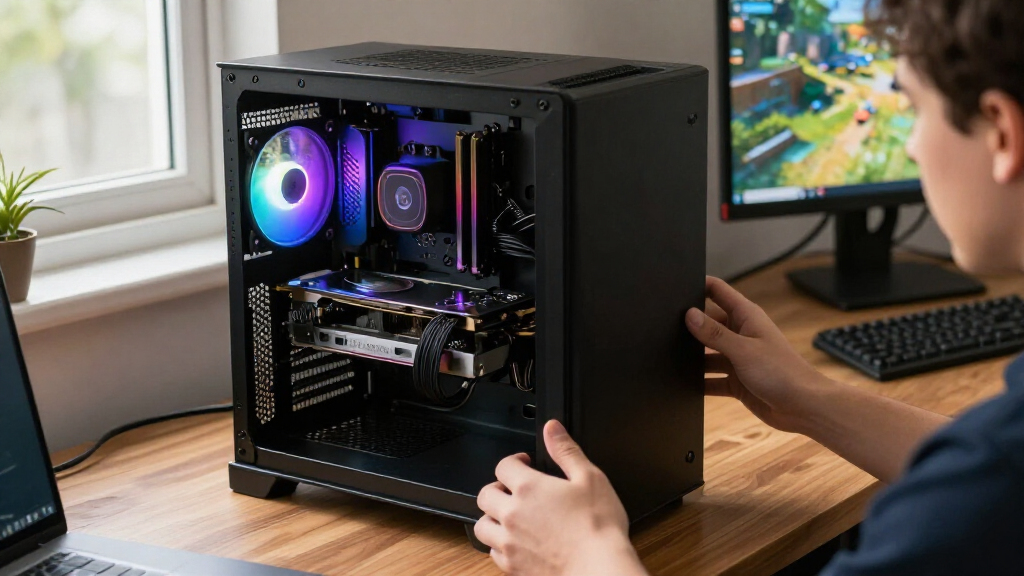
The best GPUs and RAM depend on whether you need a graphics card, a memory upgrade, or a complete workstation: these products serve different roles rather than competing as interchangeable parts. My best overall graphics-card pick is the ASUS Prime Radeon RX 9070 EVO OC 16GB, while the G.SKILL Trident Z5 Neo RGB 64GB DDR5-6000 CL30 stands out for a higher-capacity desktop memory upgrade. For a ready-made compact system, the MINISFORUM MS-S1 MAX combines a Ryzen AI Max+ 395, 128GB RAM, and a 2TB SSD. The main tradeoffs are graphics performance and features versus power, case fit, and platform compatibility; memory buyers face capacity, speed, and clearance choices instead. Read on for the full breakdown and guidance on matching each option to your build.

Get the latest gadgets delivered free with Prime
- Fast, free delivery on millions of items
- Prime Video, Amazon Music and more included
- Member-only deals all year
Complete the kit


Key Takeaways
- The RX 9070 EVO OC is my best overall graphics-card pick because its 16GB of memory gives it a stronger capacity case than the 12GB RTX 5070 for buyers prioritizing graphics hardware.
- The RTX 5080 models are premium choices, not default upgrades: the ASUS Prime and MSI Inspire 3X both target high-end builds, so case dimensions, cooling, power supply, and workload should justify the step up.
- Three 16GB RX 9060 XT options broaden the fit: the ASRock Challenger, XFX Swift triple-fan, and ASUS Dual let buyers weigh cooler size and design without changing the basic capacity tier.
- The G.SKILL 64GB kit is the standout for capacity, while the two Corsair 32GB RGB kits focus on a smaller memory footprint; check motherboard support and cooler clearance before choosing.
- The roundup is not made up of interchangeable parts: the MINISFORUM is a complete compact workstation, GPUs require a compatible PC build, and the DDR5 kits are desktop memory upgrades.
| MINISFORUM MS-S1 MAX Mini AI Workstation with AMD Ryzen AI Max+ 395, 128GB RAM and 2TB SSD |  | Best for AI Workloads and High-Capacity Memory | Processor: AMD Ryzen AI Max+ 395, 16 cores/32 threads, up to 5.1GHz | Graphics: AMD RDNA 3.5 | NPU: 50 TOPS | VIEW LATEST PRICE | See Our Full Breakdown |
| ASUS Prime Radeon RX 9070 EVO OC 16GB GDDR6 Graphics Card |  | Best Premium Radeon Graphics Card | GPU: AMD Radeon RX 9070 | Memory: 16GB GDDR6 | Boost clock: Up to 2610MHz in OC mode; up to 2590MHz in Default mode | VIEW LATEST PRICE | See Our Full Breakdown |
| G.SKILL Trident Z5 Neo RGB 64GB (2x32GB) DDR5-6000 CL30 Desktop Memory, Matte Black |  | Best High-Capacity Desktop RAM Kit | Capacity: 64GB (2 x 32GB) | Memory type: DDR5, 288-pin U-DIMM | Speed: Up to 6000 MT/s | VIEW LATEST PRICE | See Our Full Breakdown |
| PNY NVIDIA GeForce RTX 5060 Ti 16GB OC Dual-Fan Graphics Card |  | Best Compact GPU for NVIDIA Features | GPU: NVIDIA GeForce RTX 5060 Ti | Memory: 16GB GDDR7 | Memory bandwidth: 448GB/s | VIEW LATEST PRICE | See Our Full Breakdown |
| ASRock Radeon RX 9060 XT Challenger 16GB OC Graphics Card |  | Best Straightforward AMD GPU for a Midrange Build | GPU: AMD Radeon RX 9060 XT | Architecture: AMD RDNA 4 | Compute units: 32 | VIEW LATEST PRICE | See Our Full Breakdown |
| ASUS Prime GeForce RTX 5070 OC 12GB GDDR7 Graphics Card |  | Best Compact RTX 5070 | GPU: NVIDIA GeForce RTX 5070 | Memory: 12GB GDDR7 | Boost clock: 2587 MHz OC mode; 2557 MHz default mode | VIEW LATEST PRICE | See Our Full Breakdown |
| ASUS Dual GeForce RTX 5060 Ti 16GB GDDR7 OC Edition Graphics Card |  | Best for Memory-Heavy Gaming in a Compact Build | GPU: NVIDIA GeForce RTX 5060 Ti | Architecture: NVIDIA Blackwell | Memory: 16GB GDDR7 | VIEW LATEST PRICE | See Our Full Breakdown |
| CORSAIR Vengeance RGB DDR5 32GB (2×16GB) 6000MHz CL30 Desktop Memory, Gray |  | Best Low-Latency RGB RAM | Capacity: 32GB (2 x 16GB) | Memory technology: DDR5 | Memory speed: 6000MHz | VIEW LATEST PRICE | See Our Full Breakdown |
| XFX Swift AMD Radeon RX 9060 XT OC Triple Fan Graphics Card, 16GB GDDR6 |  | Best Triple-Fan Radeon Option | GPU: AMD Radeon RX 9060 XT | Memory: 16GB GDDR6 | Boost clock: Up to 3320 MHz | VIEW LATEST PRICE | See Our Full Breakdown |
| Corsair Vengeance RGB RS DDR5 32GB (2 x 16GB) 6000MHz Desktop Memory |  | Best Broad-Platform RGB RAM | Capacity: 32GB (2 x 16GB) | Memory technology: DDR5 | Memory speed: 6000MHz | VIEW LATEST PRICE | See Our Full Breakdown |
| MSI GeForce RTX 5080 16G Inspire 3X OC Black Graphics Card |  | Best for High-Performance Gaming | GPU: NVIDIA GeForce RTX 5080 | Memory: 16GB GDDR7 | Memory speed: 30Gbps | VIEW LATEST PRICE | See Our Full Breakdown |
| ASUS Dual Radeon RX 9060 XT 16GB GDDR6 Graphics Card |  | Best for Quiet, Compact AMD Builds | GPU: AMD Radeon RX 9060 XT | Memory: 16GB GDDR6 | Interface: PCIe 5.0, PCI-Express x16 | VIEW LATEST PRICE | See Our Full Breakdown |
| ASUS Dual GeForce RTX 3060 V2 12GB GDDR6 OC Edition Gaming Graphics Card |  | Best for Compact, Lower-Tier Builds | GPU: NVIDIA GeForce RTX 3060 | Architecture: Ampere | Memory: 12GB GDDR6 | VIEW LATEST PRICE | See Our Full Breakdown |
| ASRock Radeon RX 7600 Challenger Pro OC 8GB GDDR6 Graphics Card |  | Best for 1080p Gaming | GPU: AMD Radeon RX 7600 | Architecture: RDNA 3 | Memory: 8GB GDDR6 | VIEW LATEST PRICE | See Our Full Breakdown |
| ASUS Prime GeForce RTX 5080 16GB GDDR7 Graphics Card |  | Best Premium Pick for Compact Builds | GPU: NVIDIA GeForce RTX 5080 | Memory: 16GB GDDR7 | Boost clock: 2617MHz default; 2640MHz OC mode | VIEW LATEST PRICE | See Our Full Breakdown |
| GPUs and RAM | Memory | GPU | Interface | Video outputs |
|---|---|---|---|---|
| MINISFORUM MS-S1 MAX Mini AI W | 128GB LPDDR5x-8000 | — | — | — |
| ASUS Prime Radeon RX 9070 EVO | 16GB GDDR6 | AMD Radeon RX 9070 | PCI Express x16, PCIe 5.0 | 2 x HDMI 2.1b; 3 x DisplayPort 2.1a |
| G.SKILL Trident Z5 Neo RGB 64G | — | — | — | — |
| PNY NVIDIA GeForce RTX 5060 Ti | 16GB GDDR7 | NVIDIA GeForce RTX 5060 Ti | PCI Express x8, PCIe 5.0 | — |
| ASRock Radeon RX 9060 XT Chall | 16GB GDDR6 | AMD Radeon RX 9060 XT | PCIe 5.0, PCI-Express x16 | — |
| ASUS Prime GeForce RTX 5070 OC | 12GB GDDR7 | NVIDIA GeForce RTX 5070 | PCI Express 5.0 x16 | DisplayPort and HDMI |
| ASUS Dual GeForce RTX 5060 Ti | 16GB GDDR7 | NVIDIA GeForce RTX 5060 Ti | PCIe 5.0 x16 | 3 x DisplayPort 2.1b; HDMI 2.1b |
| CORSAIR Vengeance RGB DDR5 32G | — | — | — | — |
| XFX Swift AMD Radeon RX 9060 X | 16GB GDDR6 | AMD Radeon RX 9060 XT | PCI Express x16 | HDMI and 2 x DisplayPort |
| Corsair Vengeance RGB RS DDR5 | — | — | — | — |
| MSI GeForce RTX 5080 16G Inspi | 16GB GDDR7 | NVIDIA GeForce RTX 5080 | PCI Express 5.0 | DisplayPort and HDMI |
| ASUS Dual Radeon RX 9060 XT 16 | 16GB GDDR6 | AMD Radeon RX 9060 XT | PCIe 5.0, PCI-Express x16 | 2 x DisplayPort 2.1a, HDMI 2.1b |
| ASUS Dual GeForce RTX 3060 V2 | 12GB GDDR6 | NVIDIA GeForce RTX 3060 | PCI-Express x16 | HDMI 2.1, DisplayPort 1.4a |
| ASRock Radeon RX 7600 Challeng | 8GB GDDR6 | AMD Radeon RX 7600 | PCIe 4.0 x8 | — |
| ASUS Prime GeForce RTX 5080 16 | 16GB GDDR7 | NVIDIA GeForce RTX 5080 | — | 3 x DisplayPort 2.1a; 2 x HDMI 2.1b |
More Details on Our Top Picks
MINISFORUM MS-S1 MAX Mini AI Workstation with AMD Ryzen AI Max+ 395, 128GB RAM and 2TB SSD
128GB of LPDDR5x-8000 makes this the memory standout in this group: it can accommodate large AI and graphics workloads in a compact workstation, rather than adding more capacity through ordinary desktop DIMMs. The Ryzen AI Max+ 395 pairs integrated RDNA 3.5 graphics with a 50-TOPS NPU, while the full-length PCIe x16 slot gives it an expansion path the graphics cards here do not provide on their own. Compared with the G.SKILL Trident Z5 Neo RGB 64GB kit, this is a complete system with twice the listed memory capacity, but its LPDDR5x memory is not a standard upgradeable desktop kit. Dual 10GbE, USB4 V2, and dual M.2 slots suit clustered or storage-heavy setups. The tradeoffs are a 320W built-in power supply and conflicting SSD capacity details: the title and specs say 2TB, while the description says 4TB.
Pros:- 128GB of high-bandwidth LPDDR5x memory for memory-intensive workloads
- Full-length PCIe x16 slot and two M.2 PCIe 4.0 slots provide expansion options
- USB4 V2, dual 10GbE, and Wi-Fi 7 offer unusually broad connectivity
- Six heat pipes and dual fans are designed to manage sustained workloads
Cons:- LPDDR5x memory is not a standard user-replaceable desktop memory kit
- SSD capacity conflicts between the product description and title/specifications
- The built-in 320W power supply calls for planning around added components
Best for: AI developers, video editors, and workstation builders who need high-capacity memory, fast networking, and PCIe expansion in a compact system.
Not ideal for: Desktop gamers seeking a conventional, upgradeable graphics-card setup, or buyers who need confirmed SSD capacity before ordering.
- Processor:AMD Ryzen AI Max+ 395, 16 cores/32 threads, up to 5.1GHz
- Graphics:AMD RDNA 3.5
- NPU:50 TOPS
- Memory:128GB LPDDR5x-8000
- Storage:2TB SSD listed in title and specs; description mentions 4TB
- Expansion:Full-length PCIe x16; dual M.2 PCIe 4.0 slots
- Connectivity:USB4 V2 up to 80Gbps, dual 10GbE LAN, Wi-Fi 7
- Power supply:320W
Our verdict“Choose this workstation for high-capacity AI and creative workloads that need integrated graphics plus expansion, but verify the SSD configuration and power requirements first.”
ASUS Prime Radeon RX 9070 EVO OC 16GB GDDR6 Graphics Card
The Radeon RX 9070 gives this card a higher-tier gaming role than the RX 9060 XT options in the roundup, while its 16GB of GDDR6 provides room for detailed textures and graphics-heavy work. ASUS adds a 2.5-slot triple-fan cooler, a phase-change thermal pad, and dual BIOS, letting buyers choose between quieter and performance-focused behavior. Its 2.5-slot footprint is slimmer than many larger triple-fan cards, though it still needs substantial case space; the compact PNY RTX 5060 Ti is a better fit for a tight dual-slot build. This Radeon offers five display outputs, including three DisplayPort 2.1a connections, and supports up to 8K output. The main compromise is that advanced thermal and performance tuning relies on GPU Tweak III, while the card remains physically larger than the dual-fan alternatives.
Pros:- 16GB of GDDR6 memory suits high-resolution gaming and graphics workloads
- Triple-fan cooler, phase-change thermal pad, and dual BIOS provide cooling flexibility
- Three DisplayPort 2.1a and two HDMI 2.1b outputs support multiple display setups
- 2.5-slot design is more compact than many larger triple-fan cards
Cons:- Still requires more case room than the dual-slot PNY RTX 5060 Ti
- Advanced performance and thermal tuning depends on GPU Tweak III
- A 2.5-slot card can limit adjacent expansion slots in smaller builds
Best for: Gamers and creators building a roomy desktop who want a higher-tier Radeon GPU, 16GB of memory, and selectable cooling profiles.
Not ideal for: Small-form-factor builders or buyers who want a dual-slot card with minimal software involvement for tuning.
- GPU:AMD Radeon RX 9070
- Memory:16GB GDDR6
- Boost clock:Up to 2610MHz in OC mode; up to 2590MHz in Default mode
- Game clock:Up to 2140MHz in OC mode; up to 2120MHz in Default mode
- Interface:PCI Express x16, PCIe 5.0
- Video outputs:2 x HDMI 2.1b; 3 x DisplayPort 2.1a
- Cooling and slot design:Triple Axial-tech fans; 2.5-slot
- Dimensions:12 x 5 inches
Our verdict“Pick the ASUS RX 9070 EVO for a higher-tier Radeon build with flexible cooling, provided your case can accommodate its triple-fan, 2.5-slot design.”
G.SKILL Trident Z5 Neo RGB 64GB (2x32GB) DDR5-6000 CL30 Desktop Memory, Matte Black
This matched 64GB DDR5-6000 kit is the memory pick for desktop users whose workloads need more headroom than a 32GB kit can offer. Its two 32GB modules leave two slots free on many four-slot motherboards, and AMD EXPO provides a straightforward route to the advertised speed on supported systems. Compared with the 128GB LPDDR5x inside the MINISFORUM MS-S1 MAX, this kit offers less capacity but belongs to a conventional desktop memory format rather than a compact workstation’s integrated memory configuration. The CL30 timings are aimed at responsive performance, while RGB lighting adds a visual feature absent from many work-focused kits. The catch is that 6000 MT/s depends on compatible hardware and BIOS settings; mixing this kit with other memory can also cause instability, so it is best treated as a complete matched pair.
Pros:- 64GB capacity in a matched two-module kit
- AMD EXPO profile supports memory tuning on compatible platforms
- DDR5-6000 speed with CL30 timings
- RGB lighting and a JEDEC default profile
Cons:- Reaching the advertised speed may require compatible components and BIOS adjustments
- Mixing with another memory kit can cause instability or prevent reliable operation
- Provides less capacity than the 128GB workstation memory configuration in this roundup
Best for: Desktop builders with compatible AMD platforms who edit media, multitask heavily, or run memory-hungry applications and want a matched 64GB kit.
Not ideal for: Buyers who need 128GB or more, want to mix modules with an existing kit, or prefer to avoid BIOS memory configuration.
- Capacity:64GB (2 x 32GB)
- Memory type:DDR5, 288-pin U-DIMM
- Speed:Up to 6000 MT/s
- Timings:CL30-40-40-96
- Voltage:1.40V
- Profiles:JEDEC and AMD EXPO
- Compatibility:Desktop PCs; select AMD X870, X670, B850, B840, and B650 platforms
- Color:Matte black with RGB lighting
Our verdict“Choose this kit for a compatible AMD desktop that needs 64GB of matched DDR5, and skip it if you need a larger capacity or a no-configuration setup.”
PNY NVIDIA GeForce RTX 5060 Ti 16GB OC Dual-Fan Graphics Card
PNY’s RTX 5060 Ti 16GB combines NVIDIA’s Blackwell architecture and GDDR7 memory with a compact dual-slot design, making it the practical choice for smaller cases among the discrete cards here. Its 16GB capacity matches the memory amount on the ASUS RX 9070 EVO and ASRock RX 9060 XT, but the PNY’s 9.65-inch length and single 8-pin connector make it easier to plan around in a compact build. A dense heatsink, two fans, and vented backplate handle cooling without the bulk of the ASUS card’s triple-fan arrangement. The factory overclock reaches 2692MHz, and VelocityX supports tuning and saved profiles. Its 128-bit memory interface and PCIe x8 connection are tradeoffs against wider-link alternatives, and PNY recommends a 600W system power supply.
Pros:- 16GB of GDDR7 memory for games, creative work, and local AI workloads
- Compact 9.65-inch, dual-slot design suits smaller cases
- Single 8-pin power connector simplifies GPU cabling
- VelocityX provides clock, fan-curve, monitoring, and profile controls
Cons:- 128-bit memory interface and PCIe x8 connection are narrower than x16 alternatives
- Recommended system power is 600W
- Dual-fan cooler offers less physical cooling capacity than the triple-fan ASUS RX 9070 EVO
Best for: Small-form-factor builders and NVIDIA-focused gamers or creators who need 16GB of graphics memory in a dual-slot card.
Not ideal for: Buyers seeking a wider memory interface, a lower recommended system power supply, or a triple-fan cooling design.
- GPU:NVIDIA GeForce RTX 5060 Ti
- Memory:16GB GDDR7
- Memory bandwidth:448GB/s
- Boost clock:2692MHz
- Memory interface:128-bit
- Interface:PCI Express x8, PCIe 5.0
- Power:Single 8-pin connector; 600W recommended system power
- Dimensions:9.65 x 4.72 inches
Our verdict“Choose the PNY RTX 5060 Ti for a compact NVIDIA build that needs 16GB of GDDR7, but check the 600W power recommendation and x8 interface against your system.”
ASRock Radeon RX 9060 XT Challenger 16GB OC Graphics Card
The ASRock RX 9060 XT Challenger is a direct fit for buyers who want 16GB of graphics memory without moving up to the larger, higher-tier ASUS RX 9070 EVO. Its RDNA 4 GPU pairs 16GB of GDDR6 with a two-slot, dual-fan cooler and 0dB silent mode, keeping the design relatively simple for a standard desktop build. Compared with the compact PNY RTX 5060 Ti, this card uses a PCIe x16 interface and supports DisplayPort 2.1a and HDMI 2.1b, but it is longer at 249mm and has a 550W recommended power supply requirement. The listed boost clock reaches 3290MHz, while the 128-bit memory bus is a limitation to weigh against the card’s ample capacity. It suits buyers who value a conventional AMD setup over premium cooling extras or a smaller footprint.
Pros:- 16GB of GDDR6 memory for high-resolution assets and graphics workloads
- Two-slot, dual-fan design includes a 0dB silent mode
- DisplayPort 2.1a and HDMI 2.1b support current display connections
- PCIe 5.0 x16 interface
Cons:- 249mm card length requires careful case-clearance checks
- 128-bit memory bus is narrower than some buyers may want for memory-heavy workloads
- Two-year warranty is shorter than the limited lifetime warranty listed for the G.SKILL memory kit
Best for: Desktop gamers assembling a midrange AMD system who want 16GB of VRAM, modern display outputs, and a standard two-slot cooler.
Not ideal for: Small-case builders with less than 249mm of GPU clearance, or buyers who want a higher-tier GPU and more elaborate cooling.
- GPU:AMD Radeon RX 9060 XT
- Architecture:AMD RDNA 4
- Compute units:32
- Memory:16GB GDDR6
- Memory bus and speed:128-bit; 20Gbps
- Boost and game clocks:Up to 3290MHz boost; 2700MHz game clock
- Interface:PCIe 5.0, PCI-Express x16
- Power and dimensions:1 x 8-pin; 550W recommended power supply; 249 x 132 x 41mm
Our verdict“Pick the ASRock RX 9060 XT for a straightforward AMD desktop with 16GB of VRAM, provided your case has room for its 249mm length.”
ASUS Prime GeForce RTX 5070 OC 12GB GDDR7 Graphics Card
The ASUS Prime RTX 5070 OC pairs Blackwell graphics with a relatively space-conscious 2.5-slot design, making it the more plausible fit for a compact build than larger triple-fan cards. Its three Axial-tech fans, phase-change thermal pad, and Quiet and Performance BIOS profiles give builders options for balancing cooling and noise. Compared with the ASUS Dual RTX 5060 Ti, this is the higher-tier GPU pick, but it has just 12GB of GDDR7 versus that card’s 16GB. That difference may matter for memory-heavy workloads or games, even though the RTX 5070’s positioning favors buyers seeking more GPU capability. The card still needs room for its width and a desktop PCIe x16 slot, so compact compatibility is not universal.
Pros:- 2.5-slot layout is more compact than many larger triple-fan designs.
- Three Axial-tech fans and a phase-change thermal pad support heat management.
- Dual BIOS offers Quiet and Performance profiles.
- 0dB technology supports quieter operation during light gaming.
Cons:- 12GB of GDDR7 is less capacity than the ASUS Dual RTX 5060 Ti’s 16GB.
- The 2.5-slot width can restrict adjacent expansion slots or case compatibility.
- Requires a desktop system with a PCI Express x16 slot.
Best for: Small-form-factor desktop builders who want an RTX 5070-class card, have room for a 2.5-slot cooler, and value selectable quiet or performance profiles.
Not ideal for: Buyers whose cases cannot accommodate a 2.5-slot card, or users prioritizing 16GB of graphics memory over this model’s 12GB.
- GPU:NVIDIA GeForce RTX 5070
- Memory:12GB GDDR7
- Boost clock:2587 MHz OC mode; 2557 MHz default mode
- Interface:PCI Express 5.0 x16
- Cooling:Three Axial-tech fans
- Slot width:2.5 slots
- Video outputs:DisplayPort and HDMI
- BIOS:Dual BIOS with Quiet and Performance profiles
Our verdict“Choose this RTX 5070 for a compact desktop that can fit its 2.5-slot cooler; choose the ASUS Dual RTX 5060 Ti instead if 16GB of graphics memory matters more.”
ASUS Dual GeForce RTX 5060 Ti 16GB GDDR7 OC Edition Graphics Card
The ASUS Dual RTX 5060 Ti stands out among these GPUs for pairing a compact 2.5-slot form with 16GB of GDDR7. That memory capacity gives it a different appeal from the ASUS Prime RTX 5070, which has the higher-tier GPU but only 12GB. Buyers running memory-demanding games or creative applications may prefer the extra headroom, while those focused on GPU tier may favor the RTX 5070. Two Axial-tech fans, 0dB light-load operation, and a Quiet/Performance BIOS switch add useful flexibility, though this cooler has fewer fans than the Prime model’s triple-fan setup. It also supports three DisplayPort 2.1b connections and HDMI 2.1b. The tradeoff is that its compact dimensions do not eliminate the need for 2.5 slots of case clearance.
Pros:- 16GB of GDDR7 provides more graphics memory than the ASUS Prime RTX 5070’s 12GB.
- Compact 2.5-slot form factor with two Axial-tech fans.
- Quiet and Performance BIOS profiles allow different noise and cooling preferences.
- Three DisplayPort 2.1b outputs plus HDMI 2.1b.
Cons:- Two-fan cooling has fewer fans than the ASUS Prime RTX 5070’s triple-fan system.
- Still requires clearance for a 2.5-slot card.
- Maximum memory speed and performance depend on the rest of the desktop system.
Best for: Desktop gamers and creators seeking 16GB of GDDR7 in a relatively compact graphics card, especially those who value multiple DisplayPort connections.
Not ideal for: Buyers who need a narrower-than-2.5-slot card or who would rather choose the higher-tier RTX 5070 despite its lower memory capacity.
- GPU:NVIDIA GeForce RTX 5060 Ti
- Architecture:NVIDIA Blackwell
- Memory:16GB GDDR7
- GPU clock:2632 MHz OC mode; 2602 MHz default mode
- Interface:PCIe 5.0 x16
- Video outputs:3 x DisplayPort 2.1b; HDMI 2.1b
- Form factor:2.5-slot
- BIOS profiles:Quiet and Performance
Our verdict“Pick this card when 16GB of GDDR7 and a compact footprint matter more than stepping up to the ASUS Prime RTX 5070.”
CORSAIR Vengeance RGB DDR5 32GB (2×16GB) 6000MHz CL30 Desktop Memory, Gray
This CORSAIR Vengeance RGB kit combines 32GB of DDR5 with a 6000MHz speed and CL30 latency, giving it a more latency-focused specification than the Corsair Vengeance RGB RS kit’s CL36. That distinction makes this the stronger match for builders prioritizing tighter timings alongside a colorful system, while both kits offer 32GB and support AMD EXPO and Intel XMP profiles. Its ten-zone RGB lighting gives each module a more customizable visual presence, and onboard voltage regulation supports fine-tuning. The tradeoff is that the rated speed may require BIOS adjustments and compatible CPU and motherboard support; the profile alone cannot guarantee it. Like the other desktop memory in this roundup, it uses DIMM slots, so it is not an option for systems with soldered or laptop memory.
Pros:- 6000MHz speed paired with CL30 latency.
- Ten-zone RGB lighting offers extensive module-level customization.
- Supports AMD EXPO and Intel XMP profiles.
- Onboard voltage regulation supports memory tuning.
Cons:- Reaching the rated speed may require BIOS adjustments and compatible components.
- Requires a desktop motherboard with 288-pin DIMM slots.
- The 1.40V specification may be a less suitable fit for buyers avoiding higher-voltage memory profiles.
Best for: Desktop builders who want a 32GB DDR5 kit with RGB customization, 6000MHz rated speed, and tighter CL30 timings than the Corsair Vengeance RGB RS.
Not ideal for: Laptop owners or desktop buyers who want memory that runs at its rated speed without checking BIOS, CPU, and motherboard compatibility.
- Capacity:32GB (2 x 16GB)
- Memory technology:DDR5
- Memory speed:6000MHz
- CAS latency:CL30
- Timings:30-36-36-76
- Voltage:1.40V
- Form factor:288-pin DIMM
- Profiles:AMD EXPO and Intel XMP
- Lighting:Ten-zone RGB
Our verdict“Choose this kit over the Corsair Vengeance RGB RS if you want 32GB of RGB DDR5 with CL30 timings and are prepared to configure a compatible system.”
XFX Swift AMD Radeon RX 9060 XT OC Triple Fan Graphics Card, 16GB GDDR6
The XFX Swift RX 9060 XT brings 16GB of GDDR6 and a triple-fan cooler to the Radeon choices in this roundup. Its memory capacity matches the ASUS Dual RTX 5060 Ti, though the ASUS uses GDDR7 and adds a compact 2.5-slot design with selectable BIOS profiles. The XFX instead emphasizes a three-fan cooling layout and a stated boost clock of up to 3320 MHz. That setup is a better fit for desktop builders who want a conventional, actively cooled Radeon card and HDMI plus two DisplayPort connections. The tradeoff is that the supplied details do not specify its dimensions or slot width, so case fit needs checking before purchase. It also requires a desktop PCI Express x16 system, rather than serving as a compact plug-in upgrade for every PC.
Pros:- 16GB of GDDR6 graphics memory.
- Triple-fan cooling design.
- HDMI and two DisplayPort outputs.
- Specified support for resolutions up to 3840 × 2160.
Cons:- Requires a desktop PC with a PCI Express x16 interface.
- Product details do not provide dimensions or slot width for case-fit planning.
- Uses GDDR6 rather than the GDDR7 memory found in the ASUS Dual RTX 5060 Ti.
Best for: Desktop gamers who want a Radeon card with 16GB of graphics memory, triple-fan cooling, and HDMI plus dual DisplayPort outputs.
Not ideal for: Small-case builders who need confirmed compact dimensions, or buyers who prefer GDDR7 and a defined 2.5-slot footprint like the ASUS Dual RTX 5060 Ti.
- GPU:AMD Radeon RX 9060 XT
- Memory:16GB GDDR6
- Boost clock:Up to 3320 MHz
- Base clock:1900 MHz
- Memory clock speed:20 GHz
- Cooling:Triple fan
- Interface:PCI Express x16
- Video outputs:HDMI and 2 x DisplayPort
- Maximum resolution:3840 × 2160 (4K UHD)
Our verdict“Choose the XFX Swift if you want a triple-fan Radeon with 16GB of memory and can confirm its physical fit in your desktop case.”
Corsair Vengeance RGB RS DDR5 32GB (2 x 16GB) 6000MHz Desktop Memory
The Corsair Vengeance RGB RS is a 32GB DDR5 kit for builders who want addressable lighting and broad stated platform support: its profiles cover AMD EXPO and Intel XMP 3.0, with compatibility listed for AMD 600/800 and Intel 700/800 series motherboards. Compared with the gray Corsair Vengeance RGB kit, it keeps the 6000MHz rated speed but uses CL36 timings rather than CL30. That makes the other Corsair the more compelling choice for tighter latency, while this RS kit offers a straightforward alternative for buyers matching its supported platform list. Onboard voltage regulation and a custom PCB are designed for high-frequency operation, but 6000MHz may still require BIOS changes and suitable CPU and motherboard support. Its RGB lighting also makes sense only if the build has room and appetite for illuminated DIMMs.
Pros:- Supports both AMD EXPO and Intel XMP 3.0 profiles.
- Individually addressable RGB lighting with a panoramic diffuser.
- Onboard voltage regulation and custom PCB are designed for high-frequency operation.
- Specified compatibility includes AMD 600/800 and Intel 700/800 series motherboards.
Cons:- CL36 timings are looser than the CL30 Corsair Vengeance RGB kit.
- Reaching 6000MHz may require BIOS adjustments and compatible components.
- Designed for desktop DIMM slots, not laptops or systems with soldered memory.
Best for: Desktop builders with supported AMD 600/800 or Intel 700/800 series motherboards who want 32GB of DDR5, addressable RGB, and both EXPO and XMP 3.0 profiles.
Not ideal for: Buyers seeking the tighter CL30 timings of the other Corsair Vengeance RGB kit, or anyone without compatible DDR5 DIMM slots.
- Capacity:32GB (2 x 16GB)
- Memory technology:DDR5
- Memory speed:6000MHz
- Latency:CL36 (36-44-44-96)
- Voltage:1.35V
- Form factor:288-pin DIMM
- Profiles:AMD EXPO and Intel XMP 3.0
- Motherboard compatibility:AMD 600/800 Series and Intel 700/800 Series
Our verdict“Pick the Vengeance RGB RS for a supported desktop platform and addressable lighting; choose the other Corsair kit if CL30 timings are the priority.”
MSI GeForce RTX 5080 16G Inspire 3X OC Black Graphics Card
The MSI RTX 5080 Inspire 3X OC is the performance-first choice here: its Blackwell GPU, 16GB of GDDR7, and support for ray tracing and DLSS 4 suit demanding games and graphics-heavy creative work. Its 2640MHz boost clock is factory overclocked, while the triple-fan cooler, copper baseplate, and heat pipes are built to manage sustained load; ZERO FROZR can stop the fans during lighter use. Compared with the ASUS Prime RTX 5080, MSI lists the same maximum boost clock but not the Prime’s compact 2.5-slot design or dual BIOS. That makes this a straightforward high-end pick, not the more feature-flexible fit for a small build. The main costs in system planning are 850W minimum power and the space and airflow a triple-fan desktop card needs.
Pros:- Factory boost clock reaches 2640MHz
- 16GB of GDDR7 memory on a 256-bit bus
- Triple-fan cooling with ZERO FROZR and a nickel-plated copper baseplate
- Supports ray tracing and DLSS 4
Cons:- Calls for a power supply rated at least 850W
- Triple-fan desktop design may be a poor fit for compact cases
Best for: Desktop gamers and creators seeking an RTX 5080 with a factory overclock, 16GB of GDDR7, and substantial triple-fan cooling.
Not ideal for: Small-form-factor builders or owners of power supplies below 850W who need a shorter, lower-power card.
- GPU:NVIDIA GeForce RTX 5080
- Memory:16GB GDDR7
- Memory speed:30Gbps
- Memory bus:256-bit
- GPU boost clock:2640MHz
- Interface:PCI Express 5.0
- Video outputs:DisplayPort and HDMI
- Recommended power supply:850W minimum
Our verdict“Choose the MSI Inspire 3X OC for high-end RTX 5080 performance and robust cooling if your case and 850W power supply can accommodate it.”
ASUS Dual Radeon RX 9060 XT 16GB GDDR6 Graphics Card
The ASUS Dual RX 9060 XT puts 16GB of GDDR6 into a 2.5-slot card with a useful focus on noise control: its two Axial-tech fans can stop under light loads, and a switch offers Quiet and Performance BIOS profiles. That makes it a more flexible fit for buyers who want to tune fan behavior than the ASRock RX 7600 Challenger Pro, whose triple-fan cooling and 8GB memory target a different performance and capacity tier. The ASUS’s listed boost clock reaches 3250MHz in OC mode, but clock figures alone do not establish how it performs against the RTX 5080 models in this roundup. Its compact designation is relative, too: 2.5 slots still occupy more than two expansion slots, and it needs a desktop PCIe x16 slot. This is a sensible AMD pick when memory capacity and quieter light-load operation matter more than a genuinely tiny footprint.
Pros:- 16GB of GDDR6 memory
- Compact 8-inch length for a desktop graphics card
- 0dB technology can reduce fan noise during light use
- Dual BIOS offers Quiet and Performance profiles
Cons:- 2.5-slot thickness exceeds a strict two-slot clearance
- Requires a desktop PCI-Express x16 slot
- GDDR6 memory is a different, older memory type than the GDDR7 on the RTX 5080 options
Best for: AMD-focused desktop builders who want 16GB of graphics memory, a short 8-inch card, and selectable quiet or performance fan profiles.
Not ideal for: Builders limited to two expansion slots or anyone seeking an integrated graphics solution rather than a desktop card.
- GPU:AMD Radeon RX 9060 XT
- Memory:16GB GDDR6
- Interface:PCIe 5.0, PCI-Express x16
- Boost clock:Up to 3250MHz OC mode; up to 3230MHz default mode
- Cooling:Two Axial-tech fans
- Form factor:2.5-slot
- Dimensions:8 x 4.7 inches
- Video outputs:2 x DisplayPort 2.1a, HDMI 2.1b
- Warranty:3 years
Our verdict“Pick the ASUS Dual RX 9060 XT for a compact AMD desktop with 16GB of memory and flexible quiet operation, provided you have 2.5 slots of room.”
ASUS Dual GeForce RTX 3060 V2 12GB GDDR6 OC Edition Gaming Graphics Card
The ASUS Dual RTX 3060 V2 is the practical pick for a compact desktop that needs an NVIDIA GPU without the size and power demands of the RTX 5080 cards. It pairs 12GB of GDDR6 with a true two-slot design, dual Axial-tech fans, and 0dB operation at light loads. That memory capacity is useful for games and creative projects with larger assets, but it does not make this older Ampere card equivalent to the Blackwell-based MSI RTX 5080 Inspire 3X OC, which has newer architecture, GDDR7, and DLSS 4 support. The RTX 3060’s listed OC boost is 1867MHz, and the source provides no power requirement or benchmark data for a direct performance comparison. Its appeal is fit and straightforward cooling—not cutting-edge features. Skip it if your priority is the newest rendering features or high-end graphics performance.
Pros:- 12GB of GDDR6 memory
- True two-slot design suits tighter expansion layouts
- 0dB technology supports silent fan operation at light loads
- HDMI 2.1 and DisplayPort 1.4a outputs
Cons:- Ampere architecture is older than the Blackwell RTX 5080 options
- Does not list DLSS 4 support
- PCI-Express x16 interface requires a desktop motherboard slot
Best for: Small-case builders and casual gamers who want a two-slot NVIDIA card with 12GB of memory for a modest desktop upgrade.
Not ideal for: Buyers targeting the latest NVIDIA architecture, DLSS 4 support, or the performance tier represented by the RTX 5080 models.
- GPU:NVIDIA GeForce RTX 3060
- Architecture:Ampere
- Memory:12GB GDDR6
- OC boost clock:1867MHz
- Interface:PCI-Express x16
- Cooling:Dual Axial-tech fans with 0dB technology
- Form factor:2-slot
- Video outputs:HDMI 2.1, DisplayPort 1.4a
Our verdict“Choose the ASUS RTX 3060 V2 when compact two-slot fit and 12GB of memory matter more than newer GPU features or flagship performance.”
ASRock Radeon RX 7600 Challenger Pro OC 8GB GDDR6 Graphics Card
The ASRock RX 7600 Challenger Pro OC is the focused 1080p option in this group: its RDNA 3 GPU, 2695MHz boost clock, and triple-fan cooler suit a mainstream desktop, while 0dB silent mode can keep fans off under light load. It is a clearer entry point for buyers who do not need the 16GB on the ASUS Dual RX 9060 XT or the high-end features of either RTX 5080. The tradeoff is its 8GB of GDDR6 on a 128-bit interface, which gives less memory capacity and bandwidth headroom for demanding textures than those larger-memory cards. At 303mm long and 2.5 slots thick, it is also not especially small despite its mainstream positioning. A metal backplate, one 8-pin power connector, and four display outputs round out a practical gaming card, but case clearance still needs checking.
Pros:- RDNA 3 architecture with ray tracing and AI acceleration support
- Triple-fan cooling with 0dB silent mode
- Metal backplate adds structural rigidity
- Three DisplayPort outputs and one HDMI output
Cons:- 8GB of GDDR6 offers less capacity than the 16GB RX 9060 XT
- 128-bit memory interface may limit bandwidth for demanding textures
- 303mm length and 2.5-slot thickness constrain case fit
Best for: 1080p-focused desktop gamers who want an RDNA 3 card with triple-fan cooling and do not need more than 8GB of graphics memory.
Not ideal for: Players using memory-heavy high-resolution textures, or small-case builders without 303mm length and 2.5-slot clearance.
- GPU:AMD Radeon RX 7600
- Architecture:RDNA 3
- Memory:8GB GDDR6
- Memory interface:128-bit
- Boost clock:2695MHz
- Interface:PCIe 4.0 x8
- Power connector:1 x 8-pin
- Recommended power supply:550W
- Dimensions:303 x 131 x 45mm
Our verdict“The RX 7600 Challenger Pro OC suits 1080p gamers who value quiet triple-fan cooling, but buyers needing more memory headroom should choose a 16GB alternative.”
ASUS Prime GeForce RTX 5080 16GB GDDR7 Graphics Card
The ASUS Prime RTX 5080 pairs the same RTX 5080 GPU and 16GB of GDDR7 as the MSI Inspire 3X OC with a more compact 2.5-slot layout. Its three Axial-tech fans work with a vapor chamber and phase-change thermal pad, while dual BIOS and 0dB technology give builders ways to balance cooling and noise. The listed OC boost reaches 2640MHz, matching MSI’s stated boost figure; the Prime’s distinction is its cooling package and profile switch, not a clearly higher clock. Compact thickness does not mean a short card: at 306mm, it still needs substantial case length, plus an 850W minimum supply with a 16-pin connector. For a powerful small-form-factor build, it offers a stronger space-conscious design than MSI, though buyers must confirm both length and power-cable clearance before choosing it.
Pros:- 2.5-slot design suits builds with limited expansion-slot width
- 16GB of GDDR7 on an RTX 5080 GPU
- Vapor chamber and phase-change thermal pad support heat transfer
- Dual BIOS and 0dB technology provide noise and cooling choices
Cons:- Requires an 850W minimum supply with a 16-pin connector
- 306mm length can rule out shorter cases
- Its stated 2640MHz OC boost matches the MSI Inspire 3X OC rather than offering a higher listed clock
Best for: Small-form-factor builders seeking RTX 5080-class graphics who can fit a 306mm card and provide the required 16-pin power connection.
Not ideal for: Builders with short cases, limited GPU power connectors, or power supplies below the 850W minimum.
- GPU:NVIDIA GeForce RTX 5080
- Memory:16GB GDDR7
- Boost clock:2617MHz default; 2640MHz OC mode
- Dimensions:306mm length; 2.5 slots
- Power requirement:850W minimum with 16-pin 12V-2×6 (12VHPWR) connector
- Cooling:Three Axial-tech fans and vapor chamber
- Video outputs:3 x DisplayPort 2.1a; 2 x HDMI 2.1b
- Features:Dual BIOS, 0dB technology, phase-change GPU thermal pad
Our verdict“Choose the ASUS Prime RTX 5080 when a 2.5-slot RTX 5080 and adaptable cooling matter, but only if your case and power setup meet its clearance requirements.”
How We Picked
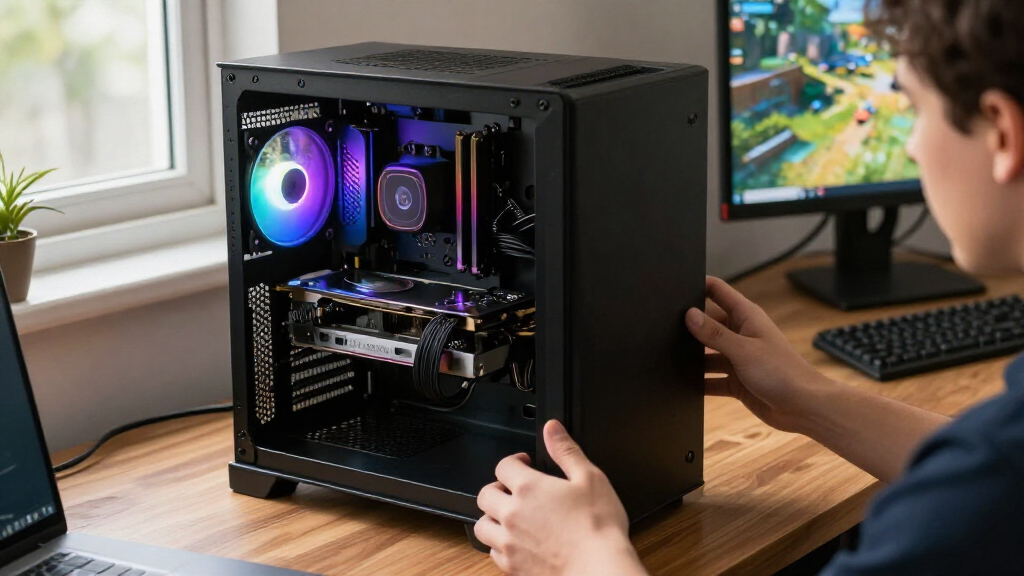
I ranked these products by how clearly they serve a distinct buyer need, then weighed graphics memory, listed GPU generation and configuration, cooling style, RAM capacity and speed, and overall system role. For GPUs, I separated premium 5080-class choices from more broadly targeted 16GB cards, entry-oriented 8GB hardware, and the older RTX 3060 option. For RAM, I compared capacity and listed speed and latency while treating RGB as a style choice rather than a performance advantage. The MINISFORUM MS-S1 MAX is judged as a complete workstation, not as a graphics card or a memory kit.
The order favors options with a strong fit for common build goals and a clear tradeoff profile; it does not claim benchmark results or universal performance rankings. I also considered practical constraints that can change a purchase decision: GPU dimensions and power demands, system and motherboard compatibility, memory generation, and whether a buyer needs a full computer or only an upgrade. A lower-ranked product may be the better choice for a specific case, budget plan, or workload, particularly when its size or platform fit matters more than a higher product tier.
Factors to Consider When Choosing Best GPUs And RAM
Before choosing from this list, separate the purchase into its real job: a GPU upgrade, a desktop memory kit, or a complete computer. The right decision depends as much on the rest of your system as on the product name. These checks can help prevent an attractive spec from turning into a mismatched build.
Decide Whether You Need a GPU, RAM, or a Complete System
A graphics card, a desktop memory kit, and a mini workstation solve different problems, so compare products within the right category first. If your PC is already built and struggles with graphics-heavy games or creative software, a GPU may be the relevant upgrade; a RAM kit will not replace graphics processing power. If the computer lacks capacity for your applications or multitasking, memory may be the more direct fix, provided the system supports the kit. The MINISFORUM is a separate path for buyers who want a compact, assembled workstation rather than parts to install. Avoid comparing its 128GB system memory directly with a 16GB graphics-card memory figure: they serve different system functions. First list what you already own and what problem you want to solve.
Match GPU Memory and Tier to Your Workload
Graphics memory capacity is one useful comparison point, but it does not by itself determine speed or suitability. The 16GB cards in this roundup offer more graphics memory capacity than the RTX 5070’s 12GB and the RX 7600’s 8GB, which may matter to workloads with large assets or demanding texture settings. That difference should not be treated as a direct performance ranking: GPU architecture, software support, resolution, and workload also affect results. A card with more memory may still be a poor fit if its price, power needs, or features do not match your use. Look up requirements for the games or applications you actually use rather than buying on capacity alone. For mixed gaming and creative work, check whether the software favors a particular GPU ecosystem.
Check Case Fit, Cooling, and Power Before Buying a GPU
GPU names do not tell you whether a card will fit your case or work with your power supply. Compare the exact card dimensions with available case clearance, including space near front fans, radiators, and drive cages. Cooler design matters too: a triple-fan card may suit a roomy build, while a dual-fan model can be easier to place in a tighter case, though case airflow still affects temperatures and noise. Check the manufacturer’s power-supply guidance and confirm that your supply has the required connectors before ordering. Leave room for cable bends and airflow rather than planning around a card that barely fits on paper. A compact build can be better served by fit and cooling practicality than by a higher-tier GPU.
Choose RAM Capacity Before Chasing Speed or Lighting
When comparing the listed DDR5 kits, decide whether 32GB is enough for your applications or whether the G.SKILL 64GB kit better suits heavier multitasking and memory-intensive work. The two Corsair 32GB RGB options and the G.SKILL kit also differ in listed speed and latency, so use the motherboard’s supported memory settings as a check rather than assuming every system will run a kit at its advertised profile automatically. Confirm that your motherboard supports DDR5 and the kit configuration, and review its compatibility information before purchase. RGB is a visual feature, not a substitute for capacity or compatibility. Tall heat spreaders can also conflict with some large CPU air coolers, so check clearance. If you may expand later, compare the cost and practicality of adding another matched kit against choosing more capacity now.
Compare Total Build Cost, Not Just the Part
A GPU upgrade can trigger other costs: a stronger power supply, a larger case, or better airflow may be needed to support the card. A RAM purchase can also call for a platform change if your current motherboard uses a different memory generation. A complete mini workstation bundles major system components, but its compact format offers less flexibility than selecting each desktop part separately. Keep money aside for compatibility needs instead of spending the entire build allowance on the most powerful component you can fit. Buyers focused on a single task may get a better-balanced system by pairing a suitable GPU with enough memory rather than maximizing one specification. Check what you can reuse before deciding which option is the better overall fit.
Weigh Software Support and Upgrade Plans
GPU choice can affect more than frame rates: the applications you use may depend on particular rendering, encoding, or AI features. Check current software requirements and support notes before choosing between NVIDIA and AMD models, especially if your work depends on a specific toolchain. Also consider how long you expect to keep the card and whether your display resolution or workload is likely to change. Buying far above your current needs can leave useful capability unused, while choosing too little headroom may prompt an early replacement. For RAM, consider whether your current platform has free slots and whether the same kit can be expanded reliably. A clear upgrade plan helps avoid paying for capacity or features that your setup cannot use.
Frequently Asked Questions
Should I buy a GPU or more RAM first for a gaming PC?
Start by identifying what is limiting your games: graphics settings and resolution point more directly to the GPU, while memory pressure and frequent slowdowns during multitasking may point to RAM. Replacing a graphics card will not fix a system that is short on usable memory, and adding RAM will not resolve a GPU bottleneck. Check your current system’s specifications and the requirements of the games you play before choosing. Also confirm that a GPU upgrade fits your case and power supply. If you plan to change both, choose parts that work with the same platform and budget for the full build.
Is a 16GB GPU a better choice than the RTX 5070 with 12GB?
Not automatically: graphics memory capacity is only one part of a GPU comparison, and the better card depends on your applications, desired resolution, features, and system. The 16GB models here offer more memory capacity than the 12GB RTX 5070, which may suit workloads that use large assets or memory-heavy settings. That does not establish which card is faster in every game or program. Check independent results for the exact applications you use and confirm that the card’s power and size suit your build. Choose capacity as a workload fit, not as a stand-alone performance score.
Is 32GB of DDR5 enough, or should I choose the 64GB G.SKILL kit?
For a general desktop build, 32GB may be a sensible starting capacity, while 64GB can suit heavier multitasking, content work, or applications that regularly use more memory. The right choice depends on your software and whether you are already hitting memory limits; unused capacity does not automatically make a system faster. Check your motherboard’s maximum supported memory and slot layout before selecting a kit. Also verify the listed speed and latency against your board’s compatibility information. If an upgrade later is likely, compare buying a larger matched kit now with adding memory in the future.
Can I install any of these DDR5 kits in my current computer?
No: the listed Corsair and G.SKILL kits are DDR5 desktop memory, so your motherboard must support DDR5. DDR4 slots are physically and electrically different, and a DDR5 kit will not work in them. Check your motherboard model, supported memory configurations, and processor compatibility before buying. Also confirm that the kit’s capacity and module count fit your board’s supported setup. If a large CPU cooler sits near the memory slots, check the module height and cooler clearance as well.
Is the MINISFORUM MS-S1 MAX a substitute for buying a GPU and RAM separately?
It can be a substitute for buyers who want a compact, complete workstation, but it is not a direct match for an add-in graphics card or a desktop memory kit. Its listed configuration combines a Ryzen AI Max+ 395 with 128GB RAM and a 2TB SSD, so it suits a different purchase goal from upgrading an existing PC. Check the graphics and application requirements of your work before assuming it will replace a discrete GPU build. A separate desktop offers more freedom to select and replace components, while a compact system prioritizes an integrated setup. Compare the included configuration and upgrade options with your actual workload.
Conclusion
For most buyers seeking a graphics-card recommendation, my best overall pick is the ASUS Prime Radeon RX 9070 EVO OC 16GB; its 16GB capacity gives it a useful middle ground without placing it in the roundup’s premium 5080 tier. The best value-oriented choices are the ASRock Radeon RX 9060 XT Challenger and ASUS Dual Radeon RX 9060 XT, with the XFX Swift worth a look if its triple-fan format suits your case. For a best premium option, choose between the ASUS Prime RTX 5080 and MSI RTX 5080 Inspire 3X after checking exact fit, power requirements, and software needs. Beginners building a desktop can start with a compatible 32GB Corsair DDR5 kit, while the G.SKILL 64GB kit makes more sense when higher memory capacity is part of the plan. For a compact, ready-made system, the MINISFORUM MS-S1 MAX is the specific-workstation pick; buyers with an older PC should check compatibility carefully before considering the RTX 3060 or RX 7600 options.