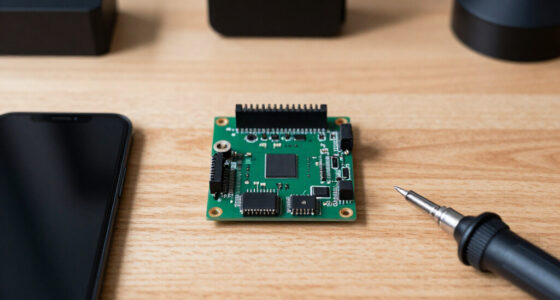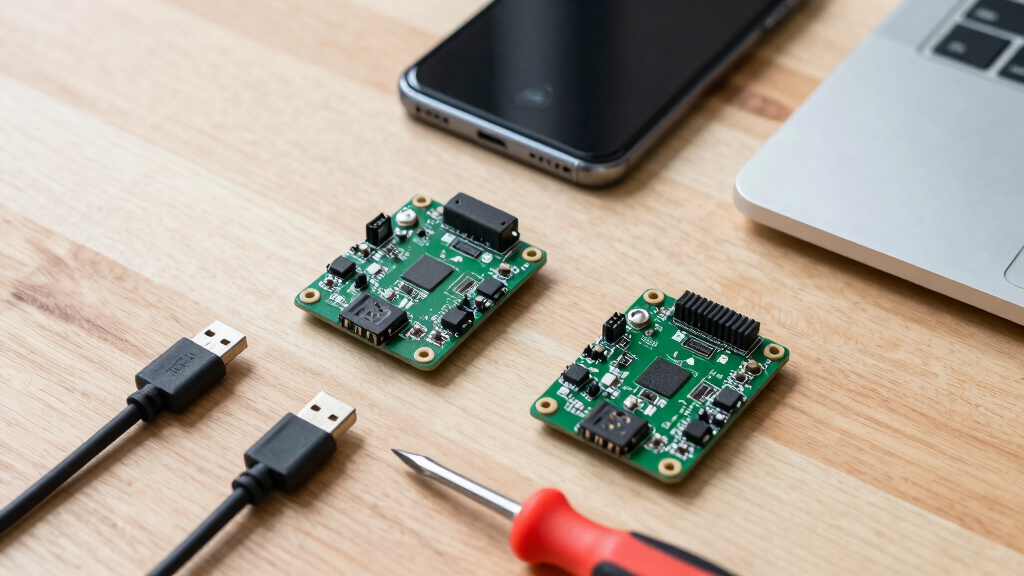
The best RISC-V development board for most developers is the Orange Pi RV2 8GB, which pairs an 8-core 64-bit RISC-V processor with enough RAM to comfortably run Ubuntu and OpenHarmony. If budget matters more than horsepower, the CH32V003 dev boards cost pocket change and are a great entry into bare-metal RISC-V microcontroller work, while the Waveshare ESP32-C6 suits makers who want Wi-Fi 6 and Thread/Zigbee radio support in an open-ISA chip. The main tradeoff in this category is between application-class boards that run full Linux and microcontroller-class boards that excel at low-power, real-time projects — and software maturity varies wildly between vendors. Keep reading for my full breakdown of all eight boards, including who each one is actually for.

Get the latest gadgets delivered free with Prime
- Fast, free delivery on millions of items
- Prime Video, Amazon Music and more included
- Member-only deals all year
Complete the kit



Key Takeaways
- The Orange Pi RV2 8GB took the top spot because its 8-core CPU and generous RAM make it the only board here that handles desktop Linux workflows without constant memory pressure, though software support still lags ARM equivalents.
- Microcontroller-class RISC-V boards (CH32V003, CH32V103) cost a fraction of single board computers but require bare-metal or lightweight toolchain work — they are not Linux boards and shouldn’t be bought as such.
- Two Waveshare ESP32-C6 variants made the list, and the pin-header version is the better pick for breadboard prototyping; the module-only version suits permanent soldered designs.
- The older Orange Pi RV (JH7100) remains a decent value Linux board, but the RV2’s newer 8-core chip and 2 TOPS of AI compute make the price gap easy to justify for most buyers.
- Radio support was the deciding factor for IoT picks: only the ESP32-C6 boards offer Wi-Fi 6, Bluetooth 5, and 802.15.4 (Thread/Zigbee), which none of the CH32 or Orange Pi boards match.
| Orange Pi RV RISC-V Single Board Computer |  | Best Full Linux Board | Processor: StarFive JH7110 quad-core 64-bit RISC-V @ 1.5GHz | RAM: 2GB / 4GB / 8GB LPDDR4 | Wireless: Wi-Fi 5.0, Bluetooth 5.0 | VIEW LATEST PRICE | See Our Full Breakdown |
| 3pcs CH32V103C8T6 Development Board |  | Best Value for Learning RISC-V Bare Metal | Core: RISC-V 32-bit (CH32V103C8T6) | Clock Speed: Up to 72MHz | Flash: 64KB | VIEW LATEST PRICE | See Our Full Breakdown |
| Waveshare ESP32-C6 RISC-V WiFi 6 Development Board (ESP32-C6-DEV-KIT-N8) |  | Best for Wireless IoT | Processor: RISC-V 32-bit single-core up to 160MHz (ESP32-C6) | Module: ESP32-C6-WROOM-1-N8 | Memory: 320KB ROM, 512KB HP SRAM, 16KB LP SRAM | VIEW LATEST PRICE | See Our Full Breakdown |
| 5pcs CH32V003F4P6 RISC-V Development Board |  | Best Budget Pack for Battery Projects | MCU: CH32V003F4P6 RISC-V | Clock Speed: 48MHz | Flash: 32KB | VIEW LATEST PRICE | See Our Full Breakdown |
| Waveshare ESP32-C6 RISC-V WiFi 6 Development Board with Pinheader |  | Best Ready-to-Use Alternative | Processor: RISC-V 32-bit single-core up to 160MHz | Module: ESP32-C6-WROOM-1-N8 | Flash Memory: 8MB | VIEW LATEST PRICE | See Our Full Breakdown |
| Orange Pi RV2 4GB RISC-V Development Board |  | Best for Edge AI Projects | Processor: KY X1 octa-core RISC-V, 1.6GHz | AI Performance: 2 TOPS integrated NPU | RAM: 4GB LPDDR4X | VIEW LATEST PRICE | See Our Full Breakdown |
| Orange Pi RV2 8GB RISC-V Single Board Computer | | Best Full-Size RISC-V Workstation | Processor: Octa-core 64-bit RISC-V with integrated AI | AI Performance: 2.0 TOPS | RAM: 8GB LPDDR4X | VIEW LATEST PRICE | See Our Full Breakdown |
| 2Pcs Type-C USB CH32V003 Nano RISC-V Development Board |  | Best Budget Starter Pack | Chip: CH32V003F4U6 (RISC-V microcontroller) | USB: Type-C | Pin Count: 22-pin on-board connector | VIEW LATEST PRICE | See Our Full Breakdown |
| RISC-V development board | Processor | RAM |
|---|---|---|
| Orange Pi RV RISC-V Single Boa | StarFive JH7110 quad-core 64-bit RISC-V @ 1.5GHz | 2GB / 4GB / 8GB LPDDR4 |
| 3pcs CH32V103C8T6 Development | — | — |
| Waveshare ESP32-C6 RISC-V WiFi | RISC-V 32-bit single-core up to 160MHz (ESP32-C6) | — |
| 5pcs CH32V003F4P6 RISC-V Devel | — | 4KB |
| Waveshare ESP32-C6 RISC-V WiFi | RISC-V 32-bit single-core up to 160MHz | — |
| Orange Pi RV2 4GB RISC-V Devel | KY X1 octa-core RISC-V, 1.6GHz | 4GB LPDDR4X |
| Orange Pi RV2 8GB RISC-V Singl | Octa-core 64-bit RISC-V with integrated AI | 8GB LPDDR4X |
| 2Pcs Type-C USB CH32V003 Nano | — | — |
More Details on Our Top Picks
Orange Pi RV RISC-V Single Board Computer
Among boards in this lineup, the Orange Pi RV is the only one built to run a desktop-class Linux experience, which alone separates it from the MCU-style options like the CH32V103 boards. Its StarFive JH7110 quad-core RISC-V processor at 1.5GHz, paired with up to 8GB of LPDDR4, gives it enough headroom for Debian workflows, 4K video decode, and edge AI experiments. Connectivity is a strong point: PCIe 2.0, USB 3.0, Gigabit Ethernet, and an M.2 slot mean expansion options the smaller boards simply cannot match.
That said, two cautions apply. The listing mixes in conflicting RK3588 specifications, so verify what ships before buying. And the RISC-V software ecosystem remains rougher than ARM equivalents — expect occasional driver and package friction.
Pros:- Quad-core 1.5GHz RISC-V processor with integrated GPU handles real Linux workloads
- Extensive I/O including PCIe 2.0, USB 3.0, Gigabit Ethernet, and M.2 slot
- Up to 8GB RAM option provides room for heavier projects
- 4K video decoding and 1080p encoding open up media and surveillance uses
Cons:- Listing contains conflicting specifications (JH7110 vs RK3588), so buyers must verify the actual hardware
- RISC-V Linux software ecosystem is less polished than ARM competitors
- 2GB base configuration will feel cramped for desktop-style use
Best for: Developers who want a true Linux-capable RISC-V single board computer for edge computing, surveillance, or exploring a full desktop OS on open architecture
Not ideal for: Beginners wanting plug-and-play simplicity — the maturing RISC-V software stack and the conflicting listing specs demand patience and troubleshooting
- Processor:StarFive JH7110 quad-core 64-bit RISC-V @ 1.5GHz
- RAM:2GB / 4GB / 8GB LPDDR4
- Wireless:Wi-Fi 5.0, Bluetooth 5.0
- Video:4K@30fps decode (H.264/H.265), 1080p@30fps encode
- Interfaces:PCIe 2.0, USB 3.0, Gigabit Ethernet, M.2 M-Key 2280, MIPI-CSI/DSI, 40-pin header
- OS Support:Linux, Debian
- Power:USB Type-C 5V/4A
- Weight:60.5g
Our verdict“This pick makes the most sense for developers who need a full Linux RISC-V platform rather than a bare microcontroller.”
3pcs CH32V103C8T6 Development Board
Where the Orange Pi RV abstracts hardware away behind Linux, this three-pack of CH32V103C8T6 boards takes the opposite approach: a minimal system layout that exposes only power, clock, reset, and the core GPIO pins. That makes it a genuinely better classroom tool for understanding what a RISC-V core actually does at the register level. The 72MHz core with 64KB flash and 20KB SRAM is modest but plenty for firmware fundamentals, and the single-wire debug interface keeps the toolchain simple.
Compared with the CH32V003 boards elsewhere in this guide, this model trades ultra-low power for more headroom and a richer peripheral set. The unsoldered headers are a plus for custom layouts but mean you cannot start prototyping until the soldering iron comes out.
Pros:- Three boards in one pack suits coursework, iteration, and spares
- Clean minimum-system layout makes the architecture easy to understand
- 72MHz RISC-V core with 64KB flash offers room to grow beyond beginner sketches
- USB Type-C power and data with single-wire debugging keeps setup simple
Cons:- Headers ship unsoldered, so assembly is required before any prototyping
- No wireless or advanced peripherals — it is strictly a wired MCU board
- WCH toolchain and documentation are less familiar than mainstream ARM ecosystems
Best for: Students and hobbyists learning bare-metal RISC-V firmware on real hardware, or anyone building multiple small custom control boards
Not ideal for: Anyone wanting wireless connectivity or a plug-and-play out-of-box experience — there is no radio, no soldered headers, and no on-board debugger
- Core:RISC-V 32-bit (CH32V103C8T6)
- Clock Speed:Up to 72MHz
- Flash:64KB
- SRAM:20KB
- Interface:USB Type-C (power + data)
- Logic Level:3.3V
- Debug:Single-wire debug interface
- Quantity:3 boards per pack
Our verdict“This is the right buy for learners who want raw, solder-it-yourself access to RISC-V fundamentals at a low cost per board.”
Waveshare ESP32-C6 RISC-V WiFi 6 Development Board (ESP32-C6-DEV-KIT-N8)
This board stands out as the most connected microcontroller option in the roundup. Its ESP32-C6 RISC-V core at 160MHz combines WiFi 6, Bluetooth 5 LE, and IEEE 802.15.4 with Zigbee 3.0 and Thread — a trio that makes it a natural fit for Matter-style smart home builds. Neither the CH32V103 nor the CH32V003 boards offer any radio at all, so if your project talks to a network, this is the clear choice. Onboard CH343 and CH334 chips let USB and UART development run simultaneously through one Type-C port, which is a convenience cheaper boards skip.
Tradeoffs are real, though: the single core and 8MB flash cap how far ambitious projects can scale, and the ESP-IDF environment has a steeper learning curve than Arduino-style workflows.
Pros:- Triple radio support: WiFi 6, Bluetooth 5 LE, and 802.15.4 (Zigbee 3.0 / Thread)
- Simultaneous USB and UART development via a single USB-C port
- Pin-compatible with ESP32-C6-DevKitC-1-N8, so third-party shields and examples work
- 512KB HP SRAM plus 8MB flash supports substantial firmware
Cons:- Single-core 160MHz processor limits compute-heavy applications
- ESP-IDF development environment has a learning curve compared with Arduino IDE
- 8MB flash ceiling may constrain larger logging or application projects
Best for: Smart home tinkerers and IoT builders who need WiFi 6 plus Thread/Zigbee in a single compact board
Not ideal for: Absolute coding beginners who want the simplest possible toolchain — ESP-IDF and FreeRTOS concepts take time to absorb
- Processor:RISC-V 32-bit single-core up to 160MHz (ESP32-C6)
- Module:ESP32-C6-WROOM-1-N8
- Memory:320KB ROM, 512KB HP SRAM, 16KB LP SRAM
- Flash:8MB
- Wireless:2.4GHz WiFi 6, Bluetooth 5 LE, IEEE 802.15.4 (Zigbee 3.0 / Thread)
- Interfaces:SPI, UART, I2C, I2S, LED PWM, SDIO
- USB:Type-C with CH343 UART and CH334 USB HUB
- OS:FreeRTOS
Our verdict“Buy this if wireless connectivity is the centerpiece of your RISC-V project — no other board here matches its radio coverage.”
5pcs CH32V003F4P6 RISC-V Development Board
This five-pack is the lowest-cost entry into RISC-V in the entire lineup, and its selling point is efficiency rather than capability. With a 1.8µA sleep current and a 2.4V–5.5V supply range, the CH32V003 is built for nodes that must run for months on a battery — Waveshare’s own claim of 72 hours on a 2000mAh cell tells you where the design priorities sit. Compared with the CH32V103 three-pack, you get more boards and lower power, but you give up clock speed (48MHz vs 72MHz), flash (32KB vs 64KB), and RAM (a tight 4KB).
Programmability through the Arduino IDE softens the learning curve, and 16 GPIO pins leave reasonable room for sensors. Just do not expect this to run anything resembling a network stack or complex logic.
Pros:- Exceptional low-power performance with 1.8µA sleep current
- Five boards per pack makes multi-node projects affordable
- Arduino IDE support lowers the barrier to entry
- Wide 2.4V–5.5V supply range suits batteries and varied power sources
Cons:- Only 4KB RAM and 32KB flash — very tight for anything beyond basic tasks
- 48MHz core cannot handle demanding workloads
- No wireless or advanced debug hardware on board
Best for: Makers deploying multiple battery-powered sensor nodes who value ultra-low power and low per-board cost over raw capability
Not ideal for: Projects needing meaningful computation, wireless, or abundant memory — 4KB of RAM disappears fast once you move past simple logic
- MCU:CH32V003F4P6 RISC-V
- Clock Speed:48MHz
- Flash:32KB
- RAM:4KB
- GPIO:16 general-purpose I/O pins
- Supply Voltage:2.4V–5.5V
- Sleep Current:1.8µA
- Quantity:5 boards per pack
Our verdict“Grab this pack when your project is many small, sleepy, battery-fed nodes rather than one powerful board.”
Waveshare ESP32-C6 RISC-V WiFi 6 Development Board with Pinheader
This board is functionally the sibling of the ESP32-C6-DEV-KIT-N8 — same ESP32-C6-WROOM-1-N8 module, same 160MHz RISC-V core, same WiFi 6 / Bluetooth 5 / Zigbee 3.0 radio stack. What separates it is convenience: the pinheaders are pre-attached, so it plugs straight into a breadboard without soldering, and the same onboard CH343/CH334 combination handles USB and UART work over one cable. For someone who wants to start flashing firmware within minutes of unboxing, this is the better pick between the two.
The tradeoff mirrors its twin: the single-core design and 8MB flash cap ceiling mean compute-heavy or storage-hungry projects will hit walls. If your priority is ultra-low power instead of radios, the CH32V003 pack serves that niche far better.
Pros:- Pre-soldered pinheaders mean zero assembly before first use
- WiFi 6, Bluetooth 5, and Zigbee 3.0 cover the main smart home protocols
- DevKitC-1 pinout compatibility opens up a wide accessory ecosystem
- Rich peripheral set: SPI, UART, I2C, I2S, LED PWM, SDIO
Cons:- 8MB flash limit can be restrictive for larger projects
- ESP-IDF familiarity is assumed — not the gentlest starting point
- Largely duplicative if you already own the DEV-KIT-N8 variant
Best for: IoT hobbyists who want the ESP32-C6’s wireless feature set with pre-soldered headers for immediate breadboarding
Not ideal for: Developers needing more processing headroom or flash storage — the single core and 8MB ceiling will constrain ambitious applications
- Processor:RISC-V 32-bit single-core up to 160MHz
- Module:ESP32-C6-WROOM-1-N8
- Flash Memory:8MB
- Wireless:WiFi 6, Bluetooth 5, Zigbee 3.0
- Interfaces:SPI, UART, I2C, I2S, LED PWM, SDIO
- USB:USB-C with onboard CH343 and CH334 HUB chips
- Pinout:Compatible with ESP32-C6-DevKitC-1-N8
Our verdict“Choose this over its unsoldered sibling when you want the same wireless RISC-V platform ready to wire up the moment it arrives.”
Orange Pi RV2 4GB RISC-V Development Board
What separates the Orange Pi RV2 4GB from the original Orange Pi RV is the KY X1 octa-core RISC-V processor with 2 TOPS of fused AI compute — the NPU lives inside the CPU itself rather than sitting on a separate accelerator chip. For anyone experimenting with edge AI models on open architecture silicon, that convergence means fewer integration headaches and faster deployment paths, including compatibility with mainstream AI ecosystems like DeepSeek. Compared with the JH7100-based Orange Pi RV, this board also claims roughly 30% better single-core performance alongside lower power draw. The dual M.2 M-Key slots let you boot from NVMe, which matters if you’re running containerized workloads that choke on SD cards. The honest tradeoff: 4GB of RAM limits how far you can push those AI ambitions, and Orange Pi’s documentation ecosystem still lags what Raspberry Pi users expect.
Pros:- 2 TOPS AI compute integrated directly into the CPU for streamlined edge AI deployment
- Two M.2 M-Key slots support NVMe SSD booting, a rarity at this board size
- Strong port selection including USB 3.0, Gigabit Ethernet, and 26-pin GPIO header
- Runs Ubuntu 24.04 out of the box with Wi-Fi 5 and Bluetooth 5 including BLE
Cons:- 4GB of RAM constrains heavier AI workloads and multitasking
- Community support and documentation trail far behind ARM-based single-board computers
Best for: Hobbyists and embedded developers experimenting with edge AI inference who want RISC-V silicon with real NPU throughput
Not ideal for: Anyone wanting polished documentation and a large community — you’ll spend time troubleshooting on your own
- Processor:KY X1 octa-core RISC-V, 1.6GHz
- AI Performance:2 TOPS integrated NPU
- RAM:4GB LPDDR4X
- Storage:Optional eMMC 16GB–128GB; two M.2 M-Key slots (PCIe 2.0)
- Connectivity:Wi-Fi 5, Bluetooth 5 with BLE, Gigabit Ethernet
- USB Ports:5 total (USB 2.0 and USB 3.0)
- Operating System:Ubuntu 24.04
- Dimensions:3.5 x 2.2 x 0.5 inches
Our verdict“This pick makes the most sense for developers who want affordable RISC-V hardware with genuine AI acceleration, provided they’re comfortable with a thinner support ecosystem.”
Orange Pi RV2 8GB RISC-V Single Board Computer
The 8GB configuration of the Orange Pi RV2 answers the biggest complaint about the 4GB version: memory headroom. With 8GB of LPDDR4X, this board becomes plausible as a daily-driver Linux desktop, a lightweight NAS controller, or a development target where you compile natively rather than cross-compiling from another machine. It carries the same octa-core RISC-V processor with 2 TOPS AI performance and the same dual M.2 NVMe slots, so the only real decision between the two variants is how much you value running heavier workloads without swapping. Compared with the older JH7100-based Orange Pi RV, the RV2’s claimed 30% single-core advantage over ARM A55 makes it feel far more responsive as a general-purpose computer. The catch is that native RISC-V software availability still trails x86 and ARM — some packages need compiling from source, and OpenHarmony or Linux desktop use involves patience.
Pros:- 8GB of RAM enables desktop Linux use and native compilation without memory pressure
- Dual M.2 M-Key slots support fast NVMe storage beyond eMMC modules
- Runs multiple OS options including Linux, Ubuntu, and OpenHarmony
- Same 2 TOPS AI capability as the 4GB model with identical port layout
Cons:- RISC-V software ecosystem requires occasional manual compilation and workarounds
- Slightly higher cost than the 4GB variant for capability many light-use projects won’t need
Best for: Linux enthusiasts who want a genuinely usable RISC-V desktop or NAS platform and don’t mind filling software gaps themselves
Not ideal for: Buyers who expect everything to just work — RISC-V software repos are still maturing and some tools require manual builds
- Processor:Octa-core 64-bit RISC-V with integrated AI
- AI Performance:2.0 TOPS
- RAM:8GB LPDDR4X
- Storage:Optional eMMC 32GB–256GB; dual M.2 M-Key (PCIe 2.0 2-lane)
- Connectivity:Wi-Fi 5.0, Bluetooth 5.0 with BLE, Gigabit Ethernet
- Ports:HDMI, USB 2.0/3.0, 3.5mm audio, GPIO, MIPI CSI/DSI
- Operating Systems:Linux, Ubuntu, OpenHarmony
Our verdict“If you’re treating RISC-V as a real computing platform rather than a curiosity, this is the configuration that won’t leave you memory-starved.”
2Pcs Type-C USB CH32V003 Nano RISC-V Development Board
At the opposite end of the spectrum from the Orange Pi RV2 boards, the CH32V003 dev boards aren’t computers at all — they’re bare microcontroller breakout boards for learning RISC-V at the register level. The two-pack format is the real selling point: you can dedicate one board to a soldered-in project and keep the second for prototyping, which matters because at this scale, boards get consumed rather than reused. Compared with the 5pcs CH32V003F4P6 pack elsewhere in this roundup, these Type-C boards skip the external programmer entirely — USB connectivity means flashing and debugging over a single cable from a laptop. The 24MHz crystal and 22-pin header keep things minimal. The obvious limitation is that a CH32V003 has 2KB of flash and no networking, so this is strictly for low-level embedded learning, sensor nodes, and blinking-LED fundamentals — nothing like running Ubuntu.
Pros:- Two boards included, so one can live permanently in a finished project
- Type-C USB provides direct flashing and debugging without a separate programmer
- 24MHz crystal and 22-pin connector support stable timing-sensitive experiments
- Cheapest meaningful entry point into actual RISC-V assembly and bare-metal C
Cons:- No operating system, no wireless, and almost no memory — strictly microcontroller work
- Requires solid technical knowledge; there is no beginner-friendly software stack or documentation depth
Best for: Students and makers learning bare-metal RISC-V programming or building tiny low-power sensor nodes on a tight budget
Not ideal for: Anyone wanting Linux, networking, or real compute — this microcontroller has kilobytes, not gigabytes, of memory
- Chip:CH32V003F4U6 (RISC-V microcontroller)
- USB:Type-C
- Pin Count:22-pin on-board connector
- Crystal Oscillator:24MHz
- Quantity:2 boards
- Type:Minimal-system microcontroller development board
Our verdict“This pair is the right first purchase for anyone who wants to understand RISC-V from the ground up rather than install Linux on it.”

How We Picked
I sorted these eight boards into two tiers — application processors that run Linux and microcontrollers for embedded work — because comparing them head-to-head makes no sense. Within each tier, I weighed processor core count and architecture version, RAM capacity, storage and connectivity options, radio support, software ecosystem maturity (Ubuntu, Debian, OpenHarmony, vendor SDKs), and the practicality of the board layout for prototyping. Multi-pack offerings like the CH32V003 and CH32V103 kits were judged on per-unit value and whether a beginner could realistically get started with the included hardware.
The ranking order reflects versatility first, then value, then specialization. A board that can serve as a Linux desktop, a build server, and an embedded target outranks one locked to a single niche. That’s why the Orange Pi RV2 8GB leads despite a higher asking price, while boards like the bare CH32V003 modules rank lower — not because they’re bad, but because their audience is narrower and the development experience demands more from the user.
| RISC-V development board | Processor |
|---|---|
| Orange Pi RV RISC-V Single Boa | StarFive JH7110 quad-core 64-bit RISC-V @ 1.5GHz |
| 3pcs CH32V103C8T6 Development | — |
| Waveshare ESP32-C6 RISC-V WiFi | RISC-V 32-bit single-core up to 160MHz (ESP32-C6) |
| 5pcs CH32V003F4P6 RISC-V Devel | — |
| Waveshare ESP32-C6 RISC-V WiFi | RISC-V 32-bit single-core up to 160MHz |
| Orange Pi RV2 4GB RISC-V Devel | KY X1 octa-core RISC-V, 1.6GHz |
| Orange Pi RV2 8GB RISC-V Singl | Octa-core 64-bit RISC-V with integrated AI |
| 2Pcs Type-C USB CH32V003 Nano | — |
Factors to Consider When Choosing Best RISC-V Development Boards
Choosing a RISC-V development board is less like buying an Arduino and more like picking between two different worlds: Linux-capable computing and bare-metal embedded control. Before spending anything, figure out which world your project actually lives in.Linux Board or Microcontroller — Decide First
The single most common mistake buyers make is purchasing a microcontroller-class RISC-V board expecting to run Linux, or buying a full single board computer when they only need to blink sensors. Boards like the CH32V003 and CH32V103 have kilobytes of memory and are meant for compiled C firmware flashed to the chip. Boards like the Orange Pi RV and RV2 boot full operating systems from storage and give you a shell, a package manager, and networking out of the box. If your project involves an operating system, a web server, or compiling code on the device itself, you need the latter. If it involves deep sleep, button-cell batteries, or hard real-time response, a microcontroller wins. Deciding this before you shop will eliminate half the confusion in this category immediately.
RAM Capacity Shapes What You Can Actually Do
On Linux-capable RISC-V boards, memory is the ceiling on everything. A 2GB configuration will boot a minimal Debian or Ubuntu image, but opening a browser alongside a compile job will bring it to its knees. The 8GB tier is where the experience starts to feel like a normal computer, and it future-proofs you against heavier desktop environments and container workloads. Because RISC-V Linux distributions are less memory-efficient than their ARM counterparts — fewer packages are optimized for the architecture — I suggest budgeting one tier more RAM than you would on an equivalent ARM board. Soldered RAM also means you can’t upgrade later, so overspending upfront is usually the cheaper choice over the life of the board.
Software Ecosystem Maturity Is the Real Bottleneck
Hardware specs are easy to compare; software support is where RISC-V boards live or die. Before buying, check whether the vendor maintains current OS images, kernel patches, and SDKs, and whether there’s an active community forum. A board with slightly weaker silicon but regular firmware updates will serve you far better than a spec-sheet champion with abandoned images from two years ago. Vendor documentation for the CH32 family, for example, leans heavily on WCH’s own toolchain (MounRiver Studio), which works well but locks you into their ecosystem. Orange Pi boards have broader community support, but you should still verify that the specific peripheral you need — GPU acceleration, Wi-Fi driver, audio — actually works in the current image rather than on a roadmap.
Connectivity and Radio Requirements
Not all wireless support is equal, and marketing lines blur the differences. The ESP32-C6 boards offer Wi-Fi 6, Bluetooth 5 (LE), and 802.15.4 radios for Thread and Zigbee, making them the only picks here suitable for modern smart-home and Matter-adjacent projects. The Orange Pi boards top out at Wi-Fi 5 with Bluetooth 5 — fine for a desktop or server role, weaker for dense wireless environments. The CH32 boards have no radios at all, which is standard for bare microcontrollers; you’d add connectivity through a separate module. Map your network needs to the radio, not the other way around, and remember that 2.4GHz-only Wi-Fi can be a real limitation in crowded apartment buildings.
Board Format, Headers, and Prototyping Practicality
Physical format determines how a board fits into your workflow. A board with soldered pin headers drops straight onto a breadboard; a module-style board without headers assumes you’re soldering or designing a carrier PCB. The two Waveshare ESP32-C6 variants in this roundup exist precisely because of this distinction, and choosing wrong means an extra week of soldering or a return shipment. Likewise, a USB Type-C port has become table stakes — older micro-USB boards are increasingly annoying to power from modern accessories. Check the GPIO count and pin spacing too: single board computers expose far fewer easily accessible pins than dedicated microcontroller dev boards, which matters if your project is sensor-heavy rather than compute-heavy.
Multi-Packs, Unit Cost, and Learning Budget
Several picks here ship as multi-packs — 3 or 5 boards, or pairs — and that changes the buying math. For learning and classroom use, five CH32V003 boards for the price of one sandwich means you can brick one flashing bad firmware and simply reach for the next. For a single project, a multi-pack is wasted money unless you genuinely need spares or are building multiple nodes. My suggestion: treat cheap RISC-V microcontrollers as consumables and buy in quantity, but treat Linux-class boards as individual investments matched to one specific role. Mixing one capable Linux board with a handful of cheap microcontrollers gives you the most flexible RISC-V learning bench for the least money.
Frequently Asked Questions
Can I use a RISC-V board as my main Linux desktop yet?
For light use, yes — the Orange Pi RV2 8GB can run Ubuntu 24.04 with a desktop environment, a terminal workflow, and web browsing with reasonable patience. The honest caveat is that RISC-V desktop Linux still trails ARM and x86 in polish: fewer packages are prebuilt for the architecture, so you’ll occasionally compile software from source or hunt for community repos. GPU acceleration and video playback remain weak points on most RISC-V boards, including these. If your daily work is terminal-based development, a board like the RV2 works well as a secondary machine. If you need smooth video conferencing or gaming, stick with x86 for now and treat RISC-V as a learning platform.
What’s the difference between the Orange Pi RV and RV2, and is the RV2 worth the upgrade?
The RV uses StarFive’s JH7100 with four cores, while the RV2 steps up to an 8-core processor with roughly 2 TOPS of AI inference capability and faster LPDDR4X memory. In practice, the RV2 handles parallel compile jobs, light AI workloads, and desktop multitasking far more gracefully, and its newer chip benefits from more active kernel development. The RV remains a legitimate budget option if you just want to experiment with RISC-V Linux and don’t need the extra cores. Software-wise, both run community-supported images, but the RV2’s Ubuntu 24.04 support is where vendor effort is concentrated now. Unless the RV is dramatically cheaper, the RV2 is the safer long-term buy.
Why would I pick a CH32V003 over an ESP32-C6 if both are RISC-V microcontrollers?
The two serve opposite ends of the embedded spectrum. The CH32V003 is about as minimal as a usable microcontroller gets — tiny memory, no radio, ultra-low cost — which makes it perfect for learning bare-metal RISC-V assembly, building simple sensor nodes, or deploying into projects where a board might be damaged or never recovered. The ESP32-C6 costs more per unit but brings Wi-Fi 6, Bluetooth 5, and Thread/Zigbee radios with mature tooling, including Arduino and ESP-IDF support that most makers already know. If your project talks to a network, the C6 is the obvious choice; if it reads a sensor and sleeps, the CH32V003 does that job at a fraction of the cost. Many developers eventually own both for exactly this reason.
Do I need special tools to program RISC-V microcontroller boards?
Yes, and this surprises buyers coming from Arduino-land. The CH32 boards program through WCH’s MounRiver Studio IDE or a GCC RISC-V toolchain, with firmware flashed over the built-in USB bootloader or a WCH-LinkE programmer (sold separately for some workflows). The toolchain is free and works on Windows, Linux, and macOS, but the documentation is translated and occasionally sparse, so expect a steeper first week than an ESP32 or STM32 board. The ESP32-C6, by contrast, supports the familiar Arduino IDE and ESP-IDF, which flattens the learning curve considerably. Factor in that setup time when choosing a beginner board — the easiest RISC-V chip to learn on is the one whose tools you already know.
Which board should I buy to actually learn the RISC-V architecture itself?
If your goal is understanding RISC-V rather than shipping a product, a CH32V003 multi-pack is the purest teacher: the chip is simple enough that you can hold the whole datasheet in your head, write bare-metal firmware, and experiment with the ISA directly without an operating system getting in the way. If you want to explore RISC-V at the systems level — Linux on an open architecture, user-space toolchains, maybe kernel work — the Orange Pi RV2 is the better classroom because you can study how an entire OS runs on the ISA. The ESP32-C6 sits in between and is better treated as a wireless microcontroller that happens to be RISC-V. Serious students often start with the CH32V003 for fundamentals, then move to a Linux board once the basics click.
Conclusion
After comparing all eight boards, the right pick comes down to what you’re building. For best overall, the Orange Pi RV2 8GB stands out with its 8-core processor, AI acceleration, and full Ubuntu support — the most capable and versatile board in this lineup. The best value pick is the CH32V003 5-pack, which delivers genuine RISC-V microcontroller development at a per-board cost so low you can experiment fearlessly. For a budget Linux board, the original Orange Pi RV still earns its place when the RV2’s price is out of reach. Beginners get the friendliest on-ramp with the Waveshare ESP32-C6 with pin headers, thanks to Arduino-compatible tooling and breadboard-ready format, while the module-only C6 variant suits makers designing permanent soldered builds. For specific needs: the CH32V103 3-pack targets mid-range embedded work needing more horsepower than the CH32V003, and the 2-pack Type-C CH32V003 boards fit ultra-compact, low-power IoT nodes. Whatever you choose, decide early whether your project needs Linux or bare metal — that single decision narrows this list faster than any spec sheet.
Halloween Picks
halloween
As an affiliate, we earn on qualifying purchases.