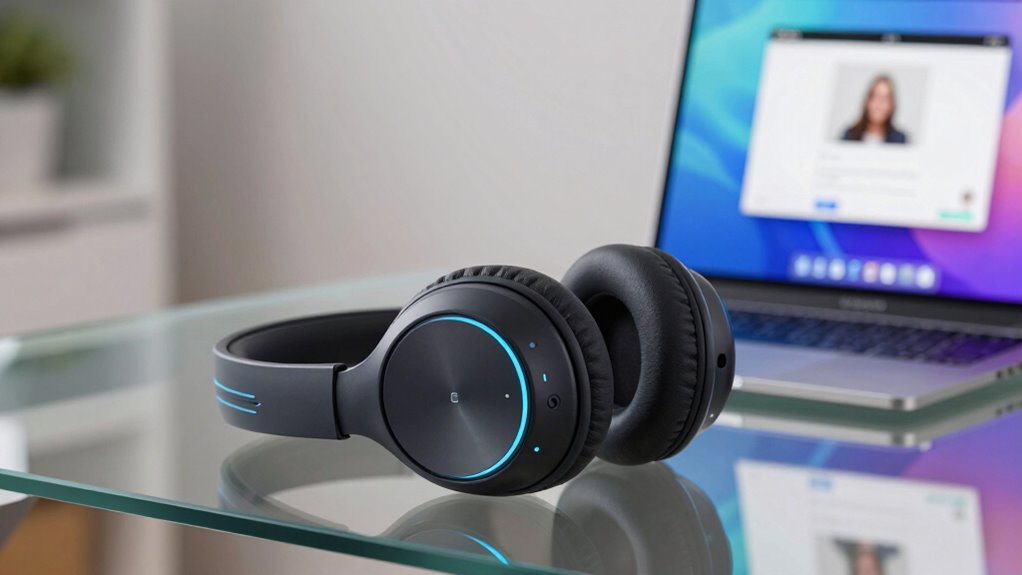

The right noise canceling headphones for Zoom calls come down to two things: whether your voice stays clear on the other end, and whether the headphones survive back-to-back meetings without fatigue. My top pick overall is the Yealink UH48 ANC, because it pairs active noise cancellation for your ears with a certified, Zoom-tested boom mic — the combination that matters most when calls are your job. If you want to cut the cord, the Upgrade ANC & ENC Wireless Headset stands out for its flip-to-mute boom arm and included USB dongle, while the Logitech H390 remains the safest cheap plug-and-play choice for occasional callers. The main tradeoff in this category is price versus microphone noise cancellation: budget models block background noise for you, but only mid-range and business models filter it out of your voice. Keep reading for the full ranked breakdown of all 11 models.

Get the latest gadgets delivered free with Prime
- Fast, free delivery on millions of items
- Prime Video, Amazon Music and more included
- Member-only deals all year
Complete the kit


Key Takeaways
- Every headset above roughly the budget tier claims noise canceling, but only models with dual noise-canceling mics and business certification (Yealink UH48, Jabra Evolve2 40 SE, Logitech Zone Wired 2) reliably filter background noise out of YOUR voice — the part Zoom callers actually hear.
- ANC on the earcup side proved to be a comfort feature more than a call feature: it matters for open-plan offices and noisy homes, but is wasted money if you call from a quiet room, where the Logitech H390 or Acer USB-C get you 90% of the way there.
- Dedicated USB dongles beat built-in Bluetooth for call stability — the two wireless picks that include dongles (the 65H base-station model and the flip-to-mute ANC model) avoid the audio dropouts and mic cutouts common with native Bluetooth on Windows.
- The market splits cleanly at the $30–40 line: below it (JIAMQISHI, AOC, H390) you get functional mics and decent comfort; above it you get certified Zoom/Teams support, busylights, better boom arms, and replaceable parts like the Lenovo‘s swappable earcups.
- Weight and clamping force varied more than sound quality across the lineup — the Lenovo (140g) and Acer models sit noticeably lighter on the head during three-plus-hour meeting days than the sturdier business headsets, which trade comfort for durability.
| Wireless Headset with Mic for Work, Bluetooth 6.0, Noise Cancelling, 65H Battery, USB Dongle & Charging Base |  | Best Battery Life for All-Day Calls | Noise Cancellation: AI noise cancelling (99.9% claim) | Bluetooth Version: 6.0 | Wireless Range: 60 ft | VIEW ON AMAZON | See Our Full Breakdown |
| Logitech H390 Wired Headset, USB-A, Black |  | Best Budget Plug-and-Play Pick | Connection: Wired USB-A, plug-and-play | Cable Length: 6.23 ft (1.9 m) | Drivers: 30mm dynamic | VIEW ON AMAZON | See Our Full Breakdown |
| Acer Headset with Microphone for PC, USB-C Wired, 40mm Drivers, In-Line Controls, Lightweight |  | Best Lightweight Wired Comfort | Microphone: ENC noise cancelling | Drivers: 40mm | Connectivity: USB / USB-C wired | VIEW ON AMAZON | See Our Full Breakdown |
| Upgrade ANC & ENC Wireless Headset with Mic for Work (Flip-to-Mute & Dongle) |  | Best Noise Blocking for Loud Environments | Noise Cancellation: Hybrid ANC (3 modes) + ENC microphone | Bluetooth Version: 5.4 | Wireless Range: 33 ft | VIEW ON AMAZON | See Our Full Breakdown |
| Jabra Evolve2 40 SE Wired Stereo Noise-Cancelling Headset |  | Best Professional-Grade Call Quality | Connectivity: Wired USB-C / USB-A | Microphone: 3-microphone noise-cancelling system | Noise Cancellation: Yes | VIEW ON AMAZON | See Our Full Breakdown |
| Yealink UH48 ANC Wired USB-C/A Headset with Noise Canceling Microphones |  | Best Hybrid ANC for Noisy Homes | Microphones: 6 AI noise-canceling microphones | Connectivity: USB-C with USB-A adapter | Noise Cancellation: Hybrid ANC with 3 modes | VIEW ON AMAZON | See Our Full Breakdown |
| Yealink UH48 ANC Wired USB-C/A Headset with Noise Canceling Microphones |  | Best Plug-and-Play Simplicity | Microphones: 6 AI noise-canceling microphones | Connectivity: USB-C with USB-A adapter | Noise Cancellation: Hybrid ANC with passive isolation | VIEW ON AMAZON | See Our Full Breakdown |
| JIAMQISHI USB Headset with Microphone for PC |  | Best Budget Pick | Brand: JIAMQISHI | Model: EH01 | Connectivity: Wired (USB + 3.5mm jack) | VIEW ON AMAZON | See Our Full Breakdown |
| Logitech Zone Wired 2 for Business Noise Canceling Headset – Graphite |  | Best Managed Option for IT Departments | Connectivity: USB-C, USB-A adapter included | Noise Cancellation: Adaptive hybrid ANC | Microphones: 2 noise-canceling mics with AI algorithms | VIEW ON AMAZON | See Our Full Breakdown |
| Lenovo USB-A Wired Stereo Headset Gen 2 for PC/Laptop |  | Best Lightweight Comfort | Connectivity: USB-A wired | Weight: 140 g (4.9 oz) | Microphone: Double-sided boom mic with AI noise canceling via app | VIEW ON AMAZON | See Our Full Breakdown |
| AOC USB Headset with Microphone for PC, Over-Ear Wired Headphones with Noise-Cancelling Mic, 40mm Audio Drivers |  | Best Budget Workhorse | Microphone: 270° rotatable noise-canceling boom mic | Drivers: 40mm | Weight: 160g | VIEW ON AMAZON | See Our Full Breakdown |
| noise canceling headphones for zoom call | Connectivity | Noise Cancellation | Weight |
|---|---|---|---|
| Wireless Headset with Mic for | Bluetooth + USB dongle | AI noise cancelling (99.9% claim) | — |
| Logitech H390 Wired Headset | — | — | — |
| Acer Headset with Microphone f | USB / USB-C wired | — | 160 g / 5.64 oz |
| Upgrade ANC & ENC Wireless Hea | Qualcomm USB-A dongle + Bluetooth, dual device | Hybrid ANC (3 modes) + ENC microphone | — |
| Jabra Evolve2 40 SE Wired Ster | Wired USB-C / USB-A | Yes | 188 g |
| Yealink UH48 ANC Wired USB-C/A | USB-C with USB-A adapter | Hybrid ANC with 3 modes | 5.96 oz |
| Yealink UH48 ANC Wired USB-C/A | USB-C with USB-A adapter | Hybrid ANC with passive isolation | 5.96 oz |
| JIAMQISHI USB Headset with Mic | Wired (USB + 3.5mm jack) | — | — |
| Logitech Zone Wired 2 for Busi | USB-C, USB-A adapter included | Adaptive hybrid ANC | — |
| Lenovo USB-A Wired Stereo Head | USB-A wired | — | 140 g (4.9 oz) |
| AOC USB Headset with Microphon | — | — | 160g |
More Details on Our Top Picks
Wireless Headset with Mic for Work, Bluetooth 6.0, Noise Cancelling, 65H Battery, USB Dongle & Charging Base
For anyone whose calendar is back-to-back Zoom calls, 65 hours of battery life changes the daily routine — this headset can go more than a week of heavy meeting use before needing the dock, while the ANC & ENC wireless model below demands charging after roughly two long days. The bundled USB dongle matters more than it sounds: it sidesteps flaky built-in Bluetooth and locked-down corporate laptops, the same trick the B0DYDMB8ZZ relies on. On-ear cushions keep the weight down, but that design presses on the ear rather than around it, so multi-hour sessions can get warm. The charging base is genuinely convenient on a desk, though it’s one more piece of plastic to store if you travel.
Pros:- Up to 65 hours of battery life between charges
- USB dongle provides a stable connection on laptops with weak or restricted Bluetooth
- AI noise cancellation keeps your voice clear on calls
- Charging base keeps the headset organized and always ready
Cons:- On-ear fit causes pressure and heat during very long sessions
- Charging dock is extra desk clutter and easy to leave behind when traveling
Best for: Remote workers and support agents with back-to-back daily meetings who hate charging anxiety
Not ideal for: People with sensitive ears or marathon 8-hour call days — on-ear pressure builds fatigue faster than over-ear designs like the Jabra Evolve2 40 SE
- Noise Cancellation:AI noise cancelling (99.9% claim)
- Bluetooth Version:6.0
- Wireless Range:60 ft
- Battery Life:65 hours
- Connectivity:Bluetooth + USB dongle
- Charging Port:USB-C with charging base
- Fit:On-ear, lightweight
Our verdict“This is the pick for meeting-heavy remote workers who want to charge weekly instead of nightly, provided on-ear comfort works for you.”
Logitech H390 Wired Headset, USB-A, Black
Sometimes the right tool is the one that never surprises you. The H390 is true plug-and-play: plug the USB-A connector in and Zoom recognizes it instantly — no dongles to lose, no pairing to fail before a meeting starts. That reliability is exactly why it outclasses flashier wireless options for anyone who just needs calls to work. The rotating boom mic tucks away between calls, and the in-line volume and mute controls sit right on the cable where you can find them blind. Compared with the Acer USB-C model, the H390’s noise control is more basic — it filters mic noise rather than actively cancelling it — and its 30mm drivers sound thinner for music. The 1.9m cable allows standing and stretching, but you’re still tethered, and there’s no USB-C option for newer laptops without an adapter.
Pros:- Genuine plug-and-play with no software or pairing required
- In-line volume and mute controls reachable mid-call
- Rotating boom mic tucks out of the way off-call
- Chromebook certified and works across virtually any PC platform
Cons:- Basic mic noise filtering — no active noise cancellation for your ears
- USB-A only, with no wireless option and a cable that can snag
Best for: Anyone who wants a zero-fuss, zero-setup headset for scheduled Zoom calls on a desktop or older laptop
Not ideal for: Users of USB-C-only laptops or anyone who moves around during calls — the wired connection and USB-A plug lock you to the desk
- Connection:Wired USB-A, plug-and-play
- Cable Length:6.23 ft (1.9 m)
- Drivers:30mm dynamic
- Noise Control:Noise-canceling rotating boom mic
- Controls:In-line volume and mute
- Fit:On-ear, leatherette cushions, adjustable headband
- Certification:Chromebook certified
Our verdict“The safest cheap bet for desk-bound Zoom users who value never troubleshooting audio over advanced features.”
Acer Headset with Microphone for PC, USB-C Wired, 40mm Drivers, In-Line Controls, Lightweight
At 160 grams, this Acer undercuts the Jabra Evolve2 40 SE (188g) and every wireless model here, and that difference is noticeable by hour three of a workshop day. The ENC noise-cancelling mic handles the mic side well for the price bracket, while the 40mm drivers deliver fuller, warmer audio than the Logitech H390’s smaller 30mm drivers — a real plus if your Zoom days include training videos or music between calls. In-line controls keep mute one grab away. The tradeoff is straightforward: it’s wired only, so unlike the B0GVF3XQ1K there’s no roaming the kitchen mid-call, and buyers with both USB-A and USB-C machines should double-check port compatibility before ordering. Fit adjustability is adequate but not as generous as bigger-name rivals.
Pros:- Very light 160g build for all-day wear
- 40mm drivers give noticeably richer sound than budget 30mm rivals
- ENC microphone keeps speech clear on calls
- In-line controls for instant volume and mute
Cons:- Wired only — no Bluetooth or dongle option
- Headband adjustability may not suit larger head sizes
Best for: Students and remote workers on modern USB-C laptops who wear a headset most of the day and feel every gram
Not ideal for: Anyone who walks around while on calls or wants active noise cancellation blocking their surroundings
- Microphone:ENC noise cancelling
- Drivers:40mm
- Connectivity:USB / USB-C wired
- Cable Length:1.8 m / 5.9 ft
- Weight:160 g / 5.64 oz
- Controls:In-line volume and mute
Our verdict“A comfort-first wired choice for USB-C laptop owners who prioritize light weight and decent sound over wireless freedom.”
Upgrade ANC & ENC Wireless Headset with Mic for Work (Flip-to-Mute & Dongle)
This is the only model in this batch with hybrid active noise cancellation for your ears plus ENC for your mic — a two-front approach that matters if your Zoom calls happen in a busy household or open office. The B0GVF3XQ1K filters what others hear; this one also quiets what you hear, with three ANC modes to match the environment. Its standout party trick is the flip-to-mute boom: physically flipping the mic up mutes the call instantly, which is far more reliable than hunting for a button mid-sentence — nothing else here matches it. The Qualcomm USB dongle and dual-device connectivity let you take a laptop call and a phone call without re-pairing. Battery life is a solid 35 hours of talk time, though that’s roughly half of the B0GVF3XQ1K’s claim, and the dongle doesn’t work with desk phones.
Pros:- Hybrid ANC blocks background noise in your ears, not just your mic
- Flip-to-mute boom gives instant, unmistakable muting
- Dual connectivity keeps laptop and phone linked simultaneously
- Qualcomm dongle delivers lower latency than standard Bluetooth
Cons:- 35-hour talk time trails the 65-hour leader in this lineup
- Dongle is incompatible with landline, desk, and VoIP phones
Best for: Home-office workers in noisy households or open-plan offices who need both focus and a clean outgoing signal
Not ideal for: Call-center staff on desk phones — the dongle explicitly doesn’t support landlines or VoIP handsets
- Noise Cancellation:Hybrid ANC (3 modes) + ENC microphone
- Bluetooth Version:5.4
- Wireless Range:33 ft
- Battery Life:35 hours talk / 50 hours music
- Charge Time:2 hours
- Connectivity:Qualcomm USB-A dongle + Bluetooth, dual device
- Mic Features:Flip-to-mute, 270° rotatable boom
Our verdict“The strongest choice when chaos surrounds you — it’s the only pick here that actively silences your environment while keeping your voice clean.”
Jabra Evolve2 40 SE Wired Stereo Noise-Cancelling Headset
Jabra’s business pedigree shows in the details others skip: a 3-microphone system that isolates your voice more precisely than the single-mic Acer or Logitech H390, and a built-in Busylight that signals to family or coworkers that you’re mid-call — genuinely useful at home. Official certification for Zoom, Google Meet, and UC platforms means IT departments and meeting software treat it as a first-class citizen rather than a generic audio device. At 188g with memory-foam-style comfort, it sits a step above the budget wired picks for long sessions, though heavier than the Acer. The tradeoff is the same wired limitation plus a premium: if you don’t need certified-call polish, the Logitech H390 covers basics for far less. Warranty registration adds a minor administrative hoop after purchase.
Pros:- 3-microphone system delivers noticeably cleaner voice pickup than single-mic rivals
- Busylight indicator stops interruptions from household or office
- Certified for Zoom and major UC platforms
- Comfortable 188g build for full-day wear
Cons:- Wired USB connection limits mobility around the desk
- Warranty requires product registration
- Priced well above basic wired headsets with similar core functions
Best for: Professionals and hybrid workers on Zoom all day who need dependable, certified call quality and a visible busy signal at home
Not ideal for: Budget-focused buyers or anyone who roams during calls — it’s wired and priced above basic plug-and-play alternatives
- Connectivity:Wired USB-C / USB-A
- Microphone:3-microphone noise-cancelling system
- Noise Cancellation:Yes
- Weight:188 g
- Special Features:Busylight busy-status indicator
- Platform Compatibility:UC platforms including Zoom and Google Meet
- Color:Black
Our verdict“If Zoom calls are your job, this is the professional tool — but casual callers can get by with cheaper wired picks.”
Yealink UH48 ANC Wired USB-C/A Headset with Noise Canceling Microphones
Among wired Zoom headsets, this option stands out for its six-microphone AI noise reduction combined with hybrid active noise cancellation — a pairing usually reserved for premium picks like the Jabra Evolve2 40 SE. For anyone taking calls beside a kitchen, a busy street, or a household full of distractions, the three ANC modes let the listener dial isolation up or down instead of choosing between muffled hearing and total openness. The integrated busylight signals availability to family or coworkers, a detail the Logitech H390 lacks entirely. Compared with the Logitech Zone Wired 2, the Yealink trades software polish for sheer microphone count, which matters more when the goal is being heard clearly on Zoom. The tradeoff is straightforward: there is no wireless option, and the featherweight build favors comfort over ruggedness.
Pros:- Six AI noise-canceling microphones keep your voice clear even in chaotic rooms
- Hybrid ANC with three modes adapts to how much isolation you actually want
- Busylight and in-line controls signal availability and manage calls without touching your laptop
- USB-C and USB-A compatibility covers both modern and older machines
Cons:- Wired-only — no Bluetooth or dongle fallback for mobile calls
- Featherweight construction feels less rugged than business-grade competitors
- Audio tuning prioritizes speech over music fidelity
Best for: Remote workers in loud households who need aggressive noise suppression on both sides of the call
Not ideal for: Anyone who wants to roam away from the desk — the 5.6 ft cable and wired-only design tether you in place
- Microphones:6 AI noise-canceling microphones
- Connectivity:USB-C with USB-A adapter
- Noise Cancellation:Hybrid ANC with 3 modes
- Weight:5.96 oz
- Frequency Response:20 Hz–20 kHz
- Microphone Boom:135° rotatable
- Compatibility:Teams, Zoom, UC platforms
- Cable Length:5.6 ft
Our verdict“This is the pick for people whose biggest Zoom problem is a noisy room on both ends of the line.”
Yealink UH48 ANC Wired USB-C/A Headset with Noise Canceling Microphones
This listing covers the same Yealink UH48 hardware as its sibling listing, so my guidance here is about fit rather than a different product — and where it earns its slot is as the no-fuss, certified option for buyers who never want to open a settings menu. Zoom and Teams certification means the headset behaves correctly the moment it is plugged in, without the driver hunting that generic models like the JIAMQISHI EH01 sometimes require. Its passive isolation plus hybrid ANC handles steady background hum well, though it is less adaptable than the Logitech Zone Wired 2’s adaptive ANC, which continuously adjusts to your surroundings. Breathable foam cushions and a sub-6-ounce weight make long meeting days tolerable, but the foam can warm up over marathon sessions. It shares the family limitation: USB-C/A only, so phones without those ports are out.
Pros:- Zoom and Teams certified for guaranteed compatibility
- Genuine plug-and-play — no drivers or software setup needed
- Lightweight dual-ear design comfortable through back-to-back calls
- Hybrid ANC plus passive isolation tames steady background noise
Cons:- USB-C/A only — no support for most smartphones or Bluetooth
- Foam ear cushions can feel warm during very long sessions
- ANC is fixed rather than adaptive to changing environments
Best for: Buyers who want a certified headset that works instantly on Zoom and Teams with zero configuration
Not ideal for: Users who want to answer calls from a phone or tablet — the USB-only connection leaves most mobile devices behind
- Microphones:6 AI noise-canceling microphones
- Connectivity:USB-C with USB-A adapter
- Noise Cancellation:Hybrid ANC with passive isolation
- Weight:5.96 oz
- Ear Cushions:Breathable, soft foam
- Frequency Response:20 Hz–20 kHz
- Controls:Call controls, busylight, mute, Teams button
Our verdict“Choose this version of the UH48 if zero-setup certified calling matters more to you than mobile flexibility.”
JIAMQISHI USB Headset with Microphone for PC
Not every Zoom warrior needs ANC or platform certification, and this model makes the case for keeping it simple and cheap. Its 270° unidirectional boom mic does the heavy lifting for call clarity — because it only picks up sound from where it points, it filters out room noise at the source rather than with digital processing. That approach is less sophisticated than the Yealink UH48’s six-mic AI array, but for a quiet home office it delivers comparable voice clarity without the extra cost. The dual USB and 3.5mm connectors give it flexibility the USB-only Lenovo Gen 2 can’t match, and the 9-foot cable out-stretches nearly everything in this lineup. Real compromises exist: there is no active noise cancellation, and the on-ear fit isolates less than over-ear designs, so loud environments will still bleed in.
Pros:- Unidirectional boom mic picks up your voice while rejecting off-axis noise
- USB and 3.5mm dual connectivity works with PCs, tablets, and phones
- Extra-long 9 ft cable allows movement around a desk
- 24-month warranty offers peace of mind for a budget purchase
Cons:- No active noise cancellation for the listener
- On-ear design isolates less than over-ear alternatives
- Wired only, with no wireless freedom
Best for: Students, customer service reps, and casual Zoom users who need clear voice on a minimal budget
Not ideal for: Anyone in a genuinely noisy environment — without active noise cancellation, background sound still reaches both you and your callers
- Brand:JIAMQISHI
- Model:EH01
- Connectivity:Wired (USB + 3.5mm jack)
- Driver Size:40mm
- Microphone:270° unidirectional boom mic
- Cable Length:9 feet
- Warranty:24 months
Our verdict“A sensible bare-bones choice when your room is already quiet and you just need a dependable mic.”
Logitech Zone Wired 2 for Business Noise Canceling Headset – Graphite
The Logitech Zone Wired 2 distinguishes itself through manageability: Logitech Sync and Logi Tune let an IT team configure, update, and monitor a fleet of headsets remotely — something no other wired pick in this lineup offers. Its adaptive hybrid ANC continuously adjusts to your environment, a smarter system than the fixed modes on the Yealink UH48, making it the stronger choice for people who move between quiet offices and bustling shared spaces. Replaceable earpads and a replaceable headband extend its usable life well beyond what sealed-budget units like the JIAMQISHI can offer, which matters for companies provisioning dozens of users. The recycled-materials construction is a genuine differentiator for sustainability-minded buyers. On the flip side, it is wired only, its buttoned-down business styling suits the office more than the commute, and mic placement can be awkward in some seating positions compared with the Yealink’s rotatable boom.
Pros:- Adaptive hybrid ANC automatically adjusts to changing noise levels
- Replaceable earpads and headband extend the product’s lifespan
- Remote fleet management via Logitech Sync simplifies IT deployment
- Broad certification across Zoom, Meet, Voice, and Teams
Cons:- Wired connection limits mobility versus wireless alternatives
- Utilitarian business styling doesn’t double as an everyday headphone
- Microphone placement is less flexible than rotating-boom designs
Best for: Companies and IT-managed teams that need remotely configurable, repairable headsets at scale
Not ideal for: Hybrid workers wanting one headset for both meetings and personal use — the business-first design feels out of place off the clock
- Connectivity:USB-C, USB-A adapter included
- Noise Cancellation:Adaptive hybrid ANC
- Microphones:2 noise-canceling mics with AI algorithms
- Drivers:40 mm proprietary drivers
- Compatibility:Zoom, Google Meet, Google Voice, Microsoft Teams
- Replaceable Parts:Earpads and headband
- Materials:Recycled plastics, fabric, magnets
Our verdict“The clear choice for organizations that value manageability and repairability over wireless freedom.”
Lenovo USB-A Wired Stereo Headset Gen 2 for PC/Laptop
At just 140 grams, this Lenovo headset is one of the lightest dual-ear options in the entire roundup — noticeably lighter than the Yealink UH48 at roughly 170 grams, and that difference registers over an eight-hour day of calls. Its trick is app-based AI noise cancellation through Lenovo’s LADM software, which boosts the boom mic’s clarity, though it requires installing that app first — a step the plug-and-play JIAMQISHI skips entirely. The double-sided boom mic and replaceable earcups add practical touches: swapping worn cushions instead of replacing the whole headset is a longevity win shared only with the pricier Logitech Zone Wired 2. The in-line control box with a dedicated mute button is genuinely useful mid-call. Compromises are real: USB-A only rules out newer USB-C laptops without an adapter, and there is no active noise cancellation for your own listening, only mic-side filtering.
Pros:- Featherlight 140 g build disappears during long workdays
- AI noise cancellation via Lenovo’s LADM app cleans up your outgoing audio
- Replaceable earcups extend the headset’s useful life
- In-line control box puts volume, mute, and call functions at your fingertips
Cons:- USB-A only — no native USB-C support for modern laptops
- AI noise cancellation requires downloading companion software
- No active noise cancellation for the listener
Best for: Professionals on all-day calls who prioritize a barely-there fit and easy in-line muting
Not ideal for: Owners of USB-C-only laptops — the USB-A plug requires an adapter, and the AI noise features depend on installing Lenovo’s software
- Connectivity:USB-A wired
- Weight:140 g (4.9 oz)
- Microphone:Double-sided boom mic with AI noise canceling via app
- Controls:In-line control box with volume, mute, and call functions
- Ear Cushions:Replaceable earcups
- Compatibility:Teams, Zoom, Google Meet, Google Voice, Slack, GoTo Meeting, Webex, WeChat
- Model Number:4XD1P83425
Our verdict“The lightest way to stay comfortable through marathon Zoom days, as long as your laptop still has a USB-A port.”
AOC USB Headset with Microphone for PC, Over-Ear Wired Headphones with Noise-Cancelling Mic, 40mm Audio Drivers
For anyone who just needs dependable Zoom audio without a big spend, this AOC headset gets the fundamentals right. The 270° rotatable boom mic lets you position voice pickup on either side, and the noise-canceling mic element keeps keyboard clatter and background hum from bleeding into your calls. Compared with the Logitech H390, a long-standing budget benchmark, the AOC pulls ahead slightly with its 40mm drivers delivering fuller, more balanced voice playback, and at 160g it stays comfortable through back-to-back meetings. The 6 ft cable gives you room to lean back without yanking the headset off. The tradeoff is straightforward: this is a wired, USB-A-only device with no wireless freedom, no active noise cancellation on the earcups, and no companion app. The Lenovo USB-A headset offers AI noise processing and replaceable earcups if you want smarter features, but the AOC wins on plug-and-play simplicity.
Pros:- Clear call quality from the noise-canceling boom mic
- Balanced, full sound from 40mm drivers
- Lightweight 160g build stays comfortable through long meeting days
- True plug-and-play USB setup with no software or drivers needed
Cons:- Wired-only design tethers you to your desk with no Bluetooth option
- No active noise cancellation in the earcups — only the mic filters noise
- USB-A plug may require an adapter on newer USB-C laptops
Best for: Remote workers and call center staff who want simple, comfortable wired Zoom audio on Windows PCs without paying for ANC or wireless features
Not ideal for: Anyone working from a phone, tablet, or USB-C-only laptop without an adapter — and users who need to move around during calls, since there’s no Bluetooth option
- Microphone:270° rotatable noise-canceling boom mic
- Drivers:40mm
- Weight:160g
- Connection:USB-A (USB-C adapter compatible)
- Cable Length:6 ft
- Form Factor:Over-ear, wired
- Compatibility:Windows PCs and USB-enabled laptops
- Use Case:Office, Teams, call centers, online meetings
Our verdict“A solid pick if you want hassle-free wired Zoom audio for desk work and don’t need wireless freedom or premium ANC.”
How We Picked
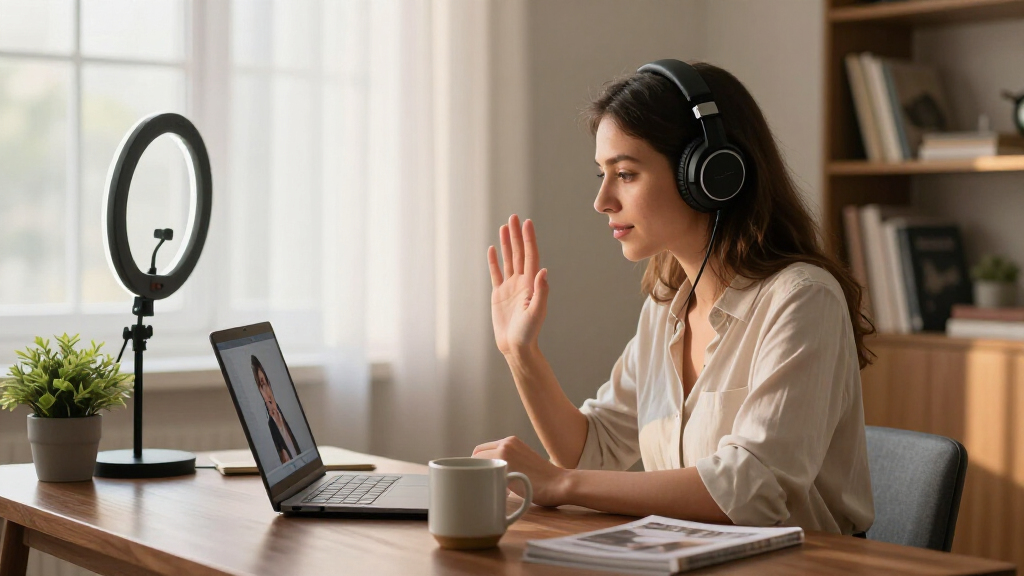
I ranked these headsets on the criteria that directly affect Zoom performance rather than music-listening specs. Microphone noise cancellation came first: a headset can sound mediocre in your ears and still be great for calls if your voice arrives clean, so models with dual boom mics and ENC processing placed above generic stereo headphones. Platform certification was the second filter — headsets certified for Zoom and Teams tend to handle call/ring integration and mute syncing correctly, which uncertified budget models often fumble.
From there I weighed all-day comfort (weight, clamping force, earcup padding), connection reliability (USB dongles over raw Bluetooth, wired over wireless for zero-latency calls), and long-term value — replaceable earcups and durable booms justify a higher price when cheaper models become e-waste after a pad wears out. The ranking reflects a simple hierarchy: certified business headsets for daily callers, mid-tier wireless picks for hybrid workers, and budget wired models reserved for occasional or backup use.
| noise canceling headphones for zoom call | Noise Cancellation |
|---|---|
| Wireless Headset with Mic for | AI noise cancelling (99.9% claim) |
| Logitech H390 Wired Headset | — |
| Acer Headset with Microphone f | — |
| Upgrade ANC & ENC Wireless Hea | Hybrid ANC (3 modes) + ENC microphone |
| Jabra Evolve2 40 SE Wired Ster | Yes |
| Yealink UH48 ANC Wired USB-C/A | Hybrid ANC with 3 modes |
| Yealink UH48 ANC Wired USB-C/A | Hybrid ANC with passive isolation |
| JIAMQISHI USB Headset with Mic | — |
| Logitech Zone Wired 2 for Busi | Adaptive hybrid ANC |
| Lenovo USB-A Wired Stereo Head | — |
| AOC USB Headset with Microphon | — |
Factors to Consider When Choosing Noise Canceling Headphones For Zoom Calls
Before picking a specific model, it helps to understand what actually moves the needle on Zoom call quality — and where buyers commonly overspend or underbuy.Mic Noise Cancellation Matters More Than Earcup ANC
The single most common mistake is buying headphones marketed for music — where ANC describes what you hear — and expecting them to improve how you sound. For Zoom, the microphone does the heavy lifting: look for dual boom mics, ENC processing, or explicit business-call noise cancellation. Active noise cancellation on the earcup side is a genuine perk in open offices or loud households, but it does nothing for the person listening to you. If your workspace is quiet, skip ANC entirely and put the savings toward a better boom mic. This is why a $40 certified headset often outperforms a $250 consumer ANC headphone on calls.
Wired USB vs. Wireless vs. Bluetooth
Every connection type makes a tradeoff between reliability and freedom. Wired USB headsets (the majority of this lineup) offer zero-latency audio, instant mute-button compatibility, and never die mid-meeting — the safest choice if you sit at a desk. Wireless headsets with dedicated USB dongles, like the 65H base-station model and the flip-to-mute ANC model, keep that reliability while letting you grab coffee between calls. Raw Bluetooth is the weakest option for calls: Windows Bluetooth stacks frequently drop the mic profile or cause audio stutters, and Bluetooth’s hands-free mode noticeably degrades audio quality. If a headset doesn’t include a dongle, treat it as a wired headset with a bonus feature.
Zoom and Teams Certification — When It’s Worth Paying For
Certified headsets are tested to work correctly with softphone features: mute buttons that sync with Zoom’s own mute state, ring routing to the headset, and consistent call audio switching. Uncertified headsets usually work fine, but occasionally the hardware mute and the Zoom mute fall out of sync — a genuinely embarrassing failure when you think you’re muted. If you spend your workday in meetings, certification is cheap insurance. If you take two or three calls a week, the H390, Acer, or JIAMQISHI models will behave identically in practice. The certification premium only makes sense for daily, professional use.
Comfort for Marathon Meeting Days
Headset comfort failures show up around hour two, not minute two, so spec sheets mislead. Weight matters — anything under about 180g (like the Lenovo at 140g) barely registers on your head — but clamping force and earcup material matter more. Leatherette pads seal better and block passive noise but get warm; they also degrade and flake after a year or two, which is why replaceable earcups are a real value feature, not a gimmick. On-ear designs like the JIAMQISHI run cooler but create pressure points during long sessions. If your calendar averages four-plus hours of calls daily, prioritize over-ear padding and a suspension-style headband over every other spec.
Durability and Replaceable Parts
Boom arms and cables are the two components that kill office headsets, and cheap models rarely survive a failure of either. A boom mic that gets flipped and adjusted dozens of times a day will develop a short before the drivers ever wear out — metal-reinforced arms like those on the Jabra and Logitech Zone models outlast plastic ones by years. Detachable or well-strain-relieved cables add similar longevity. Replaceable earcups, as on the Lenovo, extend the usable life of the whole headset for a few dollars. Calculate value over a three-year horizon: a $90 headset that lasts three years beats replacing a $30 headset annually.
Busylights and Physical Mute Controls
Anyone sharing a home office with family or roommates will come to love two underrated features. A busylight — the red LED on the boom of the Jabra Evolve2 40 SE and similar business models — signals to people around you that you’re on a call, preventing mid-sentence interruptions. A physical mute control, whether a flip-to-mute boom or an in-line button, is faster and more reliable than hunting for Zoom’s mute button, and flip-to-mute designs give you visual confirmation that you’re actually silenced. These are the features that separate business headsets from consumer ones in daily use, and they’re hard to go without once you’ve had them.
Frequently Asked Questions
Do I need active noise cancellation for Zoom calls, or is regular noise canceling enough?
It depends on which side of the call you’re improving. Active noise cancellation (ANC) on the earcups only helps you focus by blocking office chatter, traffic, or household noise — it does nothing for your listeners. What they hear depends on the microphone’s noise cancellation, usually labeled ENC or digital mic processing. If you work in a loud shared space, ANC is worth paying for; if your room is quiet, a good boom mic alone delivers the same result for the other participants. Many buyers pay an ANC premium without realizing their voice quality was the actual problem.
Is Bluetooth good enough for Zoom, or should I use a USB headset?
For serious daily calls, USB — ideally with a dedicated dongle — is the safer bet. Bluetooth’s hands-free profile compresses audio heavily and Windows machines frequently stutter or drop the mic when multiple Bluetooth devices are paired. A dongle-based wireless headset sidesteps these issues because it uses a proprietary 2.4GHz link that behaves like a wired connection to your computer. Pure Bluetooth works acceptably for occasional calls from a quiet room, but if your job involves back-to-back meetings, reliability wins over convenience. Wired USB remains the most dependable option of all.
Why do certified Zoom/Teams headsets cost more, and is the certification worth it?
Certification means the vendor has paid for and passed compatibility testing covering mute-button syncing, call routing, and ring behavior inside the apps. In practice, the difference shows up in small but annoying ways: on uncertified headsets, the hardware mute can fall out of sync with Zoom’s software mute, or audio can route to the wrong device when a call starts. For someone in meetings all day, those glitches are worth avoiding. For someone on a few calls a week, they’re a minor inconvenience that doesn’t justify the price gap. Certification is insurance — buy it if your professional credibility rides on smooth calls.
What’s the minimum I should spend for acceptable Zoom call quality?
Roughly the $30–40 tier is where call quality becomes reliably good — that’s where models like the Logitech H390 and Acer USB-C sit, with genuine noise-canceling boom mics and adequate comfort. Below that, you typically get omnidirectional mics that pick up your keyboard, fan, and everyone around you. Above that tier, you’re paying for durability, certification, ANC, and comfort features rather than dramatically better voice pickup. The smart play for most home-office workers is a solid mid-tier wired headset, and only stepping up to business-class models if meetings are your full-time job.
On-ear or over-ear — which is better for long video calls?
For sessions longer than an hour, over-ear wins almost every time. On-ear designs like the JIAMQISHI press the cartilage of your ear against the speaker grille, creating pressure points and heat buildup that become painful during marathon meeting days. Over-ear cups distribute force around the ear instead of on it, and larger pads hold softer foam. The tradeoff is weight and warmth: over-ear models with leatherette pads can get sweaty in warm rooms, and heavier business headsets make their presence known. If you run hot or take short calls, on-ear is tolerable; for a full workday of meetings, choose over-ear with breathable padding.
Conclusion
The right choice here depends entirely on how central Zoom is to your workday. For best overall, the Yealink UH48 ANC covers every base: certified Zoom support, real ANC for your ears, dual noise-canceling mics for your voice, and all-day dual-ear comfort. The Jabra Evolve2 40 SE takes best premium for full-time professionals who want the busylight, superior build, and the most refined boom mic in the lineup. For best value, the Logitech Zone Wired 2 delivers business-grade call quality at a mid-tier price, edging out the cheaper H390 with better noise cancellation on both ends.
Beginners and occasional callers should start with the Logitech H390 or the Acer USB-C — simple, plug-and-play, and impossible to misconfigure. For specific needs: the Upgrade ANC & ENC Wireless Headset suits hybrid workers who roam between rooms, the 65H base-station model is built for people who forget to charge things, the Lenovo wins for featherweight comfort and replaceable pads, the JIAMQISHI and AOC cover tight budgets and call-center duty, and the duplicate Yealink listing means you can grab whichever connector (USB-A or USB-C) matches your machine without compromise. Match the tier to your meeting load, and you won’t overspend on features you’ll never hear.