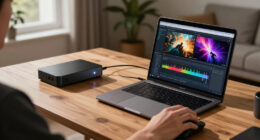

The WD 4TB My Passport takes my best overall spot because it balances capacity, portability, and backup software in a package that suits nearly everyone. If raw storage per dollar matters more than pocketability, the WD 8TB Elements Desktop and the Seagate 16TB One Touch deliver far more space for the money, though both need external power and live on a desk. The main tradeoffs in this category come down to portable versus desktop design, capacity tiers, and whether you value bundled backup tools like WD’s My Passport software over Seagate’s simpler drag-and-drop approach. Spinning drives also mean real differences in speed between smaller portable models and high-capacity desktop units. Keep reading for the full breakdown of all 15 drives and which one fits your needs.

Get the latest gadgets delivered free — and shop member deals
- Fast, free delivery on millions of items
- Access to Prime Big Deal Days deals on October 6–7
- Prime Video, Amazon Music and more included
Complete the kit



Key Takeaways
- WD’s My Passport line beat the Elements line on features across every capacity tier — My Passport includes 256-bit hardware encryption and automatic backup software, while Elements is bare-bones but cheaper.
- The desktop models (WD 8TB and 20TB Elements, Seagate 8TB and 16TB One Touch) offered dramatically better cost per terabyte than any portable pick, but all require a wall outlet and sacrifice travel-friendliness.
- Seagate‘s portable drives (1TB, 2TB, 4TB) skip bundled backup software entirely, which makes them plug-and-play simple for console gamers but a weaker choice for people who want scheduled backups.
- The 5TB and 6TB My Passport models are the ceiling for truly pocketable storage — beyond that, every option in this roundup switches to a powered desktop chassis.
- Seagate‘s 16TB One Touch is the only drive here with USB-C out of the box, which matters if your laptop has dropped USB-A ports.
| WD 4TB My Passport Portable External Hard Drive (Black) – WDBPKJ0040BBK-WESN |  | Best for Secure Portable Backups | Capacity: 4TB | Color: Black | Interface: USB 3.1 / USB 3.0 | VIEW LATEST PRICE | See Our Full Breakdown |
| WD My Passport 2TB Portable External Hard Drive, Black |  | Best Compact Secure Pick | Capacity: 2TB | Form factor: 2.5 inches | Connectivity: USB 2.0, USB 3.0, USB 3.2 Gen 2 | VIEW LATEST PRICE | See Our Full Breakdown |
| WD 4TB Elements Portable External Hard Drive (WDBU6Y0040BBK-WESN) |  | Best Plug-and-Play 4TB Pick | Capacity: 4TB | Interface: USB 3.2 Gen 1, up to 5Gbps; backward compatible with USB 3.0 | Compatibility: Windows PC and Mac | VIEW LATEST PRICE | See Our Full Breakdown |
| Western Digital WD 5TB Elements Portable External Hard Drive |  | Best High-Capacity Portable Value | Capacity: 5TB | Interface: USB 3.2 Gen 1 / USB 3.0, backward compatible with USB 2.0 | Form factor: 2.5 inches | VIEW LATEST PRICE | See Our Full Breakdown |
| Seagate One Touch 8TB External Hard Drive Desktop HDD (STNB8000400) |  | Best for Large USB-C Backups | Capacity: 8TB | Interface: USB-C | Compatibility: Windows, macOS | VIEW LATEST PRICE | See Our Full Breakdown |
| Seagate Portable 1TB External Hard Drive HDD – USB 3.0 for PC, Mac, PlayStation, & Xbox (STGX1000400), Black |  | Best Budget Starter Drive | Capacity: 1 TB | Interface: USB 3.0 | Read Speed: 120 MB/s | VIEW LATEST PRICE | See Our Full Breakdown |
| Seagate 16TB One Touch Desktop Hard Drive, USB-C (STNB16000400) |  | Best High-Capacity Vault | Capacity: 16 TB | Connection: USB-C | Power: Bus-powered (15W USB powered output required) | VIEW LATEST PRICE | See Our Full Breakdown |
| WD Elements 6TB Portable External Hard Drive | | Best Capacity-to-Portability Ratio | Capacity: 6 TB | Interface: USB 3.2 Gen 1 / USB 3.0 | Form Factor: 2.5 inches, portable | VIEW LATEST PRICE | See Our Full Breakdown |
| Seagate 2TB Portable External Hard Drive, USB 3.0 (STGX2000400) |  | Best for Console Expansion | Capacity: 2 TB | Interface: USB 3.0 | Read Speed: 120 MB/s | VIEW LATEST PRICE | See Our Full Breakdown |
| WD Elements 20TB Desktop External Hard Drive |  | Best for Bulk Desktop Storage | Storage capacity: 20TB | Interface: USB 3.0 | Compatibility: Windows 10 or later; macOS with reformatting | VIEW LATEST PRICE | See Our Full Breakdown |
| WD My Passport 5TB Portable External Hard Drive, Black |  | Best for Secure Portable Storage | Storage capacity: 5TB | Type: Portable external hard drive | Connectivity: USB 3.1/USB 3.0 | VIEW LATEST PRICE | See Our Full Breakdown |
| Seagate Portable 4TB External Hard Drive HDD – USB 3.0 | | Best for Simple Cross-Platform Backups | Capacity: 4TB | Interface: USB 3.0 | Compatibility: Windows and Mac | VIEW LATEST PRICE | See Our Full Breakdown |
| WD My Passport 6TB Portable External Hard Drive, Black |  | Best High-Capacity Portable Pick | Capacity: 6TB | Type: Portable external hard drive | Connectivity: USB 3.1/USB 3.0 compatible | VIEW LATEST PRICE | See Our Full Breakdown |
| WD Elements 2TB Portable External Hard Drive |  | Best Compact Everyday Pick | Storage capacity: 2TB | Interface: USB 3.2 Gen 1 (5Gbps) | Compatibility: Windows, PC, and Mac | VIEW LATEST PRICE | See Our Full Breakdown |
| external hard drife | Capacity | Interface | Compatibility | Form factor |
|---|---|---|---|---|
| WD 4TB My Passport Portable Ex | 4TB | USB 3.1 / USB 3.0 | — | — |
| WD My Passport 2TB Portable Ex | 2TB | — | — | 2.5 inches |
| WD 4TB Elements Portable Exter | 4TB | USB 3.2 Gen 1, up to 5Gbps; backward compatible with USB 3.0 | Windows PC and Mac | — |
| Western Digital WD 5TB Element | 5TB | USB 3.2 Gen 1 / USB 3.0, backward compatible with USB 2.0 | — | 2.5 inches |
| Seagate One Touch 8TB External | 8TB | USB-C | Windows, macOS | — |
| Seagate Portable 1TB External | 1 TB | USB 3.0 | PC, Mac, PlayStation, Xbox | — |
| Seagate 16TB One Touch Desktop | 16 TB | — | — | Desktop |
| WD Elements 6TB Portable Exter | 6 TB | USB 3.2 Gen 1 / USB 3.0 | Desktop, laptop, tablet | 2.5 inches, portable |
| Seagate 2TB Portable External | 2 TB | USB 3.0 | Windows, Mac, PC, laptop; Sony PlayStation 4 | Portable |
| WD Elements 20TB Desktop Exter | — | USB 3.0 | Windows 10 or later; macOS with reformatting | Desktop external hard drive |
| WD My Passport 5TB Portable Ex | — | — | — | — |
| Seagate Portable 4TB External | 4TB | USB 3.0 | Windows and Mac | — |
| WD My Passport 6TB Portable Ex | 6TB | — | — | — |
| WD Elements 2TB Portable Exter | — | USB 3.2 Gen 1 (5Gbps) | Windows, PC, and Mac | Portable external hard drive |
More Details on Our Top Picks
WD 4TB My Passport Portable External Hard Drive (Black) – WDBPKJ0040BBK-WESN
I’d choose the 4TB My Passport when carrying a large file library matters as much as keeping it protected. Its password protection and 256-bit hardware encryption add a layer the simpler WD Elements drives in this roundup don’t list, while the included backup and device management software adds ransomware defense. That makes it a stronger fit for sensitive work files or personal archives than the plug-and-play WD 4TB Elements, which prioritizes simple storage. The tradeoff is that this remains a mechanical drive over USB 3.1/USB 3.0, so it won’t match an SSD for quick transfers or frequent editing. Its slim portable design helps with travel, but buyers who need less capacity could opt for the 2TB My Passport instead. The three-year limited warranty is useful coverage, though it is not a reason to expect SSD-like speed.
Pros:- 4TB capacity in a slim portable drive
- Password protection and 256-bit hardware encryption
- Backup software includes ransomware defense
- Three-year limited warranty
Cons:- Mechanical drive transfers are slower than SSDs
- USB 3.1/USB 3.0 connectivity lacks the speed of newer high-performance interfaces
Best for: Traveling professionals and photo archivists who need several terabytes of portable storage with file encryption.
Not ideal for: Video editors moving large projects every day, or buyers who value SSD speed more than capacity.
- Capacity:4TB
- Color:Black
- Interface:USB 3.1 / USB 3.0
- Security:Password protection, 256-bit hardware encryption, ransomware defense
- Warranty:3-year limited
- Model:WDBPKJ0040BBK-WESN
Our verdict“Choose this My Passport for portable 4TB storage with encryption and backup features; choose an SSD if fast, frequent file transfers matter more.”
WD My Passport 2TB Portable External Hard Drive, Black
The 2TB My Passport suits buyers who want a small everyday backup drive with more protection features than a basic portable HDD. It includes downloadable backup software, password protection, and hardware encryption, much like the 4TB My Passport, but its lower capacity makes more sense for documents, a moderate photo library, and selected media than for a sprawling archive. Its 2.5-inch form factor and compatibility with desktops, laptops, and tablets make it an easy companion for regular carry. Compared with the WD 4TB Elements, this model gives up half the capacity in exchange for listed security and backup tools. The software requires download and installation, so setup is less immediate than the Elements drive’s plug-and-play approach. It also remains a mechanical drive, which limits transfer speed against SSDs.
Pros:- Portable 2.5-inch form factor
- Hardware encryption and password protection
- Downloadable backup software with ransomware defense
- Compatible with desktops, laptops, and tablets
Cons:- Backup software requires download and installation
- 2TB capacity is limited for large video or photo collections
- Mechanical storage is slower than an SSD
Best for: Students and mobile professionals who want a compact drive for documents and a moderate media library, with encryption available.
Not ideal for: Photographers with large RAW archives or users who want a drive ready to use without installing backup software.
- Capacity:2TB
- Form factor:2.5 inches
- Connectivity:USB 2.0, USB 3.0, USB 3.2 Gen 2
- Color:Black
- Security:Hardware encryption and password protection
- Compatible devices:Desktop, laptop, tablet
- Warranty:3-year limited
Our verdict“Pick the 2TB My Passport for compact, security-minded everyday backups, but move up to a 4TB option for a growing media library.”
WD 4TB Elements Portable External Hard Drive (WDBU6Y0040BBK-WESN)
For a straightforward portable archive, I’d favor the WD 4TB Elements over the security-focused My Passport when simple setup matters most. It is designed to work straight out of the box with Windows PCs and Macs, and USB 3.2 Gen 1 supports transfers up to 5Gbps when paired with a compatible host. That combination makes it a practical place for backups, media, and files you need to carry without installing extra software. The 4TB My Passport adds password protection, encryption, and backup tools, so it is the better fit when those safeguards are a priority. Elements keeps the experience simpler, but its plastic enclosure may feel less reassuring than a more premium build, and the supplied cable can be restrictive in some desk setups. Like other HDDs here, it is slower than an SSD.
Pros:- 4TB storage in a compact, lightweight enclosure
- Plug-and-play setup
- Works with Windows PCs and Macs
- USB 3.2 Gen 1 interface supports up to 5Gbps
Cons:- Plastic enclosure may feel less durable than premium alternatives
- Included cable may be too short for some desk layouts
- No security or backup software features are listed
Best for: Laptop owners who want a large, simple-to-connect drive for general file backups across Windows and Mac computers.
Not ideal for: Buyers who need built-in encryption or backup software, or who expect SSD-level transfer speeds.
- Capacity:4TB
- Interface:USB 3.2 Gen 1, up to 5Gbps; backward compatible with USB 3.0
- Compatibility:Windows PC and Mac
- Setup:Plug and play
- Model:WDBU6Y0040BBK-WESN
- Form:Portable external hard drive
Our verdict“Choose the WD 4TB Elements for uncomplicated portable storage; choose the 4TB My Passport if encryption and backup tools are worth extra setup.”
Western Digital WD 5TB Elements Portable External Hard Drive
The WD 5TB Elements is for buyers who want more room than a 4TB portable drive provides without moving to a desktop unit. That extra capacity can keep a bigger photo or video archive on one drive, and its 2.5-inch form factor stays portable. As with the WD 4TB Elements, setup is plug-and-play for Windows and Mac, with USB 3.2 Gen 1 and backward compatibility for older USB connections. The 4TB model may be easier to justify for a smaller library, but this 5TB version gives growing collections more headroom. Its mechanical drive is still slower than SSD storage, and Mac users may need to reformat it before use. It also lists console compatibility, though that does not remove the need to check a console’s formatting and capacity requirements.
Pros:- 5TB capacity in a portable 2.5-inch drive
- USB 3.2 Gen 1 with backward compatibility to USB 2.0
- Plug-and-play operation with Windows PCs
- Listed compatibility with Mac and select game consoles
Cons:- Mechanical storage is slower than SSDs
- Mac use may require reformatting
- A listed 50 MB/s read speed may be limiting for large active projects
Best for: Laptop users with expanding photo, video, or game libraries who want more capacity in a portable drive.
Not ideal for: Mac users who need a ready-to-use drive without reformatting, or creators who require fast scratch-disk performance.
- Capacity:5TB
- Interface:USB 3.2 Gen 1 / USB 3.0, backward compatible with USB 2.0
- Form factor:2.5 inches
- Read speed:50 MB/s
- Compatible devices:Desktop, laptop, tablet
- Platform compatibility:Mac, PC
- Color:Black
- Game console compatibility:Xbox 360, PlayStation 4
Our verdict“Choose the 5TB Elements when portable capacity matters more than speed, and prefer the 4TB Elements if that smaller library already fits.”
Seagate One Touch 8TB External Hard Drive Desktop HDD (STNB8000400)
When a single portable drive needs to hold a much larger archive, the Seagate One Touch 8TB offers twice the listed capacity of the 4TB portable WD models. Its USB-C connection and bus-powered design keep the setup to one cable without a wall outlet, which is handy for a desk that also serves as a workspace. It works with Windows and macOS and includes Rescue Data Recovery Services, a useful addition for buyers storing assignments, projects, or sensitive files. Compared with the WD 5TB Elements, this Seagate holds more but is described as a desktop drive and is less suited to frequent travel. It is still an HDD, so large transfers will take longer than on an SSD. The two-year limited warranty is also shorter than the three-year coverage listed for the My Passport models.
Pros:- Large 8TB capacity for consolidated backups
- USB-C connection with bus-powered operation
- Works with Windows and macOS
- Includes Rescue Data Recovery Services
Cons:- HDD transfers are slower than SSD alternatives
- Less portable than smaller 2.5-inch drives
- Two-year limited warranty is shorter than the My Passport warranty
Best for: Home office users and creators who need one large USB-C backup drive for projects and archives without a separate power adapter.
Not ideal for: Frequent travelers who need a small carry-around drive, or editors who work directly from storage and need SSD speeds.
- Capacity:8TB
- Interface:USB-C
- Compatibility:Windows, macOS
- Power:Bus-powered; no wall outlet required
- Model:STNB8000400
- Warranty:2-year limited
- Recovery service:Rescue Data Recovery Services
- Form:Desktop external HDD
Our verdict“Choose the One Touch for a large, single-cable USB-C backup setup, while frequent travelers should favor a smaller portable drive.”
Seagate Portable 1TB External Hard Drive HDD – USB 3.0 for PC, Mac, PlayStation, & Xbox (STGX1000400), Black
For someone buying their first external drive, this 1TB Seagate keeps things refreshingly simple: no software, no accounts, just drag-and-drop backups over the included 18-inch USB 3.0 cable. Compared with the Seagate Portable 2TB (STGX2000400), it trades capacity for a lower entry cost, which makes sense if you only need room for documents, photos, and a few game installs. The 7200 RPM spindle and 120 MB/s read speed put it at the faster end of basic portable drives. Its standout extra is the 1-year Rescue data recovery service, something the WD Elements portables don’t include. The tradeoff is capacity: 1TB fills up fast if you back up a phone library or expand a console, and Mac users will need to reformat first.
Pros:- Plug-and-play setup with no software required
- Works across Windows, Mac, PlayStation, and Xbox
- Compact and lightweight at 190 g for genuine portability
- Includes 1-year Rescue data recovery service
Cons:- 1TB capacity fills up quickly for media-heavy users
- Reformatting required for Mac use
- 18-inch cable is short for desktop setups
Best for: Students and casual users who want a cheap, no-fuss first backup drive for documents and photos
Not ideal for: Console gamers with large libraries or photo hoarders — 1TB fills quickly, and the 2TB or 4TB versions are a smarter buy
- Capacity:1 TB
- Interface:USB 3.0
- Read Speed:120 MB/s
- Rotational Speed:7200 RPM
- Weight:190 g
- Compatibility:PC, Mac, PlayStation, Xbox
- Included Cable:18-inch USB 3.0
- Recovery Service:1-Year Rescue Service
Our verdict“A sensible, low-commitment first drive for light backup needs — but step up to the 2TB or 4TB model if your library is growing.”
Seagate 16TB One Touch Desktop Hard Drive, USB-C (STNB16000400)
When one drive needs to hold everything — a decade of photos, video projects, full system images — 16TB changes the math compared with portable picks like the WD Elements 6TB Portable. Instead of juggling multiple 4–6TB drives, this single unit consolidates a whole household’s archive. What makes it stand out among desktop drives is the USB-C connection with bus power: unlike the WD Elements 8TB Desktop, which needs its own wall outlet, this runs off a single cord. That said, it demands a 15W USB power output from the host device, so older laptops or USB hubs may not keep it spinning. It also isn’t pocketable — this is a desk-bound archive, not a travel companion.
Pros:- Massive 16TB capacity for consolidating entire archives
- Single-cord USB-C setup with no wall adapter
- Includes 2-year warranty with Rescue Data Recovery Services
- Modern USB-C connection
Cons:- Requires 15W USB power output from the connected device
- Desktop form factor — not portable
- Single-drive design means one failure can affect the whole archive
Best for: Creative professionals and households consolidating large photo, video, and backup archives onto one drive
Not ideal for: Laptop-only users on the move — it’s a desktop form factor and requires a host port that can deliver 15W
- Capacity:16 TB
- Connection:USB-C
- Power:Bus-powered (15W USB powered output required)
- Warranty:2-year limited warranty
- Recovery Service:Rescue Data Recovery Services included
- Form Factor:Desktop
Our verdict“The right pick when you’d rather own one big consolidated vault than a shelf of smaller drives — provided your machine can power it.”
WD Elements 6TB Portable External Hard Drive
This drive occupies a sweet spot the roundup’s other portables don’t: 6TB in a 2.5-inch chassis. The WD My Passport 5TB sits just below it, and the WD My Passport 6TB matches capacity but adds backup software and hardware encryption you may not want to pay for. Here you get the raw storage with plain plug-and-play behavior over USB 3.2 Gen 1 — ideal for expanding a game console or carrying a working photo library. Compared with the Seagate Portable 1TB, this is six times the space in a similarly pocketable format. The compromises are structural: the plastic enclosure offers little drop protection, and WD’s listed compatibility is vague on supported operating systems, so Linux and ChromeOS users should verify before committing.
Pros:- Large 6TB capacity in a portable 2.5-inch design
- Plug-and-play USB 3.2 Gen 1 / USB 3.0 connectivity
- No bundled software to bypass
- Noticeably lighter and smaller than desktop alternatives
Cons:- Plastic enclosure offers minimal protection
- Compatibility details for specific operating systems are not clearly stated
- Single-cable design ties capacity to one physical point of failure
Best for: Traveling creators and console owners who want serious capacity in a shirt-pocket form factor
Not ideal for: Rough-and-tumble travel or field work — the plastic shell and lack of stated shock protection make a rugged drive the safer call
- Capacity:6 TB
- Interface:USB 3.2 Gen 1 / USB 3.0
- Form Factor:2.5 inches, portable
- Enclosure:Plastic
- Read Speed:1050 MB/s (listed)
- Compatibility:Desktop, laptop, tablet
- Color:Black
Our verdict“If you want the most storage you can realistically pocket without extra software baggage, this is the capacity-per-gram leader in the lineup.”
Seagate 2TB Portable External Hard Drive, USB 3.0 (STGX2000400)
The 2TB tier is where portable drives start making sense for gaming, and this Seagate hits it with 120 MB/s reads on a 7200 RPM spindle — enough to run PS4 titles directly from the drive without constant stutter. Compared with the Seagate Portable 1TB, doubling the space means room for a dozen-plus modern games instead of three or four, in the same compact body with the same cable. Against the WD Elements 2TB, the Seagate’s edge is its explicit console support and the 18-inch USB 3.0 cable, long enough to reach a console sitting in an entertainment center. The downsides are mild but real: usable capacity falls short of 2TB after formatting, and PS5 owners will find it only plays PS4 games from external storage.
Pros:- 2TB of genuinely portable storage
- 120 MB/s read speed on a 7200 RPM drive for smooth game loading
- Plug-and-play on Windows and Mac with no software
- Console-compatible, including PlayStation 4
Cons:- Usable capacity is less than the stated 2TB after formatting
- 18-inch cable can be short for desktop PC towers
- Spinning-disk speed won’t satisfy next-gen console load times
Best for: PS4 and Xbox gamers who need extra game storage without opening the console
Not ideal for: PS5 owners expecting to run current-gen titles from it — next-gen games need internal or PCIe-level speed
- Capacity:2 TB
- Interface:USB 3.0
- Read Speed:120 MB/s
- Rotational Speed:7200 RPM
- Form Factor:Portable
- Compatibility:Windows, Mac, PC, laptop; Sony PlayStation 4
- Included Cable:18-inch USB 3.0
- Setup:Plug and play; no software required
Our verdict“A well-matched external drive for PS4 and Xbox libraries — twice the room of the 1TB model for not much more commitment.”
WD Elements 20TB Desktop External Hard Drive
The 20TB capacity makes this WD Elements the standout choice here for keeping a large archive on one desktop drive: think years of video, photo libraries, or regular PC backups. Unlike the portable WD My Passport 6TB, it is built around high capacity at a desk, so it is a better fit for a fixed workspace than a bag. USB 3.0 and Windows plug-and-play setup keep the basic connection simple. The tradeoff is flexibility: this is a desktop drive, and the listing calls for reformatting for macOS. It also gives no stated transfer-rate figure, so buyers choosing around speed should not assume a particular performance level. Pick it for storage volume; skip it if portability or out-of-box Mac use matters more.
Pros:- 20TB capacity can consolidate a large archive on one drive
- Plug-and-play setup for Windows PCs
- USB 3.0 interface
- Works with macOS after reformatting
Cons:- Requires reformatting for macOS use
- Desktop format is less suited to travel than portable drives
- No transfer-rate details are provided
Best for: Windows users who keep large media libraries or backup archives at a desk and want them on one drive
Not ideal for: Mac users seeking out-of-box setup, or travelers who need a portable drive
- Storage capacity:20TB
- Interface:USB 3.0
- Compatibility:Windows 10 or later; macOS with reformatting
- Setup:Plug-and-play for Windows PCs
- Form factor:Desktop external hard drive
- Model number:WDBWLG0200HBK-NESN
Our verdict“Choose this WD Elements for maximum stated capacity at a Windows desk; choose the WD My Passport 6TB if you need storage you can carry.”
WD My Passport 5TB Portable External Hard Drive, Black
The WD My Passport 5TB combines a roomy portable drive with features aimed at protecting personal files: it includes password protection and hardware encryption, plus management software with backup features and ransomware defense. That makes it a more security-focused carry option than the simpler Seagate Portable 4TB, whose listed appeal centers on plug-and-play use without software. Its 5TB capacity also gives frequent travelers more room than the Seagate, while keeping the slim portable format. There are tradeoffs: the product data provides no transfer-speed details, and the added security and software may be unnecessary for someone who just wants a basic secondary copy. The 6TB WD My Passport offers more stated capacity, so this 5TB model suits buyers who value the security package over having the largest portable WD option in this group.
Pros:- 5TB capacity in a slim portable design
- Password protection and hardware encryption
- Included software offers backup features and ransomware defense
- Three-year limited warranty
Cons:- No transfer-speed details are provided
- Included software may be unnecessary for buyers seeking simple drag-and-drop storage
- WD My Passport 6TB offers more capacity in the same product family
Best for: Traveling professionals carrying confidential work files who want portable capacity with password protection and hardware encryption
Not ideal for: Buyers who want the largest portable capacity in this group or a no-frills drive with no management software
- Storage capacity:5TB
- Type:Portable external hard drive
- Connectivity:USB 3.1/USB 3.0
- Security:Password protection and hardware encryption
- Included software:Device management software with backup features and ransomware defense
- Color:Black
- Warranty:3-year limited warranty
- Model number:WDBPKJ0050BBK-WESN
Our verdict“Choose this My Passport if portable security features matter more than maximum capacity or a bare-bones setup.”
Seagate Portable 4TB External Hard Drive HDD – USB 3.0
The Seagate Portable 4TB keeps the setup straightforward: connect it to a Windows or Mac computer and use drag-and-drop backups, with no software required. That simplicity is its main distinction from the security-focused WD My Passport 5TB, which adds management software, encryption, and password protection. Seagate also includes an 18-inch USB 3.0 cable and lists one year of Rescue Data Recovery Services. At 4TB, it has plenty of room for many everyday file collections, though it falls below both My Passport models in this group for stated capacity. It is a conventional HDD, so USB 3.0 does not make it equivalent to an SSD for speed. Choose it for uncomplicated storage across Windows and Mac; skip it if you need encryption or fast frequent file transfers.
Pros:- 4TB capacity in a portable form
- Plug-and-play setup with no software required
- Compatible with Windows and Mac
- Includes an 18-inch USB 3.0 cable and one year of Rescue Data Recovery Services
Cons:- HDD transfers are slower than SSD alternatives
- Less capacity than the WD My Passport 5TB and 6TB models
- Actual available storage may vary
Best for: Windows and Mac users who want a portable drive for drag-and-drop backups without installing management software
Not ideal for: Buyers who need hardware encryption, more than 4TB in a portable drive, or SSD-like transfer performance
- Capacity:4TB
- Interface:USB 3.0
- Compatibility:Windows and Mac
- Setup:Plug and play; no software required
- Cable length:18 inches
- Included recovery service:1 year of Rescue Data Recovery Services
Our verdict“Choose the Seagate Portable 4TB for simple cross-platform backups; choose a My Passport if encryption and password protection matter more.”
WD My Passport 6TB Portable External Hard Drive, Black
For buyers who want a portable HDD with the most stated capacity among these portable picks, the WD My Passport 6TB has a clear advantage over the My Passport 5TB and Seagate Portable 4TB. The slim, durable design is meant to travel, while password protection and hardware encryption add a layer of control for files carried between locations. Its device management software includes ransomware defense, giving it a more security-oriented profile than the straightforward Seagate. The tradeoff is that this listing provides no transfer-speed details, and its extra capacity may be more than a buyer with a modest backup needs. It is best for people who need to keep a large working library mobile; those who mainly archive at home can get substantially more capacity from the desktop WD Elements 20TB.
Pros:- 6TB capacity in a portable design
- Password protection and hardware encryption
- Included device management software with ransomware defense
- USB 3.1/USB 3.0 compatibility
Cons:- No transfer-speed details are provided
- Less total capacity than the desktop WD Elements 20TB
- Management software may be unnecessary for buyers who want basic storage
Best for: Photographers, video editors, and mobile professionals who carry a large file library and want encryption features
Not ideal for: Users who mainly store backups at a desk or need published transfer-rate details before choosing
- Capacity:6TB
- Type:Portable external hard drive
- Connectivity:USB 3.1/USB 3.0 compatible
- Security:Password protection and hardware encryption
- Included software:Device management software with ransomware defense
- Color:Black
- Model number:WDBR9S0060BBK-WESN
Our verdict“Choose the My Passport 6TB when you need the most capacity among these portable picks with built-in security features.”
WD Elements 2TB Portable External Hard Drive
The WD Elements 2TB is the simplest carry-around option in this batch: a compact, lightweight drive with plug-and-play setup and USB 3.2 Gen 1 connectivity. Its 2TB capacity is suited to personal documents, photos, and a manageable backup set, rather than the larger archives that fit on the WD My Passport 6TB or desktop WD Elements 20TB. The higher-capacity drives make more sense for growing media libraries, but also hold more space than many everyday users need to take along. This Elements model keeps things basic; the supplied data does not list encryption or bundled backup software, so buyers who want those features should compare it with the My Passport line. Choose this for uncomplicated portable storage, accepting the lower capacity.
Pros:- Compact and lightweight for carrying with a laptop
- 2TB capacity for common personal files and backups
- Plug-and-play setup
- USB 3.2 Gen 1 connectivity
Cons:- Less capacity than the Seagate Portable 4TB and WD My Passport models
- Supplied product data does not list encryption or included backup software
Best for: Students and everyday laptop users who need a lightweight drive for documents, photos, and a modest backup set
Not ideal for: Video creators or households consolidating large media archives who need more than 2TB
- Storage capacity:2TB
- Interface:USB 3.2 Gen 1 (5Gbps)
- Compatibility:Windows, PC, and Mac
- Setup:Plug and play
- Form factor:Portable external hard drive
- Design:Compact and lightweight
Our verdict“Choose the WD Elements 2TB for simple, lightweight everyday storage; choose a higher-capacity My Passport for larger libraries and security features.”

How We Picked
Since this lineup is dominated by two brands — Western Digital and Seagate — my ranking logic leaned heavily on differentiation within families rather than between them. I judged each drive on four factors: capacity per dollar logic (how the price-to-storage math shifts across tiers), portability (bus-powered pocket drives versus wall-powered desktop units), software and security features (hardware encryption, backup scheduling, drive utilities), and connectivity (USB-A versus USB-C, since adapters annoy laptop owners). Drives that included meaningful extras, like My Passport’s encryption, ranked above otherwise identical hardware without them.
The ordering follows a practical buyer journey: do-everything portable picks first, then value-focused compact options, then the high-capacity desktop drives for people who already know they need bulk storage. I also weighed resale and longevity signals — longer warranties and proven chassis designs — because external hard drives are usually bought once and forgotten until they fail. Where two drives were nearly identical, the tiebreaker was capacity flexibility and connector type.
Factors to Consider When Choosing Best External Hard Drives
Before picking a specific drive, it helps to understand the broader patterns in this category — because most buying mistakes with external hard drives come from mismatched expectations, not bad products.Portable vs. Desktop: The Decision That Shapes Everything Else
The single biggest fork in the road is whether you need a bus-powered portable drive or a wall-powered desktop drive. Portable models max out around 5–6TB in this roundup and draw all their power over USB, which makes them ideal for laptops, travel, and console use. Desktop units start where portables end and climb to 20TB, but they need an outlet and weigh several pounds — fine for a home office, useless in a backpack. A common mistake is buying a 16TB desktop drive for a laptop-centric lifestyle and then never moving it, or worse, buying a 2TB portable for a media library that outgrows it in months. My advice: if the drive will move even occasionally, stay portable and accept the capacity ceiling. If it will sit next to a desktop PC or game console permanently, desktop drives give you far more storage for the money.
Buy More Capacity Than You Think You Need
Storage needs almost always grow faster than people expect, and the pricing structure of hard drives rewards buying ahead. The jump from 2TB to 4TB typically costs far less than double, which means the larger tier is almost always the better cost-per-terabyte deal. Game libraries alone can consume 150GB per title, and a 4K video project can eat a terabyte in an afternoon. The mistake I see most often is someone buying the exact capacity they need today, then buying a second drive six months later and juggling two devices instead of one. Unless your budget is rigidly fixed, step up one tier from your instinct — the 4TB and 5TB tiers in this roundup tend to be the sweet spot for most buyers.
Software and Encryption: Boring Features That Matter Later
This is where the two families in this roundup genuinely diverge. WD’s My Passport drives ship with hardware encryption and automatic backup software, while Elements and Seagate Portable drives are essentially blank drives in a case. That difference sounds trivial until a drive is lost in an airport or stolen from a dorm room — unencrypted drives hand over every file to whoever finds them. Similarly, backup software only matters if you actually use it; a drive with scheduled backups will protect you from the most common data-loss scenario, which is accidental deletion, not drive failure. If you’re backing up irreplaceable personal files rather than just offloading games or media, encryption should be a requirement, not a nice-to-have. Convenience buyers who just drag and drop folders can safely skip it.
USB-A, USB-C, and the Adapter Problem
Most drives in this category still ship with USB-A (USB 3.0) connectors, which works fine on desktops and older laptops but forces adapter dongles onto modern USB-C-only machines. Only one drive in this roundup — the Seagate 16TB One Touch — includes USB-C in the box. This doesn’t affect speed much since spinning hard drives can’t saturate either connection, but it affects daily friction: a permanently attached dongle is one more thing to lose. If you own a recent MacBook or thin Windows laptop, factor in whether you’ll need to buy a hub or adapter, and check whether the drive’s cable is detachable (all of these are, which makes swapping cables a cheap fix). Console owners should verify compatibility too — every PlayStation and Xbox works with these drives, but formatting requirements differ.
Spinning Drives vs. SSDs: Know What You’re Buying
Every drive in this roundup is a traditional spinning hard drive (HDD), and that comes with real tradeoffs you should walk in knowing. HDDs win massively on price per terabyte — an SSD at 16TB costs several times more — but they’re slower (expect 100–130 MB/s versus 500+ for SSDs), heavier, and more vulnerable to drops because of moving parts. For backups, media libraries, and archival storage, that speed difference barely matters. For running an operating system, editing video directly off the drive, or frequent travel with rough handling, an SSD is worth the premium. The right question isn’t ‘which hard drive is fastest’ but ‘is a hard drive the right tool at all’ — and for bulk storage on a budget, the answer is usually yes.
Warranty, Reliability, and the Backup Rule
Portable drives in this category typically carry two-year warranties while desktop models often extend to three — a small signal about expected duty cycles. But no warranty replaces your data; every manufacturer drive warranty covers the hardware only, never what’s stored on it. The rule worth internalizing: any important data should exist in two places, and an external hard drive is one copy, not a complete backup strategy. Brand loyalty matters less than people think — both WD and Seagate make reliable drives and both have had problematic models over the years. Buy based on features and price, treat every spinning drive as eventually mortal, and keep a second copy of anything you can’t afford to lose.
Frequently Asked Questions
Should I get the WD My Passport or WD Elements if they’re the same capacity?
For most buyers, My Passport is the better long-term choice because it includes 256-bit hardware encryption and WD’s automatic backup software, while Elements is a bare drive with no extras. If you’re storing personal documents, photos, or anything sensitive, the encryption alone justifies the difference. Elements makes sense when the price gap at your chosen capacity is large and you plan to use the drive purely for media, game libraries, or transfers you manage manually. Both use the same underlying drive technology and USB 3.0 speeds, so performance is essentially identical. The decision is really about software and security, not speed or reliability.
Can I use one of these drives with a PlayStation 5 or Xbox Series X/S?
Yes, all of the portable drives in this roundup work with both console families over USB 3.0. One caveat shapes the experience: next-gen consoles won’t run PS5 or Xbox Series X|S games directly from a spinning hard drive — you can store them there, but you’ll need to move them back to internal storage or an SSD to play. Older PS4 and Xbox One titles generally run fine from these drives. Format the drive through the console’s settings menu before first use, since consoles use proprietary formats a PC won’t read afterward. For pure game archive duty, the Seagate Portable line is the simplest option because there’s no bundled software to ignore.
Is a 20TB desktop drive overkill for a home backup?
For most households, yes — 20TB is sized for serious media collections, content creators, or people consolidating multiple old drives into one. A useful benchmark: if your current data footprint is under 2TB, a 4–5TB portable drive covers you with room to grow. Desktop drives also carry obligations portables don’t: they need wall power, they generate more noise and vibration, and losing one drive means losing a lot at once. That last point argues for splitting critical data across two smaller drives rather than one giant one, unless you pair the 20TB with a second backup target. If you shoot video, hoard raw photo archives, or rip media libraries, the 20TB Elements earns its place; otherwise step down.
Do I need to format the drive before using it, and does it work on both Windows and Mac?
These drives ship formatted as NTFS, which Windows reads and writes natively but macOS can only read — so Mac owners need to reformat before first use. Use Disk Utility on Mac to format as exFAT if you want cross-platform compatibility, since exFAT works read-write on both Windows and macOS. The tradeoff is that exFAT lacks the journaling of NTFS and APFS, making it slightly more vulnerable to corruption if a transfer is interrupted mid-write. If the drive will live on one platform only, format it in that platform’s native format (NTFS for Windows, APFS for Mac) for better resilience. Formatting takes minutes and erases everything on the drive, so do it before loading any data.
How long do these spinning drives typically last, and how should I care for them?
Most consumer external hard drives deliver 3–5 years of typical service, though plenty last far longer and some fail early — which is why the two-copy rule exists. The biggest killers are physical shock while running (moving a portable drive during active reads/writes) and heat from enclosed spaces, so keep desktop drives ventilated and let portable drives finish transfers before packing them away. Avoid yanking the USB cable without safely ejecting, since a drive mid-write is at its most vulnerable to file corruption. If a drive starts clicking loudly or transfer speeds suddenly crater, treat it as a warning and copy data off immediately. Beyond that, the best care is simple: use it as one copy of your data, never the only one.
Conclusion
Mapping these 15 drives back to real buyers: the WD 4TB My Passport is my best overall pick because encryption, backup software, and a sensible capacity make it the right default for the widest audience. For best value, the WD 4TB Elements Portable delivers the same core hardware as pricier models at a no-frills price — ideal for media storage and console use. The Seagate 16TB One Touch stands as the best premium/large-capacity option, pairing massive storage with USB-C for buyers consolidating archives. Beginners should start with the Seagate Portable 2TB or 4TB: no software to learn, plug-and-play simplicity, and enough space to build good backup habits. For specific needs: travelers and laptop users get the most from the WD My Passport 5TB at the top of the pocketable range, console gamers are well served by any Seagate Portable model, and home-office buyers who want a set-and-forget vault should look at the WD 8TB or 20TB Elements Desktop. Whichever you choose, remember that any single drive is one copy — pair it with a second backup for anything irreplaceable.
Fall Picks
fall essentials
As an affiliate, we earn on qualifying purchases.