The best network attached storage devices balance reliable shared storage, straightforward setup, and room to grow. I’d choose the Synology DS225+ as the best overall fit for many home users, while the UGREEN DXP4800 GT stands out for buyers who need more drive bays and headroom. For a simpler personal-cloud setup, the Synology BeeStation avoids much of the setup and maintenance expected from a traditional NAS. The main tradeoffs are ease of use versus control, included drives versus choosing your own, and compact two-bay designs versus more expandable systems. Read on for how these 15 options compare and which one fits your storage needs.

Get the latest gadgets delivered free with Prime
- Fast, free delivery on millions of items
- Prime Video, Amazon Music and more included
- Member-only deals all year
Complete the kit



Key Takeaways
- The DS225+ is the strongest all-around choice: its two-bay format offers a practical starting point for shared storage without the footprint of a rackmount or multi-bay system.
- More bays change the upgrade path: the UGREEN DXP4800 GT and eight-bay DXP8800 Ultra suit larger libraries and growth plans better than the roundup’s one- and two-bay models.
- Preloaded drives favor convenience, not flexibility: the DS223 package with two 12TB drives, DS124 with a 4TB drive, and other included-drive choices reduce setup steps but limit how much buyers can tailor the initial configuration.
- A personal cloud is not the same as a full NAS: BeeStation is the simplest option for personal files, while enclosure-style devices offer a broader path for shared storage and future configuration.
- Business form factor matters: the Synology RackStation RS826+ is designed for rack installations, so home buyers should not choose it simply for its bay count when a desktop model may fit better.
| Synology DiskStation DS124 1-Bay NAS Server with 4TB HDD |  | Best Single-Bay Synology Starter | Model: DS124 | Form factor: Tabletop NAS tower | Processor: RTD1619B quad-core, 1.7 GHz | VIEW LATEST PRICE | See Our Full Breakdown |
| Synology DiskStation DS220+ NAS Server, Celeron J4025, 6GB RAM, 4TB HDD |  | Best for Flexible Two-Drive Storage | Processor: Intel Celeron J4025 dual-core, 2.0GHz, up to 2.9GHz burst | Memory: 6GB DDR4 non-ECC | Included storage: 4TB total, 2 × 2TB SATA 3.5-inch HDDs | VIEW LATEST PRICE | See Our Full Breakdown |
| WD My Cloud 2TB Personal Network Attached Storage |  | Best for Simple Home File Access | Storage capacity: 2TB | Connectivity: Ethernet, USB 3.0 | Compatible systems: Windows, Mac | VIEW LATEST PRICE | See Our Full Breakdown |
| Synology DS225+ 2-Bay Diskless NAS | 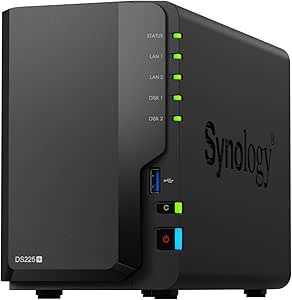 | Best Premium Two-Bay Synology | Model: DS225+ | Drive bays: 2, diskless | Processor: Intel CPU | VIEW LATEST PRICE | See Our Full Breakdown |
| BUFFALO LinkStation 210 6TB 1-Bay NAS with Included Hard Drive |  | Best Included Capacity for Basic Backups | Model: LS210D0601 | Storage capacity: 6TB | Drive bays: 1 | VIEW LATEST PRICE | See Our Full Breakdown |
| UGREEN NAS DXP8800 Ultra 8-Bay NAS for Businesses and Creative Studios |  | Best for Creative Studios and High-Capacity Workloads | Drive bays: 8 SATA bays | M.2 slots: 2 NVMe slots | Maximum storage capacity: 272TB | VIEW LATEST PRICE | See Our Full Breakdown |
| Synology DiskStation DS223j 2-Bay NAS Enclosure (Diskless) |  | Best for Beginner-Friendly Home Backups | Drive bays: 2 | Included drives: None; diskless | Dimensions: 6.5 × 3.94 × 8.9 inches | VIEW LATEST PRICE | See Our Full Breakdown |
| Synology RackStation RS826+ 4-Bay 1U Rackmount NAS Server, Diskless |  | Best Rackmount NAS for Growing Small Businesses | Form factor: 1U rackmount | Drive bays: 4; expandable to 8 with one RX426 expansion unit | Processor: AMD Ryzen quad-core | VIEW LATEST PRICE | See Our Full Breakdown |
| Ubiquiti UniFi UNAS 2 Network Attached Storage, 2-Bay, Black |  | Best for UniFi-Centered Home Networks | Drive bays: 2 × 3.5-inch HDD | Processor: Quad-core ARM Cortex-A55, 1.7GHz | Memory: 4GB RAM | VIEW LATEST PRICE | See Our Full Breakdown |
| ASUSTOR Drivestor 2 Gen 2 AS1202T 2-Bay NAS Enclosure |  | Best Value for 2.5GbE Home Storage | Drive bays: 2 | Drive configuration: Diskless | Processor: Realtek RTD1619B quad-core, 1.7GHz | VIEW LATEST PRICE | See Our Full Breakdown |
| UGREEN DH2300 2-Bay NAS for Personal Storage and Device Backup |  | Best for Beginner-Friendly Backups | Drive bays: 2 | Maximum capacity: 64TB with compatible drives | Memory: 4GB | VIEW LATEST PRICE | See Our Full Breakdown |
| UGREEN NAS DXP4800 GT 4-Bay Network Attached Storage |  | Best for High-Speed, Expandable Storage | Drive bays: 4 | Processor: AMD Ryzen Embedded R2514, 4 cores, 8 threads, up to 3.70GHz | Memory: 8GB DDR4, expandable to 64GB; ECC requires a compatible upgrade | VIEW LATEST PRICE | See Our Full Breakdown |
| Synology DS223 2-Bay NAS with 2 × 12TB Seagate IronWolf Drives | 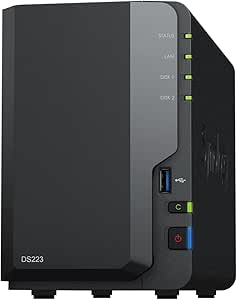 | Best Ready-to-Use NAS Bundle | Processor: Realtek RTD1619B quad-core, 1.7GHz | Memory: 2GB DDR4 non-ECC | Drive bays: 2 | VIEW LATEST PRICE | See Our Full Breakdown |
| Synology BeeStation 4TB Personal Cloud Storage Device (BST151-4T) |  | Best Simple Personal Cloud | Storage capacity: 4TB | Model number: BST151-4T | Dimensions: 7.73 × 2.46 × 5.83 inches | VIEW LATEST PRICE | See Our Full Breakdown |
| UGREEN NAS DXP2800 2-Bay Diskless Network Attached Storage |  | Best Compact NAS for Apps and Virtualization | HDD bays: 2 | Storage capacity: Up to 80TB | Processor: Intel N100 quad-core | VIEW LATEST PRICE | See Our Full Breakdown |
| network attached storage device | Processor | Memory | Drive bays |
|---|---|---|---|
| Synology DiskStation DS124 1-B | RTD1619B quad-core, 1.7 GHz | 1GB DDR4 non-ECC | — |
| Synology DiskStation DS220+ NA | Intel Celeron J4025 dual-core, 2.0GHz, up to 2.9GHz burst | 6GB DDR4 non-ECC | — |
| WD My Cloud 2TB Personal Netwo | — | — | — |
| Synology DS225+ 2-Bay Diskless | Intel CPU | — | 2, diskless |
| BUFFALO LinkStation 210 6TB 1- | — | — | 1 |
| UGREEN NAS DXP8800 Ultra 8-Bay | Intel 150U, up to 5.4GHz | 8GB DDR5, expandable to 96GB | 8 SATA bays |
| Synology DiskStation DS223j 2- | — | — | 2 |
| Synology RackStation RS826+ 4- | AMD Ryzen quad-core | 4GB DDR4 ECC | 4; expandable to 8 with one RX426 expansion unit |
| Ubiquiti UniFi UNAS 2 Network | Quad-core ARM Cortex-A55, 1.7GHz | 4GB RAM | 2 × 3.5-inch HDD |
| ASUSTOR Drivestor 2 Gen 2 AS12 | Realtek RTD1619B quad-core, 1.7GHz | 1GB DDR4; maximum 1GB | 2 |
| UGREEN DH2300 2-Bay NAS for Pe | — | 4GB | 2 |
| UGREEN NAS DXP4800 GT 4-Bay Ne | AMD Ryzen Embedded R2514, 4 cores, 8 threads, up to 3.70GHz | 8GB DDR4, expandable to 64GB; ECC requires a compatible upgrade | 4 |
| Synology DS223 2-Bay NAS with | Realtek RTD1619B quad-core, 1.7GHz | 2GB DDR4 non-ECC | 2 |
| Synology BeeStation 4TB Person | — | — | — |
| UGREEN NAS DXP2800 2-Bay Diskl | Intel N100 quad-core | 8GB DDR5 | — |
More Details on Our Top Picks
Synology DiskStation DS124 1-Bay NAS Server with 4TB HDD
The DS124 is a straightforward entry point to Synology DSM: its included 4TB drive gives a home user room to centralize documents, photos, and backups without assembling a multi-drive system. Btrfs support adds snapshots and self-healing features, useful safeguards for a library that changes often. Compared with the Synology DS225+, this model takes up less commitment and arrives with storage, but its single bay cannot provide a second-drive mirror or the same room to grow. The 1GB of non-ECC memory and single 1GbE port also make it a better fit for basic file storage than heavier services or concurrent users. I’d choose it for a compact Synology setup, not for redundancy or an upgrade path.
Pros:- Includes a 4TB 3.5-inch hard drive, so storage is ready to configure.
- Btrfs supports snapshots and self-healing features for added data protection.
- Two USB 3.2 ports allow compatible external devices or storage.
- Listed operating power consumption is 10.7 W.
Cons:- One drive bay prevents a mirrored two-drive setup and limits capacity growth.
- 1GB of non-ECC memory is modest for multitasking or demanding NAS services.
- Drive and memory upgrades are separate and require installation.
Best for: Home users who want Synology DSM and included 4TB storage for centralized files, photos, and routine backups.
Not ideal for: Buyers who need drive redundancy, substantial expansion, or memory headroom for demanding services; the single bay and 1GB RAM are limiting.
- Model:DS124
- Form factor:Tabletop NAS tower
- Processor:RTD1619B quad-core, 1.7 GHz
- Memory:1GB DDR4 non-ECC
- Included storage:1 × 4TB 3.5-inch HDD
- File systems:EXT4, Btrfs
- Network:1 × RJ-45 1GbE LAN
- USB:2 × USB 3.2
- Operating power:10.7 W
Our verdict“Choose the DS124 for an energy-conscious, single-drive Synology home archive, but pick the DS225+ if you need two bays and a stronger feature set.”
Synology DiskStation DS220+ NAS Server, Celeron J4025, 6GB RAM, 4TB HDD
The DS220+ pairs Synology DSM with two 2TB drives, giving buyers a choice between combining capacity and configuring the drives for redundancy. Its 6GB of DDR4 memory is also a more generous base than the DS124’s 1GB, making this a more capable fit for several backup, syncing, and media tasks. Two 1GbE ports support link aggregation or failover, though they do not make this a multi-gigabit NAS. Compared with the newer-feature-focused DS225+, the DS220+ listing includes drives and more memory, while the DS225+ advertises hardware transcoding and support for up to 30 IP cameras. The tradeoff is setup: the supplied drives and memory upgrade require installation, and drive configuration affects usable capacity and protection.
Pros:- Two included 2TB drives offer a choice of capacity-focused or redundant configuration.
- 6GB of DDR4 memory provides more headroom than the DS124’s 1GB.
- Dual 1GbE ports support link aggregation and failover.
- DSM supports file sharing, backup, syncing, and multimedia serving.
Cons:- The drives and memory upgrade require installation before use.
- Both network ports are 1GbE, limiting wired transfer speeds compared with faster networking.
- Using the drives for redundancy reduces capacity available for files.
Best for: Households or small teams that want Synology DSM, two included drives, and the option to configure storage for capacity or redundancy.
Not ideal for: Buyers who want a ready-to-run unit, faster-than-1GbE networking, or advertised newer features such as the DS225+’s hardware transcoding.
- Processor:Intel Celeron J4025 dual-core, 2.0GHz, up to 2.9GHz burst
- Memory:6GB DDR4 non-ECC
- Included storage:4TB total, 2 × 2TB SATA 3.5-inch HDDs
- Network:2 × RJ-45 1GbE LAN
- USB:2 × USB 3.2
- Operating system:Synology DSM
- File systems:EXT4, Btrfs
- Security:AES 256-bit encryption and two-factor authentication
Our verdict“Pick the DS220+ if you want a two-drive Synology system with included disks and memory headroom, and are comfortable installing and configuring the hardware.”
WD My Cloud 2TB Personal Network Attached Storage
The WD My Cloud suits buyers who want a basic shared home folder rather than the broader server toolkit offered by Synology. Its 2TB capacity, automatic PC and Mac backups, mobile uploads, and remote access cover familiar personal-storage jobs with little emphasis on advanced configuration. A USB 3.0 port can expand storage with a compatible drive, but that is different from adding a second internal bay. Compared with the BUFFALO LinkStation 210, the WD offers mobile uploads and USB expansion, while Buffalo provides 6TB and folder-level access restrictions. The WD’s lower 2TB capacity and dependence on a router with internet access for remote use make it less appealing for large libraries or buyers who want richer access controls.
Pros:- Centralizes files and supports automatic backups for Windows PCs and Macs.
- WD apps support remote access and mobile photo and video uploads.
- USB 3.0 provides a way to expand storage with a compatible external drive.
- Works with desktop computers, smartphones, and tablets.
Cons:- 2TB capacity is modest beside the 6TB BUFFALO LinkStation 210.
- A single internal drive offers no drive-level redundancy.
- Remote access depends on a router with an internet connection, and streaming relies on DLNA/UPnP compatibility.
Best for: Individuals or couples who want a simple place for PC and Mac backups, mobile photo uploads, and access to personal files across devices.
Not ideal for: Households with large media libraries, buyers who need drive redundancy, or users who want remote access without an internet-connected router.
- Storage capacity:2TB
- Connectivity:Ethernet, USB 3.0
- Compatible systems:Windows, Mac
- Compatible devices:Desktop, smartphone, tablet
- Drive speed:5400 rpm
- Form factor:2.5 inches
- Enclosure:Plastic
Our verdict“Choose the WD My Cloud for uncomplicated personal backups and mobile access, but select a larger or multi-bay NAS for a growing household archive.”
Synology DS225+ 2-Bay Diskless NAS
The DS225+ is the most feature-oriented two-bay choice here, aimed at buyers who want a Synology platform for backups, snapshots, media, and surveillance rather than a simple shared folder. Its advertised hardware transcoding can help serve video to compatible devices, while support for up to 30 IP cameras makes it a more versatile small-office option than the DS124 or WD My Cloud. The compact, 1.3kg enclosure is also easy to place on a desk. The main catch is its diskless configuration: unlike the included-drive DS124 and BUFFALO LS210, it needs separate drives before it can store data. Two bays also leave less expansion room than larger enclosures, so capacity planning matters.
Pros:- Hardware transcoding supports serving media to compatible playback devices.
- Automated backups and snapshot protection add useful file-recovery options.
- Supports up to 30 IP cameras with AI detection and alerts.
- Compact tabletop enclosure weighs 1300g.
Cons:- Diskless package requires separate drive purchases and installation.
- Two bays limit internal expansion compared with larger NAS enclosures.
- The listed transfer speed is up to 282 MB/s, dependent on setup and conditions.
Best for: Home media users and small offices seeking Synology backups, snapshots, hardware transcoding, or surveillance support in a compact two-bay system.
Not ideal for: Buyers who need a ready-to-use package with drives included, or who expect to expand beyond two internal drives.
- Model:DS225+
- Drive bays:2, diskless
- Processor:Intel CPU
- Transfer speed:Up to 282 MB/s
- Maximum storage volume:40TB
- Surveillance support:Up to 30 IP cameras
- Dimensions:9.14 × 4.25 × 6.5 in (D × W × H)
- Weight:1300g
- Warranty:3 years
Our verdict“Choose the DS225+ for a compact, feature-rich Synology system you can equip with your own drives; choose the DS124 if included storage matters more.”
BUFFALO LinkStation 210 6TB 1-Bay NAS with Included Hard Drive
The LinkStation 210 puts its emphasis on straightforward shared storage: its included 6TB drive gives it more capacity than the 4TB DS124 and 2TB WD My Cloud without requiring a separate disk purchase. Automated backups for multiple computers, folder restrictions, and SSL-encrypted transfers suit a household that needs a central archive with basic access controls. That simplicity comes with a firm ceiling: it has one drive bay, so there is no internal second drive for redundancy or capacity growth. The Synology DS220+ is a better fit for buyers who want two-drive configuration choices and DSM’s broader toolkit, but it requires drive installation. The LinkStation is compelling when ready-included capacity matters more than advanced services or expansion.
Pros:- Includes a 6TB hard drive, more capacity than the DS124 and WD My Cloud packages.
- Supports automated backups for multiple computers.
- Folder access restrictions help separate shared and private files.
- SSL-encrypted file transfers, a two-year warranty including the hard drive, and 24/7 US-based support are specified.
Cons:- Single drive bay provides no internal redundancy or straightforward drive-bay expansion.
- Listed macOS compatibility is limited to version 15 and earlier.
- Less suited than the DS220+ to buyers seeking a two-drive setup and broader NAS flexibility.
Best for: Families with several Windows or supported macOS computers who want a 6TB shared backup destination with basic folder permissions.
Not ideal for: NAS users who need drive redundancy, expandable internal storage, advanced applications, or compatibility beyond macOS 15 and earlier.
- Model:LS210D0601
- Storage capacity:6TB
- Drive bays:1
- Hard drive:Included
- Compatibility:Windows and macOS 15 and earlier
- Security:SSL-encrypted file transfers and folder access restrictions
- Warranty:2 years, including hard drive
- Support:24/7 US-based support
Our verdict“Pick the LinkStation 210 if included 6TB capacity and basic multi-computer backups are your priority, but avoid it if you need redundancy or room to expand.”
UGREEN NAS DXP8800 Ultra 8-Bay NAS for Businesses and Creative Studios
The DXP8800 Ultra is the most capable option here for teams juggling large project files, shared storage, and demanding network transfers. Its eight drive bays, two NVMe slots, and capacity up to 272TB give it far more room to grow than the four-bay Synology RackStation RS826+. Dual 10GbE and two Thunderbolt 4 ports also offer several routes for moving large files, while expandable DDR5 memory supports virtual machines and containers. The tradeoff is a more involved, diskless setup: drives and any memory upgrades must be sourced separately. For a small office that mainly needs shared folders and backups, the compact Synology DS223j is a simpler fit; the DXP8800 makes sense when speed, capacity, and advanced workloads justify its larger footprint and setup demands.
Pros:- Eight SATA bays and two NVMe slots support a large, expandable storage pool.
- Dual 10GbE and two Thunderbolt 4 ports provide multiple high-speed transfer options.
- DDR5 memory can be expanded from 8GB to 96GB for heavier workloads.
- Supports RAID, virtual machines, containers, and AI-powered photo organization.
Cons:- Ships diskless, so drives must be purchased separately.
- Memory expansion and a large-capacity build require additional components.
- Its feature set may be unnecessary for households with straightforward backup needs.
Best for: Creative studios and small businesses that need high-capacity shared storage, fast links for large files, and room for virtual machines or containers.
Not ideal for: Home users who mainly need basic backups or private cloud access and do not need eight bays, 10GbE, or Thunderbolt 4.
- Drive bays:8 SATA bays
- M.2 slots:2 NVMe slots
- Maximum storage capacity:272TB
- Processor:Intel 150U, up to 5.4GHz
- Memory:8GB DDR5, expandable to 96GB
- Networking:Dual 10GbE
- Ports:2 Thunderbolt 4; USB 3.2 Gen 2
- Supported RAID:JBOD, Basic, RAID 0, 1, 5, 6, and 10
- Listed transfer speed:Up to 1,250MB/s
Our verdict“Choose the DXP8800 Ultra for a studio or business that needs fast, expandable, high-capacity storage and can handle a diskless, advanced setup.”
Synology DiskStation DS223j 2-Bay NAS Enclosure (Diskless)
The DS223j suits households that want a modest private cloud and automated backups without a rackmount system or a long feature checklist. Its compact, quiet, energy-efficient design fits a desk or shelf, and the listed support for Macs, PCs, and mobile devices makes it a practical shared destination for everyday files. It also supports remote access and compatible IP-camera monitoring. Compared with the ASUSTOR Drivestor 2 Gen 2, the DS223j’s appeal is its straightforward home-storage role rather than a specified 2.5GbE connection; buyers focused on faster wired transfers may prefer the ASUSTOR. The main limit is capacity growth: two bays provide less room to expand than the eight-bay DXP8800 Ultra, and this enclosure arrives without drives.
Pros:- Compact, quiet, energy-efficient tabletop enclosure suits home offices and shared spaces.
- Supports automated backups across Macs, PCs, and mobile devices.
- Provides private-cloud file access and remote access.
- Can support video surveillance with compatible IP cameras.
Cons:- Diskless configuration requires buying drives separately.
- Two bays limit capacity and expansion compared with larger NAS systems.
- No 2.5GbE networking is specified, unlike the ASUSTOR Drivestor 2 Gen 2.
Best for: Households and first-time NAS buyers who want a compact shared file space for computer and phone backups, with remote access.
Not ideal for: Users building a large media archive or planning fast, high-capacity growth, since it has only two bays and no drives included.
- Drive bays:2
- Included drives:None; diskless
- Dimensions:6.5 × 3.94 × 8.9 inches
- Weight:0.87kg
- Mounting type:Tabletop
- Compatible devices:Android, desktop, laptop, and iPhone
- Warranty:2 years
- Color:White
Our verdict“Pick the DS223j for quiet, everyday household backups and private-cloud access, not for high-speed transfers or a large storage pool.”
Synology RackStation RS826+ 4-Bay 1U Rackmount NAS Server, Diskless
The RS826+ is aimed at businesses that need rack-mounted shared storage and a clear path to more capacity. Its four bays can expand to eight with an RX426 unit, while the listed sequential throughput—over 2,000MB/s read and 1,300MB/s write—targets busy file sharing, syncing, and backup workloads. Automated storage tiering can move less frequently accessed data to lower-cost tiers. Compared with the desktop DXP8800 Ultra, the RS826+ offers a more conventional rackmount setup and ECC memory, but it starts with fewer bays and lacks built-in 10GbE: faster networking and NVMe support depend on optional PCIe adapters. Its four 1GbE ports are the included network connections, so buyers seeking high-speed links out of the box should look elsewhere. Drives are also sold separately.
Pros:- Rackmount 1U design fits an equipment rack.
- Can expand from four to eight drive bays with an RX426 expansion unit.
- Listed sequential throughput exceeds 2,000MB/s read and 1,300MB/s write.
- PCIe slot supports optional 10GbE or 25GbE networking and M.2 NVMe adapter cards.
Cons:- Ships without drives, so the storage pool requires a separate drive purchase.
- The four included network ports are 1GbE; faster networking requires an optional adapter.
- NVMe support also requires an optional PCIe adapter card.
Best for: Small and medium-sized businesses with a rack who need shared storage, ECC memory, and a staged path from four to eight bays.
Not ideal for: Home users without rack equipment or teams that require 10GbE or NVMe storage immediately without buying optional adapters.
- Form factor:1U rackmount
- Drive bays:4; expandable to 8 with one RX426 expansion unit
- Processor:AMD Ryzen quad-core
- Memory:4GB DDR4 ECC
- Sequential read throughput:Over 2,000MB/s
- Sequential write throughput:Over 1,300MB/s
- Network ports:4 × 1GbE RJ-45
- Expansion:PCIe 3.0 slot for optional networking or M.2 NVMe adapters
- Warranty:3 years
Our verdict“Choose the RS826+ if your business needs rackmount storage that can grow to eight bays, and you are prepared to add drives and optional performance upgrades.”
Ubiquiti UniFi UNAS 2 Network Attached Storage, 2-Bay, Black
The UniFi UNAS 2 is a compact two-drive option for buyers who want NAS storage within a network built around Ubiquiti gear. Its 2.5GbE connection offers more wired bandwidth than standard Gigabit Ethernet when the rest of the network can support it, and its tabletop enclosure is much smaller and lighter than the rackmount Synology RS826+. The hardware details point to a modest role: a quad-core 1.7GHz ARM processor and 4GB of RAM, with two 3.5-inch drive bays. Unlike the ASUSTOR Drivestor 2 Gen 2, the supplied data does not specify tool-free drive installation or three USB ports. Drive inclusion and capacity are also unspecified, so buyers should confirm what is in the box before planning a storage pool.
Pros:- Two 3.5-inch bays accommodate a pair of hard drives.
- 2.5GbE networking can provide more wired bandwidth than Gigabit Ethernet on a compatible network.
- Includes 4GB of RAM and a quad-core processor.
- Compact tabletop enclosure weighs 1.3kg before drives are installed.
Cons:- Drive inclusion and supported storage capacity are not specified in the supplied product details.
- Two bays offer less room to grow than four- or eight-bay NAS options.
- The listed 1.3kg weight excludes installed hard drives.
Best for: Ubiquiti UniFi households or small offices that want a compact two-drive NAS and have a 2.5GbE-capable network.
Not ideal for: Buyers who need clearly documented included storage, more than two bays, or a disclosed feature set for advanced workloads.
- Drive bays:2 × 3.5-inch HDD
- Processor:Quad-core ARM Cortex-A55, 1.7GHz
- Memory:4GB RAM
- Networking:10Mb LAN, 100Mb LAN, 1GbE, and 2.5GbE
- Wireless:Bluetooth 4.1
- Dimensions:12.9 × 13.5 × 22.37cm
- Weight:1.3kg without HDD
- Enclosure material:Polycarbonate
Our verdict“Consider the UNAS 2 for a UniFi-centered network with modest two-drive needs, but verify drive supply and capacity details before buying.”
ASUSTOR Drivestor 2 Gen 2 AS1202T 2-Bay NAS Enclosure
The Drivestor 2 Gen 2 offers a useful middle ground for home users who want faster-than-Gigabit networking without stepping up to a larger NAS like the UGREEN DXP8800 Ultra. Its 2.5GbE port can shorten transfers on a compatible network, while tool-free drive installation keeps adding drives less involved. Three USB ports add options for peripherals, and the listed ADM system supports private-cloud access, backups, and multi-user file access. The compromises are clear: this is a two-bay, diskless enclosure with just 1GB of non-expandable memory. Compared with the Synology DS223j, the ASUSTOR specifies 2.5GbE and tool-free installation, but buyers give up the DS223j’s listed support for remote IP-camera monitoring. It suits everyday storage better than memory-heavy or virtualized workloads.
Pros:- 2.5GbE Ethernet supports faster transfers than traditional Gigabit Ethernet on compatible networks.
- Tool-free drive installation simplifies fitting drives.
- Supports private-cloud access, backups, and cross-platform multi-user access.
- Three USB ports provide connections for peripherals.
Cons:- Ships without drives.
- Its 1GB of DDR4 memory is not expandable.
- Two drive bays limit expansion compared with the UGREEN DXP8800 Ultra.
Best for: Home users with a 2.5GbE-capable network who want a simple two-bay NAS for backups, shared files, and private-cloud access.
Not ideal for: Power users planning virtual machines, memory-heavy applications, or substantial storage growth beyond two drives.
- Drive bays:2
- Drive configuration:Diskless
- Processor:Realtek RTD1619B quad-core, 1.7GHz
- Memory:1GB DDR4; maximum 1GB
- Networking:2.5GbE Ethernet
- USB ports:3
- Operating system:ASUSTOR Data Master (ADM)
- Drive installation:Tool-free
- Warranty:3 years
Our verdict“Choose the Drivestor 2 Gen 2 for accessible two-bay home storage with 2.5GbE, but skip it if you need expandable memory or advanced workloads.”
UGREEN DH2300 2-Bay NAS for Personal Storage and Device Backup
The UGREEN DH2300 suits households that want shared storage and automatic backups without the extra setup options of a more advanced NAS. Its two bays support up to 64TB with compatible drives, while photo tagging and duplicate detection help keep a growing library manageable. Compared with the UGREEN NAS DXP2800, the DH2300 is a simpler choice: it has 1GbE rather than 2.5GbE and does not support Docker, virtual machines, or server applications. That keeps its role focused on personal files, photos, and device backups, but rules it out for buyers who want to run services on the NAS. Drives are sold separately, and networking requires wired Ethernet; Wi-Fi is not built in. RAID options, encrypted transfers, and two-factor authentication add useful safeguards, though they are not a substitute for a separate backup.
Pros:- Supports up to 64TB across two bays with compatible drives.
- Automatic backups work across multiple device types.
- AI photo tagging and duplicate detection help organize photo libraries.
- RAID options, two-factor authentication, and encrypted transfers support safer file storage.
Cons:- Drives are not included, so storage must be purchased separately.
- Requires wired Ethernet and does not include Wi-Fi.
- No Docker, virtual machines, or server applications.
Best for: Households that want a straightforward wired NAS for automatic photo, video, and file backups across phones and computers.
Not ideal for: Buyers who need Wi-Fi, Docker, virtual machines, server apps, or faster-than-gigabit networking.
- Drive bays:2
- Maximum capacity:64TB with compatible drives
- Memory:4GB
- Ethernet:1GbE
- Maximum transfer speed:Up to 125MB/s
- Drive interface and form factor:SATA, 3.5-inch drives
- Wireless:Wi-Fi not supported; external USB adapter required for wireless networking
- Drive inclusion:Diskless; drives sold separately
Our verdict“Choose the DH2300 for accessible household backups and photo organization, but pick the DXP2800 if you need faster networking or NAS apps.”
UGREEN NAS DXP4800 GT 4-Bay Network Attached Storage
For demanding home labs, creative teams, or small offices, the UGREEN DXP4800 GT offers a much broader performance ceiling than the two-bay models here. Its dual 10GbE ports can move large files quickly when the rest of the network supports those speeds, while four bays, two M.2 slots, and support for U.2 SSDs provide several ways to balance capacity and speed. The Ryzen Embedded R2514 and memory expandable to 64GB also make it a better fit for multitasking and UGOS Pro features such as Docker and virtual machines than the DXP2800. The tradeoff is complexity: drives are not included, fast networking needs compatible equipment, and Plex requires Docker and manual setup. The included 8GB is non-ECC; ECC requires a compatible memory upgrade.
Pros:- Dual 10GbE ports support high-speed transfers and link aggregation with compatible equipment.
- Four bays, two M.2 slots, and support for U.2 NVMe drives offer flexible storage layouts.
- Memory can expand from 8GB to 64GB for heavier multitasking.
- SD card and high-speed USB ports make direct media backups convenient.
Cons:- Diskless configuration requires a separate drive purchase.
- Dual 10GbE speeds depend on compatible network hardware.
- Included memory is non-ECC, and Plex needs Docker and manual setup.
Best for: Creative teams and advanced home users moving large files over 10GbE networks who want room for apps, surveillance, and storage expansion.
Not ideal for: Beginners seeking a simple backup appliance or buyers whose network is limited to gigabit Ethernet and who will not use the added expansion options.
- Drive bays:4
- Processor:AMD Ryzen Embedded R2514, 4 cores, 8 threads, up to 3.70GHz
- Memory:8GB DDR4, expandable to 64GB; ECC requires a compatible upgrade
- Drive support:SATA drives up to 32TB each; up to 2 bays also support U.2 NVMe SSDs
- M.2 slots:2
- Maximum stated capacity:Up to 144TB
- Networking:2 × 10GbE
- Ports:USB-A 10Gbps, USB-C 10Gbps, USB 2.0, 4K HDMI, and SD card slot
- Operating system and drive inclusion:UGOS Pro; diskless, drives sold separately
Our verdict“Pick the DXP4800 GT when you can use its fast networking and expansion, rather than paying in setup effort for capacity you will not need.”
Synology DS223 2-Bay NAS with 2 × 12TB Seagate IronWolf Drives
The Synology DS223 bundle is the clearest pick for buyers who want substantial storage ready to configure, not a diskless enclosure that still needs drives. It includes two 12TB Seagate IronWolf drives, for 24TB total capacity, and Synology DSM adds file syncing, Btrfs, and snapshot tools that can help recover earlier versions after unwanted changes. That makes it more immediately complete than the UGREEN DH2300, which requires a separate drive purchase, while DSM gives it a different appeal from the app-focused UGREEN DXP2800. The limits are its two-bay design, 1GbE connection, and 2GB of non-ECC memory. Buyers planning fast multi-user transfers or major future expansion should look at a more capable enclosure; this bundle favors simple shared storage and recovery features over speed and headroom.
Pros:- Includes two 12TB Seagate IronWolf SATA drives for 24TB total capacity.
- Synology DSM supports file syncing and access from computers, mobile devices, and browsers.
- Btrfs and snapshot features help protect files and recover earlier versions.
- Metal tabletop enclosure provides a self-contained desktop setup.
Cons:- Two drive bays limit expansion compared with four-bay models.
- Single 1GbE port is less suited to high-speed transfers.
- 2GB of non-ECC memory limits headroom for demanding workloads.
Best for: Home users and small offices who want a two-drive Synology setup with included storage and straightforward file syncing.
Not ideal for: Users who need 10GbE-class transfers, extensive bay expansion, or extra memory for heavier applications.
- Processor:Realtek RTD1619B quad-core, 1.7GHz
- Memory:2GB DDR4 non-ECC
- Drive bays:2
- Included drives:2 × 12TB Seagate IronWolf SATA
- Total capacity:24TB
- Network:1 × RJ-45 1GbE LAN
- USB ports:3 × USB 3.2 Gen 1
- Operating system:Synology DSM
Our verdict“Choose this DS223 bundle if included drives and Synology’s file-protection tools matter more than faster networking or expansion.”
Synology BeeStation 4TB Personal Cloud Storage Device (BST151-4T)
The Synology BeeStation is for people who want personal cloud access and automatic backups without managing a traditional multi-bay NAS. Its 4TB of built-in storage, remote file access, photo backup, and local AI photo recognition make it a simpler household option than the diskless Synology DS223 bundle, which offers two drive bays and DSM-based NAS features but requires more configuration. BeeStation also supports snapshots, Mac Time Machine, and computer backups, covering common home recovery needs. That simplicity comes with firm limits: capacity is fixed at 4TB, and Time Machine storage is capped at 2TB on this model. Unlike the UGREEN DH2300, it is not a flexible expandable NAS with RAID choices. Choose it for a low-fuss personal cloud, not for a growing media archive or a server platform.
Pros:- Built-in 4TB storage avoids a separate drive purchase.
- Automatic photo and video backups pair with remote file access.
- Local AI photo recognition works without sending recognition tasks to a public cloud.
- Snapshots, Mac Time Machine, and computer backup software support recovery workflows.
Cons:- Fixed 4TB capacity does not offer the expansion of a multi-bay NAS.
- Mac Time Machine storage is limited to 2TB on this model.
- Designed for personal cloud use rather than a traditional NAS setup.
Best for: Individuals or small households who want remote access, automatic photo backups, and computer backup features without configuring a traditional NAS.
Not ideal for: NAS enthusiasts or households with large libraries that need expandable bays, flexible RAID, or more than 4TB of storage.
- Storage capacity:4TB
- Model number:BST151-4T
- Dimensions:7.73 × 2.46 × 5.83 inches
- Weight:1.8 pounds
- Enclosure material:Metal
- Backup features:Photo and video backup, file syncing, snapshots, Mac Time Machine, and computer backup
- Included backup software:3-year license of Acronis True Image Essentials
- Warranty:3 years
Our verdict“Choose BeeStation for simple personal cloud backups and remote access, but select a multi-bay NAS if you need expandable storage or server features.”
UGREEN NAS DXP2800 2-Bay Diskless Network Attached Storage
The UGREEN DXP2800 packs more computing flexibility into a two-bay NAS than the simpler DH2300. Its Intel N100 processor, 8GB DDR5 RAM, and 2.5GbE make it a stronger fit for larger file transfers and compatible Docker, virtual machine, or media-server workloads. Two M.2 NVMe slots add options for SSD storage or performance, while the HDD bays can serve as the main capacity pool. Compared with the four-bay UGREEN DXP4800 GT, it takes up a more compact role but gives up dual 10GbE, four bays, and the broader drive options. It is sold diskless, and some features depend on compatible apps or network cameras. Buyers seeking basic backups can avoid that extra capability with the DH2300; the DXP2800 makes more sense when you will use its apps or faster network connection.
Pros:- 2.5GbE is faster than the 1GbE connections on simpler models when paired with compatible network equipment.
- Intel N100 and 8GB DDR5 RAM support more demanding NAS workloads.
- Docker, virtual machines, and compatible media-server apps add uses beyond file storage.
- Two M.2 NVMe slots provide additional storage and SSD options.
Cons:- Diskless configuration means HDDs and SSDs must be purchased separately.
- Two HDD bays offer less capacity expansion than the DXP4800 GT’s four bays.
- Some media and surveillance functions depend on compatible apps or equipment.
Best for: Advanced home users who want a compact two-bay NAS for faster-than-gigabit transfers, Docker, virtual machines, or compatible media apps.
Not ideal for: Buyers who want a ready-to-use device with included drives, need a simple backup appliance, or require four or more HDD bays.
- HDD bays:2
- Storage capacity:Up to 80TB
- Processor:Intel N100 quad-core
- Memory:8GB DDR5
- Networking:2.5GbE
- M.2 slots:2 NVMe SSD slots
- Supported platforms:Windows, macOS, Android, iOS, web browsers, and compatible smart TVs
- Weight:2.6 pounds
- Drive inclusion:Diskless; HDDs and SSDs sold separately
Our verdict“Pick the DXP2800 for a compact NAS that can run apps and use 2.5GbE, but choose the DXP4800 GT for more bays and dual 10GbE.”
How We Picked
I compared these devices by asking what a buyer can do with them after setup: store and share files, back up computers and phones, support a growing media library, or serve a business or creative workspace. I weighed bay count and included-drive configuration alongside the kind of experience each product promises, from a simplified personal-cloud device to a diskless NAS enclosure. I also considered physical fit, the likely maintenance burden, and how much room each model leaves for future storage needs.
The ranking favors useful balance over raw capacity or feature claims alone. That puts the DS225+ first as a broadly practical two-bay option, while larger UGREEN systems rank better for buyers who specifically need additional bays or higher-end workspace capacity. Simpler devices such as BeeStation earn their place through reduced setup demands, but they are not treated as substitutes for a configurable NAS. Drive bundles and entry-level models rank well when their convenience or focused use outweighs limits in flexibility, capacity, or expansion.
Factors to Consider When Choosing Best Network Attached Storage Devices
Before choosing a NAS, I’d start with the job it needs to do and the amount of ongoing setup you are willing to handle. These broader decisions matter as much as a device’s headline capacity: they shape upgrade costs, data protection, and whether the system stays useful as your household or work changes.
Choose bay count around your growth plan
Bay count determines more than how many drives fit; it affects how easily you can add storage later and how much flexibility you have when a drive needs replacing. A one-bay model can suit a single-user library, but it does not provide a second drive for a mirrored setup. Two bays are a common middle ground for home backups and shared files, while four or more bays make sense for larger collections or team use. Avoid buying extra bays just because they sound future-proof if you have no likely need for the added capacity or management. Also plan for the time and cost of replacing drives as your data grows.
Decide whether included drives are a benefit or a constraint
A bundle with drives gets a system closer to ready on day one, but it can narrow your choice of drive size and leave less room to tailor the setup. A diskless model lets you select drive capacity and replace or expand storage on your own schedule, though you must budget for compatible drives and handle their installation. Don’t compare a diskless NAS with a preloaded bundle by enclosure alone; account for the complete system you will actually use. Check the manufacturer’s drive compatibility guidance before buying, especially if you already own drives. Keep a separate copy of important files either way, since a NAS is not a substitute for an independent backup.
Separate easy setup from long-term control
Some buyers want a simple place for family photos and computer backups, while others need a configurable system for multiple users, applications, and shared folders. A personal-cloud device can reduce setup decisions, but that simplicity may come with fewer ways to adapt the system later. A traditional NAS enclosure usually offers more control and requires more choices during initial setup and ongoing care. Think about who will manage accounts, updates, and storage rather than assuming the most configurable device is automatically the better one. If other household members need reliable access, ease of day-to-day use may matter more than a long feature list.
Match the device to its physical and network setting
A desktop NAS belongs near the router or switch and needs a suitable spot for its enclosure, drives, and airflow. A rackmount system is intended for a rack-based installation, so its form factor can be an unnecessary burden in a typical home. For a studio or office, think about where the device will sit and who needs access before focusing on capacity. Network speed also affects everyday transfers: a fast NAS connection cannot overcome a slower link elsewhere in the path. Check the ports and network equipment you already have so you know whether the device’s capabilities will be usable.
Plan for redundancy and backup as separate jobs
Using multiple drives can help keep a system running through some drive failures, depending on the chosen storage configuration, but it does not protect against every cause of data loss. Accidental deletion, theft, malware, and damage to the NAS can still put files at risk. Keep another copy on a separate device or in another location for data you cannot replace. Before choosing a configuration, learn how much usable capacity it leaves and what recovery requires if a drive fails. Buyers often focus on the amount of storage printed on the box and overlook both protected capacity and backup planning.
Pay for headroom only when your workload can use it
More bays and a higher-end platform can make sense when several people share large files or a workspace expects its storage needs to rise. For straightforward backups and personal files, a capable two-bay system may be a better fit than a larger device that takes more space and attention. Map your current needs, then estimate what will change over the next few years: users, file sizes, and the number of devices making backups. Look for enough capacity and performance for those tasks rather than choosing the biggest system in the lineup by default. A smaller starting point can be sensible when it supports the jobs you need and leaves a clear path for later growth.
Frequently Asked Questions
Should I buy a NAS with drives included or a diskless model?
An included-drive bundle is convenient when you want fewer setup decisions and a ready-to-configure starting point. A diskless model gives you more control over drive capacity and lets you choose when to add storage, but the drives are a separate purchase and installation step. Compare the total configuration you need, not just the enclosure or the listed drive capacity. Check compatibility guidance before reusing drives you already own. Either route still calls for a separate backup of important files.
Is a one-bay NAS enough for my only copy of important files?
A one-bay NAS can centralize files and make them available across your network, but a single drive does not give you a second drive for redundancy. If that drive fails, access to its contents may be interrupted until recovery or replacement. For irreplaceable files, keep another copy on a separate device or in another location, whether you choose a one-bay or multi-bay NAS. Buyers who want a mirrored drive setup should look at a model with at least two bays and confirm how much usable capacity the chosen configuration provides. Drive redundancy and backup solve different problems.
Is a personal-cloud device a good substitute for a traditional NAS?
It can be a good fit if your main goal is simple personal file storage and you want fewer configuration tasks. A traditional NAS is generally the more suitable direction when you need greater control over storage, users, or future expansion. Think about the jobs you expect to add later, not only the first folder you plan to store. If you only need a straightforward place for personal files, a simpler device may save effort. If you expect multiple users or more complex shared storage, choose a configurable system instead.
How many drive bays should I choose if I expect my files to grow?
Two bays are a practical starting point for many homes, while four or more can make it easier to accommodate larger libraries and later growth. More bays do not automatically mean more usable capacity, since the storage configuration affects how much space remains available. Estimate your current data, annual growth, and how long you expect to keep the device before upgrading. Also consider whether you are comfortable replacing drives or moving data when capacity runs short. Choose extra bays for a plausible growth plan, not simply as a precaution.
Can a NAS replace cloud storage or a separate backup drive?
A NAS can provide a convenient shared location for files and backups, but it does not automatically create an independent copy of those files. A failure, theft, or damage affecting the NAS can also affect the data stored on it. Cloud storage or a separate backup device can provide another copy, depending on how you configure and maintain it. Consider which files need offsite protection and how often backups should run. The right arrangement often uses the NAS as a central storage point and another destination for recovery.
Conclusion
For most home buyers, I’d start with the Synology DS225+ as the best overall balance of a familiar two-bay format and room for a more capable NAS setup. The Synology DS223j is my best value direction for buyers who want a straightforward diskless two-bay enclosure, while the UGREEN DXP8800 Ultra is the best premium choice for businesses and creative studios that need a larger platform. If you’re a beginner focused on simple personal storage, the Synology BeeStation is the easiest place to start; choose a traditional NAS instead if you expect to want more control. For specific needs, consider the RS826+ for rack installations, the DXP4800 GT for a four-bay growth path, or a preloaded-drive option when convenience matters more than choosing each drive yourself. Match the device to your workload, setup comfort, and backup plan before deciding.