
Get the latest gadgets delivered free — and shop member deals
- Fast, free delivery on millions of items
- Access to Prime Big Deal Days deals on October 6–7
- Prime Video, Amazon Music and more included
Complete the kit


Key Takeaways
- High-speed printing models like the Creality K1C excel for quick prototyping but often have tradeoffs in detailed print quality.
- Ready-to-use and auto-leveling features significantly reduce setup time and frustration for beginners.
- Enclosed designs, such as the Bambu Lab P1S, help maintain print consistency and safety but can add cost or complexity.
- Support for specialty filaments like carbon fiber is available in some models, catering to more advanced projects—even under a $600 budget.
- Price alone doesn’t determine ease of use; user interface and community support are equally critical for beginners.


More Details on Our Top Picks
Bambu Lab A1 3D Printer, Ready-to-Use FDM 3D Printer for Beginners and Kids
The Bambu Lab A1 stands out for its high-speed, precise printing combined with a user-friendly interface, making it ideal for beginners who want reliable results without a steep learning curve. Its automatic calibration and active flow rate compensation simplify setup and improve print quality, especially compared to the FlashForge Adventurer 5M, which lacks active flow control. However, the need for an additional AMS lite module for multi-color printing introduces extra costs, and some features may seem overwhelming for absolute first-timers. The A1 is perfect for families or kids who prioritize quiet operation and straightforward workflows but may be less suitable for those who want multi-material capabilities without extra purchases. Pros: Easy automatic calibration, quiet operation, vibrant multi-color support, simple touchscreen interface. Cons: Additional purchase needed for multi-color, complex features for complete beginners, limited build volume info.
Verdict: Best for beginners who want a quiet, straightforward printer with multi-color options, but are okay with extra accessories.Pros:- Easy automatic calibration simplifies setup
- Quiet operation with noise canceling
- Supports multi-color printing for vibrant designs
- User-friendly touchscreen controls
Cons:- Requires additional purchase of AMS lite for multi-color printing
- Features may be complex for complete beginners
- Limited information available on maximum build volume
Best for: Beginners or families seeking a quiet, reliable printer with simple multi-color options
Not ideal for: Users seeking large build volume or advanced multi-material setups without additional costs
- Acceleration:10,000 mm/s²
- Color Printing:Multi-color with AMS lite
- Calibration:Full-auto calibration
- Flow Rate Compensation:Active
- Noise Level:≤48 dB
- Nozzle:1-Clip quick swap
Our verdict“This printer suits beginners wanting a quiet, easy-to-use multi-color printer with reliable performance.”
FlashForge Adventurer 5M 3D Printer with Auto Leveling and High-Speed Printing
The FlashForge Adventurer 5M offers an impressive combination of high-speed printing up to 600mm/s and automatic leveling, making it highly suitable for users who want quick results with minimal fuss. Its coreXY structure ensures stable, fast motion, and the quick-detach nozzle simplifies maintenance, especially compared to the Bambu Lab A1’s more complex multi-color setup. However, details on build volume are limited, and high-speed operation can generate more noise, which might be disruptive in quiet environments. This model is ideal for tech-savvy beginners or small classrooms where rapid prototyping is needed, but less so for users with limited workspace or noise restrictions. Pros: Fast, stable prints, automatic leveling, quick-nozzle change, remote app control. Cons: Limited info on maximum build size, potential noise during high-speed operation, no detailed price info.
Verdict: Perfect for users wanting quick, reliable prints with remote management capabilities, especially in dynamic environments.Pros:- Automatic one-click leveling simplifies setup
- High-speed printing up to 600mm/s
- Quick-detach nozzles for easy maintenance
- Remote monitoring via app
Cons:- Limited details on build volume capacity
- Potential noise during high-speed operation
- Price not specified in the data
Best for: Beginners or educators needing fast turnaround and remote control features
Not ideal for: Users with limited space or noise-sensitive environments
- Max Speed:600mm/s
- Nozzle Temperature:280°C
- Nozzle Options:0.25/0.4/0.6/0.8 mm
- Build Plate:Double-sided PEI steel
- Connectivity:Wi-Fi, network
- Auto Leveling:Yes
Our verdict“Ideal for fast-paced environments where quick, reliable prints and remote management are priorities.”
FLASHFORGE AD5M 3D Printer, CoreXY 600mm/s High-Speed, Auto Leveling, High-Temp Direct Drive Extruder, 220×220×220mm Build Volume
The FLASHFORGE AD5M pushes the boundaries with 600mm/s speeds, making it a strong choice for rapid prototyping and high-detail projects. Its automatic bed leveling and high-temperature direct drive extruder support a wide range of materials, including advanced filaments like carbon fiber, setting it apart from more basic models like the Creality K1C. The open design, however, might pose temperature stability issues, and the setup can be complex for less experienced users. This printer is better suited for technically inclined hobbyists or educational institutions that need speed and material versatility, but it may be overwhelming for complete beginners without prior experience. Pros: Very high speed, supports high-temp materials, auto leveling, versatile nozzle sizes. Cons: Complex setup, open hardware design, price is unspecified in the data.
Pros:- Blazing fast print speeds for rapid prototyping
- Supports high-temperature materials like carbon fiber
- Automatic bed leveling for consistent first layers
- Multiple nozzle sizes for versatility
Cons:- Setup can be complex for novices
- Open design may affect temperature stability
- Price not provided in the data
Best for: Experienced hobbyists or educational users needing rapid, multi-material printing
Not ideal for: Absolute beginners or users with limited technical knowledge
- Print Speed:600mm/s
- Build Volume:220×220×220mm
- Max Extruder Temp:280°C
- Nozzle Sizes:0.25–0.8mm
- Auto Leveling:Yes
- Connectivity:Smart Control via app
Our verdict“Best suited for experienced users seeking speed and material flexibility, not ideal for beginners still learning fundamentals.”
Creality K1C 3D Printer, Fast 600mm/s Printing, Supports Carbon Fiber Filament, Auto Leveling, High-Temp 300°C, Clog-Free Direct Extruder, 8.66×8.66×9.84 inch
The Creality K1C targets users who need speed and durability, boasting 600mm/s speeds and a high-temp extruder capable of handling carbon fiber and other demanding filaments. Its auto leveling and calibration make setup straightforward compared to more complex models like the FLASHFORGE AD5M, but its advanced features come with a learning curve for newcomers. The open build volume and lack of enclosure may be a drawback for those concerned with temperature stability or safety. This printer is ideal for makers with some experience aiming to print with durable, high-performance materials, but it might be too complex for absolute beginners seeking a simple setup. Pros: Fast printing speeds, high-temperature support, auto leveling, supports tough filaments. Cons: More complex setup, open hardware design, no enclosure included.
Pros:- Fast 600mm/s printing speeds
- Supports high-temp materials like carbon fiber
- Auto leveling for easy start
- Supports demanding filaments
Cons:- Setup requires some technical knowledge
- Open design may affect temperature control
- Complex features may be overwhelming for beginners
Best for: Intermediate users or makers working with high-performance materials who want speed and durability
Not ideal for: Complete beginners seeking a simple, enclosed setup with minimal learning curve
- Printing Speed:600mm/s
- Build Volume:8.66×8.66×9.84 inches
- Max Temperature:300°C
- Filament Support:Carbon fiber and more
- Auto Leveling:Yes
- Extruder Type:Clog-free direct
Our verdict“Ideal for makers with some experience needing fast, durable printing with advanced filaments, not for complete novices.”
Bambu Lab P1S 3D Printer, Ready-to-Use FDM 3D Printer with Enclosed CoreXY, High Speed & Multi-Color Printing
The Bambu Lab P1S combines high-speed performance with an enclosed design, making it well-suited for users who want multi-color and multi-material printing in a safer, more controlled environment. Its fast setup, automatic bed leveling, and support for up to 16 colors offer a significant advantage over open-frame models like the Creality K1C or FLASHFORGE AD5M, especially for those concerned with print quality and safety. Nonetheless, the heavy weight and the need for a Bambu Lab AMS module for multi-color functionality can add costs and complexity. This printer makes the most sense for hobbyists or small studios focused on vibrant, multi-material projects but might be overkill for absolute beginners just starting with basic prints. Pros: Enclosed design enhances print quality, supports multiple colors/materials, quick setup, high speeds. Cons: Extra cost for multi-color module, heavy weight, not suitable for high-temperature filaments like carbon fiber.
Pros:- Enclosed design improves print quality and safety
- Supports up to 16 colors for vibrant multi-material prints
- Fast setup with automatic bed leveling
- High-speed printing up to 500mm/s
Cons:- Requires additional purchase of Bambu Lab AMS for multi-color support
- Heavy at nearly 39 pounds, less portable
- Limited support for high-temp filaments like carbon fiber
Best for: Hobbyists or small studios focused on multi-color/multi-material printing in a protected environment
Not ideal for: Beginners on a tight budget or those wanting to print with high-temp materials like carbon fiber
- Product Dimensions:15.31 x 18.03 x 15.31 inches
- Item Weight:38.9 pounds
- Maximum Printing Speed:500mm/s
- Acceleration:20000 mm/s²
- Supported Filament:PLA, PETG, TPU, PVA, PET, ABS, ASA
- Enclosed Design:Yes
Our verdict“Best suited for hobbyists seeking vibrant multi-color prints in a secure, enclosed environment, but not ideal for high-temp filament users or tight budgets.”
Flashforge Adventurer 5M 3D Printer for Beginners, 600mm/s Fast Printing, Direct Drive, Auto-Leveling, 8.7″x8.7″x8.7″ PEI Build Plate
The Flashforge Adventurer 5M stands out as the best choice for users seeking a balance between fast production and user-friendly features. Its impressive 600mm/s print speed significantly cuts down printing time, making it ideal for small batch runs or educational settings. The auto bed leveling and removable PEI plate simplify setup and print removal, reducing frustration for beginners. While the setup can be complex initially due to its advanced features, its industrial-grade core XY frame ensures stability and precision. Compared to the Creality K1C, which supports advanced filaments like carbon fiber, the Adventurer 5M prioritizes ease of use over material versatility. The main tradeoff is its limited build volume, which might restrict larger projects. Overall, this model suits hobbyists and educators who want quick, reliable prints without sacrificing quality.
Pros:- High-speed printing reduces production time by up to 60%
- Auto bed leveling ensures perfect first-layer adhesion
- Removable PEI build plate facilitates easy print removal
- Industrial-grade frame provides excellent stability
Cons:- Setup complexity may challenge absolute beginners
- Limited build volume restricts larger projects
- Stable power supply required for consistent performance
Best for: Beginners or educators wanting rapid, dependable prints with minimal fuss
Not ideal for: Users needing large build sizes or working with high-temperature specialty filaments
- Print Speed:600mm/s
- Build Volume:8.7″x8.7″x8.7″
- Max Nozzle Temperature:280°C
- Auto-Leveling:Yes
- Build Plate:PEI, removable in 3 seconds
- Material Compatibility:PLA, PETG, ASA, multi-material
Our verdict“The Flashforge Adventurer 5M is a reliable, fast printer perfect for educators and hobbyists seeking quick results.”
Creality K1C 3D Printer, High-Speed Auto Leveling, Clog-Free Direct Extruder, AI Camera, 600mm/s, Supports Carbon Fiber Filaments
The Creality K1C is tailored for experienced makers who want high-speed, precision printing with support for tough materials. Its 600mm/s speed surpasses many competitors, enabling rapid prototyping and batch production. The clog-free direct extruder with a high-temp hotend supports demanding filaments like carbon fiber, a feature missing in most entry-level printers like the FlashForge Adventurer 5M. The built-in AI camera allows real-time monitoring, appealing to users who prefer remote control and troubleshooting. However, this advanced feature set comes with a steeper setup and calibration process, which might be overwhelming for absolute beginners. Noise levels are kept below 45dB, but high-speed operation demands precise calibration for optimal quality. This printer is ideal for users with some experience seeking top-tier performance and material support.
Pros:- Exceptional high-speed printing with up to 600mm/s
- Supports high-temperature carbon fiber and other advanced filaments
- Auto-leveling with smart sensors for quick setup
- AI camera with real-time monitoring and time-lapse
Cons:- Complex initial setup and calibration required
- Higher noise levels without silent mode enabled
- Premium features at a higher price point
Best for: Experienced hobbyists or professionals needing high-speed, multi-material capabilities
Not ideal for: Complete beginners or those with limited technical skills due to its complex setup
- Print Speed:600mm/s
- Max Temperature:300°C
- Extruder Type:Clog-free direct extruder
- Filament Support:Carbon fiber, PLA, PA, PETG, ASA
- Enclosure:Enclosed chamber
- Monitoring:AI camera with real-time alerts
Our verdict“The Creality K1C suits experienced users who need speed, durability, and multi-material support for demanding projects.”
FlashForge Adventurer 5M 3D Printer, 220x220x220mm, High-Speed 600mm/s, Auto Leveling, Upgraded Direct Extruder, Quick Detachable Nozzle
The FlashForge Adventurer 5M with a 220x220x220mm build volume combines speed and convenience, making it an excellent choice for those new to 3D printing. Its automatic bed leveling with a one-click system simplifies setup, while the upgraded direct extruder supports a variety of filaments, including flexible materials. The quick detachable nozzle speeds up maintenance, and the high-speed capability of 600mm/s accelerates project completion. Compared with larger models like the Adventurer 5M with bigger build volume, this compact version is more suitable for desktop use and smaller projects. The main limitations are its open design, which can lead to ventilation concerns, and the limited filament support, which may restrict some advanced users. This model is well-suited for beginners who want a fast, reliable, and space-efficient printer.
Pros:- Automatic one-click bed leveling for quick setup
- Fast printing speeds up to 600mm/s
- Quick nozzle change for maintenance
- Supports a range of filament types including flexible materials
Cons:- Open design may impact ventilation and safety
- Limited build volume restricts larger models
- Noisy operation during high-speed printing
Best for: Beginners wanting a compact, fast, and easy-to-use printer for small projects
Not ideal for: Users needing large build volumes or working with high-temperature or specialty filaments
- Print Size:220x220x220mm
- Max Speed:600mm/s
- Nozzle Temperature:280°C
- Heating Time:35 seconds to 200°C
- Extruder:Upgraded direct
- Supported Filaments:PLA, PETG, TPU, PLA-CF, PETG-CF
Our verdict“This compact and speedy model is ideal for beginners who prioritize ease and speed within limited space.”
FLASHFORGE Adventurer 5M 3D Printer with Auto Leveling and High-Speed Printing
The FLASHFORGE Adventurer 5M with Auto Leveling emphasizes rapid prototyping capabilities combined with user convenience. Its max speed of 600mm/s allows quick turnarounds, while features like automatic bed leveling and easy nozzle changes streamline workflow for creative professionals. The large 220x220x220mm build volume supports diverse project sizes, and the fast heating reduces wait times. However, the high-speed feature can sometimes compromise print quality unless meticulously calibrated, and the open design may not suit all environments. Compared to the K1C, this model favors straightforward operation over advanced material compatibility. It is best suited for users who prioritize speed and simplicity over complex material support or enclosure needs.
Pros:- Fast printing speeds up to 600mm/s for rapid prototyping
- Automatic bed leveling simplifies calibration
- Quick nozzle change enhances workflow efficiency
- Large build volume accommodates various project sizes
Cons:- Potential quality issues at very high speeds if not calibrated properly
- Open frame design may affect safety and temperature control
- Limited to filament types listed, restricting some advanced work
Best for: Designers and creators needing quick, reliable prototypes with minimal setup fuss
Not ideal for: Users requiring high-temperature or specialty materials like carbon fiber or ABS
- Print Size:220x220x220mm
- Max Speed:600mm/s
- Nozzle Temperature:280°C
- Nozzle Change Time:3 seconds
- Warm-up Time:35 seconds to 200°C
- Supported Filaments:PLA, PETG, TPU, PLA-CF, PETG-CF
Our verdict“This model is perfect for creative professionals seeking speedy, straightforward prototyping with minimal setup.”
FlashForge AD5M 3D Printer with Auto Calibration and Quick-Swap Nozzle
The FlashForge AD5M stands out for its automatic one-click leveling, which simplifies setup for beginners, yet its complexity might challenge absolute newcomers, especially compared to more straightforward options like the Creality K1C. Its high-speed capability of 600mm/s allows for rapid prototyping, but some users report calibration hiccups, potentially requiring troubleshooting. The quick-release nozzles make maintenance easier, and remote management adds convenience for those who want to monitor prints remotely. Compared to the Creality K1C, which emphasizes speed and high-temp materials, the AD5M offers a more balanced feature set suitable for varied projects. However, its weight and size could be a concern for limited workspace. Overall, this model is best suited for users who want a flexible, high-performance machine with automation features, even if it introduces a slight learning curve.
Pros:- Automatic one-click leveling for easy setup
- High-speed printing up to 600mm/s
- Quick-release nozzles for fast maintenance
- Remote monitoring and control via app
Cons:- Some users experience calibration issues
- Complex features might be overwhelming for complete beginners
- Relatively heavy and large for small workspaces
Best for: Beginners who want a versatile, feature-rich printer that balances speed and ease of use with remote capabilities
Not ideal for: Absolute beginners seeking the simplest plug-and-play experience or those with very limited space
- Product Dimensions:15.83 x 14.29 x 17.64 inches
- Item Weight:22 pounds
- Print Size:220x220x220mm
- Max Speed:600mm/s
- Nozzle Diameters:0.25/0.4/0.6/0.8 mm
- Warranty:Details available via manufacturer
Our verdict“This printer is ideal for those starting out who want a capable, automated machine that can grow with their skills.”
Creality K1C 3D Printer, 600mm/s CoreXY with AI Camera and Auto Leveling
The Creality K1C delivers unmatched speed at 600mm/s, making it a top choice for users who want to produce prototypes quickly. Its auto bed leveling and AI camera for real-time monitoring streamline the printing process, but its setup can be complex, especially for those new to 3D printing. The built-in camera supports time-lapse photography, appealing to hobbyists and educators alike. Compared to the FlashForge AD5M, which balances automation with user-friendliness, the K1C emphasizes raw speed and material versatility, including high-temp carbon fiber filament support. Its weight of over 35 pounds means less portability, which could be a downside. This model suits tech-savvy beginners or experienced users seeking rapid production, but those with limited space or less technical confidence should consider simpler options.
Pros:- Exceptional printing speed of 600mm/s
- Auto bed leveling with one-tap calibration
- Built-in AI camera for real-time monitoring
- Supports high-temperature materials like carbon fiber
Cons:- Relatively heavy at 35.2 pounds, less portable
- Setup may require technical knowledge
- Some users find noise levels noticeable despite quiet mode
Best for: Tech-savvy beginners or experienced users eager for ultra-fast printing and advanced monitoring features
Not ideal for: Complete beginners or those with very limited space who prefer a straightforward, lightweight printer
- Product Dimensions:10 x 10 x 10 inches
- Item Weight:35.2 pounds
- ASIN:B0CQKTYWXS
- Warranty:Product Warranty available
Our verdict“This printer is best for users wanting rapid, high-quality production and advanced features, accepting some complexity in setup.”
FLASHFORGE AD5M 3D Printer with 50g HS PLA Filament
The FLASHFORGE AD5M combines speed and automation, making it a compelling choice for beginners who value quick results. Its automatic full-auto calibration reduces setup time, similar to the AD5M but with a focus on efficiency, although it might still pose a learning curve for those unfamiliar with 3D printers. The 600mm/s speed ensures rapid prototyping, while the quick-swap nozzles streamline maintenance. Its build volume of 220x220x220mm is comparable to the other models in this roundup, but the limited filament inclusion (only 50g) might require additional purchases for larger projects. The customizable enclosure offers better print control, yet the complex features may be intimidating for complete novices. This pick favors users who want fast, reliable printing but are prepared for some initial setup learning.
Pros:- Fast printing speed of 600mm/s
- Automatic calibration simplifies setup
- Quick-swap nozzles for convenience
- Customizable enclosure for better print control
Cons:- Limited filament included (only 50g)
- Build volume may be small for larger projects
- Complex features may require some learning curve
Best for: Beginners seeking a fast, automated printer with minimal manual calibration and quick project turnaround
Not ideal for: Users who want a larger build volume or already have substantial filament supplies, or those seeking ultra-simple operation
- Print Speed:600mm/s
- Build Volume:220x220x220mm
- Nozzle:3S Quick-Swap
- Filament Included:50g HS PLA
- Calibration:1-Click Full-Auto
Our verdict“This printer is perfect for beginners who prioritize speed and automation, ready to handle some initial complexity for faster results.”
How We Picked
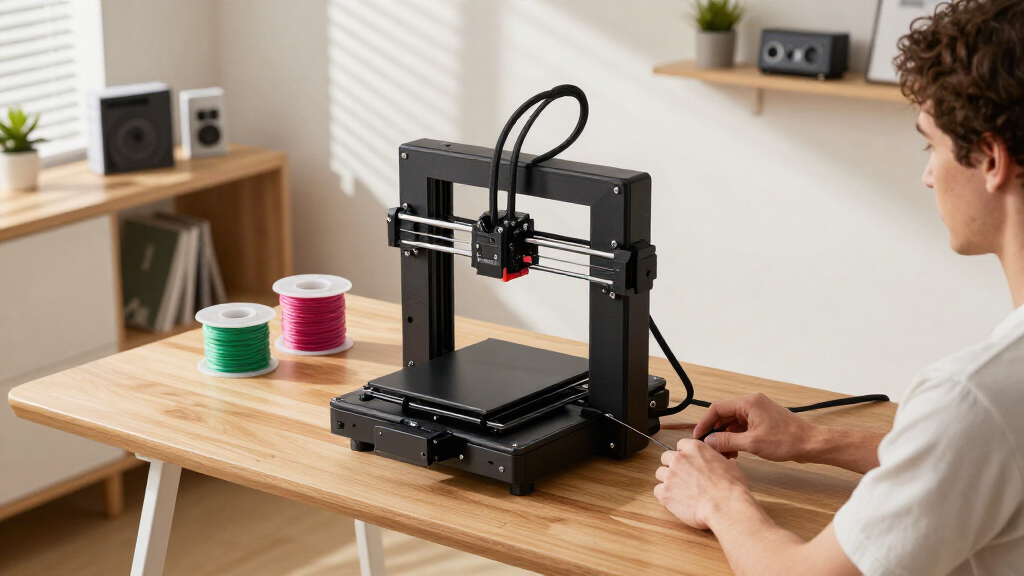
These 3D printers were selected based on a combination of affordability, ease of use, build quality, and feature set suitable for beginners. Priority was given to models that offer reliable auto-leveling, straightforward interfaces, and minimal calibration requirements. Performance factors like print speed, filament support, and build volume were balanced against potential tradeoffs such as complexity or noise. The ranking reflects a focus on models that provide the most value for new users who want a premium experience within the $600 limit, emphasizing ease of setup and consistent results.Factors to Consider When Choosing 3d Printer For Beginners Under 600 Premium
Choosing a 3D printer under $600 for beginners involves more than just reading specs. Several key factors influence how well a printer will serve someone new to the hobby, especially considering the tradeoffs between speed, quality, and ease of use. Understanding these factors can help you avoid costly mistakes and find a machine that grows with your skills.Ease of Use and Setup
For beginners, a printer with auto-leveling, a straightforward interface, and minimal calibration is essential. Features like quick bed leveling and simple touchscreen controls reduce frustration and save time. Avoid models with complicated assembly or steep learning curves, as these can hinder initial progress and dampen enthusiasm.Print Speed and Quality Balance
While faster printers can produce prototypes quickly, they sometimes compromise on detail and finish. In this budget range, look for models that strike a balance—fast enough for practical use but still capable of high-quality prints. Remember that high speed can introduce vibrations or inaccuracies if the machine isn’t well-built.Build Volume and Future Expansion
A larger build volume offers more creative flexibility but can increase cost and complexity. For beginners, a modest size suffices for most projects and keeps learning manageable. Consider whether the printer’s dimensions fit your space and if it allows upgrades or filament options that match your evolving needs.Filament Compatibility and Material Support
Support for different filament types, especially specialty ones like carbon fiber or flexible materials, broadens your creative options. However, some printers require upgrades or specific extruders to handle these filaments. Think about your project goals and whether the machine’s capabilities align with your intended use.Community and Support Resources
A strong user community and manufacturer support can make a big difference when troubleshooting or learning new techniques. Look for models with active forums, tutorials, and responsive customer service. This support network can help shorten the learning curve and improve your overall experience.Frequently Asked Questions
Is a higher print speed always better for beginners?
While faster print speeds can reduce wait times, they often come with tradeoffs in print quality and reliability. For beginners, a balanced speed that ensures decent quality with consistent results is preferable. Speed should support your workflow without sacrificing the accuracy needed for successful prints.How important is auto-leveling for a first 3D printer?
Auto-leveling significantly simplifies setup and helps achieve reliable first layers, which are crucial for successful prints. For newcomers, it reduces the potential frustration of manual bed calibration and ensures more consistent results, making it a highly valuable feature within this budget.Should I prioritize build volume or ease of use?
For beginners, ease of use typically outweighs large build volume, as smaller, simpler machines tend to be more reliable and less prone to issues. Once comfortable, expanding to larger builds becomes easier. Starting with a manageable size ensures you focus on learning the basics without being overwhelmed.Are support for advanced materials worth paying for in this price range?
Support for advanced filaments like carbon fiber can open up more project opportunities but often requires additional upgrades or specific features like high-temperature extruders. For beginners, it’s usually better to start with standard filaments and upgrade later, unless advanced material support is a key priority for your initial projects.How much should I expect to spend on maintenance and upgrades?
Initial budget printers typically require minimal maintenance, but occasional upgrades like nozzles, belts, or extruder parts may be needed as you progress. Setting aside a small budget annually for consumables and minor repairs ensures your machine stays reliable and your skills improve.Conclusion
For beginners seeking the best overall experience under $600, the Creality K1C offers impressive speed and feature set, ideal for those eager to prototype quickly. The Bambu Lab A1 is best suited for users who want a ready-to-use, user-friendly machine with minimal setup. For those on a tight budget or just starting out, models like the FlashForge Adventurer 5M provide auto-leveling and straightforward operation, making them excellent entry points. If advanced filament support or larger build sizes are desired, consider investing in higher-tier models or waiting for seasonal deals. Your choice should align with your current skills, project ambitions, and whether you prioritize ease, speed, or expandability.Fall Picks
fall essentials
As an affiliate, we earn on qualifying purchases.