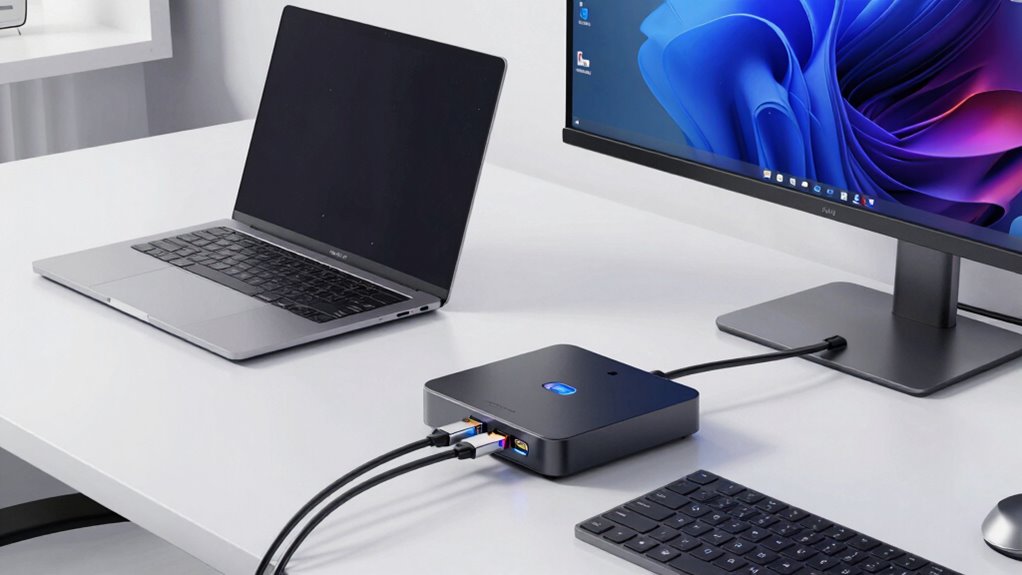

Finding a docking station with 2 HDMI and DisplayPort that offers premium performance can be challenging. The best models support multiple 4K displays, deliver high power output, and maintain reliable connectivity, but they often come with tradeoffs like size, price, or compatibility issues. The Dell Thunderbolt 4 Docking Station stands out for its robust connectivity and triple 4K support, while the Acer 16-in-1 DisplayLink Dock offers extensive ports and versatility. Budget-conscious users might prefer the Plugable USB C Docking Station, which balances features and affordability. Continue reading for a full breakdown of these top picks and what makes each suitable for different needs.

Get the latest gadgets delivered free — and shop member deals
- Fast, free delivery on millions of items
- Access to Prime Big Deal Days deals on October 6–7
- Prime Video, Amazon Music and more included
Complete the kit



Key Takeaways
- Triple 4K support is common among the top models, but it often requires Thunderbolt 4 or high-power USB-C connections.
- Build quality and port versatility vary; premium options tend to offer more reliable performance with more ports and higher power delivery.
- Compatibility with different laptop brands can be a challenge; checking specific port standards and protocols is essential.
- Price differences are significant, with premium models offering more features but at a higher cost, while budget options often sacrifice some performance or build quality.
- Power delivery capacity varies, and choosing a dock with adequate wattage is critical to avoid needing separate chargers.
| Acer 16-in-1 DisplayLink Docking Station with Triple 4K@60Hz Support and 130W Power Adapter |  | Best Overall for Versatile Multi-Device Setups | Number of Ports: 16 | Display Support: Triple 4K@60Hz | Power Adapter: 130W | VIEW ON AMAZON | See Our Full Breakdown |
| Dell Thunderbolt 4 Docking Station with Triple 4K Displays and 13-in-1 Connectivity |  | Best for Dell Ecosystem Users Requiring Reliable Triple 4K Support | Compatibility: Dell XPS, Inspiron, Latitude, etc. | Number of HDMI Ports: 2 | DisplayPort: 1 | VIEW ON AMAZON | See Our Full Breakdown |
| Acer 13-in-1 USB-C Laptop Docking Station with 2 HDMI, DisplayPort, and Gigabit Ethernet |  | Best for Compact Office Setups with Moderate Multi-Monitor Needs | Display Outputs: 2 HDMI, 1 DisplayPort | Power Adapter: 110W | Supported Displays: Triple 4K @30Hz (Windows), Mirroring on Mac | VIEW ON AMAZON | See Our Full Breakdown |
| Plugable Dual DisplayPort & HDMI Docking Station, USB 3.0 & USB-C |  | Best for Budget-Conscious Dual 4K Setup | Hardware Interface: USB 3.0, USB Type C | Compatible Devices: Various MacBooks, Windows laptops, Chromebooks | Total USB Ports: 6 | VIEW ON AMAZON | See Our Full Breakdown |
| Anker Prime Docking Station (DL7400), 14-in-1 Triple Display, DisplayLink |  | Best for High-Power Multi-Device Charging and Versatility | Hardware Interface: DisplayPort, HDMI, Ethernet, USB-C, USB-A | Total USB Ports: 7 | Number of HDMI Ports: 2 | VIEW ON AMAZON | See Our Full Breakdown |
| Plugable USB C Docking Station, Dual 4K 60Hz HDMI & DisplayPort |  | Best Overall for Versatile Dual 4K Support | Hardware Interface: USB Type C | Supports full-featured USB-C, USB4, Thunderbolt 3 / 4: Yes | Number of Ports: 15 | VIEW ON AMAZON | See Our Full Breakdown |
| Dell Pro Laptop Docking Station WD25, USB-C, 100W, DisplayPort, HDMI |  | Best for Stable Multi-Display Setup in Business Environments | Hardware Interface: DisplayPort, Ethernet, HDMI, USB | Compatible Devices: Windows 10, Windows 11, Ubuntu 24.04, RHEL 9.6+, ChromeOS | Total USB Ports: 6 | VIEW ON AMAZON | See Our Full Breakdown |
| docking station with 2 hdmi and displayport premium | Wattage | Number of HDMI Ports | Hardware Interface |
|---|---|---|---|
| Acer 16-in-1 DisplayLink Docki | — | — | — |
| Dell Thunderbolt 4 Docking Sta | 100W | 2 | — |
| Acer 13-in-1 USB-C Laptop Dock | — | — | — |
| Plugable Dual DisplayPort & HD | 40W | 2 | USB 3.0, USB Type C |
| Anker Prime Docking Station | 160W | 2 | DisplayPort, HDMI, Ethernet, USB-C, USB-A |
| Plugable USB C Docking Station | 100 watts | — | USB Type C |
| Dell Pro Laptop Docking Statio | 130W | 1 | DisplayPort, Ethernet, HDMI, USB |
More Details on Our Top Picks
Acer 16-in-1 DisplayLink Docking Station with Triple 4K@60Hz Support and 130W Power Adapter
This Acer dock stands out for supporting triple 4K displays at 60Hz with an extensive array of ports, making it ideal for demanding multitasking environments. Its 130W power adapter ensures reliable charging for high-performance laptops, surpassing many competitors like the Plugable station, which lacks such power capacity. However, full multi-monitor functionality hinges on driver installation and driver compatibility, which can be a hassle for some users. Compared to the Dell Thunderbolt dock, it offers broader system compatibility but requires more setup effort. Its combination of multiple video outputs, high wattage, and diverse ports makes it a flexible choice for power users, though the need for driver installation could be a drawback for those seeking plug-and-play simplicity.
Pros:- Supports triple 4K@60Hz for high-resolution productivity
- Includes a 130W power adapter for stable charging
- Wide variety of ports including USB-A, USB-C, Ethernet, SD/TF, audio
Cons:- Requires driver installation for full multi-monitor support
- Limited compatibility with Linux and ChromeOS
Best for: Power users needing triple 4K support with extensive connectivity and reliable charging, across Windows and macOS.
Not ideal for: Users looking for a simple, driver-free setup or Linux/Mobile device compatibility, as this requires driver installation and lacks support for those platforms.
- Number of Ports:16
- Display Support:Triple 4K@60Hz
- Power Adapter:130W
- USB Ports:2× USB-A 3.1, 1× USB-A 10Gbps, 1× USB-C 10Gbps
- Video Outputs:2× HDMI 2.0, 2× DisplayPort 1.2
- System Compatibility:Windows 10/11, macOS 10.14+
Our verdict“This docking station suits professionals who prioritize versatile connectivity and high-res multi-monitor setups at the expense of some setup complexity.”
Dell Thunderbolt 4 Docking Station with Triple 4K Displays and 13-in-1 Connectivity
This Dell Thunderbolt 4 dock offers seamless support for triple 4K displays at 60Hz, making it a clear choice for Dell laptop owners seeking reliable expansion. Its high-speed data transfer and 100W charging align with the needs of power users, especially those who prioritize Dell’s hardware ecosystem, unlike the Acer or Anker options which support broader systems. The setup can be complex, with a primary reliance on Dell systems and a need for connecting to a power supply for full function. Compared with the Plugable station, it has a more streamlined design tailored for Dell users but is less flexible for non-Dell devices. Its comprehensive port selection makes it ideal for Dell professionals, though non-Dell users may find it less compatible.
Pros:- Supports triple 4K@60Hz displays for high-res productivity
- High-speed data transfer with multiple USB ports
- 100W power delivery for fast laptop charging
Cons:- Primarily designed for Dell laptops, limiting cross-brand compatibility
- Requires connection to power for full functionality
- Setup can be complex for non-Dell systems
Best for: Dell laptop owners seeking a stable, high-performance triple 4K docking solution with extensive ports and high-speed data transfer.
Not ideal for: Non-Dell device users or those wanting a universal dock that works effortlessly across multiple brands without system-specific limitations.
- Compatibility:Dell XPS, Inspiron, Latitude, etc.
- Number of HDMI Ports:2
- DisplayPort:1
- USB Ports:4
- Wattage:100W
- Ethernet:Gigabit RJ45
Our verdict“This dock is best suited for Dell users needing dependable triple 4K support and extensive connectivity, with some limitations on multi-brand compatibility.”
Acer 13-in-1 USB-C Laptop Docking Station with 2 HDMI, DisplayPort, and Gigabit Ethernet
This Acer dock provides triple display support, with 2 HDMI and a DisplayPort, suitable for users who need to extend their workspace without excessive ports. Its 110W power adapter offers solid charging capabilities, although it falls short of the 130W offered by the Acer 16-in-1, potentially limiting performance with high-power laptops. Compared to the Plugable unit, which emphasizes dual 4K outputs, this model emphasizes a balance of multiple ports with a slightly lower display output resolution at 30Hz on Mac, which might disappoint users seeking high refresh rates. The security feature adds value for professional environments, but the absence of video output on the rear USB-C might restrict certain configurations.
Pros:- Supports triple monitor setup for multitasking
- Includes a 110W power adapter for reliable charging
- Security features for professional environments
Cons:- No video output on rear USB-C port
- Triple 4K support limited to 30Hz on Mac
- Extended desktop mode not available on Mac
Best for: Office workers and professionals needing triple monitor support with reliable charging, in a sleek, security-conscious design.
Not ideal for: High-end gamers or users requiring high refresh rates and extensive GPU support, as triple 4K at 30Hz may be limiting for high-performance tasks.
- Display Outputs:2 HDMI, 1 DisplayPort
- Power Adapter:110W
- Supported Displays:Triple 4K @30Hz (Windows), Mirroring on Mac
- Connectivity:USB-C, USB-A, Ethernet, SD/TF, AUX
- Security:Built-in lock slot
- System Compatibility:Windows, macOS (mirroring only)
Our verdict“This dock suits office professionals who want a secure, reliable triple display setup with decent charging, but not for high-refresh-rate gaming or graphics-intensive tasks.”
Plugable Dual DisplayPort & HDMI Docking Station, USB 3.0 & USB-C
This Plugable dock excels at delivering dual 4K monitors via HDMI and DisplayPort, making it a cost-effective choice for users who need high-resolution displays without overloading their budget. Its support for multiple systems, including Windows, macOS, and ChromeOS, broadens its appeal compared to more system-specific options like Dell or Acer. However, it’s limited to dual displays and doesn’t support triple 4K, which could be a drawback for those with expanding multi-monitor needs. The dock does not supply power to the host computer, so users must rely on their laptop’s charger, and HDCP-protected content may not display properly. Still, for those prioritizing affordability and straightforward connectivity, it’s a practical pick.
Pros:- Supports dual 4K@60Hz for high-resolution productivity
- Compatible with Windows, macOS, and ChromeOS
- Plug-and-play setup with broad device support
Cons:- Limited to dual displays, not supporting triple 4K
- Does not charge the host computer
- HDCP-protected content may show black screens
Best for: Budget-conscious professionals needing reliable dual 4K display support with wide system compatibility.
Not ideal for: Users requiring triple monitors or high power delivery, as this dock does not support more than two displays or supply power to the host.
- Hardware Interface:USB 3.0, USB Type C
- Compatible Devices:Various MacBooks, Windows laptops, Chromebooks
- Total USB Ports:6
- Number of HDMI Ports:2
- Wattage:40W
- Input Voltage:20V
Our verdict“This dock offers an economical, reliable dual 4K solution ideal for users who don’t need more than two displays and want broad system compatibility.”
Anker Prime Docking Station (DL7400), 14-in-1 Triple Display, DisplayLink
The Anker Prime Docking Station impresses with its extensive port selection, supporting triple 4K displays and high-speed charging up to 140W, surpassing most competitors like the Acer 13-in-1 which offers slightly less wattage. Its 14-in-1 configuration enables versatile connectivity, ideal for users juggling multiple peripherals. The reliance on DisplayLink drivers means it isn’t fully plug-and-play, and some USB-C ports may not support media display, which could be frustrating for users needing direct device-to-dock media streaming. It’s most suitable for professionals who value high power output and multiple device support over absolute simplicity. However, compatibility limitations with DRM content may restrict certain streaming applications.
Pros:- Supports triple 4K@60Hz displays for multitasking
- High power output with 140W charging capacity
- Multiple high-speed ports including USB-C, HDMI, DisplayPort, Ethernet, and SD slots
Cons:- Requires specific DisplayLink driver installation for full functionality
- Some USB-C ports do not support media display
- Limited compatibility with DRM-protected streaming
Best for: Power users needing triple 4K displays and high-wattage charging for multiple devices in a professional setting.
Not ideal for: Users seeking a simple, driver-free solution or those who prioritize seamless DRM-protected content streaming without driver dependencies.
- Hardware Interface:DisplayPort, HDMI, Ethernet, USB-C, USB-A
- Total USB Ports:7
- Number of HDMI Ports:2
- Wattage:160W
- Display Support:Triple 4K
- Compatible Devices:USB-C Windows laptops
Our verdict“This dock is ideal for professionals who need high power, extensive connectivity, and multi-monitor support but are comfortable managing driver installations.”
Plugable USB C Docking Station, Dual 4K 60Hz HDMI & DisplayPort
This dock stands out for its ability to support dual 4K monitors at 60Hz, making it ideal for users who need crisp, high-resolution displays without sacrificing performance. Unlike the Dell WD25, which emphasizes high port count and durability, the Plugable model offers broader compatibility with various operating systems and additional features like SD card readers and Ethernet, all housed in a sleek aluminum chassis. The main tradeoff is that it relies on DisplayLink technology, which can introduce latency or driver issues on some systems, particularly on macOS. For those who prioritize high-quality visuals and flexible connectivity, this dock delivers a strong balance, though users with latency-sensitive tasks might encounter minor hiccups.
Pros:- Supports dual 4K monitors at 60Hz for sharp, smooth visuals
- Multiple ports including USB-A, SD card reader, Ethernet, and 100W charging
- Compatible with macOS, Windows, and ChromeOS, offering broad device support
Cons:- Requires driver installation, which could complicate setup
- DisplayLink technology can cause latency or compatibility hiccups on some systems
Best for: Content creators and professionals who require crisp dual 4K displays with versatile connectivity on mixed operating systems
Not ideal for: Gamers or latency-sensitive users, since DisplayLink technology may introduce delays or compatibility issues
- Hardware Interface:USB Type C
- Supports full-featured USB-C, USB4, Thunderbolt 3 / 4:Yes
- Number of Ports:15
- HDMI Ports:2
- Wattage:100 watts
- Supported Operating Systems:macOS 11+, Windows 10+, ChromeOS
Our verdict“This dock is best suited for users who need high-resolution multitasking across multiple operating systems and value broad connectivity options.”
Dell Pro Laptop Docking Station WD25, USB-C, 100W, DisplayPort, HDMI
The Dell WD25 excels at supporting up to four high-resolution displays, making it a strong choice for professionals needing extensive screen real estate. Compared with the Plugable dock, which favors flexible OS support and multiple port types, the WD25 is designed for durability and seamless integration within Windows and enterprise environments. Its support for 100W power delivery and a solid build make it reliable for all-day use, though it falls short in versatility for non-Windows systems, especially Linux distributions, unlike the Plugable’s broader compatibility. Additionally, the wattage is listed as 130W, which might cause some confusion, but its actual power delivery is capped at 100W. For organizations prioritizing stable multi-monitor setups and robust build quality, this dock offers compelling value.
Pros:- Supports up to four high-resolution displays for expansive workspaces
- Provides up to 100W power delivery for fast charging of laptops
- Durable, energy-efficient design with recycled materials
Cons:- Limited OS compatibility, mainly optimized for Windows
- Wattage confusion, as the listed 130W might not match actual power output
Best for: IT managers and professionals in corporate environments who need reliable multi-monitor support with durable hardware
Not ideal for: Home users or Linux enthusiasts, since the dock has limited OS support and may lack flexibility for custom setups
- Hardware Interface:DisplayPort, Ethernet, HDMI, USB
- Compatible Devices:Windows 10, Windows 11, Ubuntu 24.04, RHEL 9.6+, ChromeOS
- Total USB Ports:6
- Number of HDMI Ports:1
- Wattage:130W
- Item Dimensions:8.07″L x 3.54″W x 1.39″H
Our verdict“This dock is ideal for enterprise users seeking a reliable, multi-display solution with strong durability and power delivery, primarily in Windows environments.”

How We Picked
The selection process focused on performance, connectivity versatility, build quality, and value. I prioritized docks that support dual HDMI and DisplayPort outputs reliably, with a focus on models that can handle multiple 4K displays at 60Hz. Compatibility with common laptop ports and protocols, such as Thunderbolt 4, USB-C, and USB 3.0, was also key. Additionally, I considered the power delivery capacity, overall build quality, and user-reported reliability. The ranking reflects a balance between premium features and affordability, aiming to guide different types of buyers based on their specific needs and budgets.| docking station with 2 hdmi and displayport premium | Hardware Interface |
|---|---|
| Acer 16-in-1 DisplayLink Docki | — |
| Dell Thunderbolt 4 Docking Sta | — |
| Acer 13-in-1 USB-C Laptop Dock | — |
| Plugable Dual DisplayPort & HD | USB 3.0, USB Type C |
| Anker Prime Docking Station | DisplayPort, HDMI, Ethernet, USB-C, USB-A |
| Plugable USB C Docking Station | USB Type C |
| Dell Pro Laptop Docking Statio | DisplayPort, Ethernet, HDMI, USB |
Factors to Consider When Choosing Docking Station With 2 Hdmi And Displayport Premium
Choosing the right docking station with 2 HDMI and DisplayPort support involves understanding several key factors. Beyond basic compatibility, buyers should consider display resolution support, power delivery, port versatility, and overall build quality. Making an informed decision involves weighing these factors against your specific setup and future needs to avoid common pitfalls like insufficient power or limited compatibility. This guide highlights critical considerations to help you select a dock that truly matches your workflow and device ecosystem.Display Support and Resolution
Ensure the dock can handle your desired display resolutions, especially if working with multiple 4K monitors. Some docks support only 4K at 30Hz, which can lead to lag and poor visual quality, while others support 60Hz for smooth motion. Compatibility with higher refresh rates or resolutions like 1440p or 8K may be important for specialized tasks. Always verify the maximum supported resolution per output to match your display requirements, avoiding compromises on clarity or performance.
Power Delivery Capabilities
Power delivery (PD) ensures your laptop stays charged while connected. Docks with higher wattage support—typically 85W or more—are better suited for power-hungry laptops, reducing the need for external chargers. However, higher PD capacity can increase the dock’s cost and size. Consider your device’s power needs carefully; pairing a high-performance laptop with a dock that provides insufficient power can lead to slow charging or disconnection issues.
Port Versatility and Future-Proofing
More ports generally mean greater flexibility, but not all ports are created equal. Look for docks with a mix of HDMI, DisplayPort, USB-A, USB-C, Ethernet, and audio jacks to support various peripherals. Future-proofing involves selecting docks with the latest standards like Thunderbolt 4 or USB 3.2. Keep in mind that having multiple display outputs may limit compatibility if your laptop doesn’t support multi-stream transport (MST) or the necessary protocols, so check your device specifications carefully.
Build Quality and Reliability
Since docks are often used daily, durability matters. Cheaper models may use lower-quality materials, leading to ports loosening or failure over time. Premium models often feature metal cases and reinforced connectors, which can withstand more frequent use. Reliability also hinges on driver support and compatibility; docks that frequently disconnect or require frequent updates can disrupt your workflow. Investing in well-reviewed, reputable brands can help avoid these frustrations.
Price and Overall Value
Balancing features against cost is essential. While premium docks offer extensive ports, higher power capacity, and robust build quality, they come at a premium price. Budget options often cut corners on build or performance but can still meet basic needs. Consider your current and future requirements—if you plan to expand your setup or use demanding applications, investing in a higher-end model may pay off. Conversely, if your needs are modest, a more affordable dock might suffice.
Frequently Asked Questions
Can a docking station with 2 HDMI and DisplayPort support 4K monitors at 60Hz?
Yes, many high-quality docks support 4K at 60Hz on both HDMI and DisplayPort outputs, but it depends on the specific model and connection standards. Thunderbolt 4 and USB-C docks with DisplayLink technology are typically capable of handling dual 4K60Hz displays reliably. Always verify the maximum supported resolution and refresh rate for each port before purchasing to ensure it matches your display needs.Will my laptop’s graphics card limit the performance of the docking station?
Absolutely. The graphics capabilities of your laptop largely determine how well multiple displays perform, especially at high resolutions. Even if the dock supports dual 4K outputs, your laptop’s GPU must be capable of driving those displays at the desired resolution and refresh rate. Check your device’s specifications for maximum external display support to avoid bottlenecks or degraded performance.Is it better to choose a Thunderbolt 4 dock or a USB-C dock for dual HDMI and DisplayPort?
Thunderbolt 4 docks generally offer more bandwidth, higher compatibility, and better future-proofing, making them ideal for high-resolution, multi-display setups. They also support daisy-chaining and faster data transfer. However, they tend to be more expensive. USB-C docks based on DisplayLink technology can also support dual 4K displays effectively but may have some limitations in bandwidth and driver support. Your choice depends on your budget and device compatibility.Do I need a docking station with high wattage power delivery if I use multiple displays?
Yes. If you plan to keep your laptop charged while using multiple displays, selecting a dock with sufficient wattage—typically 85W or higher—is essential. Insufficient power delivery can result in slow charging or even disconnection issues. Check your laptop’s power requirements and choose a dock that can meet or exceed that wattage to maintain reliable operation and charging.Can I connect other peripherals like Ethernet and audio to these docking stations?
Most docks with 2 HDMI and DisplayPort also include additional ports such as Ethernet, audio jacks, and USB-A or USB-C ports. These expand your connectivity options but verify each model’s port configuration before purchase. Keep in mind that the number and type of ports may vary, and some docks may require specific drivers for full functionality, especially for audio or network features.Conclusion
For users seeking the best overall performance, the Dell Thunderbolt 4 Docking Station offers reliable multi-display support and extensive connectivity. Budget-conscious buyers should consider the Plugable USB C Docking Station for a balanced mix of features and affordability. Premium users who prioritize durability and advanced features might lean toward the Acer 16-in-1 DisplayLink Dock. Beginners or those new to multi-monitor setups will find models with simple plug-and-play operation easier to manage. If your setup involves specific needs like high refresh rates or future expansion, focus on docks that support high wattage power delivery and latest standards.Fall Picks
fall essentials
As an affiliate, we earn on qualifying purchases.