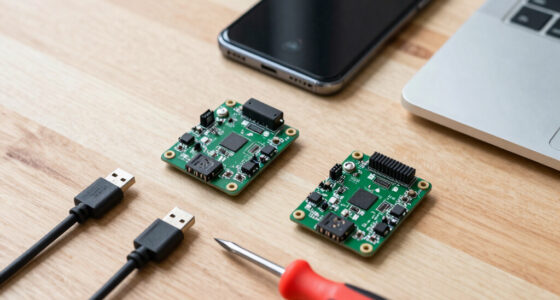

When searching for the best Raspberry Pi computers, the options can feel overwhelming. The Raspberry Pi 4 Model B 8GB stands out as the best overall for its balance of power and affordability. For those seeking cutting-edge performance, the Raspberry Pi 5 offers notable improvements, especially in processing speed and connectivity. Budget-conscious users might prefer starter kits like the Vilros Raspberry Pi 4 or CanaKit options, which include accessories and cooling solutions. The main tradeoffs often involve balancing raw power, ease of setup, and cost, so continue reading for a detailed breakdown of each option.

Get the latest gadgets delivered free with Prime
- Fast, free delivery on millions of items
- Prime Video, Amazon Music and more included
- Member-only deals all year
Complete the kit



Key Takeaways
- The Raspberry Pi 5 delivers the most recent hardware improvements but comes at a higher price point, making it better suited for advanced users.
- Starter kits like Vilros and CanaKit provide excellent value for newcomers, bundling essential accessories and cooling solutions.
- The Raspberry Pi 4 remains a versatile choice, offering sufficient performance for most projects and a broad ecosystem of accessories.
- Compact and pre-assembled options like the Raspberry Pi 400 simplify setup, ideal for beginners or classroom environments.
- Higher-capacity models and premium kits are worth the investment if you need maximum performance and expandability.
| Raspberry Pi 4 Model B Single Board Computer, 8GB |  | Best Overall Board | RAM: 8 GB | Processor: ARM Cortex-A72, 1.5 GHz | Video Output: Dual micro HDMI, up to 4K@60 | VIEW LATEST PRICE | See Our Full Breakdown |
| Raspberry Pi 5 8GB |  | Best Performance | RAM: 8 GB | Processor: ARM Cortex-A76, 2.4 GHz quad-core | Storage Options: microSD, NVMe SSD (via PCIe) | VIEW LATEST PRICE | See Our Full Breakdown |
| Vilros Raspberry Pi 4 4GB Basic Starter Kit with Fan-Cooled Aluminum Alloy Case |  | Best for Beginners on a Budget | Board: Raspberry Pi 4 Model B | RAM: 4 GB | Cooling: Fan-cooled aluminum alloy case | VIEW LATEST PRICE | See Our Full Breakdown |
| Vilros Raspberry Pi 5 Starter Kit Max with 8GB RAM and 128GB microSD Card |  | Best Balanced Kit | Board: Raspberry Pi 5 | RAM: 8 GB | Storage: 128GB microSD card | VIEW LATEST PRICE | See Our Full Breakdown |
| CanaKit Raspberry Pi 5 Desktop PC with SSD (256 GB SSD) |  | Best Premium Pick | Board: Raspberry Pi 5 | RAM: 8 GB | Storage: 256 GB PCIe NVMe SSD, OS pre-loaded | VIEW LATEST PRICE | See Our Full Breakdown |
| CanaKit Raspberry Pi 5 Starter Kit PRO – Turbine Black (128GB Edition) (8GB RAM) |  | Best Turnkey Pi 5 Kit | RAM: 8 GB | Storage: 128 GB microSD (OS pre-loaded) | Processor: Quad-core 2.4 GHz 64-bit | VIEW LATEST PRICE | See Our Full Breakdown |
| Raspberry Pi 500 Desktop Computer Kit, 2.4GHz Quad-Core, 8GB RAM, with Keyboard, Mouse, 32GB SD Card |  | Best Keyboard Desktop Form Factor | Processor: 2.4GHz quad-core ARM Cortex-A76 | RAM: 8 GB | Storage: 32 GB microSD card | VIEW LATEST PRICE | See Our Full Breakdown |
| Raspberry Pi 5 4GB Kit with Active Cooler and ABS Case |  | Best Value Pi 5 Kit | Processor: Broadcom 64-bit quad-core Arm Cortex-A76 | Memory: 4 GB LPDDR4X-4266 | Wireless: Dual-band 802.11ac Wi-Fi, Bluetooth 5.0 | VIEW LATEST PRICE | See Our Full Breakdown |
| Raspberry Pi 400 Computer Kit with US Keyboard and 16 GB microSD Card |  | Best for Kids and Coding Beginners | Processor: Quad-core 64-bit, 1.8 GHz | RAM: 4 GB LPDDR4 | Storage: 16 GB microSD card | VIEW LATEST PRICE | See Our Full Breakdown |
| Raspberry Pi 5 Essentials Starter Kit PRO (128GB, 8GB RAM) |  | Best for Home Server Projects | RAM: 8 GB | Storage: 128 GB microSD (64-bit Raspberry Pi OS preloaded) | Power Supply: Official 27W USB-C PD | VIEW LATEST PRICE | See Our Full Breakdown |
| CanaKit Raspberry Pi 4 4GB Starter PRO Kit |  | Best Turnkey Pi 4 Kit | RAM: 4 GB LPDDR4 | CPU: Broadcom 1.5 GHz 64-bit quad-core | Storage: 32 GB microSD card (Class 10), pre-loaded | VIEW LATEST PRICE | See Our Full Breakdown |
| Raspberry Pi 3 Model B+ Board (3B+), 1GB RAM, 1.4GHz Cortex Processor |  | Best Budget Board for Simple Projects | RAM: 1 GB | Processor: Cortex 1.4 GHz 64-bit quad-core | Connectivity: Dual-band Wi-Fi (802.11b/g/n/ac), Bluetooth 4.2/BLE, Ethernet | VIEW LATEST PRICE | See Our Full Breakdown |
| Raspberry Pi 4 Model B (2GB) |  | Best Bare-Board Value | Processor: Broadcom BCM2711, quad-core Cortex-A72 @ 1.5 GHz | RAM: 2 GB LPDDR4 | Wireless: Dual-band 2.4/5.0 GHz Wi-Fi, Bluetooth 5.0 | VIEW LATEST PRICE | See Our Full Breakdown |
| CanaKit Raspberry Pi 5 16GB Starter Kit PRO – Turbine Black (128GB Edition) |  | Best Premium Powerhouse | RAM: 16 GB | Processor Speed: 2.4 GHz ARM | Storage: 128 GB microSD card, pre-loaded with Raspberry Pi OS | VIEW LATEST PRICE | See Our Full Breakdown |
| Raspberry Pi computer | RAM | Storage | Cooling | Processor |
|---|---|---|---|---|
| Raspberry Pi 4 Model B Single | 8 GB | — | — | ARM Cortex-A72, 1.5 GHz |
| Raspberry Pi 5 8GB | 8 GB | — | — | ARM Cortex-A76, 2.4 GHz quad-core |
| Vilros Raspberry Pi 4 4GB Basi | 4 GB | SD card not included | Fan-cooled aluminum alloy case | — |
| Vilros Raspberry Pi 5 Starter | 8 GB | 128GB microSD card | Fan and heat sinks | — |
| CanaKit Raspberry Pi 5 Desktop | 8 GB | 256 GB PCIe NVMe SSD, OS pre-loaded | Active cooler | — |
| CanaKit Raspberry Pi 5 Starter | 8 GB | 128 GB microSD (OS pre-loaded) | Low-noise fan and heat sink | Quad-core 2.4 GHz 64-bit |
| Raspberry Pi 500 Desktop Compu | 8 GB | 32 GB microSD card | — | 2.4GHz quad-core ARM Cortex-A76 |
| Raspberry Pi 5 4GB Kit with Ac | — | — | Aluminum heatsink + PWM fan | Broadcom 64-bit quad-core Arm Cortex-A76 |
| Raspberry Pi 400 Computer Kit | 4 GB LPDDR4 | 16 GB microSD card | Passive heat sink (fanless) | Quad-core 64-bit, 1.8 GHz |
| Raspberry Pi 5 Essentials Star | 8 GB | 128 GB microSD (64-bit Raspberry Pi OS preloaded) | Official case with integrated active fan | — |
| CanaKit Raspberry Pi 4 4GB Sta | 4 GB LPDDR4 | 32 GB microSD card (Class 10), pre-loaded | Low-noise fan and heat sinks | — |
| Raspberry Pi 3 Model B+ Board | 1 GB | None built-in — external microSD card required | — | Cortex 1.4 GHz 64-bit quad-core |
| Raspberry Pi 4 Model B | 2 GB LPDDR4 | — | — | Broadcom BCM2711, quad-core Cortex-A72 @ 1.5 GHz |
| CanaKit Raspberry Pi 5 16GB St | 16 GB | 128 GB microSD card, pre-loaded with Raspberry Pi OS | Included cooling fan and heat sink | — |
More Details on Our Top Picks
Raspberry Pi 4 Model B Single Board Computer, 8GB
Four years after launch, the Pi 4 Model B with 8GB remains the sweet spot for buyers who want raw board value without paying the Pi 5 premium. The 8GB of RAM is the real draw here — enough headroom for desktop multitasking, containers, or a home server that the 2GB Pi 4 simply cannot handle. Compared with the Raspberry Pi 5 8GB, the Pi 4 gives up raw speed, but it runs cooler, draws less power, and costs noticeably less, which matters for always-on projects. The dual 4K micro HDMI output and USB 3.0 keep it viable as a media center too. Just know that it ships as a bare board: no case, power supply, or storage, and the micro HDMI ports mean an adapter is almost certainly in your future.
Pros:- 8GB of RAM supports multitasking and server workloads
- Dual 4K display output with modern H.265 decoding
- Cheaper and cooler-running than the Pi 5 for light-to-medium workloads
- USB 3.0, Gigabit Ethernet, and Bluetooth 5.0 cover most connectivity needs
Cons:- Bare board only — power supply, storage, and case all cost extra
- Micro HDMI ports require adapters or special cables
- Needs active cooling for sustained heavy workloads
Best for: Hobbyists and self-hosters who already own Pi accessories and want maximum RAM per dollar
Not ideal for: First-time Pi buyers — with no power supply, storage, or case included, the setup list adds up fast
- RAM:8 GB
- Processor:ARM Cortex-A72, 1.5 GHz
- Video Output:Dual micro HDMI, up to 4K@60
- USB:USB 3.0
- Networking:Gigabit Ethernet
- Bluetooth:5.0
- Power Input:USB Type-C, 5V 3A
- Operating System:Raspberry Pi OS
Our verdict“The best pick for buyers who want a proven, RAM-rich board to drop into an existing project.”
Raspberry Pi 5 8GB
If raw speed is the priority, the Raspberry Pi 5 8GB is in a different league from everything else in this lineup. The 2.4GHz Cortex-A76 quad-core roughly doubles the Pi 4’s performance, and the standout feature is PCIe expansion for NVMe SSDs — meaning you can ditch slow microSD storage entirely, something no Pi 4 variant can do. Compared with the bare Pi 4 Model B, this board makes sense when compile times, emulation, or desktop responsiveness actually matter. The tradeoff is familiar: it arrives as a board only, and the Pi 5 runs hotter and demands a proper 5V/5A-class supply, so the real cost of ownership is higher than the sticker. Compared with the CanaKit Raspberry Pi 5 Desktop Kit, you give up turnkey convenience but gain flexibility to build exactly the system you want.
Pros:- Fastest mainstream Pi processor at 2.4GHz
- PCIe support enables fast NVMe SSD booting
- Dual 4K HDMI output
- 8GB RAM handles desktop and development workloads comfortably
Cons:- Requires separately purchased power supply, cooling, and storage
- Runs hotter than the Pi 4 and needs active cooling under load
Best for: Developers and makers who need serious compute and plan to add their own NVMe storage and cooling
Not ideal for: Buyers on a tight budget or anyone wanting a complete kit out of the box
- RAM:8 GB
- Processor:ARM Cortex-A76, 2.4 GHz quad-core
- Storage Options:microSD, NVMe SSD (via PCIe)
- Connectivity:Wi-Fi, Bluetooth, Ethernet, HDMI, USB
- USB Ports:4
- Operating System:Debian, Linux, Raspberry Pi OS
- Dimensions:4″ L x 3″ W x 1″ H
Our verdict“The board to buy when performance justifies piecing together your own accessories.”
Vilros Raspberry Pi 4 4GB Basic Starter Kit with Fan-Cooled Aluminum Alloy Case
For a first Pi, the barrier isn’t the board — it’s assembling the parts list. This Vilros Pi 4 starter kit solves that by bundling a 4GB Pi 4 with a fan-cooled aluminum case and a USB-C supply with a physical on/off switch, a small convenience that bare-board buyers like the Pi 4 Model B crowd never get. It is not the fastest option here: against the Vilros Pi 5 Starter Kit Max, the older Pi 4 board with half the RAM clearly trails on performance. But that gap is exactly why this kit costs less, making it a sensible entry point for learning Linux or basic electronics where speed is secondary. The frustrating omission is the SD card — you will need to buy one and flash an OS yourself, so it is ready-to-build rather than ready-to-run.
Pros:- Bundles board, case, cooling, and power supply in one purchase
- Aluminum case with fan keeps thermals in check
- Power switch is convenient for daily use
- Lower entry price than Pi 5-based kits
Cons:- No SD card included, so you must buy storage and install an OS
- Older Pi 4 hardware is noticeably slower than Pi 5 kits
- Setup still requires some technical comfort
Best for: Students and first-time makers who want most of the parts bundled at a lower price
Not ideal for: Anyone wanting a plug-and-play desktop or running heavier workloads — the 4GB Pi 4 will feel slow and incomplete out of the box
- Board:Raspberry Pi 4 Model B
- RAM:4 GB
- Cooling:Fan-cooled aluminum alloy case
- Power Supply:USB-C with on/off switch
- Storage:SD card not included
- Operating System:Not pre-installed
Our verdict“A budget-friendly way into the Pi ecosystem for beginners who don’t need Pi 5 speed.”
Vilros Raspberry Pi 5 Starter Kit Max with 8GB RAM and 128GB microSD Card
This kit hits the middle of the lineup with unusual precision: Pi 5 performance, 8GB of RAM, and a 128GB microSD card with Raspberry Pi OS preinstalled — so it boots within minutes of unboxing. That preinstalled OS is the key difference from the cheaper Vilros Pi 4 Basic Starter Kit, which leaves you to flash storage yourself. Compared with the CanaKit Raspberry Pi 5 Desktop PC, the Starter Kit Max trades NVMe speed and assembly-free polish for a lower price, and microSD storage is the honest cost of that savings. The included fan and heat sinks handle the Pi 5’s thermal appetite adequately for hobby and gaming use. It still assumes you have a monitor, keyboard, and mouse on hand, so budget for those if this is your first Pi desk.
Pros:- Raspberry Pi OS preinstalled for out-of-box booting
- 8GB Pi 5 delivers strong performance for gaming and coding
- Includes case, power supply, fan, and heat sinks
- 128GB card offers generous storage for projects
Cons:- No display, keyboard, or mouse included
- microSD storage is slower than NVMe alternatives
- Specific power and cooling specs are not documented
Best for: Hobbyists who want Pi 5 power with a near-complete, boot-ready kit at a mid-range price
Not ideal for: Buyers wanting desktop-class storage speed — microSD is slower than the NVMe SSD in the CanaKit desktop kit
- Board:Raspberry Pi 5
- RAM:8 GB
- Storage:128GB microSD card
- Operating System:Raspberry Pi OS, preinstalled
- Cooling:Fan and heat sinks
- Included Accessories:Case and power supply
Our verdict“The most sensible all-in-one kit for makers who want Pi 5 speed without piecing together parts.”
CanaKit Raspberry Pi 5 Desktop PC with SSD (256 GB SSD)
This is the closest thing in the roundup to a genuine desktop replacement. CanaKit assembles everything: an 8GB Pi 5 inside the Turbine case, an active cooler, a 45W USB-C PD supply, display cables, and — the headline — a 256GB PCIe NVMe SSD with the OS pre-loaded. That SSD is what separates it from the Vilros Pi 5 Starter Kit Max: programs launch faster, the system feels snappier, and there is no fiddling with card imaging at all. You are paying a clear premium for that convenience and speed, and the platform ceiling is still a Raspberry Pi 5 — fine for browsing, coding, and light desktop work, not for heavy video editing. The 45W power supply also leaves comfortable headroom for peripherals. You still need your own monitor, keyboard, and mouse.
Pros:- Fully pre-assembled with OS pre-loaded on SSD
- 256GB NVMe SSD is far faster than microSD kits
- 45W USB-C PD supply supports peripherals with headroom
- Active cooling and included display cables round out the package
Cons:- Premium price over self-assembled Pi 5 kits
- Performance ceiling limited by Pi 5 hardware
- Fewer upgrade and customization options than a bare-board build
Best for: Buyers who want a quiet, compact Linux desktop that works within minutes of unboxing
Not ideal for: Tinkerers who want to choose their own storage, case, and cooling — the prebuilt format limits customization
- Board:Raspberry Pi 5
- RAM:8 GB
- Storage:256 GB PCIe NVMe SSD, OS pre-loaded
- Case:CanaKit Turbine Black Case
- Power Supply:45W USB-C PD
- Cooling:Active cooler
- Included Accessories:2 display cables
Our verdict“The pick for anyone who wants Pi-based desktop computing with zero assembly and fast SSD storage.”
CanaKit Raspberry Pi 5 Starter Kit PRO – Turbine Black (128GB Edition) (8GB RAM)
This CanaKit bundle stands out as the most complete out-of-the-box experience in the lineup, pairing an 8GB Raspberry Pi 5 with a 128GB microSD pre-loaded with Raspberry Pi OS, a low-noise fan case, heat sink, power supply, and 4K-capable display cables. Compared with the Seeed Studio Essentials Kit, CanaKit’s inclusion of both display cables and a turbine-style case gives it a slight edge for buyers who want zero extra purchases on day one. The tradeoff is price: buyers comfortable sourcing their own accessories could assemble a similar setup from a bare Raspberry Pi 5 8GB board for less. The 8GB of RAM is what makes this kit feel genuinely usable as a desktop, handling browser tabs and light multitasking that a 4GB Pi 5 kit would struggle with.
Pros:- Everything needed for first boot is included, including display cables
- 128GB microSD with pre-installed OS removes setup friction entirely
- 8GB RAM handles desktop multitasking and light server workloads
- 4K display output support for media center use
- Low-noise active cooling keeps sustained loads stable
Cons:- Kit pricing is well above buying the board and accessories separately
- microSD storage is slower than the SSD-based CanaKit Pi 5 Desktop PC for heavy workloads
- Warranty specifics are thin compared with Seeed Studio’s explicit 1-year coverage
Best for: First-time Pi buyers who want everything in one box and a genuinely desktop-capable machine from day one
Not ideal for: Budget builders or enthusiasts who already own cases, power supplies, and SD cards — the kit premium buys redundant accessories
- RAM:8 GB
- Storage:128 GB microSD (OS pre-loaded)
- Processor:Quad-core 2.4 GHz 64-bit
- USB Ports:4 total
- Connectivity:GPIO, USB
- Display Output:4K via included cables
- Cooling:Low-noise fan and heat sink
- Operating System:Raspberry Pi OS
Our verdict“The right pick if you want a no-fuss, single-purchase Pi 5 desktop that works the moment it’s unboxed.”
Raspberry Pi 500 Desktop Computer Kit, 2.4GHz Quad-Core, 8GB RAM, with Keyboard, Mouse, 32GB SD Card
The Raspberry Pi 500 takes a different approach than every board-based kit here: the computer lives inside the keyboard, so setup is plugging in a mouse and a display. With the Cortex-A76 processor at 2.4GHz and 8GB of RAM, it matches the Pi 5’s performance class while ditching the case, cables, and mounting entirely. Compared with the older Raspberry Pi 400, the 500 is roughly twice as fast and doubles the RAM, making it the obvious choice between the two keyboard models. The main compromise is storage — a 32GB SD card is modest next to the 128GB cards in the CanaKit kits, and the integrated form factor means no easy path to NVMe SSDs like the CanaKit Pi 5 Desktop PC offers. GPIO pins remain accessible, but tinkering is less convenient than with a bare board.
Pros:- Pi 5-class 2.4GHz quad-core performance with 8GB RAM
- Integrated keyboard eliminates case, cable clutter, and mounting
- Full kit with mouse, power supply, and HDMI cable included
- Wi-Fi, Bluetooth, and Gigabit Ethernet built in
- GPIO expansion still available for projects
Cons:- 32GB microSD is the smallest storage in this lineup’s premium kits
- No practical SSD upgrade path compared with the CanaKit SSD desktop
- No dedicated graphics capability for demanding visual work
Best for: Buyers who want a tidy, living-room-friendly Linux desktop and value clean cabling over expandability
Not ideal for: Hardware tinkerers and robotics builders — the sealed keyboard form makes board access and HAT add-ons awkward
- Processor:2.4GHz quad-core ARM Cortex-A76
- RAM:8 GB
- Storage:32 GB microSD card
- Connectivity:Wi-Fi, Bluetooth, Gigabit Ethernet, USB 2.0, USB 3.0
- Display Output:micro HDMI
- Included Accessories:Keyboard, mouse, power supply, HDMI cable
- Expansion:GPIO pins, SD card slot
Our verdict“A Pi 5-class computer disguised as a keyboard — the cleanest way to put a Linux desktop on any monitor you already own.”
Raspberry Pi 5 4GB Kit with Active Cooler and ABS Case
This SANOOV kit is the most affordable route into Raspberry Pi 5 performance in the roundup, bundling the board with just the two essentials that matter — a PWM active cooler and a layered ABS case — without padding the price with SD cards and cables you may already own. It delivers the 2-3x speed jump over the Pi 4 that defines the Pi 5 generation, along with 4K output and PoE-capable Gigabit Ethernet. The savings come from the 4GB RAM ceiling: compared with the CanaKit 8GB PRO kit, this model is fine for retro gaming, IoT nodes, and headless projects, but it will feel constrained running desktop workloads or Home Assistant alongside Docker containers. One real limitation is that the case can’t fit an M.2 HAT or SSD, so buyers planning fast storage should budget for a different enclosure.
Pros:- Lowest-cost entry to Pi 5 performance among the kits here
- Quiet PWM fan and heatsink prevent thermal throttling under sustained load
- 2-3x faster than a Raspberry Pi 4 for emulation and project work
- PoE support simplifies wiring for installed devices
Cons:- 4GB RAM limits heavy multitasking compared with the 8GB kits
- Case cannot accommodate an M.2 HAT or SSD add-on
- No SD card or power supply included, so it isn’t truly plug-and-play
Best for: Makers building retro gaming consoles, robotics projects, or headless IoT devices who need Pi 5 speed without paying for unused RAM
Not ideal for: Anyone planning SSD upgrades or memory-hungry workloads like edge AI — the case and 4GB ceiling both get in the way
- Processor:Broadcom 64-bit quad-core Arm Cortex-A76
- Memory:4 GB LPDDR4X-4266
- Wireless:Dual-band 802.11ac Wi-Fi, Bluetooth 5.0
- Ethernet:Gigabit Ethernet with PoE support
- Video Output:HDMI, up to 4K (3840×2160)
- Cooling:Aluminum heatsink + PWM fan
- Case:Layered ABS
Our verdict“The smart pick for project builders who need Pi 5 horsepower but not Pi 5 memory — or Pi 5 pricing.”
Raspberry Pi 400 Computer Kit with US Keyboard and 16 GB microSD Card
The Raspberry Pi 400 remains the friendliest introduction to computing in the lineup, and its passive, fanless cooling means there is nothing to assemble and nothing to make noise. The kit’s standout inclusion is the official English Beginner’s Guide, which no other product here offers — that, plus the pre-installed OS, mouse, and power supply, makes it a genuine first computer in a box for a child or classroom. The tradeoffs are real, though: the 1.8GHz quad-core chip and 4GB of RAM place it a full performance tier below the Raspberry Pi 500, and the 16GB microSD is the smallest storage in the roundup, filling up quickly after a few projects. The listing’s conflicting RAM specifications are also worth verifying with the seller before purchase.
Pros:- Computer, keyboard, and enclosure in one silent, fanless unit
- Official Beginner’s Guide makes it ideal for learning programming
- Everything except a display is in the box
- Dual-display support with 4K playback
Cons:- 1.8GHz processor is a full generation slower than the Pi 500 and Pi 5
- 16GB microSD is very tight on space for anything beyond basics
- Listing contains conflicting RAM and processor specifications
Best for: Parents and educators introducing kids to programming who value simplicity and silence over raw speed
Not ideal for: Anyone wanting a primary desktop or media hub — the 400 is outclassed by the Raspberry Pi 500 at similar kit pricing
- Processor:Quad-core 64-bit, 1.8 GHz
- RAM:4 GB LPDDR4
- Storage:16 GB microSD card
- Form Factor:Computer integrated into US-layout keyboard
- Display Support:Dual displays, 4K video playback
- Cooling:Passive heat sink (fanless)
- Expansion:Rear-accessible GPIO
- Included Accessories:Power supply, mouse, micro-HDMI cable, Beginner’s Guide
Our verdict“A gentle, silent, all-in-one first computer for young learners — just don’t expect Pi 5 performance.”
Raspberry Pi 5 Essentials Starter Kit PRO (128GB, 8GB RAM)
Seeed Studio’s kit is the one aimed squarely at software-first projects — Home Assistant, Docker stacks, edge AI, and media servers — where an 8GB Raspberry Pi 5 with active cooling and a roomy 128GB card matter more than desktop polish. Two things separate it from the CanaKit 8GB PRO kit: the official 27W USB-C power supply, which comfortably covers the Pi 5’s peak draw under sustained load, and a 1-year warranty with technical support from Seeed Studio — the only explicit support commitment in this batch. The active cooling isn’t decorative; Docker containers and local AI inference are exactly the workloads that throttle an unprotected board. The main compromises are the kit markup over a bare board and microSD storage, which is noticeably slower than the SSD in the CanaKit Pi 5 Desktop PC for database-heavy services.
Pros:- Official 27W power supply handles sustained peak loads safely
- Active cooling supports Docker, AI, and server workloads without throttling
- 1-year warranty and technical support from Seeed Studio
- Boots into pre-installed Raspberry Pi OS within minutes
Cons:- Costs more than assembling a bare Pi 5 board and parts separately
- microSD storage is a bottleneck for database or media-heavy services
- No SSD or M.2 option included at this price
Best for: Smart-home and self-hosting enthusiasts setting up Home Assistant, Docker, or edge AI who want reliable cooling and real support
Not ideal for: Buyers with heavy storage workloads like media libraries or databases — microSD speeds can’t match an SSD solution
- RAM:8 GB
- Storage:128 GB microSD (64-bit Raspberry Pi OS preloaded)
- Power Supply:Official 27W USB-C PD
- Cooling:Official case with integrated active fan
- Manufacturer:Seeed Studio
- Warranty:1 year
- Target Workloads:Edge AI, Docker, Home Assistant, media servers, robotics
Our verdict“The most dependable foundation for a self-hosted smart home — official power, real cooling, and warranty backing in one box.”
CanaKit Raspberry Pi 4 4GB Starter PRO Kit
Buyers who want a plug-in-and-go experience will find this kit hard to beat. CanaKit bundles everything a first build requires — a pre-loaded 32GB microSD card, a fan-cooled case, a 3.5A power supply with noise filter, and even a USB-C PiSwitch so you are not yanking cables to power down. Compared with the bare Raspberry Pi 4 Model B (2GB), you give up nothing in performance but skip the accessory hunt entirely. The tradeoff is cost per gigabyte: the Vilros Pi 4 4GB kit offers similar capacity in an aluminum case, and stepping up to a Pi 5 kit would deliver far more speed. The 4GB of RAM handles desktop work and light multitasking well, but heavy browser tabs or compile jobs will expose its ceiling.
Pros:- Everything included: case, fan, power supply, heat sinks, and pre-loaded 32GB microSD card
- PiSwitch power button means no more unplugging the cable to shut down
- Low-noise fan and heat sinks keep thermals in check during sustained loads
- 4K60p-capable display cable included in the box
Cons:- 4GB RAM limits heavier multitasking and modern desktop workloads
- US-plug power supply only — international buyers need an adapter
- Pi 4 hardware is a generation behind the Pi 5 for similar kit pricing
Best for: First-time Raspberry Pi buyers who want a complete, ready-to-boot Pi 4 setup with no separate accessory purchases
Not ideal for: Power users running AI workloads or heavy multitasking — the 4GB RAM and Pi 4-era CPU will feel slow next to a Pi 5 8GB
- RAM:4 GB LPDDR4
- CPU:Broadcom 1.5 GHz 64-bit quad-core
- Storage:32 GB microSD card (Class 10), pre-loaded
- Power Supply:3.5A USB-C with noise filter (US plug)
- Cooling:Low-noise fan and heat sinks
- USB Ports:4
- Connectivity:Wi-Fi, Bluetooth, GPIO
- Display Cable:6 ft, up to 4K60p
Our verdict“This kit makes the most sense for newcomers who value a complete, curated bundle over raw performance per dollar.”
Raspberry Pi 3 Model B+ Board (3B+), 1GB RAM, 1.4GHz Cortex Processor
Older does not always mean obsolete. The Pi 3 Model B+ remains a sensible pick when a project needs basic networked computing at the lowest possible price — a print server, a Pi-hole, a sensor hub. Its dual-band Wi-Fi, Bluetooth 4.2, and four USB ports cover the connectivity most hobby projects demand, and the huge community documentation means nearly every problem has already been solved. Compared with the Raspberry Pi 4 Model B (2GB), it is noticeably slower, capped at 1GB of RAM, and lacks USB 3.0 and gigabit Ethernet, so file-heavy or desktop use is off the table. But for headless, low-load tasks, that performance gap simply does not matter, and the savings do.
Pros:- Lowest-cost entry point in the lineup for networked projects
- Built-in dual-band Wi-Fi and Bluetooth 4.2/BLE with no dongles needed
- Four USB ports for peripherals and external devices
- Massive community documentation and years of project tutorials
Cons:- 1GB RAM is the hard ceiling — modern OS versions feel cramped
- No built-in storage; you must supply your own microSD card
- Requires comfort with Linux setup and the command line
Best for: Hobbyists building simple headless projects like Pi-hole, print servers, or IoT sensors on a tight budget
Not ideal for: Anyone wanting a desktop or media center — 1GB of RAM and 100Mbps Ethernet choke quickly under real loads
- RAM:1 GB
- Processor:Cortex 1.4 GHz 64-bit quad-core
- Connectivity:Dual-band Wi-Fi (802.11b/g/n/ac), Bluetooth 4.2/BLE, Ethernet
- USB Ports:4
- Storage:None built-in — external microSD card required
- Dimensions:6″L x 3″W x 8″H
Our verdict“A capable spare board for lightweight always-on tasks, but skip it if you need desktop-class responsiveness.”
Raspberry Pi 4 Model B (2GB)
The bare Pi 4 Model B in its 2GB configuration is the cheapest way into genuinely modern Pi hardware, and that makes it the right call when you already own power supplies, cards, and cables from previous builds. It keeps everything that defines the Pi 4 — USB 3.0, gigabit Ethernet, dual 4K micro-HDMI output, and Bluetooth 5.0 — while trimming only RAM. Compared with the CanaKit Pi 4 4GB Starter PRO Kit, the value logic flips: the CanaKit costs more but spares you the accessory hunt, while this board assumes you come prepared. It also outclasses the Pi 3 Model B+ in every measurable way for a modest premium. The catch is that 2GB of RAM restricts multitasking and heavier distros, and nothing in the box gets you running — power supply, card, and cooling are all separate purchases.
Pros:- Lowest-cost entry to modern Pi 4 hardware with USB 3.0 and gigabit Ethernet
- Dual micro-HDMI ports drive two 4K displays
- Bluetooth 5.0 and dual-band Wi-Fi built in
- PoE support available with an optional PoE HAT for clean single-cable installs
Cons:- Bare board only — power supply, storage, and cooling all sold separately
- 2GB RAM limits multitasking and memory-hungry applications
Best for: Experienced makers upgrading an existing build who already own power supplies, microSD cards, and cases
Not ideal for: Complete beginners — the board arrives with nothing included and will not boot without additional purchases
- Processor:Broadcom BCM2711, quad-core Cortex-A72 @ 1.5 GHz
- RAM:2 GB LPDDR4
- Wireless:Dual-band 2.4/5.0 GHz Wi-Fi, Bluetooth 5.0
- Ports:2 × USB 3.0, 2 × USB 2.0, 2 × micro HDMI
- Video Output:Up to 4Kp60
- Ethernet:Gigabit Ethernet
- Power:5.1V, 3A via USB Type-C or GPIO (not included)
- Additional:GPIO header, MIPI DSI/CSI, PoE support (requires PoE HAT)
Our verdict“The smartest buy for tinkerers with a parts drawer full of Pi accessories, provided 2GB of RAM covers the workload.”
CanaKit Raspberry Pi 5 16GB Starter Kit PRO – Turbine Black (128GB Edition)
For buyers whose ambitions exceed what a Pi 4 can deliver, this kit puts the full current-generation stack on the desk: a 2.4GHz Pi 5 with a rare 16GB of RAM, a 128GB card pre-loaded with Raspberry Pi OS, and all the cooling and power accessories included. That memory headroom is what finally makes memory-hungry workloads — large language models, heavy compilation, multi-container labs — practical on a Pi. Compared with the CanaKit Pi 5 Starter Kit PRO (8GB), the differences are RAM alone, so the premium only pays off if your software actually eats memory; for general desktop use the 8GB version is the smarter spend. Against the Pi 4 4GB kit, the speed jump is dramatic. The downsides are real: it is the priciest option here, and the 16GB variant is new enough that long-term community feedback is still thin.
Pros:- 16GB RAM enables workloads no other Pi configuration can comfortably run
- 2.4GHz Pi 5 CPU is roughly twice as fast as the Pi 4 generation
- 128GB microSD pre-loaded with Raspberry Pi OS for out-of-box boot
- Complete bundle includes cooling, power supply, and display cables
Cons:- Highest price in the lineup — poor value for light-duty use
- Limited user review history on the 16GB variant
- Setup still demands technical comfort with Linux
Best for: Developers and enthusiasts running memory-heavy workloads like local AI models, virtualization, or build servers
Not ideal for: Casual hobbyists or classroom buyers — the 16GB premium is wasted money on basic projects an 8GB or 4GB kit handles fine
- RAM:16 GB
- Processor Speed:2.4 GHz ARM
- Storage:128 GB microSD card, pre-loaded with Raspberry Pi OS
- Connectivity:HDMI, Ethernet, Wi-Fi, Bluetooth
- USB Ports:4 (USB 2.0 and USB 3.0)
- Cooling:Included cooling fan and heat sink
- Operating System:Raspberry Pi OS
Our verdict“The pick for buyers who specifically need maximum memory on a Pi — everyone else should save money with the 8GB version.”

How We Picked
Our evaluation focused on key factors that matter most to Raspberry Pi users: processing performance, usability, build quality, cooling solutions, expandability, and value. We prioritized models with recent hardware updates, especially those with ample RAM and fast storage options, to ensure longevity and versatility. Kits that include accessories and cooling solutions were favored for ease of setup and maintenance. We also considered the overall price-to-performance ratio, aiming to recommend options suitable for beginners, hobbyists, and power users alike. The ranking reflects a combination of these factors, highlighting models that offer the best balance of features and affordability for a variety of projects.Factors to Consider When Choosing Best Raspberry Pi Computers
Choosing the best Raspberry Pi involves more than just specs. Here are key considerations to keep in mind to match your needs with the right model.Performance and Processing Power
Look for the latest hardware revisions, such as the Raspberry Pi 5, which offers faster processors and more RAM. Higher processing power enables smoother multitasking and better performance for demanding applications like media servers or development environments. However, increased power often comes with higher costs and potentially more heat generation, so consider your specific workload and whether you need the absolute latest hardware or a proven older model like the Pi 4.
Ease of Use and Setup
Pre-assembled kits or models with integrated cooling, like the Raspberry Pi 400, significantly reduce setup time and complexity. If you’re new to Raspberry Pi, opting for kits that include power supplies, cases, and pre-configured SD cards can make the experience smoother. However, DIY enthusiasts might prefer barebones boards for customization and expansion, accepting a steeper initial setup as part of the learning process.
Cooling and Longevity
Overheating can throttle performance and reduce device lifespan. Many kits include active cooling fans or aluminum cases designed to dissipate heat effectively. For continuous or intensive workloads, investing in good cooling solutions pays off, especially with higher-performance models like the Pi 5 or 4 with 8GB RAM.
Expandability and Accessories
Consider the availability of accessories such as GPIO hats, external storage, and network options. The Raspberry Pi 4 and Pi 5 are highly expandable with USB 3.0 ports and PCIe lanes (via adapters), making them suitable for more complex projects. Meanwhile, compact models like the Pi 400 are less expandable but excel in portability and simplicity.
Budget and Value
Price varies widely, with basic models costing under $50 and premium kits exceeding $200. Balance your budget with the features you need. Starter kits often provide the best value for newcomers, while enthusiasts investing in high-capacity or premium models benefit from increased performance and longevity.
Frequently Asked Questions
Is the Raspberry Pi 5 worth upgrading to from the Pi 4?
The Raspberry Pi 5 offers notable improvements in processing speed, connectivity, and energy efficiency, making it a compelling upgrade for demanding projects. However, it also comes at a higher cost and may require compatible accessories. If your current Pi 4 meets your needs, upgrading isn’t urgent, but if you need better performance for intensive applications, the Pi 5 is a worthy choice.
Should I buy a kit or a bareboard Raspberry Pi?
Kits are ideal for beginners or those wanting a quick setup, as they include essential accessories like cases, power supplies, and pre-installed SD cards. Bareboards offer more customization and are better suited for experienced users who want to select their own peripherals and expandability options. Consider your comfort level and project requirements before choosing.
How much RAM do I need for typical projects?
For most basic projects, 2GB of RAM is sufficient, covering media centers, retro gaming, or simple servers. If you’re running multiple applications, working on development projects, or using heavy software, 4GB or more provides better performance. The Raspberry Pi 5’s 8GB model is particularly future-proof for complex or multitasking environments.
What’s the best Raspberry Pi for a beginner?
The Raspberry Pi 400 stands out as a beginner-friendly option because it’s a complete, ready-to-use desktop computer with an integrated keyboard. It simplifies setup and is perfect for learning programming, browsing, and light media tasks. For those just starting out, it reduces barriers to entry and offers a smooth experience.
Are higher-capacity storage options necessary?
While microSD cards are the primary storage for Raspberry Pi, choosing higher capacity and faster cards improves system responsiveness and storage space. For media-heavy or server projects, SSDs or eMMC modules (via accessories) can significantly boost performance. However, for basic projects, a 32GB or 64GB microSD card is usually enough.
Conclusion
For general use and balanced performance, the Raspberry Pi 4 Model B 8GB remains the best overall choice. Budget-conscious users or beginners should consider starter kits like Vilros or CanaKit, which simplify setup and provide good value. Power users or those with demanding projects will benefit from the Raspberry Pi 5 or high-capacity kits for maximum performance. If you want a straightforward desktop experience, the Raspberry Pi 400 offers simplicity and ease of use. Ultimately, your choice depends on your technical comfort, project scope, and budget.