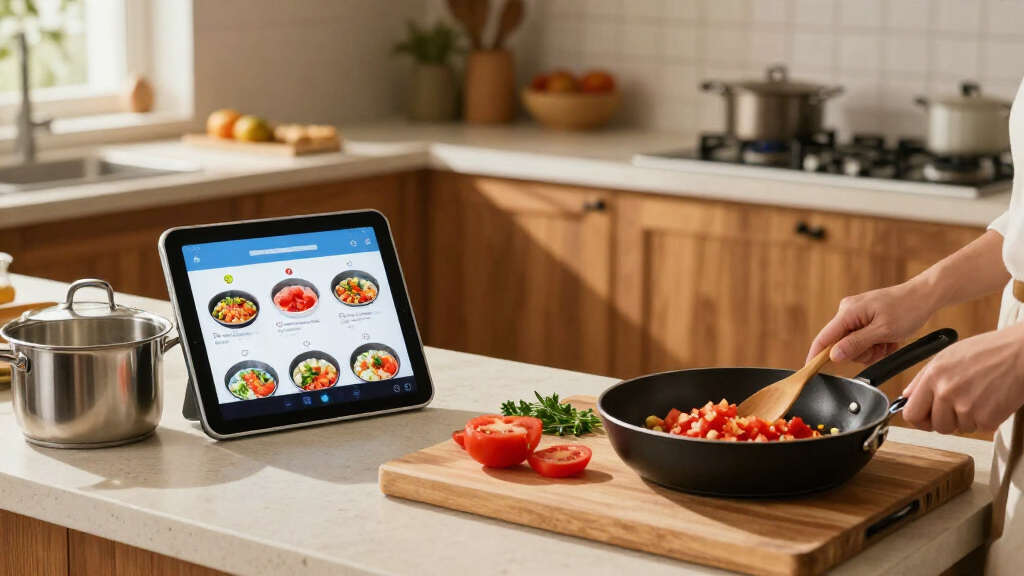

For a smart display in the kitchen, screen size matters—but so do glare, placement, and what else you want the device to do. I rank the Echo Show 16 first for its large anti-glare screen and broad household-hub role, while the Echo Show 15 (2nd Gen) is a strong alternative if you want a Full HD dashboard with a detailed smart home hub. The Echo Show 5 is the compact pick for small counters, though its screen is much less suited to reading a recipe from across the room.

Get the latest gadgets delivered free with Prime
- Fast, free delivery on millions of items
- Prime Video, Amazon Music and more included
- Member-only deals all year
The main tradeoff is between recipe visibility and kitchen footprint. A wall-mounted 15- or 16-inch display can make instructions and household information easier to see, but it asks for more wall space and a stable Wi-Fi connection. The Show 5 takes up less room and costs no space on a wall, but its smaller screen favors quick glances rather than following a long recipe. I compare these models by how well their displays fit cooking, how they support a busy household, and what compromises come with each size.
Complete the kit



Key Takeaways
- Echo Show 16 leads for recipe viewing in changing kitchen light, thanks to its 16-inch anti-glare Nanomatte display and included wall mount.
- Echo Show 15 (2nd Gen) is the better fit for shoppers who want a Full HD wall display plus Zigbee, Matter, and Thread smart home support.
- Echo Show 5 suits tight counters and quick Alexa requests, but its 5.5-inch screen is the least comfortable for reading recipe steps at a distance.
- A wall-mounted Show 16 or Show 15 keeps the display above counter clutter; the compact Show 5 is easier to place but still needs a clear viewing angle.
- All three pair Alexa and a touchscreen with household tasks, but only the large models combine recipe viewing with a substantial Fire TV screen.
| Amazon Echo Show 16 with Nanomatte Display, Built-in Fire TV and Night Vision Camera |  | Best Overall for Recipe Viewing | VIEW LATEST PRICE | See Our Full Breakdown |
| Amazon Echo Show 15 (2nd Gen), 15.6″ Full HD Smart Display with Fire TV and Alexa |  | Best for a Connected Household | VIEW LATEST PRICE | See Our Full Breakdown |
| Amazon Echo Show 5 Smart Display with Alexa, Charcoal |  | Best Compact Kitchen Display | VIEW LATEST PRICE | See Our Full Breakdown |
More Details on Our Top Picks
Amazon Echo Show 16 with Nanomatte Display, Built-in Fire TV and Night Vision Camera
The Echo Show 16 is my first choice when the display needs to function as a genuine kitchen recipe screen, not just an Alexa speaker with a panel. Its 16-inch anti-glare Nanomatte display gives recipe text and steps more room than either alternative, while the reduced glare is intended to help in kitchens where daylight, ceiling lights, and reflective surfaces can make glossy screens harder to view. The included wall mount also makes a practical difference: moving the screen off a crowded counter can keep it visible without sacrificing prep space.
Compared with the Echo Show 15 (2nd Gen), the Show 16 gives up some of the specific detail in the other model’s listed smart home connectivity and Full HD specification, but it offers the largest screen and a finish specifically described as anti-glare. That distinction matters more to recipe use than another set of household features if your priority is reading instructions while cooking. It also brings Fire TV, a voice remote, and household organization into one device, so it can cover entertainment and shared home information after the meal.
The built-in camera has night vision, and camera settings can be controlled on-device or in the app. A physical microphone and camera disable button adds a straightforward privacy option. These features give the Show 16 a broader household role than a dedicated recipe display, but they also mean buyers should think through where a camera-equipped device belongs in the kitchen. Smart home control applies to compatible lights, locks, thermostats, and blinds, rather than every device in the home.
There are tradeoffs. A 16-inch screen needs a suitable wall location or generous counter space, and the listed setup benefits depend on having compatible smart home products. Alexa+ access at no additional cost requires a Prime membership, so I would not choose this model on the assumption that every advanced assistant feature is included for every buyer. Compared with the more connection-specific Show 15, the Show 16 makes the strongest case through screen size, glare-conscious viewing, and household versatility; skip it if your kitchen cannot accommodate a large display.
Pros:- The 16-inch anti-glare Nanomatte display offers the largest recipe-viewing area in this lineup.
- The included wall mount can free up counter space and keep cooking instructions visible.
- Combines Fire TV, household organization, and compatible smart home controls.
- Night vision camera and dedicated camera and microphone controls provide flexible calling and privacy options.
Cons:- Its large screen needs a suitable location and may overwhelm a compact kitchen.
- Smart home controls are limited to compatible devices, and Alexa+ access at no additional cost requires Prime membership.
Best for: Home cooks who want a large, wall-mounted recipe screen that can also manage household information and stream video.
Not ideal for: People with very limited wall or counter space, shoppers seeking a small glanceable display, or buyers who expect smart home control to work with every device.
Our verdict“I recommend the Echo Show 16 for cooks who want the biggest, glare-conscious recipe display and have room to mount it.”
Amazon Echo Show 15 (2nd Gen), 15.6″ Full HD Smart Display with Fire TV and Alexa
The Echo Show 15 (2nd Gen) earns second place by pairing a generous 15.6-inch Full HD screen with a more explicitly documented smart home hub than the Show 16. For kitchen recipes, its display is large enough to make a wall dashboard useful for viewing instructions alongside calendar or to-do widgets. Its 1920 x 1080 resolution gives it a clear, detailed-screen pitch, while built-in Fire TV makes the panel useful when cooking is done.
Where this model differentiates itself from the Show 16 is connectivity. The Show 15 lists Zigbee, Matter, and Thread alongside Wi-Fi 6E and Bluetooth, which can appeal to households that want one display to serve as part of a broader connected-device setup. The Echo Show 16 still takes the lead for this roundup because its screen is larger and specifically described as anti-glare; the Show 15 is the more compelling pick if smart home protocol support matters as much as recipe visibility.
It also has a 13 MP camera with auto-framing and 3.3x zoom, plus a shutter, making it better equipped for video calls than the compact Show 5 and a strong fit for shared household communication. The included Alexa Voice Remote and wall-mount kit give buyers ways to use it as a mounted dashboard and entertainment screen. At 16.1 inches wide and nearly five pounds, it is still a substantial device, so I would plan the mounting position before buying rather than treating it like a small counter gadget.
The main compromises are practical. Initial setup and management require Wi-Fi and the Alexa app, and streaming subscriptions remain separate where services require them. Its listed connectivity does not make every smart home device automatically compatible, so check the products you already own. Compared with the Show 5, this is far more suitable for reading a recipe while moving around the kitchen; compared with the Show 16, it trades the largest screen and anti-glare emphasis for a strong Full HD presentation and broader listed hub support.
Pros:- The 15.6-inch Full HD screen offers ample space for recipes, widgets, and streaming.
- Zigbee, Matter, and Thread support give it a strong role in a connected smart home.
- The 13 MP camera includes auto-framing, zoom, and a physical shutter.
- Alexa Voice Remote and wall-mount hardware are included.
Cons:- Initial setup and ongoing management require Wi-Fi and the Alexa app.
- Streaming services may require separate subscriptions, and ad-hoc Wi-Fi networks are not supported.
- Its large size and 4.96-pound weight call for careful placement and secure mounting.
Best for: Households that want a large recipe and calendar display with Fire TV, video calling, and support for several smart home protocols.
Not ideal for: Buyers who need the largest anti-glare screen, lack reliable Wi-Fi, or do not want a large wall-mounted device and app-based setup.
Our verdict“I would choose the Echo Show 15 over the Show 16 when Full HD viewing and listed smart home protocol support matter more than the largest anti-glare screen.”
Amazon Echo Show 5 Smart Display with Alexa, Charcoal
The Echo Show 5 has a different job from the two large wall displays: it is a compact Alexa screen for a small counter, bedside-style nook, or secondary kitchen station. Its 5.5-inch touchscreen can show quick information, compatible camera feeds, and short video content, while voice control lets a cook ask for help without reaching for a phone. For a cramped kitchen, that smaller footprint is a real advantage over the wide Show 15 and Show 16.
That space-saving design also sets its limit. A 5.5-inch screen is much less comfortable for reading a long set of recipe instructions from across a room, and it does not offer the substantial Fire TV screen experience described for the other two products. I would treat it as a convenient glance-and-ask display rather than a full recipe station. If you want to read ingredients and steps at a distance, the Show 15 is a clearer upgrade; for the most generous and glare-conscious viewing, the Show 16 remains ahead.
The Show 5 still covers everyday kitchen tasks well. It includes a 2 MP camera with a built-in shutter for video calls and compatible camera viewing, plus a physical microphone and camera off button. Its 1.75-inch full-range speaker supports audio in a compact body, and the product uses recycled polyester yarn and recycled aluminum, with recyclable packaging. Those touches may matter if you want a smaller device that keeps materials and packaging in view.
Its drawbacks are mainly about scale and network fit. The screen is small for recipe-heavy use, and it does not support ad-hoc or peer-to-peer Wi-Fi networks. Some skills and services may also involve extra fees. Compared with the larger Echo Shows, it sacrifices recipe readability and a large entertainment display to save space; compared with using a phone alone, it adds hands-free Alexa access and a fixed spot for quick kitchen information. Pick it when compactness is the priority, not when screen size is the reason you are shopping.
Pros:- The 5.5-inch touchscreen fits into small spaces where a wall-sized display would be impractical.
- Camera and microphone controls include a built-in shutter and an off button.
- Supports video calls and compatible camera feeds in a compact form.
- Uses recycled materials and recyclable packaging.
Cons:- The small screen is the least suitable in this lineup for following detailed recipes at a glance.
- Ad-hoc and peer-to-peer Wi-Fi networks are not supported.
- Some skills and services may require subscriptions or additional fees.
Best for: People with a small kitchen who want a compact Alexa display for quick recipe checks, timers, calls, and smart home controls.
Not ideal for: Cooks who need to read detailed recipes from a distance, want a large Fire TV screen, or rely on unsupported ad-hoc Wi-Fi.
Our verdict“I recommend the Echo Show 5 for tight kitchens and quick hands-free tasks, but not as the primary screen for reading full recipes.”
How We Picked
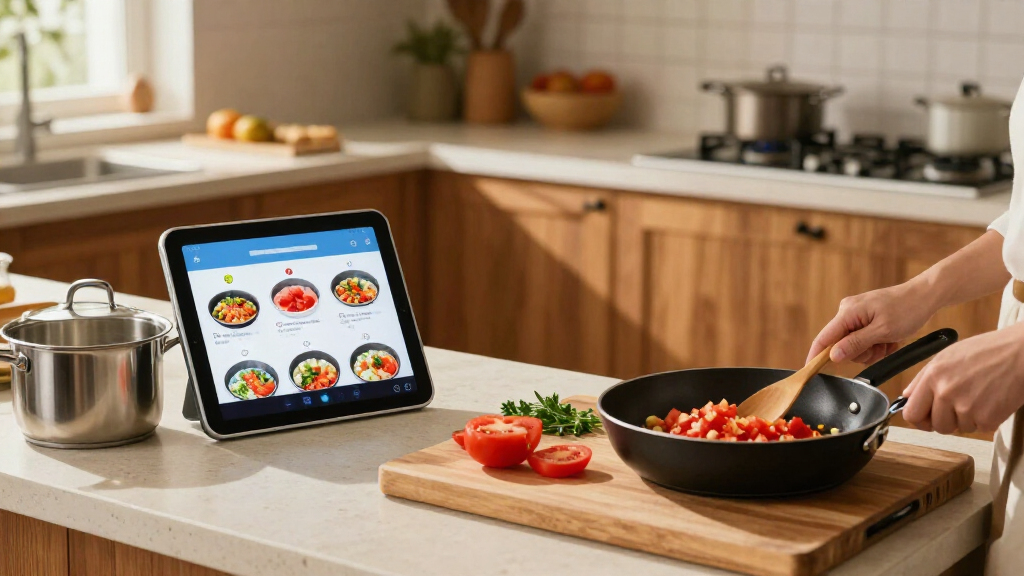
I ranked these displays around a specific kitchen task: following recipes without making the screen an afterthought. That means a useful viewing area, a placement option that works in a busy room, and features that can support cooking alongside calendars, smart home controls, or entertainment. A device can have plenty of general smart-home features and still rank lower if its screen is too small for comfortable recipe reading.
I also separated the products by the kind of kitchen and household they serve. The Echo Show 16 comes first because its largest screen and anti-glare finish make it the clearest recipe-first choice here. The Show 15 ranks close behind: its screen is slightly smaller, but its Full HD resolution and wider smart home protocol support give it a distinct role for people building a connected household. The Show 5 is third, not because it lacks usefulness, but because its compact display is best for short instructions and at-a-glance tasks rather than detailed recipe viewing.
Beyond screen size, I compared mounting and placement, camera and privacy controls, entertainment features, and the setup conditions listed for each model. I treat network and subscription requirements as part of the buying decision, not as minor footnotes. I do not assume that every recipe service or smart home device will work identically across Alexa products; compatibility can depend on the service, device, and setup. The rankings reflect the supplied product details and their fit for kitchen recipes, not hands-on testing.
Factors to Consider When Choosing Smart Display For Kitchen Recipes
I would choose a kitchen smart display by matching screen size and placement to the way recipes are used in your home, then checking the secondary features you will genuinely use.Choose a screen you can read while cooking
Recipe viewing is the central reason to buy one of these displays, so the first question is how far away you will be standing. A large screen can make ingredient lists, directions, and household widgets easier to read without leaning over a counter. The Echo Show 16 has the biggest panel here, while the Show 15 offers a similarly expansive 15.6-inch Full HD display. The Show 5 is better for a short glance from nearby than for reading a detailed recipe from across the room.
Think about the kinds of instructions you follow. If you tend to check a single step or ask Alexa a quick question, a compact screen may be enough. For longer recipes, cooking videos, or shared use by more than one person, I would favor one of the larger models. Resolution is part of the picture, but usable screen area and viewing distance are more directly tied to whether the display feels comfortable during prep.
Plan for glare, lighting, and placement
Kitchens often have windows, bright task lighting, and reflective counters. The Echo Show 16 is the only model in this group described with an anti-glare Nanomatte display, which makes it my lead recommendation for a bright or varied-light kitchen. The Show 15’s Full HD panel may suit many spaces, but the supplied details do not describe the same anti-glare finish. Neither specification replaces checking the screen’s intended location against direct sunlight and overhead reflections.
Placement changes how useful a display feels. A wall-mounted device can stay visible and preserve prep space, but it needs an appropriate wall and secure installation. The Show 16 includes a wall mount, and the Show 15 includes wall-mount hardware. The Echo Show 5 is easier to fit on a small counter, though you still need a stable spot where splashes and clutter will not block the view. Decide where it will sit before comparing features, especially for the two large models.
Decide whether the display is also a household hub
If you want recipes to share space with calendars, reminders, and home controls, a larger display can serve as a more visible household dashboard. The Show 16 combines organization, Fire TV, and Alexa controls for compatible smart home devices. The Show 15 stands out for listed protocol support, including Zigbee, Matter, and Thread, which may be useful if those standards match products already in your home. Compatibility still depends on the individual device and setup, so verify your existing equipment rather than relying on a protocol list alone.
The Show 5 can control smart home devices and show compatible camera feeds, but its compact screen naturally suits quick interactions rather than serving as a large shared control panel. I would avoid buying a bigger display solely because it lists more features if you do not plan to use them. Instead, weigh whether the display will earn its space through recipe reading, organization, smart home control, or video calls.
Check entertainment, camera, and privacy needs
The Show 16 and Show 15 both include Fire TV, giving them a second role for streaming in the kitchen. This can make a large mounted screen useful after cooking, though access to individual streaming services may require separate subscriptions. The Show 5 handles videos and other quick screen tasks, but its size is not comparable as a viewing screen. If you mainly want a recipe display, entertainment is a bonus rather than a reason to compromise on readability.
Camera features can matter for calls, remote camera viewing, or household use, but not everyone wants a camera in the kitchen. The Show 15 lists a 13 MP camera with auto-framing, zoom, and a shutter; the Show 16 lists night vision and dedicated camera settings; the Show 5 has a lower-resolution camera with a built-in shutter. Look at the privacy controls as carefully as the camera capabilities. Physical disable controls and camera shutters help buyers who prefer a clear, direct way to limit camera or microphone access.
Confirm setup conditions and service costs
The Show 15 requires Wi-Fi and the Alexa app for initial setup and management, and the Show 5 does not support ad-hoc or peer-to-peer Wi-Fi networks. Check that your kitchen has dependable network coverage before choosing a display that will depend on connected services. Smart home controls also depend on compatible products, while recipe and entertainment services may have their own accounts or fees.
For the Show 16, the supplied information says Alexa+ features require a Prime membership for access at no additional cost. That detail is relevant if those features are part of your reason for choosing it. Across all three models, distinguish between the device’s built-in functions and services that require separate eligibility or subscriptions. I would make the purchase decision around the screen and kitchen fit first, then treat cloud services and subscriptions as part of the ongoing setup rather than guaranteed inclusions.
Frequently Asked Questions
Which smart display is best for following recipes in the kitchen?
I rank the Echo Show 16 first for recipe use because it has the largest screen in this comparison and an anti-glare Nanomatte finish. The Echo Show 15 is a close alternative if Full HD resolution and listed smart home protocol support matter more to you. The Echo Show 5 is best reserved for quick checks and voice requests because its smaller screen is less comfortable for detailed instructions viewed from a distance.
Is the Echo Show 5 large enough for cooking recipes?
The 5.5-inch Echo Show 5 can display short instructions and useful glanceable information, but I would not pick it as the main recipe screen if you regularly follow long directions or need to read from across the kitchen. Its compact size is the reason to choose it, not its recipe visibility. For a larger reading area, the Show 15 or Show 16 is a better match.
Should I choose the Echo Show 15 or Echo Show 16?
Choose the Echo Show 16 if you want the largest display and the anti-glare finish described for this lineup. Choose the Echo Show 15 if its 15.6-inch Full HD screen is sufficient and its listed Zigbee, Matter, and Thread support better suits your connected home. Both are large mounted-screen options with Fire TV, so the deciding factors are glare, screen size, and the smart home setup you already own.
Can these displays control smart home devices while I cook?
All three are Alexa smart displays with smart home control, but the available actions depend on compatible devices and setup. The Show 16 lists control for compatible lights, locks, thermostats, and blinds, while the Show 15 specifies Zigbee, Matter, and Thread support. The Show 5 can control compatible devices on a smaller screen. Check compatibility for your specific products before assuming every light or appliance will appear in Alexa.
Do these smart displays require subscriptions or Wi-Fi?
Connected functions rely on a suitable network, and the Echo Show 15 requires Wi-Fi and the Alexa app for initial setup and management. Streaming services such as Netflix or Prime Video may require separate subscriptions, and some skills or services can involve additional fees. The Show 16’s Alexa+ features require a Prime membership for access at no additional cost. I would check the requirements for the specific services you plan to use before treating them as part of the device.
Conclusion
For most cooks who want a dedicated recipe screen, I recommend the Echo Show 16: it pairs the largest display in this group with an anti-glare finish and a wall mount, making it the strongest fit for recipes viewed in a busy, bright kitchen. If your priority is a Full HD household dashboard with Zigbee, Matter, and Thread support, choose the Echo Show 15 instead. It remains large enough for recipes while putting more emphasis on connected-home support and video calls.
Choose the Echo Show 5 if counter space is scarce and your kitchen use centers on quick Alexa requests, timers, short recipe checks, or calls. Its screen is a clear compromise, so I would not make it your main display if reading complete recipes is the goal. In short: go big for comfortable cooking instructions, choose the Show 15 for a connected household, and pick the Show 5 only when compactness matters more than viewing area.
Black Friday Picks

Sony WH-1000XM6 Wireless Noise-Canceling Headphones, Black
As an affiliate, we earn on qualifying purchases.