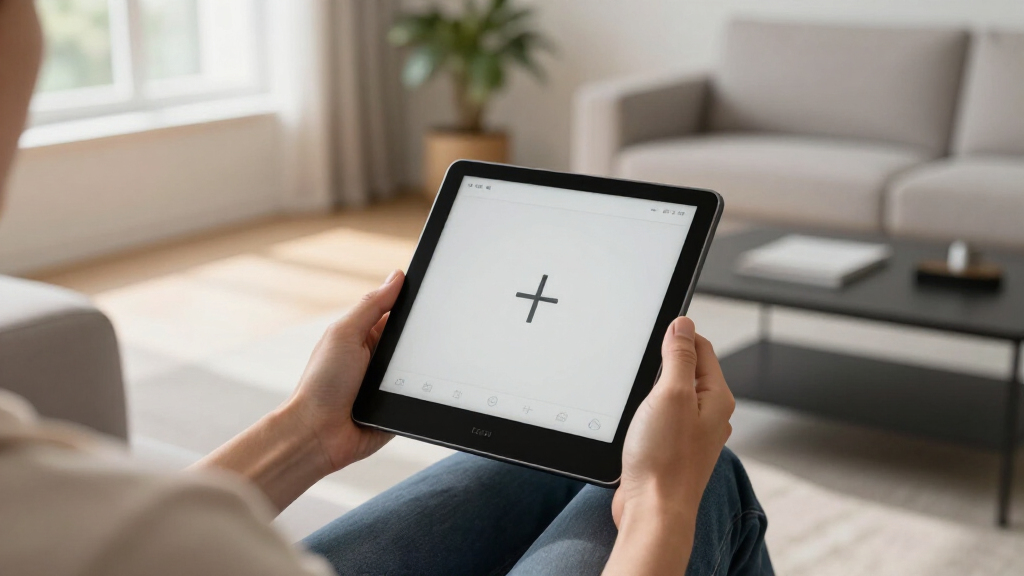
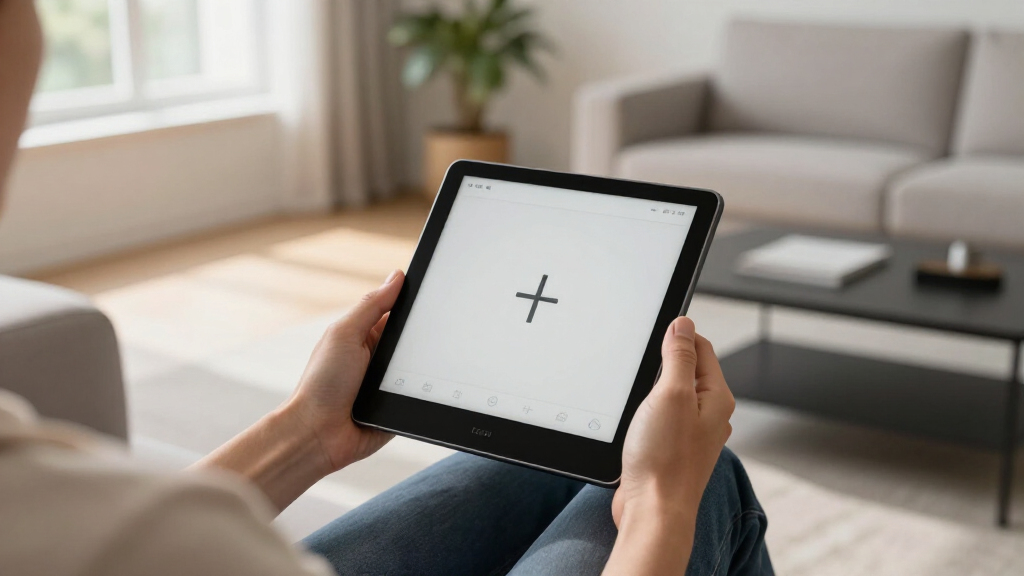
Searching for the best e-ink tablets in 2026 means balancing clarity, versatility, and price. The BOOX Note Air 5 stands out as the overall top pick for its combination of screen quality and Android flexibility. For those prioritizing color display, the BOOX Note Air 5 C offers vibrant visuals, though at a higher cost. Meanwhile, the reMarkable 2 remains the best choice for focused note-taking without distractions, but it lacks color and has limited app support. These devices all excel at reducing eye strain and extending battery life, yet they differ significantly in features, usability, and price. Keep reading for a detailed breakdown to find the perfect e-ink tablet for your needs.

Get the latest gadgets delivered free — and shop member deals
- Fast, free delivery on millions of items
- Access to Prime Big Deal Days deals on October 6–7
- Prime Video, Amazon Music and more included
Key Takeaways
- Color e-ink tablets like the BOOX Note Air 5 C deliver vibrant visuals but tend to cost more and have shorter battery life.
- The reMarkable 2 is ideal for distraction-free reading and note-taking but falls short in multimedia capabilities.
- Android-based e-ink tablets offer the most app flexibility, though they can be bulkier and pricier.
- Size matters: larger screens improve reading and note-taking but reduce portability.
- Budget options like BOOX Tablet Go models provide good value but often sacrifice advanced features and screen quality.
| Ocean C 64GB + 4GB 7” Color eBook Reader with Handwriting Support |  | Best for Color Reading and Note-Taking | Display: 7-inch Color E Ink | Storage: 64GB | RAM: 4GB | VIEW LATEST PRICE | See Our Full Breakdown |
| BOOX Note Air 5 C 10.3″ E Ink Color Tablet with Android 15, 6GB RAM, 64GB Storage |  | Best for High-Resolution Color and Android Compatibility | Display: 10.3-inch Kaleido 3 Color E Ink | Resolution: 2480 x 1860 (B/W), 1240 x 930 (Color) | Color: 4,096 colors | VIEW LATEST PRICE | See Our Full Breakdown |
| VIWOODS Carta 1300 AI E Ink Tablet with Stylus Pro and Nibs, 10.65″ 300PPI Electronic Notebook, 128GB |  | Best for Precise Handwriting and AI-Enhanced Organization | Display: 10.65 inches, 2560 x 1920 | PPI: 300 | Stylus: W2 Stylus Pro with 4096 pressure levels | VIEW LATEST PRICE | See Our Full Breakdown |
| BOOX Tablet Go 7 B/W E Ink Tablet 4G Support Active Stylus InkSense |  | Best for Compact, On-the-Go Reading with Connectivity | Display: 7-inch HD ePaper | Resolution: 1680 x 1264 | Stylus Support: Active InkSense (not included) | VIEW LATEST PRICE | See Our Full Breakdown |
| reMarkable Paper Pro with Marker Plus 11.8” Color E Ink Paper Tablet with Reading Light |  | Best for Large-Format Color Note-Taking and Reading | Display: 11.8-inch color e-ink | Resolution: Full HD | Included Accessories: Marker Plus, eraser, spare tips | VIEW LATEST PRICE | See Our Full Breakdown |
| Penstar eNote2 E-Ink Digital Notebook with Pen, 10.3” Paper Tablet, 8192 Levels Pressure, 128GB Storage, 6500mAh Battery, Leather Folio Cover Bundle |  | Best for Natural Writing and Extended Use | Display: 10.3 inches | Pressure Levels: 8192 | Storage: 128GB | VIEW LATEST PRICE | See Our Full Breakdown |
| BOOX Tablet Go 10.3 Gen II Lumi ePaper E Ink Tablet Notebook |  | Best for Versatile Light Media Use | Screen Size: 10.3 inches | Resolution: 2480×1860 (300 ppi) | Touch: Stylus with 4,096 pressure levels + capacitive | VIEW LATEST PRICE | See Our Full Breakdown |
| reMarkable Paper Pure with Marker Plus and Ocean Blue Sleeve Folio – 10.3″ Digital Paper Tablet |  | Best for Focused Note-Taking and Document Review | Display Size: 10.3 inches | Display Type: E Ink | Color: Black and White | VIEW LATEST PRICE | See Our Full Breakdown |
| reMarkable 2 with Marker Plus | 10.3” Paper Tablet with E Ink Display |  | Best for Long Battery Life and Focused Work | Display: 10.3-inch black and white E Ink | Thickness: 4.7 mm | Battery Life: Up to 2 weeks | VIEW LATEST PRICE | See Our Full Breakdown |
| Penstar eNote Pro Color E-Ink Digital Notebook with Pen, 10.3” AI Note-Taking Paper Tablet, 8192 Pressure Levels, 128GB Storage, 6500mAh Battery, Leather Folio Cover Bundle |  | Best for Color Creativity and Smart Features | Display: 10.3-inch Kaleido 3 color E-Ink, 2K QHD | Pressure Levels: 8192 | Storage: 128GB | VIEW LATEST PRICE | See Our Full Breakdown |
| BOOX Tablet Go Color 7 Gen II E Ink Tablet Support Active Stylus InkSense (Black) |  | Best for Color Content and Light Media Use | Display: 7-inch Kaleido 3 (4096 colors) glass screen | Resolution: 1680 x 1264 | CPU: Octa-core | VIEW LATEST PRICE | See Our Full Breakdown |
| reMarkable Paper Pure with Marker 10.3-inch Digital Notebook |  | Best for Focused Writing and Paper-like Experience | Display: 10.3-inch e-ink | Color: Black and white | Response Time: 21 ms | VIEW LATEST PRICE | See Our Full Breakdown |
| BOOX Note Air 5 10.3″ E Ink Tablet with 6GB RAM and 64GB Storage | | Best for Reading and Note Management in Color | Display: 10.3-inch E Ink Kaleido 3 color screen | RAM: 6GB | Storage: 64GB | VIEW LATEST PRICE | See Our Full Breakdown |
| e-ink tablet | Display | Storage |
|---|---|---|
| Ocean C 64GB + 4GB 7” Color eB | 7-inch Color E Ink | 64GB |
| BOOX Note Air 5 C 10.3" E Ink | 10.3-inch Kaleido 3 Color E Ink | 64GB |
| VIWOODS Carta 1300 AI E Ink Ta | 10.65 inches, 2560 x 1920 | 128GB |
| BOOX Tablet Go 7 B/W E Ink Tab | 7-inch HD ePaper | 64GB |
| reMarkable Paper Pro with Mark | 11.8-inch color e-ink | — |
| Penstar eNote2 E-Ink Digital N | 10.3 inches | 128GB |
| BOOX Tablet Go 10.3 Gen II Lum | — | 64GB |
| reMarkable Paper Pure with Mar | — | — |
| reMarkable 2 with Marker Plus | 10.3-inch black and white E Ink | — |
| Penstar eNote Pro Color E-Ink | 10.3-inch Kaleido 3 color E-Ink, 2K QHD | 128GB |
| BOOX Tablet Go Color 7 Gen II | 7-inch Kaleido 3 (4096 colors) glass screen | 64GB |
| reMarkable Paper Pure with Mar | 10.3-inch e-ink | — |
| BOOX Note Air 5 10.3" E Ink Ta | 10.3-inch E Ink Kaleido 3 color screen | 64GB |
More Details on Our Top Picks
Ocean C 64GB + 4GB 7” Color eBook Reader with Handwriting Support
This model stands out for its vibrant 7-inch color E Ink display, making it ideal for reading comics, manga, and magazines where color detail enhances the experience. Compared to the monochrome-focused reMarkable Paper Pro, the Ocean C offers a richer visual experience, though its color E Ink technology can sometimes produce duller shades and slower refresh rates. The device’s large 64GB storage supports a wide range of formats, and the octa-core processor ensures smooth multitasking, but the stylus support is only available via an extra purchase, which adds to the overall cost. This pick makes the most sense for users who value color content and want a versatile device for reading and note-taking, provided they are comfortable with some additional accessories.
Pros:- Vivid, high-resolution color E Ink display for engaging visual content
- Large 64GB storage capacity with expansion options
- Supports multiple formats for reading and note-taking
- Powerful octa-core processor for smooth multitasking
Cons:- Stylus pen sold separately, increasing total cost
- Color E Ink has limitations with darker shades and slower refresh rates
Best for: Color-focused readers who enjoy comics, magazines, and versatile note-taking in a portable package
Not ideal for: Users expecting fast refresh rates or multimedia performance comparable to LCD tablets
- Display:7-inch Color E Ink
- Storage:64GB
- RAM:4GB
- Processor:Octa-core 2.2GHz
- Supported Formats:jpg, jpeg, png, txt, epub, pdf, umd, mobi, ebk2, ebk3, azw3, ttf, otf, ttc, mp3, flac, wav, m4a, aac, xls, xlsx, ppt, pptx, doc, docx
- Connectivity:Bluetooth, WiFi, USB
Our verdict“This device is well-suited for those who prioritize color in their reading and note-taking, accepting some limitations in refresh speed.”
BOOX Note Air 5 C 10.3″ E Ink Color Tablet with Android 15, 6GB RAM, 64GB Storage
This tablet excels in offering a large, crisp 10.3-inch color E Ink display with a high resolution of 1240 x 930, making it suitable for detailed illustrations and reading. Unlike the smaller Ocean C, its bigger screen enhances productivity for note-taking and annotations, and running Android 15 opens a wide range of apps and formats—something the Ocean C cannot match. However, its color E Ink technology remains limited in contrast and darker shades, and the refresh rate lags behind LCD tablets, especially when displaying dynamic content. This device makes the most sense for professionals and students who want a sizable, versatile device that balances reading, note-taking, and light multimedia use, despite inherent color display constraints.
Pros:- Large, high-resolution color E Ink display with detailed visuals
- Runs on Android 15, supporting a broad range of apps and formats
- Lightweight and portable for its size
- Supports pressure-sensitive stylus for precise notes and sketches
Cons:- Color E Ink has inherent contrast and shade limitations
- Slower refresh rates unsuitable for animations or quick interactions
Best for: Digital artists, students, and professionals seeking a large, color E Ink device with Android ecosystem access
Not ideal for: Users expecting smooth animations or high-end multimedia performance
- Display:10.3-inch Kaleido 3 Color E Ink
- Resolution:2480 x 1860 (B/W), 1240 x 930 (Color)
- Color:4,096 colors
- Processor:Octa-core
- RAM:6GB
- Storage:64GB
Our verdict“Ideal for those needing a large, versatile color device for reading and note-taking, accepting some display limitations.”
VIWOODS Carta 1300 AI E Ink Tablet with Stylus Pro and Nibs, 10.65″ 300PPI Electronic Notebook, 128GB
This device earns its spot for its ultra-crisp 10.65-inch 300 PPI display, offering a paper-like experience for extended reading and detailed note-taking. The responsive stylus with 4096 pressure levels supports precise handwriting and sketches, surpassing the stylus experience of the Ocean C, which relies on separate accessories. The AI tools for organizing, translating, and managing content add a productive edge. However, the natural E Ink refresh latency can cause minor delays during extensive writing sessions, and the device’s monochrome nature limits multimedia use. It appeals strongly to writers, students, or professionals focused on detailed notes and annotations, willing to trade color for superior stylus precision and AI support.
Pros:- High-resolution 300 PPI display mimics paper quality
- Responsive stylus with extensive pressure sensitivity
- AI tools for content organization and translation
- Lightweight and ultra-thin design
Cons:- Latency in E Ink refresh can cause slight delays during writing
- Limited to monochrome, not suitable for multimedia or color images
Best for: Students and professionals needing a high-resolution, paper-like device for detailed notes and annotations
Not ideal for: Users seeking multimedia, color content, or fast refresh rates for dynamic tasks
- Display:10.65 inches, 2560 x 1920
- PPI:300
- Stylus:W2 Stylus Pro with 4096 pressure levels
- Storage:128GB
- Weight:370g
- Thickness:4.5mm
Our verdict“Best suited for users prioritizing precise handwriting, note organization, and a paper-like display over color and multimedia features.”
BOOX Tablet Go 7 B/W E Ink Tablet 4G Support Active Stylus InkSense
This 7-inch device shines for its portability, supporting a wide range of formats and offering 4G connectivity for browsing and reading anywhere. Its 1680 x 1264 resolution provides sharp text and images, though it doesn’t include a stylus in the box, and it lacks EMR stylus support, limiting handwriting precision. Compared with larger devices like the Ocean C or BOOX Note Air, this model trades screen real estate for pocketability, making it ideal for quick reading and light annotation on the move. The multiple refresh modes help mitigate ghosting, but fast content changes can still produce some visual artifacts. It’s a good choice for casual readers and travelers who need a lightweight device with cellular access, but not for detailed stylus work.
Pros:- Small, lightweight design for portability
- Supports a broad range of document formats
- 4G connectivity for on-the-go access
- Multiple refresh modes to reduce ghosting
Cons:- Stylus not included, limiting immediate use for annotations
- No EMR stylus support, reducing handwriting precision
Best for: Travelers and casual readers needing a compact, connected e-ink device for reading and light annotation
Not ideal for: Users requiring precise handwriting, multimedia, or extensive note-taking
- Display:7-inch HD ePaper
- Resolution:1680 x 1264
- Stylus Support:Active InkSense (not included)
- Storage:64GB
- Connectivity:Wi-Fi, Bluetooth, 4G
- Weight:Approx. 195g
Our verdict“Perfect for casual reading and light use during travel, but not suited for detailed handwriting or multimedia tasks.”
reMarkable Paper Pro with Marker Plus 11.8” Color E Ink Paper Tablet with Reading Light
This device earns recognition for its large 11.8-inch color e-ink display, offering a natural and expansive writing surface that rivals traditional paper. Compared to smaller or monochrome models like the VIWOODS Carta 1300, the Paper Pro’s size is ideal for detailed sketches, annotations, and reading complex documents. Its color display provides a more engaging experience, especially with the built-in reading light that enhances usability in various lighting conditions. However, the device relies on a stylus for full functionality, and its color E Ink technology may not match the vibrancy or contrast of LCD screens. It’s best suited for users who want a larger, color-compatible device for reading, annotating PDFs, or creative work, but not for multimedia or fast-paced content.
Pros:- Large, 11.8-inch color e-ink display mimics paper for natural writing
- Includes Marker Plus stylus with eraser and spare tips
- Built-in adjustable reading light for versatile lighting conditions
- Supports organizing and annotating PDFs effectively
Cons:- Limited multimedia functionality due to e-ink display
- Requires stylus for effective use, which may be an extra cost
Best for: Creative professionals and students needing a large, color e-ink device for detailed notes, annotations, and reading
Not ideal for: Users seeking high-speed multimedia or vibrant color displays for video or gaming
- Display:11.8-inch color e-ink
- Resolution:Full HD
- Included Accessories:Marker Plus, eraser, spare tips
- Features:Adjustable reading light, handwriting to text
Our verdict“Ideal for users who prioritize large-format, color note-taking and reading, accepting limitations in multimedia and vibrancy.”
Penstar eNote2 E-Ink Digital Notebook with Pen, 10.3” Paper Tablet, 8192 Levels Pressure, 128GB Storage, 6500mAh Battery, Leather Folio Cover Bundle
The Penstar eNote2 stands out for its paper-like writing experience, thanks to 8192 pressure levels that mimic real pen-on-paper feel. Its large 10.3-inch E-Ink display offers excellent sunlight readability, making it perfect for outdoor note-taking or reading. Compared to the reMarkable 2, it provides more storage (128GB) and a longer-lasting 6500mAh battery, supporting longer sessions without recharge. However, its reliance solely on E-Ink technology limits multimedia capabilities, and its premium bundle may come at a higher price. This model is best suited for users prioritizing natural handwriting and extended usage without distractions.
Pros:- Paper-like writing experience with high pressure sensitivity
- Bright, sunlight-readable display
- Large 128GB storage and long battery life
Cons:- Limited to E-Ink display, no color or multimedia support
- Higher price point due to advanced features and accessories
Best for: Professionals and students needing a dedicated digital notebook with a natural writing feel and large storage.
Not ideal for: Multimedia enthusiasts seeking color or video capabilities, or those on a tight budget, as the device leans heavily on E-Ink features and accessories add cost.
- Display:10.3 inches
- Pressure Levels:8192
- Storage:128GB
- Battery Capacity:6500mAh
- Weight:409 grams
- Included Accessories:Stylus, spare tips, folio cover, charging cable, quick start guide
Our verdict“This is a top choice for users who prioritize natural handwriting and extended battery life in a dedicated digital notebook.”
BOOX Tablet Go 10.3 Gen II Lumi ePaper E Ink Tablet Notebook
The BOOX Tablet Go 10.3 Gen II offers a versatile reading and note-taking experience with its high-resolution 10.3-inch ePaper display supporting multiple refresh modes. Its Android 15 OS and 4GB RAM allow for a wider range of light media and document interactions compared to simpler eReaders like the reMarkable 2. The device’s lightweight design at just 364 grams makes it highly portable. Still, it’s not suited for intensive multimedia tasks or color content, and app compatibility may limit some third-party usage. This tablet makes sense for those who want a flexible device for reading, light browsing, and notes on the go without sacrificing portability.
Pros:- High-resolution display with multiple refresh modes
- Supports various document, image, and audio formats
- Lightweight and portable with long battery life
Cons:- Limited to light media and note-taking, not for heavy multimedia
- No waterproof or rugged features
Best for: Students and casual users who want a lightweight device for reading, note-taking, and light media interaction.
Not ideal for: Power users seeking color or multimedia editing, or those needing rugged durability, as its focus remains on light media and portability.
- Screen Size:10.3 inches
- Resolution:2480×1860 (300 ppi)
- Touch:Stylus with 4,096 pressure levels + capacitive
- CPU:Octa-core
- RAM:4GB
- Storage:64GB
- Battery:3,700mAh
- Dimensions:235 x 183 x 4.8 mm
- Weight:364g
Our verdict“This tablet suits those who want a flexible, portable device for reading and light media without the bulk of larger tablets.”
reMarkable Paper Pure with Marker Plus and Ocean Blue Sleeve Folio – 10.3″ Digital Paper Tablet
The reMarkable Paper Pure excels at delivering a natural, distraction-free writing experience with its high-contrast black-and-white display and fast 21 ms response time. Its focus on paper-like writing makes it ideal for document review, brainstorming, and organized note-taking, surpassing color-capable devices that may be too distracting. Unlike the reMarkable 2, which offers longer battery life and more advanced organization, the Paper Pure emphasizes simplicity and seamless cloud integration. Its limited color palette and need for regular charging might be drawbacks for those seeking multimedia or color content. This device is best for users who want a minimalistic, focused digital paper experience.
Pros:- High-contrast, fast-response e-ink display
- Supports note organization with tags and folders
- Cloud compatibility with easy document transfer
Cons:- Limited to black-and-white display
- Requires charging and occasional software updates
Best for: Academics, writers, and professionals who prioritize focused note-taking and document organization without multimedia distractions.
Not ideal for: Multimedia consumers or color content creators, as it only supports black-and-white display and has no color options.
- Display Size:10.3 inches
- Display Type:E Ink
- Color:Black and White
- Response Time:21 ms
- Includes:Marker Plus, Ocean Blue Sleeve Folio
Our verdict“Ideal for users seeking a distraction-free, natural writing experience focused on notes and document review.”
reMarkable 2 with Marker Plus | 10.3” Paper Tablet with E Ink Display
The reMarkable 2 offers a remarkably realistic paper-like feel with its 10.3-inch black-and-white E Ink display and a sleek 4.7 mm profile. Its up to two-week battery life supports extended periods of focused work without frequent recharges. Designed exclusively for reading and note-taking, it avoids the distractions of apps or notifications, providing a pure environment for productivity. Compared to the Penstar eNote2, it has a more minimalist design and longer battery life but less storage and fewer accessories. The need for a subscription for cloud sync could be a downside for some. This device makes sense for users who value simplicity, long battery life, and a natural writing experience above all else.
Pros:- Realistic paper-like writing experience
- Long battery life up to 2 weeks
- Distraction-free environment for focused work
Cons:- Limited to black-and-white content
- Requires subscription for cloud features
Best for: Professionals and students seeking a dedicated, distraction-free device for reading, annotation, and note organization.
Not ideal for: Those seeking multimedia, color, or app-based functionalities, as it is strictly for reading and writing tasks.
- Display:10.3-inch black and white E Ink
- Thickness:4.7 mm
- Battery Life:Up to 2 weeks
- Included:Marker Plus, USB-C cable
- Connectivity:Wi-Fi, cloud storage
Our verdict“This device is ideal for users who prioritize a natural, distraction-free environment with extended battery life for serious note-taking.”
Penstar eNote Pro Color E-Ink Digital Notebook with Pen, 10.3” AI Note-Taking Paper Tablet, 8192 Pressure Levels, 128GB Storage, 6500mAh Battery, Leather Folio Cover Bundle
The Penstar eNote Pro pushes the boundaries of digital paper with a vivid 2K QHD color E-Ink display and adjustable lighting, making it suitable for colorful note-taking, sketches, and presentations. Its 8192 pressure levels enable precise handwriting, rivaling traditional pens. Compared with the monochrome reMarkable 2, it offers a more dynamic visual experience, though at a higher price point. Smart features like AI voice-to-text and seamless cloud sync add to its appeal, but the technology’s still evolving, and some users might find the color display less vibrant than LCD counterparts. This device is best for creative professionals and educators who want color integration in a digital notebook environment.
Pros:- Vivid 2K QHD color display with adjustable lighting
- High-pressure sensitivity for precise handwriting
- Smart features including voice-to-text and cloud sync
Cons:- Relatively high price for a color e-ink device
- Limited to E-Ink technology, which may not match LCD vibrancy
Best for: Creative users, educators, and professionals who need color-enabled notes and AI-powered organization tools.
Not ideal for: Users primarily interested in simple note-taking or long battery life, as the color display and smart features come with added costs and complexity.
- Display:10.3-inch Kaleido 3 color E-Ink, 2K QHD
- Pressure Levels:8192
- Storage:128GB
- Battery:6500mAh
- Included Accessories:Digital stylus B6, 10 nibs, magnetic folio
Our verdict“This is a strong choice for those who want a color-capable digital notebook with smart organizational features and high-pressure sensitivity.”
BOOX Tablet Go Color 7 Gen II E Ink Tablet Support Active Stylus InkSense (Black)
The BOOX Tablet Go Color 7 Gen II stands out for its 7-inch Kaleido 3 color E Ink display, offering 4096 colors that make it suitable for casual coloring, comics, and colorful reading. Compared with the reMarkable Paper Pure, which excels in pure note-taking and a paper-like experience, this model’s color capability provides a vibrant visual edge, though the color technology results in darker, less crisp screens than LCDs. Its Android 13 OS with 64GB storage offers versatility for apps and media, but the color E Ink’s inherent limitations mean it’s less suited for detailed images or high-quality media. This device makes a compelling choice for users who want a lightweight color E Ink device for light media and note-taking, but not for those requiring sharp color fidelity or high refresh rates.
Pros:- Vibrant 4096-color Kaleido 3 display for colorful visuals
- Supports a wide range of document and image formats
- Runs on Android 13 with 64GB storage for app flexibility
- Front light with warm and cold options
Cons:- Color E Ink technology results in darker, grayer screens compared to LCDs
- Stylus not included, adding extra cost for stylus support
Best for: Color hobbyists, casual readers, and light media consumers who want a portable, color-capable E Ink device
Not ideal for: Photographers or digital artists needing precise color accuracy and vibrant visuals, because the color display has inherent limitations
- Display:7-inch Kaleido 3 (4096 colors) glass screen
- Resolution:1680 x 1264
- CPU:Octa-core
- RAM:4GB
- Storage:64GB
- Connectivity:Wi-Fi, Bluetooth 5.1
- Front Light:Yes (Warm and Cold)
- Stylus Support:Active Stylus InkSense (not included)
- Battery:2,300mAh Li-ion
Our verdict“This device is best suited for users who want a lightweight, color-enhanced E Ink device for casual coloring and reading, accepting some display limitations.”
reMarkable Paper Pure with Marker 10.3-inch Digital Notebook
The reMarkable Paper Pure offers a 10.3-inch black-and-white e-ink display optimized for writing, reading, and reviewing documents. Its fast response time of 21 ms makes digital note-taking smooth, rivaling the tactile feel of paper more closely than color E Ink options. Compared with the BOOX Note Air 5, which has a larger screen and color options, the Paper Pure excels in distraction-free writing and note organization, but at the expense of color and multimedia versatility. Its seamless cloud integration and organized note system make it ideal for students and professionals who prioritize writing clarity and simplicity. However, the limited to black-and-white display and the need for a stylus may pose a learning curve for some users.
Pros:- Excellent paper-like writing experience with fast digital ink
- Organized note-taking with tags and folders
- Easy cloud integration for seamless document sharing
- Lightweight and portable for daily use
Cons:- Limited to black-and-white display, restricting visual content
- Requires stylus for effective note-taking
- May involve a learning curve for new users unfamiliar with digital notebooks
Best for: Students, writers, and professionals needing a dedicated, paper-like digital notebook for focused note-taking and reading
Not ideal for: Users seeking color displays or multimedia-rich content, as it only supports black-and-white e-ink
- Display:10.3-inch e-ink
- Color:Black and white
- Response Time:21 ms
- Includes:Marker stylus
Our verdict“This device is perfect for those prioritizing distraction-free writing and note organization over color or multimedia features.”
BOOX Note Air 5 10.3″ E Ink Tablet with 6GB RAM and 64GB Storage
The BOOX Note Air 5 features a 10.3-inch Kaleido 3 color E Ink display, designed for users who want a larger screen for reading, annotating, and light color work. It offers a significant advantage over the reMarkable Paper Pure in terms of screen size and color options, making it more versatile for static content and note-taking. Its 6GB RAM and 64GB storage support multitasking and extensive document storage, but the slower refresh rate and limited color vibrancy, compared to LCD tablets, mean it’s less suited for animation or fast-paced media. It’s an ideal choice for readers and note-takers who value low power consumption and eye comfort but can accept some visual and performance tradeoffs.
Pros:- Large 10.3-inch color display for versatile content viewing
- Low power consumption and eye-friendly display
- 6GB RAM supports multitasking
- Decent storage capacity for documents
Cons:- Limited color vibrancy and darker display compared to LCDs
- Slower refresh rate may cause perceived lag during interactions
- Not suitable for animation-heavy applications or fast media
Best for: Digital note-takers and readers who prefer a larger, color-capable E Ink device for static content and light annotations
Not ideal for: Users seeking vibrant multimedia or fast-refresh visuals, as the slow refresh rate can cause lag and the color vibrancy is subdued compared to LCD screens
- Display:10.3-inch E Ink Kaleido 3 color screen
- RAM:6GB
- Storage:64GB
- Color:Gray
- Technology:Electrophoretic ink
Our verdict“This tablet makes sense for users seeking a larger, color-enhanced E Ink device for static reading and note-taking, accepting some performance limitations.”
How We Picked
To determine the best e-ink tablets, I focused on critical factors that matter to buyers: display quality, usability, build durability, software flexibility, and value for money. I evaluated each device’s screen resolution, color capability, and responsiveness, since these affect reading comfort and note precision. Battery life was also key, especially for extended use away from charging sources. Additionally, I considered the ecosystem—whether the device supports a wide range of apps or is more closed—and overall design quality. The ranking reflects a balance of these factors, prioritizing devices that deliver a smoother, more versatile experience while remaining accessible within different price points.Factors to Consider When Choosing Best E-ink Tablets
Choosing the right e-ink tablet involves understanding several important factors. Beyond just screen size or color options, buyers should consider how the device fits into their daily routines, the flexibility of its software, and its durability. Making the wrong choice can lead to frustration, especially if the device isn’t suited for your specific needs like note-taking, reading, or multimedia. Here are key considerations to help you make an informed decision.Display Quality and Size
The clarity and responsiveness of the e-ink display are fundamental. Higher resolution screens provide sharper text and images, reducing eye strain during long reading or writing sessions. Screen size influences portability and comfort; larger screens are better for detailed note-taking or reading PDFs, while smaller devices are more portable for on-the-go use. Consider your typical use cases to select a size that balances convenience with functionality.
Color vs. Black-and-White
Color e-ink displays are excellent for viewing magazines, comics, or images, but they often come with tradeoffs like increased cost and shorter battery life. If your primary goal is reading and note-taking, a black-and-white device may suffice and will typically last longer between charges. Think about how often you’ll need color and whether the added visual vibrancy justifies the extra expense.
Software Ecosystem and Compatibility
The flexibility of the device’s software can greatly enhance your experience. Devices running on Android, like the BOOX Note Air series, support a wider range of apps, making them more versatile for tasks beyond reading. Conversely, more closed systems like the reMarkable focus on distraction-free note-taking and reading, which can be ideal for minimalists but limit app choices. Consider whether you want a device primarily for reading or one that can also handle other productivity tasks.
Battery Life and Portability
Battery longevity is one of e-ink’s strongest advantages, often lasting for weeks on a single charge. However, features like color displays and higher screen resolutions can drain power faster. Portability also depends on size and weight—smaller, lighter models are easier to carry but may have smaller screens. Match your typical usage patterns with a device that offers sufficient battery life and portability for your lifestyle.
Price and Value
Price ranges from budget-friendly options to premium devices with advanced features. Cheaper models like the BOOX Tablet Go series are suitable for casual users who want basic reading and note-taking, but they often lack high-resolution screens or color. Investing in a more expensive device, such as the BOOX Note Air 5, can provide a more seamless experience with better display quality and software support. Balance your budget with your core needs to avoid overspending on features you won’t use.
Frequently Asked Questions
Can I use e-ink tablets for color reading or multimedia?
Yes, color e-ink tablets like the BOOX Note Air 5 C support vibrant visuals, making them suitable for reading comics, magazines, or viewing images. However, they generally have limited multimedia capabilities compared to traditional tablets and often lack full-color video support. The primary advantage remains their low power consumption and reduced eye strain, making them excellent for prolonged reading or color content that doesn’t require high refresh rates.
Are e-ink tablets good for taking notes and annotations?
Many e-ink tablets excel at note-taking thanks to their paper-like screens and stylus support. Devices like the reMarkable 2 and Penstar eNote2 offer precise stylus input and features tailored for writing, sketching, and annotating PDFs. Keep in mind, though, that some models may have limited multitasking or app ecosystem support, so choose one that matches your workflow if extensive note management or cloud integration is important.
How long do e-ink tablets typically last on a single charge?
Most e-ink tablets boast battery lives ranging from two to several weeks, depending on usage and features. Devices with color screens or higher resolutions tend to consume more power, shortening their runtime. To maximize battery life, consider how often you’ll use backlit features or color modes and select a device that aligns with your daily reading or note-taking habits.
Is it worth paying extra for a color e-ink tablet?
Paying more for a color e-ink tablet makes sense if vibrant visuals are a priority, such as reading comics, viewing magazines, or engaging with visual content. However, these devices often come with tradeoffs like higher cost, slightly reduced battery life, and sometimes slower refresh rates. If your main focus is reading text or taking notes, a monochrome device will usually offer better battery life and lower price.
What should I prioritize if I mostly read PDFs and e-books?
If reading PDFs or e-books is your primary activity, prioritize a device with a large, high-resolution screen and good note-taking capabilities. Devices like the BOOX Note Air series provide ample screen size and support for annotating documents directly, making them ideal for academic or professional use. Battery life is also important, so select a model that can last through long reading sessions without frequent recharging.
Conclusion
For general readers and students, the BOOX Note Air 5 offers a balanced mix of display quality, app support, and value. If you want vibrant color visuals for comics or magazines, the BOOX Note Air 5 C makes sense despite its higher price. Those seeking distraction-free reading and note-taking should consider the reMarkable 2, especially if simplicity and focus matter most. Budget-conscious users who want basic reading and note functionality will find the BOOX Tablet Go series a solid choice. Ultimately, your decision should align with your main activity—whether it’s reading, drawing, or multitasking—and your budget constraints.
As an affiliate, we earn on qualifying purchases.Fall Picks
fall essentials