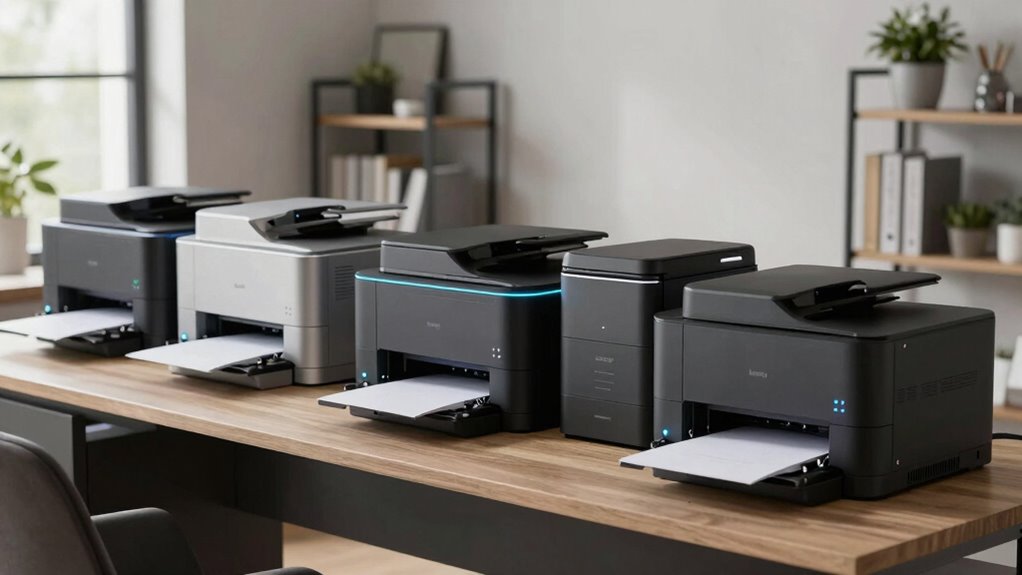

Finding the right laser printer for a home office involves balancing speed, cost, and ease of use. The HP LaserJet Pro MFP 3101fdw stands out as the best overall due to its reliable performance and all-in-one features. For those prioritizing budget, the Brother MFC-L2820DW offers solid functionality at a lower price, though it may lack some modern connectivity options. Meanwhile, the HP Color LaserJet Pro MFP 3301sdw is ideal for users who need color printing and multifunction capabilities. The main tradeoffs often revolve around speed versus cost, and multifunctionality versus simplicity. Continue reading for a detailed comparison of each model and to find the best fit for your home office needs.

Get the latest gadgets delivered free with Prime
- Fast, free delivery on millions of items
- Prime Video, Amazon Music and more included
- Member-only deals all year
Complete the kit



Key Takeaways
- Top picks balance speed, cost, and multifunctionality, with the HP LaserJet Pro MFP 3101fdw leading overall.
- Budget-friendly options like the Brother MFC-L2820DW provide essential features but may lack advanced connectivity.
- Color laser printers are less common for home offices and tend to be more expensive, but they are invaluable for specific tasks.
- Wireless and mobile printing capabilities are now standard and should be prioritized for convenience.
- Print volume and speed are critical factors, especially for users with higher printing demands.
| HP LaserJet Pro MFP 3101fdw Wireless Black & White All-in-One Laser Printer |  | Best Overall for Small Teams Needing Versatile Functionality | Print Speed: Up to 35 pages per minute | Functions: Print, scan, copy, fax | Connectivity: Wi-Fi, Ethernet, Bluetooth | VIEW ON AMAZON | See Our Full Breakdown |
| Brother HL-L2460DW Wireless Monochrome Laser Printer with Duplex and Mobile Printing |  | Best for High-Volume Small Office or Home Use | Print Speed: 36 pages per minute | Connectivity: Wi-Fi (dual-band), Ethernet, USB | Paper Capacity: 250 sheets | VIEW ON AMAZON | See Our Full Breakdown |
| HP LaserJet MFP M234sdw Wireless Printer, Print, Scan, Copy, Fast Speeds, Easy Setup, Mobile Printing |  | Best for Small Teams Needing Secure, All-in-One Wireless Functionality | Print Speed: Up to 30 pages per minute | Two-Sided Printing: Up to 19 pages per minute | Connectivity: Wireless, Ethernet | VIEW ON AMAZON | See Our Full Breakdown |
| HP LaserJet Pro MFP 3101sdw Wireless Black and White All-in-One Laser Printer |  | Best for Basic Small Office Needs with Multi-Functionality | Print Speed: Up to 35 ppm | Color: Black and White | Connectivity: Wireless | VIEW ON AMAZON | See Our Full Breakdown |
| Xerox B230 Wireless Black and White Laser Printer |  | Best Space-Saving Compact Monochrome Printer | Connectivity: Wi-Fi, Apple AirPrint, Mopria, Chromebook | Print Technology: Laser | Color: Black and White | VIEW ON AMAZON | See Our Full Breakdown |
| Brother HL-L2405W Wireless Monochrome Laser Printer with Mobile Printing |  | Best Value for Basic Monochrome Printing | Print Speed: 30 pages per minute | Connectivity: Wi-Fi (dual-band 2.4GHz/5GHz), USB | Paper Capacity: 250 sheets | VIEW ON AMAZON | See Our Full Breakdown |
| HP Color LaserJet Pro MFP 3301sdw Wireless All-in-One Color Laser Printer |  | Best for Small Office Color Printing and Versatility | Print Speed: up to 26 ppm | Functions: Print, Scan, Copy | Duplex: Automatic | VIEW ON AMAZON | See Our Full Breakdown |
| Xerox B315DNI Wireless Black and White Laser All-in-One Printer |  | Best for Security-Conscious Small Offices | Print Speed: up to 42 pages per minute | Paper Capacity: 250 sheets | Connectivity: Wi-Fi, Apple AirPrint, Mopria, Chromebook | VIEW ON AMAZON | See Our Full Breakdown |
| Brother DCP-L2640DW Wireless Monochrome Multi-Function Printer, Copy, Scan, Duplex, Mobile Printing |  | Best for Small Business with Multi-Function Needs | Print Speed: up to 36 pages per minute | Scan Speed: up to 23.6/7.9 ipm | Auto Document Feeder: 50 pages | VIEW ON AMAZON | See Our Full Breakdown |
| HP LaserJet MFP M140w Wireless Black & White Printer, Print, Scan, Copy for Small Teams |  | Best for Compact, All-in-One Home Use | Printer Type: Laser | Functions: Print, Scan, Copy | Wireless: Yes | VIEW ON AMAZON | See Our Full Breakdown |
| HP LaserJet M110w Wireless Black & White Printer |  | Best for Small, Space-Constrained Teams | Printer Type: Laser | Color: Black & White | Print Speed: Up to 21 pages per minute | VIEW ON AMAZON | See Our Full Breakdown |
| Brother MFC-L2820DW Wireless Monochrome All-in-One Laser Printer |  | Best for Small Offices Needing Multifunctionality | Print Speed: 36 ppm | Scan Speed: 23.6/7.9 ipm | Auto Document Feeder: 50 pages | VIEW ON AMAZON | See Our Full Breakdown |
| laser printer for home office | Print Speed | Connectivity | Functions |
|---|---|---|---|
| HP LaserJet Pro MFP 3101fdw Wi | Up to 35 pages per minute | Wi-Fi, Ethernet, Bluetooth | Print, scan, copy, fax |
| Brother HL-L2460DW Wireless Mo | 36 pages per minute | Wi-Fi (dual-band), Ethernet, USB | — |
| HP LaserJet MFP M234sdw Wirele | Up to 30 pages per minute | Wireless, Ethernet | — |
| HP LaserJet Pro MFP 3101sdw Wi | Up to 35 ppm | Wireless | Print, Scan, Copy |
| Xerox B230 Wireless Black and | — | Wi-Fi, Apple AirPrint, Mopria, Chromebook | — |
| Brother HL-L2405W Wireless Mon | 30 pages per minute | Wi-Fi (dual-band 2.4GHz/5GHz), USB | — |
| HP Color LaserJet Pro MFP 3301 | up to 26 ppm | Wireless | Print, Scan, Copy |
| Xerox B315DNI Wireless Black a | up to 42 pages per minute | Wi-Fi, Apple AirPrint, Mopria, Chromebook | Print, Scan, Copy |
| Brother DCP-L2640DW Wireless M | up to 36 pages per minute | Wi-Fi (dual-band), Ethernet, USB | Print, Scan, Copy |
| HP LaserJet MFP M140w Wireless | Up to 21 pages per minute | — | Print, Scan, Copy |
| HP LaserJet M110w Wireless Bla | Up to 21 pages per minute | Wireless, Mobile Printing | — |
| Brother MFC-L2820DW Wireless M | 36 ppm | Wi-Fi (2.4GHz/5GHz), Ethernet, USB | — |
More Details on Our Top Picks
HP LaserJet Pro MFP 3101fdw Wireless Black & White All-in-One Laser Printer
This model stands out for its balanced combination of speed, security, and all-in-one features, making it ideal for small teams that need a reliable multi-functional device. Compared to the Xerox B230, it offers faster print speeds and integrated fax capabilities, which are essential for office environments. However, this focus on security and multifunctionality comes at the expense of color printing, which it doesn’t support. Its compact design and wireless options make it easy to place in small offices, but it’s limited to black & white tasks only. The inclusion of HP Wolf Pro Security provides peace of mind for sensitive documents, making it better suited for professional use than simpler monochrome printers.
Pros:- Fast print speeds of up to 35 pages per minute
- Wireless and Ethernet connectivity for flexible setup
- Secure printing with HP Wolf Pro Security
Cons:- Limited to black & white printing only
- Designed for small teams, not suitable for large offices
- No color printing capabilities
Best for: Small teams that require fast, secure, all-in-one monochrome printing including fax and scanning
Not ideal for: Larger offices or users needing color printing or high-volume document handling
- Print Speed:Up to 35 pages per minute
- Functions:Print, scan, copy, fax
- Connectivity:Wi-Fi, Ethernet, Bluetooth
- Auto 2-sided Printing:Yes
- Auto Document Feeder:Yes
- Recommended Users:Up to 7 people
Our verdict“This printer is a strong all-in-one choice for small offices prioritizing speed and security over color options.”
Brother HL-L2460DW Wireless Monochrome Laser Printer with Duplex and Mobile Printing
This pick makes the most sense for users who prioritize high-volume printing and cost-efficient operation. Its 36 pages per minute speed edges out the HP LaserJet M234sdw slightly, providing a faster workflow for busy home offices. The large 250-sheet paper tray minimizes refill interruptions, which is a key advantage over smaller capacity models. However, like the Xerox B230, it is limited to monochrome printing, so those needing color will need to look elsewhere. The automatic duplex feature reduces paper waste, and its dual-band Wi-Fi allows flexible wireless setup, making it well-suited for consistent, high-volume tasks with minimal user intervention.
Pros:- Fast printing speed of 36ppm
- Large 250-sheet paper capacity
- Automatic duplex printing to save paper
Cons:- Limited to monochrome printing only
- Requires compatible toner cartridges for best performance
Best for: Home office users or small teams with high-volume monochrome printing needs and space for larger trays
Not ideal for: Users who need color printing or compact, space-saving devices
- Print Speed:36 pages per minute
- Connectivity:Wi-Fi (dual-band), Ethernet, USB
- Paper Capacity:250 sheets
- Automatic Duplex Printing:Yes
- Mobile Printing:Supported via Brother Mobile Connect App
- Warranty:1 year limited
Our verdict“Ideal for high-volume monochrome printing where speed and capacity are priorities, but not suited for color printing needs.”
HP LaserJet MFP M234sdw Wireless Printer, Print, Scan, Copy, Fast Speeds, Easy Setup, Mobile Printing
The HP LaserJet MFP M234sdw offers a compact solution tailored for small teams of 1-5 people who need fast black-and-white printing with easy setup. Its 30 ppm speed is slightly lower than some competitors but still adequate for small workloads. The automatic document feeder and dual-band Wi-Fi make copying, scanning, and printing from mobile devices straightforward, especially with the HP Smart app. Compared to the HP LaserJet Pro MFP 3101fdw, it has a smaller footprint and simpler security features, making it a better fit for personal or small-team environments. The downside is its restriction to black-and-white documents, which limits use for tasks requiring color.
Pros:- Fast printing speeds suitable for small teams
- Easy setup and mobile printing capabilities
- Automatic document feeder for easy copying and scanning
- Strong security features to protect data
Cons:- Limited to black-and-white printing only
- Designed for small teams, not for large volume needs
Best for: Small teams or individuals who need quick, secure monochrome printing and scanning with minimal setup
Not ideal for: Offices that require color printing or larger document volumes
- Print Speed:Up to 30 pages per minute
- Two-Sided Printing:Up to 19 pages per minute
- Connectivity:Wireless, Ethernet
- Compatibility:Microsoft, Mac, AirPrint, Android, Chromebook
- Auto Document Feeder:Yes
- Security:Built-in security features
Our verdict“This model suits small teams requiring quick, secure monochrome multifunctionality without the need for color printing.”
HP LaserJet Pro MFP 3101sdw Wireless Black and White All-in-One Laser Printer
Compared with the HP LaserJet Pro MFP 3101fdw, this model is slightly more affordable and offers similar all-in-one features, including scanning and copying, with an auto document feeder and fast print speeds of up to 35 ppm. Its 250-sheet input tray supports higher volumes, making it suitable for small teams that need reliable, professional-quality black-and-white documents. The focus remains on monochrome tasks, and it lacks color printing, similar to many in this lineup. While it’s straightforward to set up and connect wirelessly, it shares the same limitation of being primarily designed for black-and-white output only.
Pros:- Fast print speed up to 35 ppm
- Auto duplex printing for efficiency
- Reliable wireless connectivity with all-in-one features
Cons:- Limited to black-and-white printing
- Designed primarily for monochrome output
Best for: Small offices or teams looking for a dependable all-in-one monochrome laser printer with high capacity and speed
Not ideal for: Users needing color documents or compact, space-saving models
- Print Speed:Up to 35 ppm
- Color:Black and White
- Connectivity:Wireless
- Input Tray Capacity:250 sheets
- Auto Document Feeder:50 sheets
- Functions:Print, Scan, Copy
Our verdict“A dependable all-in-one monochrome laser printer suited for small teams that prioritize speed and capacity over color options.”
Xerox B230 Wireless Black and White Laser Printer
Compared to the Brother HL-L2460DW, the Xerox B230 emphasizes a smaller footprint, making it ideal for tight spaces in home offices. Its wireless setup and support for mobile printing via AirPrint, Mopria, and Chromebook make it straightforward to integrate into modern workflows. While it lacks detailed info on print speed, its eco-friendly features like automatic duplex printing and toner recycling appeal to environmentally conscious users. Its main limitation is that it’s strictly monochrome, similar to most options in this roundup, so it’s best suited for simple document tasks rather than creative or color-heavy projects.
Pros:- Compact size fits small spaces
- Easy wireless setup and mobile printing support
- Secure printing features
- Eco-friendly with toner recycling
Cons:- Limited to monochrome printing
- No mention of print speed or high-volume capacity
Best for: Home offices with limited space needing a reliable, eco-friendly monochrome printer
Not ideal for: Users who need high speeds or color printing capabilities
- Connectivity:Wi-Fi, Apple AirPrint, Mopria, Chromebook
- Print Technology:Laser
- Color:Black and White
- Environmentally Friendly:Automatic duplex, toner recycling
- Size:Compact
Our verdict“Perfect for small spaces requiring a simple, secure monochrome laser printer with eco-friendly features.”
Brother HL-L2405W Wireless Monochrome Laser Printer with Mobile Printing
The Brother HL-L2405W stands out for delivering reliable monochrome printing at an affordable price point, making it ideal for home users who mainly print text documents. Compared to the Xerox B315DNI, it offers simpler functionality but lacks duplex printing, which means you’ll need to manually flip pages for double-sided jobs. Its wireless and USB connectivity ensure easy setup, and with a large 250-sheet tray, it supports high-volume printing without frequent refills. However, its monochrome-only capability and absence of duplex printing mean it’s not suitable for those needing color or double-sided documents regularly. The toner cartridges also require compatible replacements, adding to ongoing costs. This model makes the most sense for users prioritizing straightforward, cost-effective black-and-white printing in a compact form.
Pros:- Affordable price point for monochrome printing
- Large 250-sheet paper capacity supports high-volume use
- Wireless and USB connectivity for versatile setup
Cons:- Limited to black-and-white printing only
- No duplex printing feature, requiring manual page flipping
Best for: Small home offices or individuals who mainly print text documents and need a reliable, budget-friendly monochrome printer.
Not ideal for: Owners needing color printing or automatic duplex for higher-volume, double-sided documents.
- Print Speed:30 pages per minute
- Connectivity:Wi-Fi (dual-band 2.4GHz/5GHz), USB
- Paper Capacity:250 sheets
- Supported Toner:Brother Genuine TN830/TN830XL
- Warranty:1-year limited warranty
- Duplex Printing:No
Our verdict“This printer is best suited for budget-conscious users focused on monochrome document printing with high volume needs.”
HP Color LaserJet Pro MFP 3301sdw Wireless All-in-One Color Laser Printer
The HP Color LaserJet Pro 3301sdw earns its spot as the best color all-in-one for small teams, offering printing, scanning, and copying with vibrant color output. It surpasses monochrome options like the Brother HL-L2405W in multifunctionality and color capabilities, ideal for producing professional reports or marketing materials. Its automatic duplex feature supports eco-friendly, double-sided printing, and a 250-sheet input tray keeps up with moderate workloads. However, it’s primarily designed for office environments and may be overkill for casual home use. The need for original HP toner cartridges, which include chips, could lead to higher ongoing costs, especially if you prefer third-party options. If vibrant color and multifunction capabilities are priorities, this model offers a compelling package for small offices, but it’s less suited for simple text printing needs.
Pros:- Vivid, professional-quality color printing
- Automatic duplex for eco-friendly, double-sided documents
- Reliable performance for small office tasks
Cons:- Higher ongoing costs due to original toner cartridges
- Designed mainly for office use, not casual home printing
- Firmware updates may restrict third-party toner use
Best for: Small teams or home offices requiring color printing, scanning, and copying with professional quality output.
Not ideal for: Casual home users who only need basic black-and-white printing and want to avoid higher costs associated with color toner cartridges.
- Print Speed:up to 26 ppm
- Functions:Print, Scan, Copy
- Duplex:Automatic
- Input Tray Capacity:250 sheets
- Connectivity:Wireless
- Compatible Cartridges:HP 218A, 218X
Our verdict“This printer offers vibrant color and multifunctionality for small office teams willing to invest in higher-quality output and ongoing toner costs.”
Xerox B315DNI Wireless Black and White Laser All-in-One Printer
The Xerox B315DNI emphasizes speed and security, making it ideal for small offices that handle sensitive documents. Its impressive 42 ppm speed outpaces many competitors like the Brother HL-L2405W, ensuring quick turnaround times for high-volume printing. The automatic duplex feature and 250-sheet tray support sustained workloads with minimal intervention. Connectivity options include Wi-Fi, Apple AirPrint, Mopria, and Chromebook support, providing flexibility across devices. Security features help safeguard confidential information, a key advantage over simpler monochrome models. However, it’s limited to black-and-white printing and does not include multifunction features beyond printing, scanning, and copying. Designed more for office environments, it might be too powerful and costly for casual home use, especially if color printing isn’t needed.
Pros:- Fast print speeds suitable for small offices
- Supports multiple mobile device connectivity options
- Automatic duplex printing saves paper
Cons:- Limited to black and white printing
- No fax functionality or advanced multifunction features
Best for: Small offices or home setups requiring fast, secure monochrome printing with multifunction support.
Not ideal for: Home users needing color output or multifunction features beyond printing, scanning, and copying.
- Print Speed:up to 42 pages per minute
- Paper Capacity:250 sheets
- Connectivity:Wi-Fi, Apple AirPrint, Mopria, Chromebook
- Automatic Duplex:Yes
- Security Features:Yes
- Functions:Print, Scan, Copy
Our verdict“Ideal for small offices prioritizing speed, security, and multi-device connectivity in monochrome printing.”
Brother DCP-L2640DW Wireless Monochrome Multi-Function Printer, Copy, Scan, Duplex, Mobile Printing
The Brother DCP-L2640DW offers a balanced mix of fast monochrome printing, scanning, and copying within a compact design, making it well-suited for small business or home office environments. It surpasses basic single-function printers like the Brother HL-L2405W by adding scanning and copying capabilities, all while maintaining a relatively small footprint. Its 50-page auto document feeder improves workflow efficiency. Multiple connectivity options, including Wi-Fi and Ethernet, allow flexible setup for shared use. However, it’s limited to black-and-white output, which restricts its versatility for color jobs, and the toner replacements can be costly if you print frequently. The absence of fax functionality and a basic display might be drawbacks for more advanced office needs. It’s a smart choice for users who need an all-in-one monochrome device with fast speeds and multi-device support.
Pros:- Fast print and scan speeds for small offices
- Includes copying and duplex features in a compact form
- Supports multiple connectivity options including Ethernet
Cons:- Limited to monochrome output
- Toner replacements can be costly with high usage
- Basic display lacks advanced controls
Best for: Small businesses or home offices needing an all-in-one monochrome printer with fast print and scan speeds.
Not ideal for: Users requiring color printing or advanced fax features, or those with high-volume color needs.
- Print Speed:up to 36 pages per minute
- Scan Speed:up to 23.6/7.9 ipm
- Auto Document Feeder:50 pages
- Connectivity:Wi-Fi (dual-band), Ethernet, USB
- Functions:Print, Scan, Copy
- Color:Black & White
Our verdict“This multi-function printer is best for small offices needing efficient monochrome printing, scanning, and copying in a compact setup.”
HP LaserJet MFP M140w Wireless Black & White Printer, Print, Scan, Copy for Small Teams
The HP LaserJet MFP M140w earns recognition for its ultra-compact size, making it an excellent fit for small spaces and individual users or tiny teams. It provides fast black-and-white printing at up to 21 ppm, which is sufficient for most home-office tasks. Unlike larger multifunctions such as the Brother DCP-L2640DW, this model emphasizes portability and simplicity, with a straightforward setup and basic LCD display. Its auto document feeder and wireless capabilities support flexible workflow, but the single tray capacity may mean frequent refilling during high-volume periods. The focus on basic monochrome printing limits its versatility, and the absence of advanced features like duplex printing or fax may be a dealbreaker for some users. Overall, it’s ideal for small teams or individuals who want a minimal, space-saving multifunction device for essential document tasks.
Pros:- Extremely compact, fits in tight spaces
- Fast printing speeds for small teams
- Wireless connectivity with mobile device support
Cons:- Limited to black-and-white printing
- Single tray capacity may require frequent refills
- Basic LCD display with limited controls
Best for: Single users or small teams needing a compact, reliable all-in-one monochrome printer for light-volume tasks.
Not ideal for: Users needing color printing, high-volume capacity, or more advanced multifunction features.
- Printer Type:Laser
- Functions:Print, Scan, Copy
- Wireless:Yes
- Print Speed:Up to 21 pages per minute
- Maximum Copies Per Run:99
- Dimensions:10.4″D x 14.2″W x 7.8″H
Our verdict“This model is best for users seeking a small, reliable monochrome multifunction printer for light, space-constrained use.”
HP LaserJet M110w Wireless Black & White Printer
The HP LaserJet M110w stands out for its compact size and straightforward wireless connectivity, making it an excellent choice for small workspaces with limited room. Compared to larger multifunction models like the Brother MFC-L2820DW, it sacrifices scanning and copying features to keep its footprint small, but still offers fast printing at up to 21 ppm. Its reliance on original HP cartridges with chips can be a downside for those looking to cut costs, and it’s strictly monochrome, so color printing needs are out of scope. This model excels in delivering reliable, high-speed black & white prints for solo workers or small teams who prioritize simplicity and speed over multifunctionality. However, it’s not suitable for high-volume or color printing needs, nor for users requiring scanning or copying functionalities.
Pros:- Compact size fits easily in tight spaces
- Fast print speeds for its class (up to 21 ppm)
- Wireless printing from multiple devices
Cons:- Limited to black & white printing only
- Requires original HP cartridges with chips
- Not suitable for high-volume printing
Best for: Small teams or individuals who need a straightforward, space-efficient black & white printer for occasional or moderate printing
Not ideal for: Small offices requiring color printing or multifunction features like scanning and copying
- Printer Type:Laser
- Color:Black & White
- Print Speed:Up to 21 pages per minute
- Connectivity:Wireless, Mobile Printing
- Intended Users:Small Teams (1-3 people)
- Size:Compact footprint
Our verdict“This printer makes the most sense for small, space-constrained setups needing fast monochrome printing with minimal fuss.”
Brother MFC-L2820DW Wireless Monochrome All-in-One Laser Printer
The Brother MFC-L2820DW offers a compelling blend of speed and versatility, making it ideal for small offices requiring more than just printing. Its 36 ppm print speed outpaces the HP M110w, and the 50-page auto document feeder supports efficient copying and scanning tasks. The inclusion of Ethernet and Wi-Fi (both 2.4GHz and 5GHz) provides flexible connectivity options, while the 2.7-inch touchscreen simplifies operation. Although it’s limited to monochrome output, this model’s multi-function capabilities—print, scan, copy, fax—are valuable for busy small teams. The need to purchase genuine toner can be a drawback for cost-conscious users, but its speed and connectivity options justify that tradeoff for most small business environments.
Pros:- Fast print and scan speeds improve workflow
- Multiple connectivity options including Ethernet and Wi-Fi
- User-friendly 2.7-inch touchscreen interface
- All-in-one functionality (print, scan, copy, fax)
Cons:- Limited to monochrome output only
- Genuine toner required for optimal performance
- Slightly larger footprint compared to single-function printers
Best for: Small office teams that need a reliable, all-in-one monochrome device with high-speed printing and scanning
Not ideal for: Home users primarily needing occasional printing or color output, or those on a tight budget for toner replacements
- Print Speed:36 ppm
- Scan Speed:23.6/7.9 ipm
- Auto Document Feeder:50 pages
- Connectivity:Wi-Fi (2.4GHz/5GHz), Ethernet, USB
- Touchscreen:2.7 inches
- Size:Compact but multi-function capable
Our verdict“This model is best suited for small teams seeking a dependable, multifunction monochrome laser printer with quick turnaround times.”

How We Picked
These printers were evaluated based on performance, ease of setup, build quality, running costs, and feature set. Priority was given to models offering reliable connectivity options, fast print speeds, and multifunction capabilities suitable for home office workflows. We also considered value for money and user-friendliness, ensuring each model serves a different type of buyer—from beginners to power users. The ranking reflects a balance between affordability and feature richness, aiming to recommend printers that deliver consistent results without unnecessary complexity or expense.| laser printer for home office | Functions |
|---|---|
| HP LaserJet Pro MFP 3101fdw Wi | Print, scan, copy, fax |
| Brother HL-L2460DW Wireless Mo | — |
| HP LaserJet MFP M234sdw Wirele | — |
| HP LaserJet Pro MFP 3101sdw Wi | Print, Scan, Copy |
| Xerox B230 Wireless Black and | — |
| Brother HL-L2405W Wireless Mon | — |
| HP Color LaserJet Pro MFP 3301 | Print, Scan, Copy |
| Xerox B315DNI Wireless Black a | Print, Scan, Copy |
| Brother DCP-L2640DW Wireless M | Print, Scan, Copy |
| HP LaserJet MFP M140w Wireless | Print, Scan, Copy |
| HP LaserJet M110w Wireless Bla | — |
| Brother MFC-L2820DW Wireless M | — |
Factors to Consider When Choosing Laser Printer For Home Office
Choosing the right laser printer for your home office involves more than just considering the initial purchase price. You need to think about your typical print volume, whether you need color or monochrome output, and if wireless connectivity is a priority. Additionally, evaluating ongoing costs like toner replacement and maintenance can significantly affect the overall value. Here are key factors to keep in mind when selecting a laser printer that suits your specific work environment.Print Volume and Speed
Assess how much you print weekly; higher volumes demand faster printers to avoid delays. Look for models with higher pages-per-minute (PPM) ratings if you print frequently, especially when managing deadlines. For occasional use, slower, more affordable models will suffice. Remember, faster printers often come with a higher price tag, so balance your needs against your budget.
Functionality and Features
Decide if you need multifunction capabilities such as scanning, copying, or faxing. All-in-one models save space and money but can be more complex to operate. For simple printing tasks, a basic monochrome printer might be enough. Prioritize models with easy-to-use interfaces and reliable connectivity to streamline your workflow.
Cost of Consumables
Laser toner cartridges can be expensive, and some printers have higher yield options that reduce long-term costs. Check the toner page yield and consider the availability and price of replacements. A cheaper initial purchase may lead to higher ongoing expenses, so evaluate the total cost of ownership before buying.
Connectivity Options
Wireless connectivity is now standard on most models, allowing printing from multiple devices without cables. Ensure the printer supports your preferred printing methods, whether via Wi-Fi, mobile apps, or Ethernet. Reliable connection stability is key to avoiding frustrations, especially in a busy home office.
Size and Design
Space can be limited in a home setting, so consider a printer’s footprint. Compact models are ideal for small desks but might sacrifice some features or speed. Also, look for a design that fits with your workspace aesthetics and offers easy access to toner replacements and paper loading.
Frequently Asked Questions
Is a color laser printer worth it for a home office?
Color laser printers are generally more expensive and have higher running costs compared to monochrome models. They are most beneficial if your work involves frequent color printing, such as marketing materials or presentations. For basic document printing, monochrome lasers typically provide faster, more cost-effective results. Consider your specific needs and print volume when deciding if the added cost is justified.
How often should I replace the toner cartridge in a home laser printer?
The frequency of toner replacements depends on your print volume and the cartridge’s yield. Most home office models can last anywhere from a few thousand to over ten thousand pages per cartridge. If you print regularly, choosing a model with a high-yield cartridge can reduce replacement frequency and save money in the long run. Keep an eye on the printer’s alert system for low toner warnings to avoid interruptions.
Do I need a network-connected laser printer for home use?
Wireless network connectivity is highly convenient, allowing multiple devices to print without cables. It also simplifies sharing a single printer among household members. If you only print occasionally or have a dedicated desktop, a wired or USB-only model might suffice. However, for flexibility and ease of use, a wireless model is usually the better choice for most home offices.
What is the typical print speed I should look for?
For most home office tasks, a print speed of 20-30 pages per minute (PPM) is sufficient. If you handle large volumes or tight deadlines, look for models offering 30+ PPM. Keep in mind that higher speeds can sometimes mean higher prices and larger footprints. Balance your volume needs with available space and budget to select the right speed.
Are multifunction laser printers more reliable than single-function models?
Multifunction printers combine several tasks into one device, saving space and often reducing overall cost. They tend to be robust and designed for frequent use, but sometimes the additional features can introduce complexity or slower performance. For most home offices, a dedicated printer for printing and a separate scanner or copier might be simpler, but a well-chosen multifunction model can streamline workflows without sacrificing reliability.
Conclusion
For a home office, the HP LaserJet Pro MFP 3101fdw makes the most sense for those seeking overall reliability and multifunctionality. Budget-conscious users will find the Brother MFC-L2820DW offers great value, while those with higher demands for color and advanced features should consider the HP Color LaserJet Pro MFP 3301sdw. Beginners or those with limited space might prefer a compact, straightforward model, whereas power users should prioritize speed and high-yield toners. Ultimately, the best choice depends on your specific workflow, budget, and space constraints.
As an affiliate, we earn on qualifying purchases.Halloween Picks
halloween