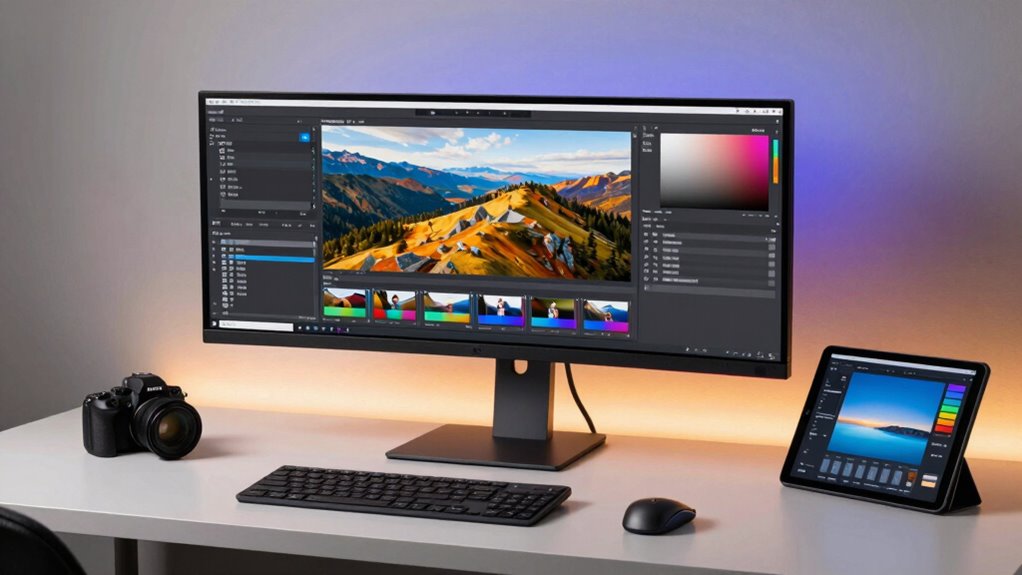

Finding the ideal monitor for photo editing in 4K can be challenging, as it involves balancing color accuracy, resolution, and connectivity. The ASUS ProArt Display PA27UCX-K stands out as the best overall pick thanks to its precise color calibration and HDR support, perfect for professional workflows. The LG 27UP850K-W offers a versatile USB-C connection and strong HDR performance, making it a top choice for creators needing flexibility. However, many monitors in this category trade some features—like size or refresh rate—for better color accuracy or affordability. Continue reading to see how these options compare and which one fits your specific photo editing needs.

Get the latest gadgets delivered free — and shop member deals
- Fast, free delivery on millions of items
- Access to Prime Big Deal Days deals on October 6–7
- Prime Video, Amazon Music and more included
Complete the kit



Key Takeaways
- Color accuracy and calibration are the most critical factors, with professional-grade monitors offering Delta E<2 and Calman verification.
- HDR support varies significantly; monitors with HDR 400 or higher provide a more realistic editing environment, especially for HDR workflows.
- Connectivity options like USB-C and Thunderbolt are increasingly important for seamless integration with modern laptops and workflows.
- Size and resolution are balanced differently—larger screens offer more workspace but may come with higher costs and calibration challenges.
- Price ranges vary widely; professional-grade monitors command a premium, but some mid-range options still deliver excellent color performance.
| ASUS ProArt Display PA27UCX-K 4K HDR IPS Mini LED Professional Monitor, Black (Renewed) |  | Best Overall for Color Precision and Professional Calibration | Display Size: 27 inches | Backlight: Mini LED | Resolution: 4K HDR | VIEW ON AMAZON | See Our Full Breakdown |
| ASUS ProArt PA27UCDMR 27 Inch 4K 240Hz OLED Professional Monitor for Mac |  | Best for High-Precision, High-Refresh-Rate Visual Work | Display Size: 27 inches | Resolution: 3840 x 2160 (4K UHD) | Display Technology: QD-OLED | VIEW ON AMAZON | See Our Full Breakdown |
| LG 27UP850K-W 27-inch 4K UHD IPS Monitor with HDR 400 and USB-C |  | Best for Versatile Creators and Office Use | Display Size: 27 inches | Resolution: 3840 x 2160 (4K UHD) | Color Gamut: 95% DCI-P3 | VIEW ON AMAZON | See Our Full Breakdown |
| CUNPU 27-inch 4K IPS Ultra-Slim Bezel Monitor for Photo and Video Editing |  | Best for Budget-Conscious Creatives Needing Sharp 4K | Size: 27 inches | Resolution: 4K (3840×2160) | Color Coverage: 100% DCI-P3 | VIEW ON AMAZON | See Our Full Breakdown |
| LG 27-inch UHD (3840 x 2160) IPS Monitor with USB Type-C, HDR 400, DCI-P3 95%, Built-in Speakers, Adjustable Stand |  | Best for Generalist Creators and Ergonomic Flexibility | Size: 27 inches | Resolution: 3840 x 2160 (UHD) | Panel Type: IPS | VIEW ON AMAZON | See Our Full Breakdown |
| Dell 27 Monitor S2725QS 4K UHD IPS, 120Hz, FreeSync Premium |  | Best Overall for Versatile 4K Editing and Entertainment | Display Size: 27 inches | Resolution: 3840 x 2160 (4K UHD) | Panel Type: IPS | VIEW ON AMAZON | See Our Full Breakdown |
| LG 32UR500K-B 32-inch 4K UHD Monitor with HDR10 and Built-in Speakers |  | Best for Immersive Editing and Multimedia Integration | Display Size: 32 inches | Resolution: 3840 x 2160 | Color Gamut: 90% DCI-P3 | VIEW ON AMAZON | See Our Full Breakdown |
| ASUS ProArt Display 32” 4K HDR Mini-LED Professional Monitor (PA32UCXR) |  | Best for High-End Color Accuracy and HDR Content | Display Size: 32 inches | Resolution: 3840 x 2160 | Display Technology: Mini-LED | VIEW ON AMAZON | See Our Full Breakdown |
| ASUS ProArt PA279CRV 27-Inch 4K UHD Professional Monitor with USB-C HDR |  | Best for Versatile Connectivity and Professional Calibration | Display Size: 27 inches | Resolution: 3840 x 2160 | Color Coverage: 99% DCI-P3, 99% Adobe RGB | VIEW ON AMAZON | See Our Full Breakdown |
| Eizo ColorEdge CS2740 27-Inch 4K UHD Professional Monitor |  | Best for Color Precision and Hardware Calibration | Display Size: 27 inches | Resolution: 3840 x 2160 | Color Gamut: 99% AdobeRGB, 100% sRGB | VIEW ON AMAZON | See Our Full Breakdown |
| LG 27US500-W 27-Inch 4K UHD IPS Monitor with HDR10 and Adjustable Stand |  | Best Overall for Versatile Photo Editing | Screen Size: 27 inches | Resolution: 3840 x 2160 (4K UHD) | Display Technology: IPS | VIEW ON AMAZON | See Our Full Breakdown |
| ASUS ProArt 27″ 4K UHD IPS Monitor, Calman Verified, Delta E<2 |  | Best for Professional Color Accuracy | Screen Size: 27 inches | Resolution: 3840 x 2160 (4K UHD) | Display Type: IPS | VIEW ON AMAZON | See Our Full Breakdown |
| Samsung 27″ ViewFinity S80PB Series UHD Computer Monitor |  | Best for Color Accuracy and Versatility | Screen Size: 27 inches | Resolution: UHD 3840×2160 | Panel Type: IPS | VIEW ON AMAZON | See Our Full Breakdown |
| monitor for photo editing 4k | Resolution | Display Size | Connectivity |
|---|---|---|---|
| ASUS ProArt Display PA27UCX-K | 4K HDR | 27 inches | — |
| ASUS ProArt PA27UCDMR 27 Inch | 3840 x 2160 (4K UHD) | 27 inches | — |
| LG 27UP850K-W 27-inch 4K UHD I | 3840 x 2160 (4K UHD) | 27 inches | USB-C with 90W |
| CUNPU 27-inch 4K IPS Ultra-Sli | 4K (3840×2160) | — | — |
| LG 27-inch UHD | 3840 x 2160 (UHD) | — | USB Type-C |
| Dell 27 Monitor S2725QS 4K UHD | 3840 x 2160 (4K UHD) | 27 inches | DisplayPort, HDMI |
| LG 32UR500K-B 32-inch 4K UHD M | 3840 x 2160 | 32 inches | HDMI x2, DisplayPort |
| ASUS ProArt Display 32” 4K HDR | 3840 x 2160 | 32 inches | — |
| ASUS ProArt PA279CRV 27-Inch 4 | 3840 x 2160 | 27 inches | DisplayPort, USB-C with 96W, HDMI |
| Eizo ColorEdge CS2740 27-Inch | 3840 x 2160 | 27 inches | — |
| LG 27US500-W 27-Inch 4K UHD IP | 3840 x 2160 (4K UHD) | — | HDMI, DisplayPort |
| ASUS ProArt 27" 4K UHD IPS Mon | 3840 x 2160 (4K UHD) | — | USB-C, HDMI, DisplayPort |
| Samsung 27" ViewFinity S80PB S | UHD 3840×2160 | — | USB-C (90W), LAN, HDMI, USB Hub |
More Details on Our Top Picks
ASUS ProArt Display PA27UCX-K 4K HDR IPS Mini LED Professional Monitor, Black (Renewed)
This monitor stands out for its exceptional color accuracy, wide color spaces, and advanced calibration tools, making it a top choice for serious photo editors. Compared to the LG 27UP850K-W, it offers more comprehensive color coverage, including 97% DCI-P3 and 99.5% Adobe RGB, which is crucial for precise editing. The inclusion of a professional calibration tool like ASUS ProArt Hardware Calibration ensures that colors stay consistent over time, a key factor for professionals. However, being a renewed product, it might have limited warranty and some condition concerns, and its premium features come with a higher price tag. The Mini LED backlighting and high contrast ratio elevate its visual performance, especially in HDR workflows. Still, it requires a careful setup for optimal calibration, and its cost could be prohibitive for hobbyists or those on a tight budget.
Pros:- Exceptional color accuracy with 97% DCI-P3 and 99.5% Adobe RGB coverage
- High contrast ratio with local dimming for vivid HDR visuals
- Includes professional-grade calibration tools for precise color management
- Mini LED backlighting enhances contrast and HDR performance
Cons:- Renewed status may involve warranty or condition uncertainties
- Premium price may be out of reach for budget-conscious users
- Requires professional calibration setup for optimal results
Best for: Pro photographers and digital artists needing the highest color fidelity and extensive calibration controls
Not ideal for: Casual photographers or hobbyists who cannot justify the premium price and calibration complexity
- Display Size:27 inches
- Backlight:Mini LED
- Resolution:4K HDR
- Color Coverage:97% DCI-P3, 99.5% Adobe RGB
- Contrast Ratio:7X enhancement with local dimming
- HDR Support:Dolby Vision, HDR-10, HLG
Our verdict“This monitor is ideal for professional creatives who prioritize color precision and are comfortable with premium pricing and calibration needs.”
ASUS ProArt PA27UCDMR 27 Inch 4K 240Hz OLED Professional Monitor for Mac
This model excels in delivering outstanding color accuracy combined with a blazing fast 240Hz refresh rate, which makes it suitable for video editing and multimedia work where smooth visuals are vital. It supports a full range of HDR formats, including Dolby Vision, and covers 99% DCI-P3, comparable to the ASUS PA27UCX-K but with the added benefit of a true 10-bit color depth. Its large size and high brightness of 1000 nits make it suitable for color grading in HDR workflows. The inclusion of Thunderbolt 4 and multiple connectivity options provides seamless integration into high-end Mac setups. However, its premium price can be a barrier, and the large size requires ample desk space. Firmware updates are planned for Dolby Vision support in 2026, so current HDR compatibility might be slightly limited. This pick makes the most sense for creators who need both color accuracy and ultra-smooth motion handling.
Pros:- Exceptional color coverage with 99% DCI-P3 and true 10-bit depth
- High refresh rate of 240Hz for ultra-smooth motion
- Peak brightness of 1000 nits perfect for HDR grading
- Comprehensive connectivity including Thunderbolt 4
Cons:- Very high price point limits accessibility
- Large footprint requiring substantial desk space
- Firmware update for Dolby Vision planned for future release
Best for: High-end video editors and digital artists working with HDR content on Mac systems
Not ideal for: Budget-conscious users or those primarily focused on still photo editing with less emphasis on high refresh rates
- Display Size:27 inches
- Resolution:3840 x 2160 (4K UHD)
- Display Technology:QD-OLED
- Refresh Rate:240Hz
- Peak Brightness:1000 nits
- Color Coverage:99% DCI-P3
Our verdict“This monitor is perfect for professionals demanding top-tier HDR performance and smooth motion, especially in video workflows.”
LG 27UP850K-W 27-inch 4K UHD IPS Monitor with HDR 400 and USB-C
This monitor offers a balanced mix of vibrant 4K visuals, ergonomic features, and connectivity options, making it suitable for photo editing and multitasking. Its 95% DCI-P3 coverage ensures accurate colors, and HDR 400 support adds liveliness to visual content. The USB-C port with 90W power delivery simplifies workspace setup by allowing single-cable connection for data and charging. The adjustable stand and ergonomic design improve comfort during extended editing sessions. Compared to premium options like the ASUS PA27UCX-K, it doesn’t match the wider color spaces or local dimming features but still delivers strong performance at a more accessible price point. The complex feature set may confuse some users, and it’s best paired with compatible devices to unlock full USB-C benefits. This monitor is well-suited for professionals who need a versatile, reliable display without the highest-end calibration.
Pros:- Vibrant 4K display with 95% DCI-P3 for accurate colors
- USB-C with 90W power delivery for simplified setup
- Ergonomic stand with height, tilt, pivot adjustments
- HDR 400 support enhances visual liveliness
Cons:- Less extensive color coverage compared to premium monitors
- Feature complexity might be overwhelming for some users
- Requires compatible devices to fully utilize USB-C charging
Best for: Photographers and content creators needing accurate colors and flexible workspace ergonomics
Not ideal for: High-end color grading or HDR professionals who require wider color spaces and advanced calibration tools
- Display Size:27 inches
- Resolution:3840 x 2160 (4K UHD)
- Color Gamut:95% DCI-P3
- HDR:VESA DisplayHDR 400
- Connectivity:USB-C with 90W
- Stand Adjustments:Height, tilt, pivot
Our verdict“This monitor offers a solid balance of color accuracy and versatility for creative professionals seeking a practical yet capable display.”
CUNPU 27-inch 4K IPS Ultra-Slim Bezel Monitor for Photo and Video Editing
This monitor provides vibrant 4K visuals with a sleek, ultra-slim bezel design, making it suitable for multi-monitor setups. With 100% DCI-P3 coverage, it delivers accurate colors for editing tasks, though it lacks advanced calibration features seen in more professional models. The 70Hz refresh rate is adequate for photo editing and casual video work, but may fall short for high-end gaming or fast-moving video editing. Its contrast ratio of 1200:1 and wide viewing angles improve image depth and consistency. The absence of height adjustment and built-in speakers limits ergonomic flexibility and multimedia convenience. It offers basic connectivity options, making it a budget-friendly choice for those who prioritize display quality over extensive features. This pick is best for hobbyists or entry-level professionals who want a sharp 4K screen without breaking the bank.
Pros:- Vibrant 4K image quality with 100% DCI-P3 coverage
- Ultra-slim bezels for an immersive multi-monitor setup
- Affordable price point for entry-level editing
- Wide viewing angles with IPS panel
Cons:- Limited refresh rate of 70Hz may be insufficient for fast motion
- No height adjustment or ergonomic features
- Lacks advanced calibration tools
Best for: Amateur photographers and hobbyists looking for a sharp, stylish 4K display on a budget
Not ideal for: High-end professional photo editors or video editors needing precise calibration and ergonomic features
- Size:27 inches
- Resolution:4K (3840×2160)
- Color Coverage:100% DCI-P3
- Refresh Rate:70Hz
- Brightness:300 nits
- Contrast Ratio:1200:1
Our verdict“This monitor offers a solid entry-level 4K visual experience suited for hobbyists and casual creators on a budget.”
LG 27-inch UHD (3840 x 2160) IPS Monitor with USB Type-C, HDR 400, DCI-P3 95%, Built-in Speakers, Adjustable Stand
This monitor combines good color accuracy with practical features like built-in speakers and an adjustable stand, making it versatile for photo editing and multimedia tasks. Its 95% DCI-P3 coverage delivers reliable color fidelity, and HDR 400 support enhances visual brightness. The USB Type-C port allows for single-cable connectivity, including charging, which simplifies workspace setup compared to models without USB-C. While it doesn’t reach the extreme color spaces of professional-grade monitors like the ASUS PA27UCX-K, it offers a balanced mix of features suitable for many creators. The 60Hz refresh rate limits high-end gaming or fast-motion editing, and it lacks a USB hub or extensive ports. Overall, this model makes sense for professionals who want a flexible, ergonomic display for daily photo editing and multimedia use without the highest calibration demands.
Pros:- Reliable 95% DCI-P3 color coverage
- USB-C with charging up to 60W for minimal cable clutter
- Adjustable stand for ergonomic comfort
- Built-in speakers for multimedia convenience
Cons:- Limited to 60Hz refresh rate for high-motion content
- Not designed for professional-grade calibration
- Lack of a USB hub or additional ports
Best for: Photographers and multimedia creators seeking an ergonomic, versatile 4K display with good color accuracy
Not ideal for: Color grading professionals requiring the widest color gamuts and advanced calibration features
- Size:27 inches
- Resolution:3840 x 2160 (UHD)
- Panel Type:IPS
- HDR:HDR 400
- Connectivity:USB Type-C
- Stand Adjustments:Tilt, height, pivot
Our verdict“This monitor offers a flexible, ergonomic choice for creators who need decent color accuracy and simple connectivity for daily editing tasks.”
Dell 27 Monitor S2725QS 4K UHD IPS, 120Hz, FreeSync Premium
The Dell S2725QS stands out for its vibrant 4K visuals and high refresh rate, making it a strong choice for those who need precise colors and smooth motion in both photo editing and multimedia. Its IPS panel covers 99% sRGB, ensuring accurate color reproduction, which is crucial for editing workflows. Compared to the ASUS ProArt models, this monitor offers a higher refresh rate and a sleek, modern design, though it sacrifices some professional calibration features and USB-C connectivity. The absence of built-in speakers might be a downside for users seeking all-in-one functionality, and its higher price reflects its premium features. This pick makes the most sense for creative professionals who also value fluid visuals for entertainment.
Specs: Display Size: 27 inches, Resolution: 3840 x 2160, Panel Type: IPS, Refresh Rate: 120Hz, Response Time: 0.03ms, Color Gamut: 99% sRGB, Connectivity: DisplayPort, HDMI, Weight: 14.3 pounds.Pros:- Vivid 4K visuals with accurate colors
- High refresh rate for smooth video playback
- Reduced blue light emissions for eye comfort
- Sleek ultra-thin bezel design
Cons:- Limited to HDMI and DisplayPort, no USB-C
- No built-in speakers
- Higher price point due to 4K and high refresh rate
Best for: Creative professionals seeking a versatile monitor for detailed photo editing and media consumption.
Not ideal for: Budget-conscious users who need basic color accuracy without high refresh rates or premium features.
- Display Size:27 inches
- Resolution:3840 x 2160 (4K UHD)
- Panel Type:IPS
- Refresh Rate:120Hz
- Response Time:0.03ms
- Color Gamut:99% sRGB
- Connectivity:DisplayPort, HDMI
Our verdict“This monitor best suits professionals who want a balance of color accuracy, smooth visuals, and sleek design, willing to invest in premium features.”
LG 32UR500K-B 32-inch 4K UHD Monitor with HDR10 and Built-in Speakers
The LG 32UR500K-B offers a larger 32-inch screen with HDR10 support and a wide 90% DCI-P3 color gamut, making it ideal for users who need an expansive workspace and vibrant visuals. Its built-in stereo speakers add convenience, especially compared to the Dell S2725QS, which lacks speakers altogether. The ergonomic stand with tilt adjustment helps customize viewing angles, but limited height and swivel options may be restrictive for some. Its gaming features, like Dynamic Action Sync, are a bonus for video editors who also game, though the basic stand and no USB-C might limit flexibility. This monitor is best for multimedia creators who value size and integrated audio.
Specs: Display Size: 32 inches, Resolution: 3840 x 2160, Color Gamut: 90% DCI-P3, HDR: HDR10, Speakers: Built-in stereo speakers, Connectivity: HDMI x2, DisplayPort, Stand: Ergonomic tilt, Features: OnScreen Control, Dynamic Action Sync.Pros:- Large, immersive 32-inch display
- Vivid visuals with wide color gamut
- Built-in high-quality stereo speakers
- Ergonomic tilt for comfortable viewing
Cons:- Limited tilt adjustment, no height or swivel
- No USB-C port
- Basic stand design
Best for: Content creators who prioritize a large display with good color and built-in audio for editing and multimedia tasks.
Not ideal for: Users needing extensive ergonomic adjustments like height or swivel or who require USB-C for streamlined connectivity.
- Display Size:32 inches
- Resolution:3840 x 2160
- Color Gamut:90% DCI-P3
- HDR:HDR10
- Speakers:Built-in stereo speakers
- Connectivity:HDMI x2, DisplayPort
Our verdict“This monitor fits creative professionals who want a large, colorful display with integrated audio for a seamless multimedia workflow.”
ASUS ProArt Display 32” 4K HDR Mini-LED Professional Monitor (PA32UCXR)
The ASUS ProArt PA32UCXR is designed for professionals who demand absolute precision in color. Its mini-LED backlighting with 2304 zones delivers stunning contrast and HDR performance, surpassing the LG 32UR500K in brightness and local dimming. Its industry-leading color accuracy, with Delta E <1, makes it ideal for high-stakes editing, but the high price and 60Hz refresh rate limit its use for fast-paced tasks or casual editing. Compared with the Eizo ColorEdge CS2740, this model offers more advanced HDR and brightness, but at a significantly higher cost. It’s the right choice for color-critical workflows, not casual or budget-friendly editing.
Specs: Display Size: 32 inches, Resolution: 3840 x 2160, Display Technology: Mini-LED LCD, Brightness: 1000 nits, Color Gamut: 99% Adobe RGB, 97% DCI-P3, Contrast Ratio: 1600:1, Inputs: Dual Thunderbolt 4, HDMI, USB hub.Pros:- Exceptional color accuracy with Delta E <1
- High peak brightness for HDR content
- Mini-LED backlighting with local dimming zones
- Extensive connectivity including Thunderbolt 4
Cons:- Premium price limits accessibility
- Large size demands significant workspace
- Limited to 60Hz refresh rate
Best for: High-end professional editors requiring absolute color fidelity, HDR, and extensive calibration tools.
Not ideal for: Budget-conscious users or those seeking fast refresh rates for gaming or quick editing adjustments.
- Display Size:32 inches
- Resolution:3840 x 2160
- Display Technology:Mini-LED
- Brightness:1000 nits
- Color Gamut:99% Adobe RGB
- Inputs:Dual Thunderbolt 4, HDMI, USB hub
Our verdict“This monitor is best for professionals who prioritize impeccable color precision and HDR performance over gaming or high refresh rates.”
ASUS ProArt PA279CRV 27-Inch 4K UHD Professional Monitor with USB-C HDR
The ASUS ProArt PA279CRV offers a compelling mix of accurate color and flexible connectivity, including USB-C with Power Delivery, making it a smart choice for creators who need a reliable, calibrated display. Its 27-inch size makes it more suitable for smaller desk setups compared to larger models like the LG 32UR500K, but it still delivers professional-grade color accuracy with Delta E <2 and wide gamut coverage. The factory calibration and ergonomic stand support a refined workflow, though the higher price might be a stretch for occasional users. It’s especially well-suited for those who prioritize precise color work with versatile device connectivity.
Specs: Display Size: 27 inches, Resolution: 3840 x 2160, Panel Type: IPS, Color Coverage: 99% DCI-P3, 99% Adobe RGB, Connectivity: DisplayPort, USB-C (96W), HDMI, USB hub, Warranty: 5 years.Pros:- High-resolution 4K display with excellent color accuracy
- USB-C with 96W Power Delivery for simplified setup
- Ergonomic stand with multiple adjustments
- Extended 5-year warranty
Cons:- Premium price
- Limited built-in speakers
- Requires compatible hardware for full HDR experience
Best for: Creative professionals needing accurate color and flexible, modern connectivity options in a manageable size.
Not ideal for: Users seeking ultra-large screens or primarily gaming-focused monitors, or those on a tight budget.
- Display Size:27 inches
- Resolution:3840 x 2160
- Color Coverage:99% DCI-P3, 99% Adobe RGB
- Connectivity:DisplayPort, USB-C with 96W, HDMI
- Warranty:5 years
Our verdict“This monitor is best for dedicated creators who want precise color, flexible connections, and reliable calibration in a compact form.”
Eizo ColorEdge CS2740 27-Inch 4K UHD Professional Monitor
The Eizo ColorEdge CS2740 stands out for its industry-grade color accuracy, making it the top pick for critical color work. With 99% AdobeRGB and 100% sRGB coverage, plus hardware calibration support, it rivals the ASUS ProArt in professionalism but offers a slightly larger 27-inch display. Its 5-year warranty adds peace of mind for long-term use, and multiple input options provide flexible connectivity. However, its high price and large footprint limit accessibility for casual users or those with limited desk space. Compared to the ASUS ProArt, the Eizo emphasizes calibration and color fidelity, making it perfect for professionals who need absolute precision.
Specs: Size: 27 inches, Resolution: 3840×2160, Color Gamut: 99% AdobeRGB, 100% sRGB, Inputs: DisplayPort, HDMI, USB Type-C, Warranty: 5 years.Pros:- Exceptional color accuracy with hardware calibration
- High-resolution 4K display for detailed work
- Wide color gamut coverage
- Five-year warranty for durability
Cons:- High cost limits accessibility
- Large size requires ample space
- Limited to 60Hz refresh rate
Best for: Color-critical professionals seeking top-tier calibration and consistent color performance over time.
Not ideal for: Entry-level or casual users who cannot justify the premium price for professional-grade accuracy.
- Display Size:27 inches
- Resolution:3840 x 2160
- Color Gamut:99% AdobeRGB, 100% sRGB
- Inputs:DisplayPort, HDMI, USB-C
- Warranty:5 years
Our verdict“This monitor is ideal for professionals who prioritize absolute color fidelity and calibration stability above all else.”
LG 27US500-W 27-Inch 4K UHD IPS Monitor with HDR10 and Adjustable Stand
This LG monitor stands out for its balance of size, resolution, and flexibility, making it a strong choice for those who want a reliable 4K IPS display without breaking the bank. Its vibrant colors and wide viewing angles make editing tasks easier, but the 60Hz refresh rate and 5ms response time mean it isn’t suited for fast-paced gaming or high-frame-rate workflows. Compared to the ASUS ProArt, it lacks professional calibration features, yet its affordability and ergonomic stand provide greater everyday comfort. This model is ideal for hobbyists and creatives who prioritize image quality over ultra-fast performance, but it might fall short for high-end video editing or gaming.
Pros:- Vivid 4K UHD display with excellent color reproduction
- Wide 170-degree viewing angles for consistent image quality
- Adjustable ergonomic stand for comfortable use
- HDR10 support enhances visual depth
Cons:- Limited to 60Hz refresh rate, not suited for gaming
- Response time of 5ms may cause motion blur in fast scenes
- No built-in speakers, requiring external audio solutions
Best for: Creative professionals and hobbyists seeking a reliable, versatile 4K monitor for photo editing and daily tasks.
Not ideal for: Fast-paced gamers or those needing high refresh rates for competitive gaming or high-frame-rate video editing.
- Screen Size:27 inches
- Resolution:3840 x 2160 (4K UHD)
- Display Technology:IPS
- Contrast Ratio:1000:1
- Brightness:300 cd/m²
- Connectivity:HDMI, DisplayPort
Our verdict“A balanced choice for general photo editing and creative work, best suited for users valuing versatility and affordability.”
ASUS ProArt 27″ 4K UHD IPS Monitor, Calman Verified, Delta E<2
The ASUS ProArt 27-inch monitor excels in delivering top-tier color fidelity, making it ideal for professional photo editors and graphic designers. Its Calman verification and factory calibration with Delta E<2 ensure near-perfect color accuracy, surpassing the LG in precision. While the 60Hz refresh rate and 5ms response time are standard for creative workflows, they make it less suitable for gaming or fast-moving video editing. Its high-quality build, wide color gamut, and extensive ergonomic adjustments justify its premium price, but this makes it less accessible for casual users. For those needing exact color reproduction, this monitor offers unmatched performance, though it’s overkill for simple photo viewing.
Pros:- Exceptional color accuracy with Calman verification
- Factory calibrated with Delta E<2 for professional-grade precision
- Wide color gamut covering 99% DCI-P3 and Adobe RGB
- Versatile connectivity including USB-C with 96W Power Delivery
Cons:- High price point limits accessibility for hobbyists
- 60Hz refresh rate not ideal for gaming
- Response time of 5ms may be slow for fast-paced video editing
Best for: Professional photographers, graphic designers, and color-critical creators needing precise color accuracy and calibration.
Not ideal for: Casual users or gamers who prioritize high refresh rates and fast response times over color accuracy.
- Screen Size:27 inches
- Resolution:3840 x 2160 (4K UHD)
- Display Type:IPS
- Color Coverage:99% DCI-P3, 99% Adobe RGB
- HDR Support:Yes
- Connectivity:USB-C, HDMI, DisplayPort
Our verdict“A top-tier choice for professionals demanding ultimate color fidelity, with premium features and calibration for critical editing tasks.”
Samsung 27″ ViewFinity S80PB Series UHD Computer Monitor
The Samsung ViewFinity S80PB combines high-resolution 4K UHD with professional-grade color validation, making it well-suited for content creators and designers requiring accurate visuals. Its Pantone validation and VESA DisplayHDR 400 certification deliver dependable color accuracy and HDR content support. The matte display reduces glare, beneficial for prolonged editing sessions. Compared with the ASUS ProArt, it offers a similar level of color precision but adds features like Picture-by-Picture mode and a LAN port for enhanced productivity. However, its larger size and higher price can be drawbacks for users with limited desk space or budget constraints. This monitor makes the most sense for those who need a versatile, color-accurate display with ergonomic flexibility.
Pros:- High-resolution UHD display with vibrant colors and wide angles
- Pantone Validated for dependable color accuracy
- HDR support with VESA DisplayHDR 400 certification
- Ergonomic stand with adjustable tilt, pivot, and height
Cons:- Premium price may be prohibitive for some users
- Larger footprint requires ample desk space
- Limited details on built-in speakers or extra ports
Best for: Content creators, graphic designers, and professionals seeking a color-accurate 4K display with versatile connectivity.
Not ideal for: Budget-conscious users or those with limited desk space who do not need professional-level color validation.
- Screen Size:27 inches
- Resolution:UHD 3840×2160
- Panel Type:IPS
- Color Coverage:98% DCI-P3
- HDR:VESA DisplayHDR 400
- Connectivity:USB-C (90W), LAN, HDMI, USB Hub
Our verdict“A flexible, color-accurate monitor ideal for professionals who value precision and ergonomic design in a 4K display.”

How We Picked
These monitors were selected based on their ability to meet professional photo editing standards, including high color accuracy, broad color gamuts, and reliable calibration tools. We prioritized products with factory calibration or calibration software, along with high resolution and HDR support. Usability factors like connectivity options and ergonomic adjustments also influenced rankings. Cost was considered relative to their performance, ensuring each pick offers good value for its target audience. Our evaluation aimed to highlight monitors that balance performance, build quality, and price for demanding photo editing tasks.Factors to Consider When Choosing Monitor For Photo Editing 4k
Choosing the right monitor for 4K photo editing involves understanding several key factors that influence workflow, accuracy, and overall experience. Beyond raw specs, it’s important to consider how a monitor’s features align with your specific needs, whether you’re a professional or hobbyist. Carefully weighing these considerations can help avoid common pitfalls like underestimating calibration needs or overspending on unnecessary features.Color Accuracy and Gamut
For photo editing, color accuracy is paramount. Look for monitors with factory calibration, Delta E<2 ratings, and wide color gamuts like Adobe RGB or DCI-P3. These features ensure your edits translate accurately across devices and print. Skimping on calibration or choosing a display with limited color coverage can lead to inconsistent results, especially in professional workflows. Consider software calibration tools or monitors with hardware calibration support for best results.
HDR and Brightness
HDR capability enhances the dynamic range, offering a more realistic editing environment for photos with high contrast. Monitors with HDR 400 or higher are preferable, especially if you work with HDR content. Brightness levels over 350 nits help in achieving accurate previews, but higher brightness can also increase costs. Be aware that HDR support varies in quality, and some monitors may only support HDR in a limited or software-optimized way.
Resolution and Screen Size
While 4K resolution is a standard for detailed editing, screen size impacts usability. Larger displays (27 inches and above) provide more workspace, reducing the need to zoom or switch windows frequently. However, bigger screens often come with higher price tags and calibration challenges. Consider your desk space and eyesight—smaller 27-inch screens can be more manageable and still deliver crisp detail if resolution and pixel density are sufficient.
Connectivity and Ergonomics
Modern workflows benefit from versatile connectivity options like USB-C, Thunderbolt, and HDMI. These allow direct connection to laptops and peripherals, reducing clutter. Ergonomic adjustments such as height, tilt, and swivel are equally important for long editing sessions, helping prevent fatigue and ensuring consistent viewing angles. Skipping ergonomic features can lead to discomfort and inconsistent color perception over time.
Price and Value
High-end professional monitors come at a premium, but they often include features that justify the cost, like hardware calibration or broader color gamuts. Mid-range options can deliver excellent value if they meet your core needs, especially for hobbyists or less demanding workflows. Be wary of models that cut corners on calibration or color coverage to lower prices, as this can compromise editing accuracy. Balance your budget with the features that matter most for your specific use case.
Frequently Asked Questions
Is HDR necessary for photo editing?
While HDR support isn’t strictly necessary for all photo editing, it becomes valuable if you work with high-contrast images or HDR content. Monitors with HDR support allow you to preview tone mapping and dynamic range more accurately, which can improve your editing precision. However, for standard photo editing workflows, color accuracy and calibration are often more critical than HDR capabilities.
Should I prioritize a larger screen or higher resolution?
Both factors enhance editing, but they serve different purposes. A larger screen provides more workspace, making it easier to see fine details and manage multiple windows. Higher resolution, like 4K, ensures sharpness and accurate detail reproduction. Ideally, a 27-inch 4K monitor balances both, but if space is limited, a slightly smaller size with high pixel density can still deliver excellent clarity.
How important is hardware calibration support?
Hardware calibration support is highly beneficial for professional photo editors, as it allows for precise, consistent color adjustments directly on the monitor. Monitors with built-in calibration sensors or hardware LUTs maintain color accuracy over time, reducing drift and the need for frequent recalibration. This feature can justify a higher price point if color fidelity is critical to your workflow.
Can I use a gaming monitor for photo editing?
While some gaming monitors offer high resolution and fast response times, they often lack the color accuracy and calibration tools necessary for professional editing. If you choose a gaming monitor, make sure it supports wide color gamuts and allows for hardware calibration. Otherwise, dedicated photo editing monitors remain the safer choice for ensuring your edits are true to life.
Is a 32-inch monitor worth the extra cost for photo editing?
A 32-inch monitor offers more screen real estate, which can improve productivity and reduce eye strain. However, larger displays tend to be more expensive and can pose calibration challenges due to their size. If you have the space and budget, a 32-inch 4K monitor can be beneficial, but a well-calibrated 27-inch model often provides a more practical balance between size, cost, and accuracy.
Conclusion
For professional photographers and serious editors, the ASUS ProArt Display PA27UCX-K stands out as the best overall choice, offering exceptional color accuracy and HDR performance. Hobbyists or those on a budget will appreciate the LG 27UP850K-W for its versatile connectivity and solid calibration out of the box. For those seeking premium features and absolute accuracy, the Eizo ColorEdge CS2740 offers top-tier calibration and build quality. Beginners should focus on monitors with good factory calibration and user-friendly interfaces, while professionals will want to invest in models with hardware calibration and wide color gamuts to ensure their edits translate perfectly across media. Carefully consider your workflow, budget, and workspace to find the monitor that best fits your photo editing needs in 4K.
As an affiliate, we earn on qualifying purchases.Fall Picks
fall essentials