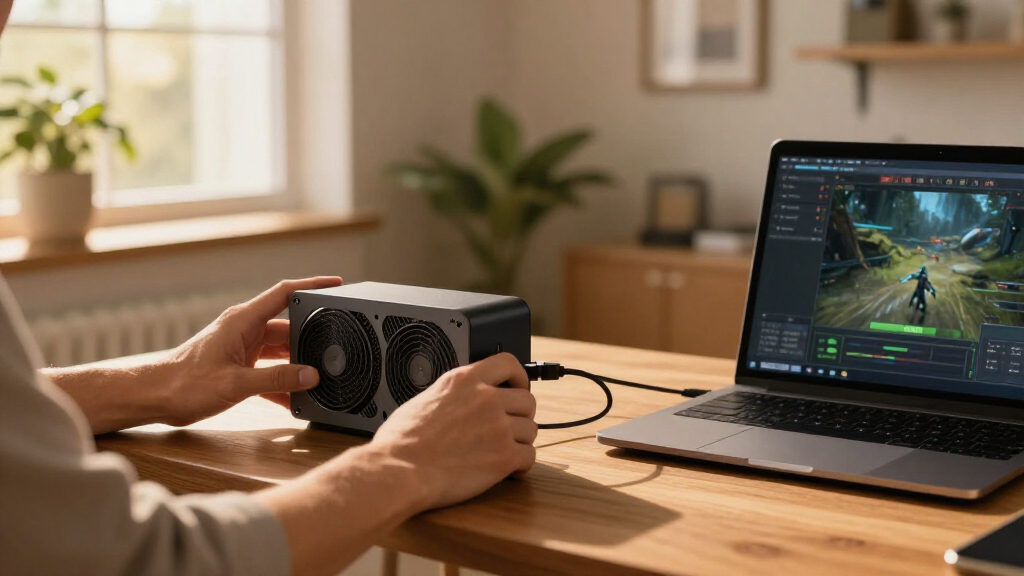
The best external GPU enclosures depend on your computer’s ports, the graphics card you plan to use, and how much setup you’re willing to handle. My best overall pick is the Sonnet Breakaway Box 850 T5 for its Thunderbolt 5 connection and substantial power capacity; the MINISFORUM DEG1 is a strong fit for OCuLink systems, while the Plugable TBT5-AI suits buyers who want a Thunderbolt 5 dock. The central tradeoff is convenience and broad connectivity versus the direct, more hands-on setup of OCuLink docks. Power supply capacity, physical card clearance, and host compatibility can matter as much as bandwidth. Read on for the full breakdown and advice on matching an enclosure to your system.

Get the latest gadgets delivered free — and shop member deals
- Fast, free delivery on millions of items
- Access to Prime Big Deal Days deals on October 6–7
- Prime Video, Amazon Music and more included
Complete the kit



Key Takeaways
- Thunderbolt 5 leads the convenient enclosure picks: Sonnet and Plugable offer newer host connections, but a Thunderbolt 5 enclosure only helps when the computer supports a compatible port.
- OCuLink favors compatible mini PCs and laptops: The MINISFORUM DEG1 and the other OCuLink docks suit systems with a native OCuLink connection, with more attention required for cabling and setup.
- Power and the graphics card must be matched: The Sonnet’s 850W supply and AOOSTAR AG01’s 800W supply target different setups than docks that rely on a separate power supply.
- Some picks trade flexibility for simplicity: MINISFORUM’s MGA1 includes a Radeon 7600M XT, so it avoids a separate desktop GPU purchase but does not give buyers the same card choice as an open enclosure.
- Not all listed docks are interchangeable: The OwlTree model uses an M.2-to-PCIe cable, and the PCIe 3.0 dock has a different connection path from the Thunderbolt and OCuLink options; check host support before choosing.
| RGEEK OCuLink PCIe 5.0 x4 eGPU Dock |  | Best for PCIe 5.0 OCuLink | Interface: OCuLink SFF-8611 to PCIe x16 | PCIe support: PCIe 5.0 x4, backward compatible with PCIe 4.0 and 3.0 | Maximum bandwidth: 128 Gbps | VIEW LATEST PRICE | See Our Full Breakdown |
| Thunderbolt 4/3 and USB4 External GPU Enclosure with 240W Power Supply |  | Best for a Portable Starter Setup | Supported interfaces: Thunderbolt 4, Thunderbolt 3, and USB4 | Graphics card compatibility: NVIDIA and AMD cards up to 205 mm long, 150 mm high, and 55 mm wide | Power supply: 240W | VIEW LATEST PRICE | See Our Full Breakdown |
| Maskedfish Thunderbolt 3/4 and USB4 eGPU Enclosure with 85W PD |  | Best for Long Graphics Cards | Connectivity: Thunderbolt 3/4 or USB4 | Bandwidth: Up to 40 Gbps connection; 32 Gbps stated high-speed bandwidth | Power delivery: 85W | VIEW LATEST PRICE | See Our Full Breakdown |
| PCIe 3.0 x16 eGPU Dock with Thunderbolt 4 Cable |  | Best for Flexible Power Inputs | Interface: PCIe 3.0 x16 | Transfer speed: Around 22 Gbps | Controller: JHL6340 | VIEW LATEST PRICE | See Our Full Breakdown |
| MINISFORUM MGA1 External GPU Docking Station with AMD Radeon 7600M XT |  | Best All-in-One eGPU | Graphics processor: AMD Radeon 7600M XT | Graphics memory: 8 GB GDDR5 | Power supply: 240 W GaN | VIEW LATEST PRICE | See Our Full Breakdown |
| Plugable TBT5-AI Thunderbolt 5 eGPU Enclosure and Dock |  | Best for AI Workloads | Model: TBT5-AI | Host connection: Thunderbolt 5, Thunderbolt 4, or eGPU-capable USB4 | Thunderbolt 5 bandwidth: 80Gbps | VIEW LATEST PRICE | See Our Full Breakdown |
| MINISFORUM DEG1 OCuLink eGPU Docking Station |  | Best for ATX or SFX Power Supply Flexibility | Upstream interface: OCuLink 4i | PCIe link: PCIe 4.0 x4 | Downstream slot: PCIe x16, PCIe 4.0 x4 | VIEW LATEST PRICE | See Our Full Breakdown |
| OCuLink External GPU Dock, PCIe 4.0 x4 64 Gbps |  | Best OCuLink Kit with Cable and GPU Bracket | Interface: OCuLink SFF-8612 to PCIe x16 | Bandwidth: PCIe 4.0 x4, 64 Gbps | Included cable: SFF-8611 male-to-male, 50 cm | VIEW LATEST PRICE | See Our Full Breakdown |
| OwlTree PCIe 5.0 x4 eGPU Dock with 50 cm M.2 NVMe to PCIe x16 Cable |  | Best for PCIe 5.0 M.2 Builds | Interface: M.2 NVMe to PCIe x16 | Transfer speed: Up to 128 Gbps (PCIe 5.0 x4) | Cable length: 50 cm | VIEW LATEST PRICE | See Our Full Breakdown |
| PCIe 4.0 x4 OCuLink eGPU Dock for Laptops and Mini PCs |  | Best for a Simple OCuLink Setup | Interface: PCIe 4.0 x4, 64 Gbps | Dock connector: OCuLink SFF-8612 to PCIe x16 | Included cable: SFF-8611 male-to-male, 50 cm | VIEW LATEST PRICE | See Our Full Breakdown |
| OCuLink External GPU Dock with PCIe 4.0 x4 Cable |  | Best for Flexible GPU Builds | Interface: PCIe x16 | Bandwidth: PCIe 4.0 x4, 64 Gbps | Cable: OCuLink SFF-8611, 50 cm (19.7 in) | VIEW LATEST PRICE | See Our Full Breakdown |
| Sonnet Breakaway Box 850 T5 Thunderbolt 5 eGPU Enclosure |  | Best for Connected High-Power Setups | Connectivity: Thunderbolt 5; compatible with Thunderbolt 4 and most USB4 Windows 11 computers | GPU support: Triple-wide NVIDIA GeForce RTX 50, 40, and 30 Series; AMD Radeon RX 9000, 7000, and 6000 Series | Power supply: 850W | VIEW LATEST PRICE | See Our Full Breakdown |
| Razer Core X V2 External Graphics Enclosure |  | Best for Broad Thunderbolt Compatibility | Host connections: Thunderbolt 5, Thunderbolt 4, USB 4 | Maximum GPU width: 4 slots | GPU compatibility: PCIe desktop NVIDIA GeForce and AMD Radeon cards | VIEW LATEST PRICE | See Our Full Breakdown |
| OCuLink eGPU Dock with PCIe 4.0 x4 64Gbps Bandwidth |  | Best for a Simple OCuLink Build | Interface: OCuLink SFF-8612 to PCIe x16 | Bandwidth: PCIe 4.0 x4, 64 Gbps | Included cable: 50 cm SFF-8611 OCuLink cable | VIEW LATEST PRICE | See Our Full Breakdown |
| AOOSTAR AG01 External GPU Docking Station with 800W Power Supply and OCuLink |  | Best OCuLink Dock with Built-In Power | Power supply: Built-in Huntkey 800W | Maximum graphics card power: 600W | Interface: 1 × OCuLink; 2 × 8-pin graphics card power connectors | VIEW LATEST PRICE | See Our Full Breakdown |
| external GPU enclosure | Interface | Power supply |
|---|---|---|
| RGEEK OCuLink PCIe 5.0 x4 eGPU | OCuLink SFF-8611 to PCIe x16 | — |
| Thunderbolt 4/3 and USB4 Exter | — | 240W |
| Maskedfish Thunderbolt 3/4 and | — | — |
| PCIe 3.0 x16 eGPU Dock with Th | PCIe 3.0 x16 | — |
| MINISFORUM MGA1 External GPU D | — | 240 W GaN |
| Plugable TBT5-AI Thunderbolt 5 | — | 850W ATX 3.1, 80+ Gold |
| MINISFORUM DEG1 OCuLink eGPU D | — | — |
| OCuLink External GPU Dock | OCuLink SFF-8612 to PCIe x16 | — |
| OwlTree PCIe 5.0 x4 eGPU Dock | M.2 NVMe to PCIe x16 | Standard ATX, 500W or higher |
| PCIe 4.0 x4 OCuLink eGPU Dock | PCIe 4.0 x4, 64 Gbps | — |
| OCuLink External GPU Dock with | PCIe x16 | ATX power supply required; not included |
| Sonnet Breakaway Box 850 T5 Th | — | 850W |
| Razer Core X V2 External Graph | — | — |
| OCuLink eGPU Dock with PCIe 4. | OCuLink SFF-8612 to PCIe x16 | Standard ATX power supply required; not included |
| AOOSTAR AG01 External GPU Dock | 1 × OCuLink; 2 × 8-pin graphics card power connectors | Built-in Huntkey 800W |
More Details on Our Top Picks
RGEEK OCuLink PCIe 5.0 x4 eGPU Dock
The RGEEK OCuLink PCIe 5.0 x4 eGPU Dock is aimed at builders who want an open dock and a direct OCuLink connection, with support for PCIe 5.0 x4 and stated bandwidth up to 128 Gbps. Compared with the MINISFORUM MGA1, it lets you choose the graphics card and power supply instead of bundling a fixed GPU. That flexibility comes with more setup work: both parts are sold separately, and PCIe 5.0 speed depends on a compatible M.2 slot or a separately purchased adapter. Its aluminum construction and support for ATX, SFX, and SFX-L supplies give builders room to tailor a desktop setup. The tradeoff is that this dock lacks a compact all-in-one design and does not support hot plugging, so it suits a stationary system that can be shut down before connections change.
Pros:- Supports OCuLink PCIe 5.0 x4, with stated bandwidth up to 128 Gbps
- Works with mainstream NVIDIA and AMD graphics cards
- Accepts ATX, SFX, and SFX-L power supplies
- Aluminum construction
Cons:- Graphics card and power supply must be sourced separately
- PCIe 5.0 speed requires a compatible M.2 slot or separate adapter
- Hot plugging is not supported
Best for: Desktop and mini-PC builders with an OCuLink connection who already have a graphics card and want to choose their own power supply.
Not ideal for: Laptop users seeking a simple Thunderbolt setup, or anyone who wants a complete enclosure with a GPU and power supply included.
- Interface:OCuLink SFF-8611 to PCIe x16
- PCIe support:PCIe 5.0 x4, backward compatible with PCIe 4.0 and 3.0
- Maximum bandwidth:128 Gbps
- Material:Aluminum
- Cable length:50 cm (19.7 in)
- Power supply compatibility:ATX, SFX, and SFX-L
- Hot plugging:Not supported
- Included:eGPU dock with cable; graphics card and power supply sold separately
Our verdict“Choose the RGEEK if you want a configurable OCuLink dock and can handle sourcing and connecting the GPU and power supply yourself.”
Thunderbolt 4/3 and USB4 External GPU Enclosure with 240W Power Supply
This enclosure makes a more self-contained starting point than the RGEEK OCuLink PCIe 5.0 x4 eGPU Dock: it includes a 240W power supply, cables, and a carrying case, leaving the graphics card as the main separate purchase. Its Thunderbolt 3, Thunderbolt 4, and USB4 support gives compatible laptops and small PCs a familiar connection route, while the 85W PD port can charge a connected device. The compact fit is also a real constraint: cards must stay within 205 mm long, 150 mm high, and 55 mm wide. That rules out many larger desktop graphics cards, and its PCIe 3.0 x16 data path is less appealing to buyers prioritizing newer interfaces. Compared with the open-frame Maskedfish Thunderbolt 3/4 and USB4 eGPU Enclosure, this model adds a carrying case and bundled power supply, but offers less GPU size freedom.
Pros:- Includes a 240W power supply, cables, and carrying case
- Supports Thunderbolt 3, Thunderbolt 4, and USB4
- Provides 85W and 15W PD charging ports
- Supports compatible NVIDIA and AMD cards
Cons:- Graphics card is sold separately
- GPU fit is limited to 205 × 150 × 55 mm
- Uses a PCIe 3.0 x16 data path
Best for: Laptop owners with a compatible Thunderbolt or USB4 port who want a portable enclosure, bundled power supply, and a short graphics card.
Not ideal for: Builders with full-size graphics cards or buyers seeking a dock they can configure with a larger external power supply.
- Supported interfaces:Thunderbolt 4, Thunderbolt 3, and USB4
- Graphics card compatibility:NVIDIA and AMD cards up to 205 mm long, 150 mm high, and 55 mm wide
- Power supply:240W
- Charging:85W PD and 15W PD ports
- Display output:DisplayPort
- Data transfer:PCIe 3.0 x16
- Supported operating systems:Windows 10/11 and Linux
- Included accessories:Thunderbolt 4 cable, 8-pin PCIe power cable, and carrying case
Our verdict“Pick this enclosure for a portable Thunderbolt or USB4 setup if your chosen graphics card fits its compact size limits.”
Maskedfish Thunderbolt 3/4 and USB4 eGPU Enclosure with 85W PD
The Maskedfish Thunderbolt 3/4 and USB4 eGPU Enclosure stands out for its open frame and unrestricted graphics card length. That makes it a better fit than the compact Thunderbolt 4/3 and USB4 External GPU Enclosure with 240W Power Supply when a card’s length would otherwise be a deal breaker. Its 85W power delivery can charge a connected laptop, and the aluminum frame leaves the GPU exposed to airflow. The connection still tops out at 40 Gbps, with 32 Gbps listed as high-speed bandwidth, so the PCIe 4.0 x16 mode should not be mistaken for a direct desktop slot’s full available bandwidth. Buyers also need Thunderbolt 3/4 or USB4; ordinary USB-C ports are unsupported. Its Apple Silicon Mac and Tinygrad support is designated for AI development, not gaming or 3D rendering, a limit Mac buyers should weigh before choosing it.
Pros:- Open frame accommodates graphics cards of unrestricted length
- Supports NVIDIA and AMD graphics cards
- 85W power delivery can charge a connected device
- Lightweight anodized aluminum construction
Cons:- Requires Thunderbolt 3/4 or USB4; other USB-C ports are unsupported
- Connection bandwidth is limited to 40 Gbps, with 32 Gbps stated high-speed bandwidth
- Apple Silicon Mac support is for AI development, not gaming or 3D rendering
Best for: Windows or Linux users with a Thunderbolt or USB4 computer and a long graphics card that will not fit a compact enclosure.
Not ideal for: Buyers with standard USB-C ports, or Mac users seeking external GPU gaming or 3D rendering support.
- Connectivity:Thunderbolt 3/4 or USB4
- Bandwidth:Up to 40 Gbps connection; 32 Gbps stated high-speed bandwidth
- Power delivery:85W
- GPU support:NVIDIA and AMD graphics cards, including RTX 50 series and RX 7000 series
- Operating systems:Windows 10/11 and Linux; select macOS models
- PCIe mode:PCIe 4.0 x16
- Ports:Dual Thunderbolt ports and DisplayPort interface
- Graphics card length:Unlimited
- Weight and dimensions:369 g; 6.77 × 6.61 × 7.17 in (D × W × H)
Our verdict“Choose Maskedfish when GPU length flexibility matters more than enclosure coverage and your computer has a supported high-speed port.”
PCIe 3.0 x16 eGPU Dock with Thunderbolt 4 Cable
This dock’s defining advantage is its choice of four power input options: CPU 4+4-pin, Molex, PD 3.0 at 12 V up to 60 W, or DC5521 at 12 V up to 120 W. That gives system tinkerers more ways to adapt an existing power setup than the Maskedfish Thunderbolt 3/4 and USB4 eGPU Enclosure, which emphasizes an open frame and 85W device charging. It also includes a 23.6-inch Thunderbolt 4 cable and a 24-pin power jumper, so buyers have two useful connection accessories in the package. The JHL6340 controller and roughly 22 Gbps transfer speed place it behind higher-bandwidth OCuLink choices such as the RGEEK OCuLink PCIe 5.0 x4 eGPU Dock. It makes most sense for a compatible Thunderbolt or USB4 host when flexible power sourcing matters more than maximum link speed.
Pros:- Offers CPU 4+4-pin, Molex, PD 3.0, and DC5521 power inputs
- Supports Thunderbolt 3, Thunderbolt 4, and USB4
- Includes a 23.6-inch Thunderbolt 4 cable and 24-pin power jumper
- Supports NVIDIA and AMD graphics cards
Cons:- Transfer speed is around 22 Gbps
- Requires a compatible Thunderbolt or USB4 device
- Some USB4 consoles may need a BIOS update
Best for: PC tinkerers with a Thunderbolt 3/4 or USB4 host who want to power an open eGPU dock from hardware they already own.
Not ideal for: Buyers prioritizing higher link bandwidth, or those unwilling to check USB4 device compatibility and possible BIOS requirements.
- Interface:PCIe 3.0 x16
- Transfer speed:Around 22 Gbps
- Controller:JHL6340
- Compatibility:Thunderbolt 3, Thunderbolt 4, and USB4
- Supported operating systems:Windows 10/11 and Linux
- GPU compatibility:NVIDIA and AMD graphics cards
- Power inputs:CPU 4+4-pin, Molex, PD 3.0 (12 V, up to 60 W), or DC5521 (12 V, up to 120 W)
- Included accessories:23.6-inch Thunderbolt 4 cable and 24-pin power jumper cable
Our verdict“Choose this dock if you value several ways to power an open eGPU setup and accept its more modest transfer speed.”
MINISFORUM MGA1 External GPU Docking Station with AMD Radeon 7600M XT
Unlike the configurable RGEEK OCuLink PCIe 5.0 x4 eGPU Dock, the MINISFORUM MGA1 arrives with a Radeon 7600M XT and built-in 240W GaN power supply. That removes the separate GPU and PSU decisions, making it the clearest choice here for buyers who want a single dock with graphics already installed. Its HDMI 2.1 and two DisplayPort outputs support up to three monitors, while the USB ports add useful connections around a mini-PC setup. The fixed 8 GB of GDDR5 graphics memory and 120W GPU power draw also mean there is no upgrade path to a different graphics card inside this unit. OCuLink PCIe 4.0 x4 is the stated eGPU interface, so the dock is best suited to compatible systems rather than laptops that rely on Thunderbolt. The follow-start function is limited to MINISFORUM Mini PCs and original cables.
Pros:- Includes a Radeon 7600M XT graphics processor with 8 GB GDDR5 memory
- Built-in 240W GaN power supply
- HDMI 2.1 and two DisplayPort outputs support up to three monitors
- Adds USB-C and three USB 3.2 Gen 2 ports
Cons:- Graphics processor is fixed rather than user-selected
- Uses OCuLink PCIe 4.0 x4 rather than Thunderbolt
- Follow-start works only with MINISFORUM Mini PCs and original cables
Best for: MINISFORUM Mini PC owners who want a ready-equipped external GPU dock with multiple display outputs and added USB ports.
Not ideal for: Buyers who want to choose or upgrade the graphics card, need Thunderbolt connectivity, or expect follow-start compatibility beyond supported MINISFORUM systems.
- Graphics processor:AMD Radeon 7600M XT
- Graphics memory:8 GB GDDR5
- Power supply:240 W GaN
- GPU power:120 W
- Video outputs:1× HDMI 2.1 and 2× DisplayPort
- Connectivity:1× OCuLink 4i (PCIe 4.0 x4), 1× USB-C 3.2 Gen 2, and 3× USB 3.2 Gen 2
- Maximum display resolution:7680 × 4320
- Dimensions:9.72 × 4.98 × 1.73 inches
Our verdict“Pick the MGA1 if you want a ready-equipped OCuLink dock for a compatible MINISFORUM system and do not need a replaceable GPU.”
Plugable TBT5-AI Thunderbolt 5 eGPU Enclosure and Dock
Local AI and a full desk connection give the Plugable a distinct role among these picks. Its 850W power supply can deliver up to 600W to a compatible GPU, while 96W host charging, 2.5Gbps Ethernet, and USB and Thunderbolt ports make it a more complete workstation hub than the open-frame MINISFORUM DEG1. Thunderbolt 5, Thunderbolt 4, and eGPU-capable USB4 support broaden its connection options, though the host computer still needs the right eGPU support. The main tradeoff is its narrow operating system compatibility: it is designed for Windows 11 and excludes macOS, Linux, ChromeOS, and Thunderbolt 3. The GPU is also sold separately. I’d choose it for a compatible Windows setup that needs both an external GPU and useful dock features; buyers seeking a bare, modular OCuLink dock should look elsewhere.
Pros:- 850W ATX 3.1 power supply provides up to 600W for a GPU
- 96W host charging and 2.5Gbps Ethernet add practical desk-dock functions
- Thunderbolt 5, Thunderbolt 4, and eGPU-capable USB4 host support
- Supports compatible local AI workloads and graphics tasks
Cons:- GPU must be purchased separately
- Designed for Windows 11; excludes macOS, Linux, ChromeOS, and Thunderbolt 3
- USB4 hosts must specifically support eGPUs
Best for: Windows 11 users building a local AI or graphics workstation who also want host charging, Ethernet, and expansion ports.
Not ideal for: Mac, Linux, ChromeOS, and Thunderbolt 3 users, or buyers who want a GPU and power supply included.
- Model:TBT5-AI
- Host connection:Thunderbolt 5, Thunderbolt 4, or eGPU-capable USB4
- Thunderbolt 5 bandwidth:80Gbps
- Power supply:850W ATX 3.1, 80+ Gold
- GPU power:Up to 600W
- PCIe slot:PCIe x16 with 4 lanes of PCIe 4.0
- Host charging:96W
- GPU clearance:346 × 170 × 77 mm; up to 3.5 slots wide
- Operating system:Windows 11
Our verdict“Choose the Plugable for a Windows 11 AI or graphics workstation that benefits from high GPU power and built-in dock features.”
MINISFORUM DEG1 OCuLink eGPU Docking Station
The MINISFORUM DEG1 suits buyers who already have an OCuLink-equipped computer and want to choose their own power supply. Its PCIe 4.0 x4 link connects through an OCuLink 4i interface, and support for both ATX and SFX supplies makes it easier to adapt the build to the space and hardware on hand. That flexibility sets it apart from the PCIe 4.0 x4 OCuLink eGPU Dock for Laptops and Mini PCs, which lists ATX power supplies only. The DEG1 is a straightforward dock, though: it has no Thunderbolt support, and neither the GPU nor power supply is included. OCuLink must be connected or disconnected with the machine powered off, so it lacks the convenience of a hot-pluggable setup. The MINISFORUM-specific follow-start feature also depends on original wires and compatible mini PCs.
Pros:- Accepts standard ATX and SFX power supplies
- PCIe x16 slot carries a PCIe 4.0 x4 connection
- Lets buyers select a power supply to suit their build
- Follow-start function is available with compatible MINISFORUM mini PCs and original wires
Cons:- GPU and power supply are not included
- Requires a compatible OCuLink host and does not support Thunderbolt
- Computer must be powered off before connecting or disconnecting OCuLink
Best for: Owners of an OCuLink-equipped mini PC who already have, or want to select, an ATX or SFX power supply.
Not ideal for: Laptop users relying on Thunderbolt, or anyone who needs hot-plug connections or an all-in-one enclosure.
- Upstream interface:OCuLink 4i
- PCIe link:PCIe 4.0 x4
- Downstream slot:PCIe x16, PCIe 4.0 x4
- Supported power supplies:ATX and SFX
- Hot plugging:Not supported
- Follow-start function:Compatible only with MINISFORUM mini PCs using original wires
- GPU included:No
- Power supply included:No
- Thunderbolt support:No
Our verdict“Pick the DEG1 if your computer has OCuLink and you want the option to use an ATX or SFX power supply.”
OCuLink External GPU Dock, PCIe 4.0 x4 64 Gbps
This open-frame dock pairs an OCuLink PCIe 4.0 x4 link with a 50 cm cable and a bracket for securing the graphics card and ATX power supply. That supplied cable-and-bracket setup gives it a more ready-to-arrange feel than the MINISFORUM DEG1, whose listing emphasizes power-supply flexibility rather than those mounting details. Mainstream NVIDIA and AMD cards are supported, and status indicators plus auto-start support offer useful setup feedback. The tradeoff is the exposed, modular design: you supply both the GPU and ATX power supply, and connections must be made with the computer off. Buyers should also confirm their laptop or mini PC has an OCuLink interface; this is not a Thunderbolt enclosure for general-purpose laptops. Its stated dimensions are compact, but the open frame does not provide the enclosed protection of the Plugable.
Pros:- PCIe 4.0 x4 link with stated 64 Gbps bandwidth
- Includes a 50 cm SFF-8611 cable and GPU mounting bracket
- Supports mainstream NVIDIA and AMD graphics cards
- Status indicators and auto-start support aid setup
Cons:- Graphics card and ATX power supply are not included
- Computer must be powered off before connecting or disconnecting
- Open-frame design offers less physical enclosure than the Plugable
Best for: OCuLink laptop or mini PC owners who want a supplied cable, GPU mounting bracket, and an open-frame setup.
Not ideal for: Buyers without OCuLink, those who need a closed enclosure, or anyone who expects the GPU and power supply to be bundled.
- Interface:OCuLink SFF-8612 to PCIe x16
- Bandwidth:PCIe 4.0 x4, 64 Gbps
- Included cable:SFF-8611 male-to-male, 50 cm
- Compatibility:Mainstream NVIDIA and AMD graphics cards; OCuLink laptops and mini PCs
- Power supply requirement:ATX power supply; recommended wattage at least 40% above GPU full-load power
- Dimensions:7.8 × 5 in
- Included items:OCuLink dock and cable
- Not included:Graphics card and power supply
Our verdict“Choose this dock for a modular OCuLink build where the included cable and mounting bracket simplify assembly.”
OwlTree PCIe 5.0 x4 eGPU Dock with 50 cm M.2 NVMe to PCIe x16 Cable
The OwlTree targets a narrower setup than the OCuLink docks: it connects through an M.2 NVMe interface and specifies PCIe 5.0 x4 transfer speeds up to 128 Gbps. That link makes it the high-bandwidth option in this five-product group, while the OCuLink External GPU Dock, PCIe 4.0 x4 64 Gbps uses a PCIe 4.0 connection. Its 50 cm shielded cable, detachable ends, and status LEDs suit a build that needs flexible placement and clear connection feedback. The tradeoff is host compatibility: this is for an available NVMe M.2 slot, not M.2 SATA, Wi-Fi, WWAN, or USB. It also requires a standard ATX supply rated at least 500W, and the GPU and supply are separate purchases. I’d favor it only when the host’s M.2 connection and available power match the build.
Pros:- Supports PCIe 5.0 x4 transfer speeds up to 128 Gbps
- Flexible, shielded 50 cm cable with detachable ends
- Status LEDs provide connection feedback
- Supports RTX 50 Series, RX 90xx Series, and backward-compatible cards
Cons:- NVMe protocol only; does not support M.2 SATA, Wi-Fi, WWAN, or USB
- Requires a standard ATX power supply rated at 500W or higher
- GPU and power supply are not included
Best for: Desktop builders with a compatible NVMe M.2 slot who want a PCIe 5.0 x4 eGPU connection.
Not ideal for: Laptop or mini PC owners without an accessible NVMe M.2 slot, or users seeking a Thunderbolt or OCuLink connection.
- Interface:M.2 NVMe to PCIe x16
- Transfer speed:Up to 128 Gbps (PCIe 5.0 x4)
- Cable length:50 cm
- Cable thickness:0.8 mm
- Supported graphics cards:NVIDIA RTX 50 Series, AMD RX 90xx Series, and backward-compatible cards
- Power supply:Standard ATX, 500W or higher
- M.2 compatibility:NVMe protocol only
- Contacts:10 μ gold-plated
- Included:Dock and cable; GPU and power supply not included
Our verdict“Pick the OwlTree for a compatible NVMe M.2 build where PCIe 5.0 bandwidth matters more than plug-and-play host compatibility.”
PCIe 4.0 x4 OCuLink eGPU Dock for Laptops and Mini PCs
This dock keeps the parts list and connection straightforward: it provides a PCIe 4.0 x4 OCuLink link, a 50 cm cable, and an interface for a full-size PCIe x16 graphics card. It is a practical alternative to the OwlTree PCIe 5.0 x4 eGPU Dock for laptop and mini PC owners whose hosts have OCuLink rather than an accessible NVMe M.2 slot. The simpler fit comes with fewer stated setup extras: unlike the OCuLink dock with a bracket and status indicators, this listing does not specify those features. You must supply a standard ATX power supply and GPU, and the computer must be off before connecting or disconnecting the cable. That makes it a poor match for frequent dock-and-undock routines or systems without OCuLink.
Pros:- PCIe 4.0 x4 interface with stated 64 Gbps bandwidth
- Includes a 50 cm SFF-8611 cable
- Supports standard ATX power supplies
- Detachable design aids storage and portability
Cons:- GPU and power supply are not included
- Requires an OCuLink-compatible laptop or mini PC
- Computer must be powered off before disconnecting the cable
Best for: Laptop and mini PC owners with OCuLink who want a basic PCIe 4.0 x4 dock and already have an ATX power supply.
Not ideal for: Users who need hot plugging, Thunderbolt compatibility, or a bundled GPU and power supply.
- Interface:PCIe 4.0 x4, 64 Gbps
- Dock connector:OCuLink SFF-8612 to PCIe x16
- Included cable:SFF-8611 male-to-male, 50 cm
- Compatible devices:Laptops and mini PCs
- Compatible power supply:Standard ATX
- Input voltage:100–240 V AC
- System bus connector:24-pin
- Cooling method:Air
- Weight:0.47 kg
Our verdict“Choose this dock for a basic OCuLink laptop or mini PC build if you can supply the GPU and ATX power supply.”
OCuLink External GPU Dock with PCIe 4.0 x4 Cable
The open frame and included shielded cable make this dock a good fit for buyers who already have a desktop graphics card and want room to choose their own power supply. Its PCIe 4.0 x4 link carries up to 64 Gbps, while the PCIe x16 slot accepts compatible AMD, Intel, and NVIDIA cards. Compared with the AOOSTAR AG01, this dock leaves the power supply to you, so it takes more planning but gives you control over that component. The detachable 50 cm cable can make placement easier, and LED indicators plus auto-start and forced modes add setup options. The tradeoff is a more hands-on build: you need an ATX supply with enough spare wattage, must install drivers, and must power down before connecting or disconnecting because hot-plugging is unsupported.
Pros:- PCIe 4.0 x4 bandwidth up to 64 Gbps
- Includes a detachable 50 cm EMI-shielded OCuLink cable
- Open frame accommodates different graphics card sizes
- LED indicators and auto-start or forced modes provide setup flexibility
Cons:- Graphics card and ATX power supply are sold separately
- Requires driver installation and an ATX supply with sufficient extra wattage
- Cannot be connected or disconnected while powered
Best for: Laptop or mini PC owners who have a graphics card and want to choose a compatible ATX power supply and open-frame layout
Not ideal for: Buyers who want a ready-to-run enclosure, need hot-plugging, or do not have an OCuLink connection and spare ATX power supply
- Interface:PCIe x16
- Bandwidth:PCIe 4.0 x4, 64 Gbps
- Cable:OCuLink SFF-8611, 50 cm (19.7 in)
- Compatible devices:Laptops and mini PCs; AMD, Intel, and NVIDIA graphics cards
- Included:Dock, OCuLink cable, 12 screws, ATX power bracket
- Power supply:ATX power supply required; not included
- Hot-plugging:Not supported
Our verdict“Choose this dock if you want an adaptable OCuLink frame and already have a graphics card, but are comfortable supplying and configuring the power yourself.”
Sonnet Breakaway Box 850 T5 Thunderbolt 5 eGPU Enclosure
Its 850W supply and built-in connectivity set this enclosure apart for Windows 11 users building around a powerful triple-wide card. It supports specified NVIDIA GeForce RTX 50, 40, and 30 Series and AMD Radeon RX 9000, 7000, and 6000 Series GPUs, while a temperature-controlled fan adjusts cooling to the installed card. Unlike the Razer Core X V2, which requires you to provide an ATX power supply, the Sonnet includes one and adds three USB-A ports and 5GbE Ethernet alongside its Thunderbolt 5 peripheral port. That makes it more useful as a desk hub, though its 14.1-pound weight and sizable steel enclosure are less convenient to move. Compatibility is also narrower than the Razer’s: this model is specified for Windows 11 computers, with Thunderbolt 4 and most USB4 Windows 11 systems also supported.
Pros:- Included 850W power supply supports power-hungry compatible GPUs
- Supports specified triple-wide NVIDIA and AMD graphics cards
- Adds three USB-A ports, 5GbE Ethernet, and a Thunderbolt 5 peripheral port
- Variable-speed fan adjusts to temperature
Cons:- Requires a compatible Windows 11 computer
- Weighs 14.1 pounds and takes up substantial desk space
Best for: Windows 11 desktop-replacement users with a supported triple-wide GPU who want an included power supply and Ethernet and USB ports at the desk
Not ideal for: Mac users, people with unsupported host computers, or anyone seeking a light enclosure to move between locations
- Connectivity:Thunderbolt 5; compatible with Thunderbolt 4 and most USB4 Windows 11 computers
- GPU support:Triple-wide NVIDIA GeForce RTX 50, 40, and 30 Series; AMD Radeon RX 9000, 7000, and 6000 Series
- Power supply:850W
- Ports:1 Thunderbolt 5 peripheral port, 3 USB-A ports (10 Gbps), 1 5GbE Ethernet port
- Cooling:Built-in variable-speed, temperature-controlled fan
- Material:Alloy steel
- Weight:14.1 pounds
- Dimensions:15.75 × 8.25 × 9.75 inches (D × W × H)
Our verdict“Pick the Sonnet if your Windows 11 system and GPU are supported and you want a powered eGPU enclosure that also expands desk connectivity.”
Razer Core X V2 External Graphics Enclosure
Support for Thunderbolt 5, Thunderbolt 4, and USB 4 makes the Core X V2 a flexible enclosure choice for compatible laptops and gaming handhelds. It can house desktop NVIDIA or AMD cards up to four slots wide, and its included Thunderbolt 5 cable and tool-free thumbscrews make installation more straightforward than an open-frame dock such as the OCuLink External GPU Dock with PCIe 4.0 x4 Cable. A 120 mm fan adjusts automatically, and up to 140 W of power delivery can help charge compatible laptops over the connection. The catch is that the GPU and standard ATX power supply are both separate purchases, so this is not a complete out-of-box setup. It also does not support Macs with M1 or later chipsets, which rules it out for many Mac owners despite its broad host connection options.
Pros:- Works with Thunderbolt 5, Thunderbolt 4, and USB 4 hosts
- Fits desktop NVIDIA and AMD graphics cards up to four slots wide
- Tool-free installation with thumbscrews
- Includes a Thunderbolt 5 cable and delivers up to 140 W to compatible laptops
Cons:- Graphics card and ATX power supply are sold separately
- Does not support Macs with M1 or later chipsets
Best for: Owners of compatible Thunderbolt or USB 4 laptops and gaming handhelds who want a tool-free enclosure for a desktop graphics card
Not ideal for: Mac users with M1 or later chipsets, or buyers who want the graphics card and power supply included
- Host connections:Thunderbolt 5, Thunderbolt 4, USB 4
- Maximum GPU width:4 slots
- GPU compatibility:PCIe desktop NVIDIA GeForce and AMD Radeon cards
- Power supply compatibility:Standard ATX power supply
- Cooling:120 mm fan with automatic speed adjustment
- Power delivery:Up to 140 W to compatible laptops
- Included cable:Thunderbolt 5 cable
- Mac compatibility:Does not support Macs with M1 or later chipsets
Our verdict“Choose the Core X V2 if you have a compatible non-M1-or-later Mac host, a GPU and ATX supply, and want a roomy, straightforward Thunderbolt enclosure.”
OCuLink eGPU Dock with PCIe 4.0 x4 64Gbps Bandwidth
This dock keeps the setup focused on the essentials: an OCuLink connection, a PCIe x16 slot, and a shielded 50 cm cable. Its PCIe 4.0 x4 link is rated for 64 Gbps, and the dock supports NVIDIA, AMD, and Intel graphics cards when paired with a compatible laptop or mini PC. Compared with the more feature-detailed OCuLink External GPU Dock with PCIe 4.0 x4 Cable, the supplied information does not list LED indicators, operating modes, screws, or a power bracket. That makes it harder to judge setup conveniences, while the core bandwidth and open-frame approach remain similar. You must supply both the card and a standard ATX power supply, install drivers before use, and shut down before connecting or disconnecting; OCuLink does not support hot-plugging.
Pros:- PCIe 4.0 x4 bandwidth rated at 64 Gbps
- Supports NVIDIA, AMD, and Intel graphics cards
- Includes a shielded 50 cm OCuLink cable
Cons:- Graphics card and standard ATX power supply are not included
- Requires driver installation before use
- Must be powered off before connecting or disconnecting
Best for: Laptop and mini PC owners with an OCuLink port who want a straightforward dock for a separately owned NVIDIA, AMD, or Intel graphics card
Not ideal for: Buyers who need a powered enclosure, hot-plugging, or a setup that avoids driver installation and manual power-off steps
- Interface:OCuLink SFF-8612 to PCIe x16
- Bandwidth:PCIe 4.0 x4, 64 Gbps
- Included cable:50 cm SFF-8611 OCuLink cable
- Power supply:Standard ATX power supply required; not included
- Graphics card compatibility:NVIDIA, AMD, and Intel
- Hot-plugging:Not supported
Our verdict“This is a sensible OCuLink dock for buyers who value a simple link and already have the card, power supply, and compatible host.”
AOOSTAR AG01 External GPU Docking Station with 800W Power Supply and OCuLink
The built-in 800W power supply is the AG01’s defining advantage: it can power a graphics card drawing up to 600W, so buyers avoid sourcing and fitting a separate ATX unit as they would with the OCuLink eGPU Dock with PCIe 4.0 x4 64Gbps Bandwidth. Its open frame has no stated card length limit, and the compact 22.5 × 11 × 6 cm body weighs 1.5 kg. The dock supports Mac and Windows, though it requires a device with an OCuLink port and Windows 11 version 22H2 or later is recommended. The built-in supply makes this the more convenient of the two OCuLink choices, but the connection still needs a careful shutdown: OCuLink itself cannot be hot-plugged, and hot swapping applies only to TGX devices.
Pros:- Built-in 800W Huntkey power supply
- Supports graphics cards drawing up to 600W
- Open-frame design has no stated graphics card length limit
- Supports Mac and Windows systems
Cons:- Requires a compatible host with an OCuLink port
- OCuLink cable must not be connected or disconnected while powered
- Hot swapping is available only on TGX devices
Best for: Mac or Windows users with an OCuLink-equipped mini PC or laptop who want a dock with its own supply for a high-power graphics card
Not ideal for: People whose host lacks OCuLink, buyers who need routine hot-plugging, or users whose graphics card draws more than 600W
- Power supply:Built-in Huntkey 800W
- Maximum graphics card power:600W
- Interface:1 × OCuLink; 2 × 8-pin graphics card power connectors
- OCuLink bandwidth:64 Gbps over PCIe 4.0 x4
- Dimensions:22.5 × 11 × 6 cm
- Weight:1.5 kg
- Graphics card length:No stated length limit
- Operating systems:Mac and Windows; Windows 11 22H2 or later recommended
Our verdict“Choose the AG01 if you want an OCuLink dock with an included power supply and your graphics card stays within its 600W limit.”
How We Picked
I ranked these options by how well they solve the main external GPU buying problem: connecting a suitable graphics solution to a particular host without creating avoidable power, compatibility, or setup surprises. I considered connection type and generation, included or required power, whether the product supplies a GPU or leaves card choice to the buyer, and the likely ease of building a complete setup. I gave more weight to clearly defined compatibility and usable power arrangements than to headline bandwidth alone.
The ranking reflects distinct use cases rather than treating every dock as a direct substitute. The Sonnet Breakaway Box 850 T5 leads for buyers seeking a powered Thunderbolt 5 enclosure; the DEG1 is the OCuLink pick for compatible hosts; and the Plugable TBT5-AI offers a Thunderbolt 5 alternative. Integrated graphics, compact open docks, and models with less clearly specified host requirements rank for narrower needs. Product names and listed specifications alone do not establish compatibility with every computer or graphics card, so buyers should verify those details before ordering.
Factors to Consider When Choosing Best External GPU Enclosures
Before choosing an enclosure, I would start with the computer and graphics card you already own or plan to buy. The connection determines whether the setup can work at all, while power, space, and portability decide whether it will be practical day to day. These checks can prevent a common mistake: choosing a dock based on its bandwidth or power rating without confirming the rest of the system.
Match the connection to your host
Check the computer’s exact port and supported connection standard before shopping. USB-C describes a connector shape; it does not confirm Thunderbolt, USB4, or OCuLink support. Thunderbolt enclosures are often the more accessible route for laptops that support the required standard, while OCuLink docks need a host with a compatible OCuLink port. Some products depend on an M.2 connection, which may require opening a mini PC or using a specific adapter path. Do not assume that an adapter can turn an unsupported port into a working eGPU connection. Confirm the computer maker’s documentation and the enclosure’s requirements together.
Plan the full power setup
A listed power supply rating does not by itself tell you whether a particular graphics card is supported. Compare the card’s power needs with the enclosure’s supply, connectors, and any manufacturer guidance, leaving room for the rest of the system. Open docks may require a separate power supply, so account for its size and cables as part of the setup. A bundled supply can simplify assembly, but it still needs the right connectors for your GPU. Also distinguish power delivery to a laptop from power for the graphics card; a PD rating describes host charging, not GPU capacity. Matching both sides avoids buying a dock that powers the computer but cannot run the card you want.
Check card dimensions and cooling
Look up the graphics card’s length, height, thickness, and connector placement before choosing an enclosure. An open dock may fit a large card physically but leave it exposed to dust, bumps, or cable strain. A closed enclosure offers more protection, yet its interior space and airflow can limit card choices. Think about where the unit will sit and whether the fans have room to move air. If you plan to change cards later, favor an enclosure whose published clearance covers more than your first choice. Treat a general claim of GPU compatibility as a starting point, then confirm the exact card dimensions and power plugs.
Weigh convenience against connection flexibility
Thunderbolt enclosures usually suit buyers who value a simpler external connection and a more finished enclosure. OCuLink can be a compelling route for a compatible mini PC, but the host port and cable path require closer attention. An M.2-based dock can open another option for some systems, although installation may involve opening the computer and accepting a less tidy arrangement. These connection types are not interchangeable, even when product listings use similar eGPU language. Consider whether you will move the setup often, since exposed docks and extra cables are less convenient to pack. The best choice is the one your host supports and that fits your tolerance for assembly.
Decide between an included GPU and an open enclosure
An integrated graphics dock, such as a model supplied with a Radeon 7600M XT, packages the graphics hardware with the connection and avoids choosing a separate desktop card. That can simplify decisions, though it also limits upgrades to the graphics hardware included in the unit. An open enclosure gives you more freedom to choose or replace a desktop GPU, but it adds cost, compatibility checks, and assembly steps. Compare the whole setup, including the card, power supply, enclosure, and cables, rather than judging only the dock. If you already own a suitable GPU, an open enclosure may make better use of it. If you want fewer separate components, the integrated approach may be easier to manage.
Pay for features your computer can use
A newer connection standard can help with future host upgrades, but it cannot add that standard to a computer that lacks it. Before paying for Thunderbolt 5, check whether your current system supports it and whether the other parts of your workflow benefit from the enclosure’s dock functions. Buyers focused on an OCuLink mini PC may get more practical value from a compatible OCuLink dock than from a premium Thunderbolt model. Conversely, a powered enclosure can be worth the added expense if it replaces a separate supply and better suits a desktop GPU. Account for cables and any required accessories in your choice. Spend on compatibility, power, and build features that solve a real need in your setup.
Frequently Asked Questions
Can I use any USB-C port with a Thunderbolt eGPU enclosure?
No. USB-C is the physical connector, and it does not guarantee Thunderbolt or USB4 support. Check the computer’s specifications for the specific protocol and confirm that the enclosure supports it. Also review operating system and GPU support, since the port alone does not settle compatibility. If the computer has only standard USB data over USB-C, a Thunderbolt enclosure may not work as an eGPU.
Should I choose OCuLink or Thunderbolt for a mini PC?
Start with the ports actually present on the mini PC. If it has native OCuLink support, an OCuLink dock such as the DEG1 may fit a direct eGPU setup, though it can call for more attention to cabling and power. Thunderbolt is a better match when the mini PC supports the required Thunderbolt standard and you value a more enclosed, straightforward arrangement. Some systems may offer an M.2 route, but that can mean opening the machine and checking the exact connection requirements. Neither label alone guarantees compatibility, so verify the host documentation before choosing.
Is an 800W or 850W enclosure supply enough for every graphics card?
No single wattage figure guarantees support for every card. Check the graphics card maker’s recommended supply, the enclosure’s available power connectors, and the enclosure manufacturer’s compatibility guidance. A card’s total draw and power spikes can matter, as can power demands from the host and any connected devices. The 800W AOOSTAR AG01 and 850W Sonnet are aimed at substantial power needs, but buyers should still verify the exact GPU. If the needed connectors or documented support are missing, a high number on the power supply does not solve that gap.
Should I buy an enclosure with a GPU included or choose my own card?
An included-GPU option reduces the number of separate components to select and assemble, which can make setup simpler. The tradeoff is less freedom to choose a different graphics card or upgrade it independently. An open enclosure makes more sense if you already own a compatible card or want control over future GPU changes. Compare the complete system cost and compatibility requirements, including power and card dimensions, before deciding. The right approach depends on whether simplicity or upgrade choice matters more in your setup.
Will an external GPU perform like the same card installed inside a desktop?
Not necessarily. An external connection adds a link between the computer and the GPU, and available bandwidth and host implementation can affect performance. Results also depend on the graphics workload, host processor, connection type, and whether the display is connected to the external card. A faster connection may help in some setups, but it does not remove every bottleneck. Treat desktop GPU specifications as a guide to the card’s capabilities, not a promise of identical performance in an eGPU configuration.
Conclusion
For the broadest powered Thunderbolt 5 option in this roundup, I’d choose the Sonnet Breakaway Box 850 T5 as best overall, provided the host supports it. The MINISFORUM DEG1 is my value-minded pick for a compatible OCuLink system, while the Plugable TBT5-AI is the premium alternative for buyers who want a Thunderbolt 5 dock. Beginners who prefer a packaged graphics solution should look at the MINISFORUM MGA1, accepting its fixed Radeon 7600M XT. For specific needs, the AOOSTAR AG01 brings an 800W supply with OCuLink, while the OwlTree is for buyers whose system supports its M.2-to-PCIe connection. Choose by your host’s supported connection first, then confirm GPU power, connectors, and dimensions.
Fall Picks
fall essentials
As an affiliate, we earn on qualifying purchases.