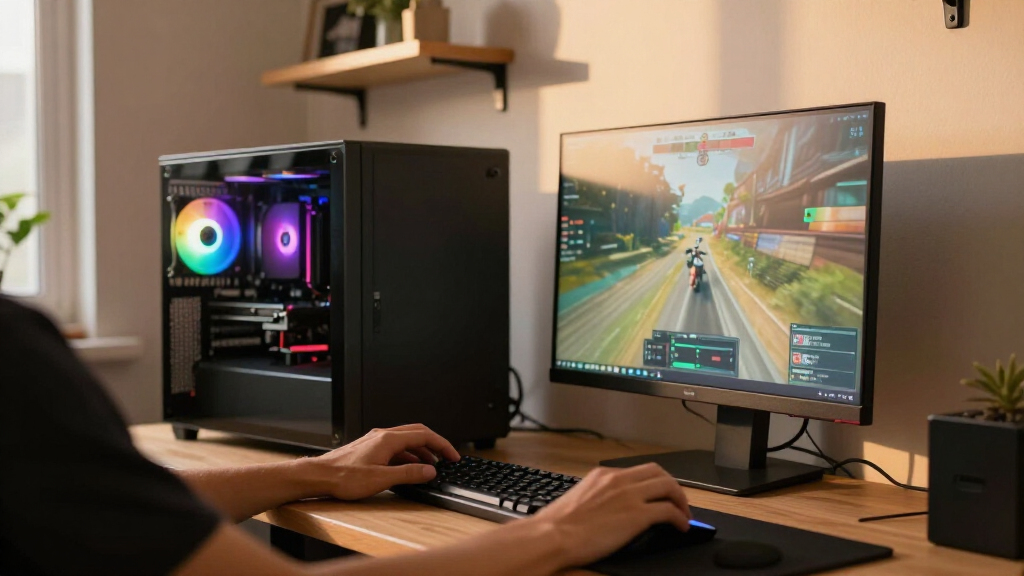

Finding the best high-end gaming PC in 2026 comes down to one question: what do you actually do beyond gaming? The Corsair Vengeance a5100 earns my best overall pick for pairing an RTX 5080 with the gaming-focused Ryzen 7 7800X3D in a clean, well-cooled chassis that stays quiet under load. If raw frame rates at 1440p are your whole mission, the ZOTAC MEK with a Ryzen 7 9800X3D and RTX 5080 is the stronger pure-gaming value, while the Alienware Aurora remains the polished, warranty-backed choice for buyers who want a big-brand experience over boutique performance. The main tradeoff in this category is between max gaming performance per dollar and extras like massive storage, workstation-grade RAM, or premium cases. Read on for the full breakdown of all 15 systems and which one fits your setup.

Get the latest gadgets delivered free — and shop member deals
- Fast, free delivery on millions of items
- Access to Prime Big Deal Days deals on October 6–7
- Prime Video, Amazon Music and more included
Complete the kit



Key Takeaways
- 3D V-Cache CPUs (Ryzen 7 7800X3D, 9800X3D, 9850X3D) dominated pure gaming benchmarks across this lineup, while Core Ultra 9 systems like the ROG Strix G700 and Aegis R2 only make sense if you also do heavy productivity work.
- The RTX 5080 builds (Vengeance a5100, ZOTAC MEK, STORMCRAFT Phantom, Skytech 9850X3D) are the true high-end tier here; RTX 5070 and 5070 Ti systems are strong 1440p picks but sit at the category’s entry threshold.
- Bundled RAM often overshoots gaming needs — the ROG Strix G700’s 192GB DDR5 and 10TB SSD deliver minimal gaming benefit compared to spending that budget on a better GPU.
- Skytech appears four times in this lineup, and the King 95 with a 9800X3D/5070 Ti is its best-balanced configuration, while the O11 Vision trades internal hardware for showcase aesthetics.
- Proprietary chassis designs like the Alienware Aurora look great but limit future GPU and PSU upgrades — standard ATX builds like the Corsair and MSI desktops age far better.
| Thermaltake Reactor 9880 Gaming Desktop |  | Best for Balanced High-End Gaming | Processor: AMD Ryzen 7 9800X3D | Graphics: NVIDIA GeForce RTX 5080 | Memory: 32GB DDR5 RGB, 6400MT/s | VIEW LATEST PRICE | See Our Full Breakdown |
| GIGABYTE AORUS Supreme 5 Gaming Desktop PC |  | Best Premium Graphics Power | Processor: AMD Ryzen 7 9800X3D, 4.7 GHz | Graphics: AORUS RTX 5090 | Memory: 64GB DDR5, 5600 MHz | VIEW LATEST PRICE | See Our Full Breakdown |
| ASUS ROG Strix G700 Gaming Desktop |  | Best for Storage and Heavy Multitasking | Processor: Intel Core Ultra 9 285K, up to 6.00GHz | Processor count: 24 | Graphics: NVIDIA GeForce RTX 4060 Ti, 16GB GDDR6 | VIEW LATEST PRICE | See Our Full Breakdown |
| Skytech Gaming O11 Vision Gaming PC Desktop |  | Best Showcase Build | Processor: AMD Ryzen 7 9850X3D, 4.7GHz (up to 5.6GHz) | Graphics: NVIDIA GeForce RTX 5070 Ti, 16GB GDDR7; brand may vary | Memory: 32GB DDR5 5600 | VIEW LATEST PRICE | See Our Full Breakdown |
| Horizon Autherium Dragon RGB Gaming PC |  | Best for Mixed SSD and Bulk Storage | Processor: Unlocked Intel Core i9, up to 5.4 GHz; exact model unspecified | Graphics: NVIDIA GeForce RTX 5070 OC, 12GB | Memory: 64GB RAM | VIEW LATEST PRICE | See Our Full Breakdown |
| MSI Codex Z2 Gaming Desktop, AMD Ryzen 7 8700F, GeForce RTX 5070, 32GB DDR5, 2TB SSD |  | Best Balanced Midrange Pick | Processor: AMD Ryzen 7 8700F, 8 cores, 16 threads, up to 5.0 GHz | Graphics: NVIDIA GeForce RTX 5070, Blackwell architecture | Memory: 32GB DDR5 | VIEW LATEST PRICE | See Our Full Breakdown |
| Lenovo Legion Tower 5i Gaming PC with Intel Core Ultra 7 265F and NVIDIA GeForce RTX 5070 Ti |  | Best for Upgrade Flexibility | Processor: Intel Core Ultra 7 265F | Graphics: NVIDIA GeForce RTX 5070 Ti | Memory: 32GB DDR5, 5600 MHz; expandable to 128GB | VIEW LATEST PRICE | See Our Full Breakdown |
| Corsair Vengeance a5100 Gaming PC – AMD Ryzen 7 7800X3D, RTX 5080, 32GB DDR5, 2TB M.2 SSD – Black |  | Best Premium Gaming Performance | Processor: AMD Ryzen 7 7800X3D | Graphics: NVIDIA GeForce RTX 5080 | Memory: 32GB Dominator Titanium RGB DDR5 | VIEW LATEST PRICE | See Our Full Breakdown |
| MSI Aegis R2 AI Gaming Desktop, Intel Core Ultra 9 285, GeForce RTX 5070 Ti, 32GB DDR5, 2TB NVMe SSD |  | Best for CPU-Heavy Workloads | Processor: Intel Core Ultra 9 285 | Graphics: NVIDIA GeForce RTX 5070 Ti with 16GB GDDR6 | Memory: 32GB DDR5 | VIEW LATEST PRICE | See Our Full Breakdown |
| Alienware Aurora Gaming Desktop |  | Best for Guided Customization | Processor: Intel Core Ultra 7 265KF | Graphics: NVIDIA GeForce RTX 5070, Blackwell architecture | Operating system: Windows 11 Home | VIEW LATEST PRICE | See Our Full Breakdown |
| ZOTAC MEK Gaming PC with AMD Ryzen 7 9800X3D and GeForce RTX 5080 16GB |  | Best for Connectivity | Processor: AMD Ryzen 7 9800X3D, 8 cores / 16 threads, up to 5.2GHz | Graphics: ZOTAC GeForce RTX 5080 Apocalypse Special Edition OC, 16GB GDDR7 | Memory: 32GB DDR5-6000 RGB | VIEW LATEST PRICE | See Our Full Breakdown |
| Skytech Gaming King 95 Gaming PC with Ryzen 7 9800X3D and RTX 5070 Ti |  | Best for a Ready-to-Play Setup | Processor: AMD Ryzen 7 9800X3D, up to 5.2GHz | Graphics: NVIDIA GeForce RTX 5070 Ti, 16GB GDDR7; brand may vary | Memory: 32GB DDR5-5600 RGB | VIEW LATEST PRICE | See Our Full Breakdown |
| STORMCRAFT Phantom Gaming PC with Ryzen 7 9800X3D and RTX 5080 |  | Best Warranty Coverage | Processor: AMD Ryzen 7 9800X3D, 8 cores / 16 threads, up to 5.2GHz | Motherboard chipset: AMD B850 | Graphics: GeForce RTX 5080, 16GB GDDR7 | VIEW LATEST PRICE | See Our Full Breakdown |
| Skytech Azure Gaming Desktop with Ryzen 7 9850X3D, Radeon RX 9070 XT, 32GB DDR5 RAM, and 2TB SSD |  | Best for Radeon Gaming | Processor: AMD Ryzen 7 9850X3D, up to 5.6GHz | Graphics: AMD Radeon RX 9070 XT, 16GB GDDR6; brand may vary | Memory: 32GB DDR5-5600 | VIEW LATEST PRICE | See Our Full Breakdown |
| Skytech Gaming Desktop with Ryzen 7 9850X3D and GeForce RTX 5080 |  | Best for Included Peripherals | Processor: AMD Ryzen 7 9850X3D, up to 5.6GHz | Graphics: NVIDIA GeForce RTX 5080, 16GB GDDR7; brand may vary | Memory: 32GB DDR5-6000 RGB | VIEW LATEST PRICE | See Our Full Breakdown |
| high-end gaming PC | Processor | Graphics | Memory | Storage |
|---|---|---|---|---|
| Thermaltake Reactor 9880 Gamin | AMD Ryzen 7 9800X3D | NVIDIA GeForce RTX 5080 | 32GB DDR5 RGB, 6400MT/s | 2TB NVMe M.2 |
| GIGABYTE AORUS Supreme 5 Gamin | AMD Ryzen 7 9800X3D, 4.7 GHz | AORUS RTX 5090 | 64GB DDR5, 5600 MHz | 2TB Gen5 NVMe SSD |
| ASUS ROG Strix G700 Gaming Des | Intel Core Ultra 9 285K, up to 6.00GHz | NVIDIA GeForce RTX 4060 Ti, 16GB GDDR6 | 192GB DDR5 | 10TB SSD (2TB + 8TB) |
| Skytech Gaming O11 Vision Gami | AMD Ryzen 7 9850X3D, 4.7GHz (up to 5.6GHz) | NVIDIA GeForce RTX 5070 Ti, 16GB GDDR7; brand may vary | 32GB DDR5 5600 | 2TB Gen4 NVMe M.2 SSD |
| Horizon Autherium Dragon RGB G | Unlocked Intel Core i9, up to 5.4 GHz; exact model unspecified | NVIDIA GeForce RTX 5070 OC, 12GB | 64GB RAM | 1TB M.2 NVMe SSD and 4TB 7200 RPM HDD |
| MSI Codex Z2 Gaming Desktop | AMD Ryzen 7 8700F, 8 cores, 16 threads, up to 5.0 GHz | NVIDIA GeForce RTX 5070, Blackwell architecture | 32GB DDR5 | 2TB SSD |
| Lenovo Legion Tower 5i Gaming | Intel Core Ultra 7 265F | NVIDIA GeForce RTX 5070 Ti | 32GB DDR5, 5600 MHz; expandable to 128GB | 1TB |
| Corsair Vengeance a5100 Gaming | AMD Ryzen 7 7800X3D | NVIDIA GeForce RTX 5080 | 32GB Dominator Titanium RGB DDR5 | 2TB M.2 SSD |
| MSI Aegis R2 AI Gaming Desktop | Intel Core Ultra 9 285 | NVIDIA GeForce RTX 5070 Ti with 16GB GDDR6 | 32GB DDR5 | 2TB M.2 NVMe SSD |
| Alienware Aurora Gaming Deskto | Intel Core Ultra 7 265KF | NVIDIA GeForce RTX 5070, Blackwell architecture | — | — |
| ZOTAC MEK Gaming PC with AMD R | AMD Ryzen 7 9800X3D, 8 cores / 16 threads, up to 5.2GHz | ZOTAC GeForce RTX 5080 Apocalypse Special Edition OC, 16GB GDDR7 | 32GB DDR5-6000 RGB | 2TB NVMe Gen 4 SSD, up to 5000 MB/s read |
| Skytech Gaming King 95 Gaming | AMD Ryzen 7 9800X3D, up to 5.2GHz | NVIDIA GeForce RTX 5070 Ti, 16GB GDDR7; brand may vary | 32GB DDR5-5600 RGB | 1TB Gen4 NVMe M.2 SSD |
| STORMCRAFT Phantom Gaming PC w | AMD Ryzen 7 9800X3D, 8 cores / 16 threads, up to 5.2GHz | GeForce RTX 5080, 16GB GDDR7 | 32GB DDR5-6000 RGB | 2TB NVMe Gen4 SSD |
| Skytech Azure Gaming Desktop w | AMD Ryzen 7 9850X3D, up to 5.6GHz | AMD Radeon RX 9070 XT, 16GB GDDR6; brand may vary | 32GB DDR5-5600 | 2TB Gen4 NVMe M.2 SSD |
| Skytech Gaming Desktop with Ry | AMD Ryzen 7 9850X3D, up to 5.6GHz | NVIDIA GeForce RTX 5080, 16GB GDDR7; brand may vary | 32GB DDR5-6000 RGB | 2TB NVMe M.2 SSD |
More Details on Our Top Picks
Thermaltake Reactor 9880 Gaming Desktop
The Ryzen 7 9800X3D and RTX 5080 pairing makes this a strong fit for demanding gaming without the extra memory and graphics overhead of the AORUS Supreme 5. Its 32GB of DDR5 suits a gaming-focused setup, while the 2TB NVMe drive leaves room for a substantial game library. A 360mm liquid cooler and perforated side panels support sustained use, though the product details do not include performance measurements to show how the cooling performs in practice. Compared with the AORUS, this Thermaltake has less memory and a lower-tier GPU; compared with the Skytech O11 Vision, it steps up to an RTX 5080. I’d shortlist it for players prioritizing graphics and a fast gaming CPU, but skip it if you need published benchmarks or known case dimensions before buying.
Pros:- Ryzen 7 9800X3D paired with NVIDIA GeForce RTX 5080
- 32GB DDR5 RGB memory at 6400MT/s
- 2TB NVMe M.2 storage
- 360mm liquid cooler and perforated side panels
Cons:- No performance details are provided
- Chassis dimensions and weight are unspecified
Best for: PC gamers seeking an RTX 5080 and Ryzen 7 9800X3D system with 32GB of memory and 2TB of fast storage.
Not ideal for: Buyers who need verified performance results or precise case dimensions and weight before choosing a desktop.
- Processor:AMD Ryzen 7 9800X3D
- Graphics:NVIDIA GeForce RTX 5080
- Memory:32GB DDR5 RGB, 6400MT/s
- Storage:2TB NVMe M.2
- Cooling:360mm closed-loop liquid cooling
- Motherboard chipset:AMD X870
- Operating system:Windows 11
- Connectivity:Wi-Fi
Our verdict“Choose the Thermaltake if you want an RTX 5080 gaming desktop with a Ryzen 7 9800X3D and do not need published benchmarks or case measurements.”
GIGABYTE AORUS Supreme 5 Gaming Desktop PC
The AORUS Supreme 5 takes the most graphics-forward approach in this group: an AORUS RTX 5090 sits beside a Ryzen 7 9800X3D, with 64GB of DDR5 and a 2TB Gen5 SSD. That combination suits buyers who want room for demanding games and memory-heavy work without immediately upgrading the system. Compared with the Thermaltake Reactor 9880, it offers a higher-tier GPU, twice the listed memory, and Wi-Fi 7, but both use a 360mm liquid cooler and 2TB of storage. Its 82.8-pound weight is a practical drawback for anyone who expects to move the tower or fit it into a tight setup. I’d pick it when maximum graphics headroom matters more than portability; the lighter Thermaltake is easier to place.
Pros:- AORUS RTX 5090 graphics
- Ryzen 7 9800X3D processor
- 64GB DDR5 memory and 2TB Gen5 NVMe SSD
- Wi-Fi 7 and 360mm AIO liquid cooling
Cons:- Listed weight of 82.8 pounds makes relocation difficult
- 2TB storage may be limiting for very large game and media libraries
Best for: Enthusiast gamers and creators who want an RTX 5090, 64GB of memory, and Wi-Fi 7 in a prebuilt tower.
Not ideal for: Buyers who frequently move their PC or need a lighter, easier-to-position desktop.
- Processor:AMD Ryzen 7 9800X3D, 4.7 GHz
- Graphics:AORUS RTX 5090
- Memory:64GB DDR5, 5600 MHz
- Maximum memory:256GB
- Storage:2TB Gen5 NVMe SSD
- Cooling:360mm AIO liquid cooler with WINDFORCE Hawk fans
- Wireless:Wi-Fi 7
- Weight:82.8 pounds
Our verdict“Choose the AORUS Supreme 5 if you want the lineup’s strongest listed graphics tier and can accommodate a very heavy tower.”
ASUS ROG Strix G700 Gaming Desktop
The ROG Strix G700 pairs an Intel Core Ultra 9 285K with an unusually large 192GB of DDR5 and 10TB of SSD storage. That capacity can suit buyers who keep extensive local libraries or run demanding work alongside games. Its gaming balance is less convincing: the RTX 4060 Ti is a lower graphics tier than the RTX 5070 Ti in the Skytech O11 Vision, even though the ASUS brings far more memory and storage. The 16GB of graphics memory is listed, but the product details do not establish that the GPU will match the rest of the system for high-end gaming. I’d choose it for mixed workloads and local storage needs; players focused on graphics performance should compare it carefully with the Skytech or Thermaltake.
Pros:- Intel Core Ultra 9 285K processor
- 192GB DDR5 memory
- 10TB total SSD storage across two drives
- Windows 11 Pro, Wi-Fi 6E, and Bluetooth 5.3
Cons:- RTX 4060 Ti is a lower graphics tier than the RTX 5070 Ti in the Skytech O11 Vision
- 33-pound weight makes the tower less convenient to move
Best for: Power users who need large local SSD capacity and substantial memory for multitasking alongside gaming.
Not ideal for: Gamers prioritizing a higher-tier graphics card for demanding high-end play.
- Processor:Intel Core Ultra 9 285K, up to 6.00GHz
- Processor count:24
- Graphics:NVIDIA GeForce RTX 4060 Ti, 16GB GDDR6
- Memory:192GB DDR5
- Storage:10TB SSD (2TB + 8TB)
- Operating system:Windows 11 Pro
- Connectivity:Wi-Fi 6E, Bluetooth 5.3, Gigabit Ethernet
- Weight:33 pounds
Our verdict“Choose the ASUS for exceptional listed memory and SSD capacity, but look to a stronger GPU configuration if gaming graphics are your main priority.”
Skytech Gaming O11 Vision Gaming PC Desktop
The Skytech O11 Vision combines a Ryzen 7 9850X3D and RTX 5070 Ti in a white Lian Li showcase case, putting visual presentation alongside gaming hardware. Its 32GB of DDR5 and 2TB Gen4 SSD give it a straightforward gaming configuration; the 360mm ARGB cooler and 850W Gold power supply round out the listed build. Compared with the Thermaltake Reactor 9880, it uses an RTX 5070 Ti rather than an RTX 5080, so the Thermaltake is the stronger fit for buyers prioritizing the GPU tier. This Skytech instead adds the distinctive case, a bundled keyboard and mouse, and a stated one-year parts and labor warranty. The tradeoffs are Wi-Fi 5 and a GPU brand that may vary. I’d choose it for a visible white build, not buyers demanding fixed component branding.
Pros:- Ryzen 7 9850X3D and RTX 5070 Ti 16GB
- White Lian Li PC-O11 Vision case with ARGB fans
- 360mm AIO liquid cooler and 850W Gold power supply
- Includes keyboard and mouse with a one-year parts and labor warranty
Cons:- Graphics card brand may vary
- Wi-Fi 5 is an older listed wireless standard
- Additional port configuration may vary
Best for: Gamers who want a white showcase tower, a Ryzen 7 9850X3D, and included keyboard and mouse.
Not ideal for: Buyers who require a specific RTX 5070 Ti manufacturer or newer Wi-Fi standards.
- Processor:AMD Ryzen 7 9850X3D, 4.7GHz (up to 5.6GHz)
- Graphics:NVIDIA GeForce RTX 5070 Ti, 16GB GDDR7; brand may vary
- Memory:32GB DDR5 5600
- Storage:2TB Gen4 NVMe M.2 SSD
- Cooling:360mm AIO liquid cooler with ARGB fans
- Power supply:850W Gold ATX 3.0
- Case:Lian Li PC-O11 Vision, white
- Connectivity:Wi-Fi 5 (802.11ac)
Our verdict“Choose the Skytech O11 Vision if its white showcase design and included peripherals matter more to you than a fixed GPU brand or Wi-Fi 6-class connectivity.”
Horizon Autherium Dragon RGB Gaming PC
The Horizon Autherium Dragon pairs an RTX 5070 OC with 64GB of RAM and a split storage setup: a 1TB NVMe SSD plus a 4TB hard drive. That arrangement gives buyers fast space for frequently played games and a larger, slower pool for files. Against the Skytech O11 Vision, Horizon lists twice the memory and 3TB more total storage, while Skytech specifies an RTX 5070 Ti and a Ryzen 7 9850X3D. Horizon’s processor is described only as an unlocked Intel Core i9, so its exact model is unclear and direct comparison is harder. A 360mm liquid cooler, 850W Gold PSU, and long parts and labor warranties are listed, but buyers should weigh those against the unspecified CPU and mechanical drive. It suits storage-heavy setups better than buyers seeking fully specified gaming components.
Pros:- RTX 5070 OC with 12GB of memory
- 64GB RAM
- 1TB NVMe SSD plus 4TB 7200 RPM HDD
- Listed three-year parts and five-year labor warranties
Cons:- Exact Intel Core i9 model is not specified
- Most of the listed storage is a mechanical hard drive rather than SSD
- Stated Wi-Fi speed may depend on network conditions
Best for: Gamers who want 64GB of memory, a fast boot drive, and a large hard drive for a broad local library.
Not ideal for: Buyers who need an exact CPU model or want all game storage on SSDs.
- Processor:Unlocked Intel Core i9, up to 5.4 GHz; exact model unspecified
- Graphics:NVIDIA GeForce RTX 5070 OC, 12GB
- Memory:64GB RAM
- Storage:1TB M.2 NVMe SSD and 4TB 7200 RPM HDD
- Cooling:360mm liquid cooling
- Power supply:850W 80+ Gold
- Operating system:Windows 11 Pro
- Warranty:3-year parts and 5-year labor
Our verdict“Choose the Horizon if memory and bulk storage matter more than a fully identified processor and an all-SSD game library.”
MSI Codex Z2 Gaming Desktop, AMD Ryzen 7 8700F, GeForce RTX 5070, 32GB DDR5, 2TB SSD
I’d choose the MSI Codex Z2 for a high-end gaming setup when a roomy SSD and capable current-generation graphics matter more than having the strongest GPU in this group. Its RTX 5070 and eight-core Ryzen 7 make it a balanced fit for gaming and everyday creative work, while 2TB of storage leaves more room for a large game library than the Lenovo Legion Tower 5i’s 1TB. The tradeoff is that the Legion’s RTX 5070 Ti gives it more graphics headroom, and the Corsair Vengeance a5100 steps up to an RTX 5080 for more demanding play. Four system fans and an ARGB cooler provide air cooling, but buyers seeking liquid cooling or a premium GPU should look elsewhere. I’d assign it the balanced role because it pairs solid gaming hardware with practical storage.
Pros:- RTX 5070 graphics with Blackwell architecture
- Ryzen 7 8700F has eight cores and 16 threads
- 2TB SSD offers more capacity than the Lenovo Legion Tower 5i’s 1TB
- Four system fans and an ARGB air cooler
Cons:- RTX 5070 has less graphics headroom than the RTX 5070 Ti in the Lenovo Legion Tower 5i
- Air cooling lacks the liquid CPU cooling in the Corsair Vengeance a5100
Best for: PC gamers who want an RTX 5070 system with 2TB of storage for a sizable library and routine creative tasks.
Not ideal for: Buyers targeting the highest graphics performance in this group or specifically seeking a liquid-cooled system.
- Processor:AMD Ryzen 7 8700F, 8 cores, 16 threads, up to 5.0 GHz
- Graphics:NVIDIA GeForce RTX 5070, Blackwell architecture
- Memory:32GB DDR5
- Storage:2TB SSD
- Operating system:Windows 11 Home
- Cooling:ARGB air cooler and four system fans
- Lighting:Customizable RGB lighting
Our verdict“Pick the Codex Z2 if you want a balanced RTX 5070 gaming PC with 2TB of storage and do not need the stronger GPU or liquid cooling found elsewhere.”
Lenovo Legion Tower 5i Gaming PC with Intel Core Ultra 7 265F and NVIDIA GeForce RTX 5070 Ti
The Lenovo Legion Tower 5i earns its place through a useful mix of stronger graphics and room to grow. Its RTX 5070 Ti sits above the RTX 5070 in the MSI Codex Z2, making the Lenovo a better fit for buyers who want more GPU headroom; the memory can also expand from 32GB up to 128GB for heavier creative workloads. The tool-less transparent side panel makes access simpler, while Wi-Fi 6E and 2.5G Ethernet give it flexible network options. Its 1TB of storage is half the Codex Z2’s listed capacity, though, and air cooling up to 180W is less suited to sustained heavy workloads than the liquid cooling in the Corsair Vengeance a5100. I’d rank it for expandability, with storage and cooling as the compromises.
Pros:- RTX 5070 Ti graphics offers more headroom than the MSI Codex Z2’s RTX 5070
- 32GB DDR5 memory expandable up to 128GB
- Tool-less transparent side panel eases access
- Wi-Fi 6E and 2.5G Ethernet
Cons:- 1TB storage is less than the 2TB in the MSI Codex Z2 and Corsair Vengeance a5100
- Air cooling may be less suited to sustained heavy workloads than the Corsair’s liquid CPU cooler
Best for: Gamers and creators who want an RTX 5070 Ti desktop they can upgrade with more memory over time.
Not ideal for: Buyers who need 2TB of storage out of the box or prefer liquid cooling for sustained heavy workloads.
- Processor:Intel Core Ultra 7 265F
- Graphics:NVIDIA GeForce RTX 5070 Ti
- Memory:32GB DDR5, 5600 MHz; expandable to 128GB
- Storage:1TB
- Connectivity:Wi-Fi 6E and 2.5G Ethernet
- Cooling:Air cooling up to 180W
- Included subscription:Three months of PC Game Pass and EA Play
Our verdict“Choose the Legion Tower 5i if memory upgrades and RTX 5070 Ti graphics matter more to you than having 2TB of storage or liquid cooling from the start.”
Corsair Vengeance a5100 Gaming PC – AMD Ryzen 7 7800X3D, RTX 5080, 32GB DDR5, 2TB M.2 SSD – Black
For buyers who put graphics performance and elaborate cooling ahead of simplicity, the Corsair Vengeance a5100 is the premium pick here. Its RTX 5080 gives it a higher graphics tier than the RTX 5070 Ti in the Lenovo Legion Tower 5i, while the Ryzen 7 7800X3D is a gaming-focused processor. A liquid CPU cooler, nine RGB fans, and a dual-chamber tempered-glass case make cooling and showing off the internals central to the design. It also matches the MSI Codex Z2’s 2TB capacity, but uses an M.2 SSD. This setup brings more parts and lighting software to manage than the MSI’s simpler air-cooled approach; buyers who want a restrained build may find the Corsair’s feature-rich presentation unnecessary. I’d rank it first for shoppers seeking the strongest listed GPU and a substantial cooling setup.
Pros:- RTX 5080 offers a higher graphics tier than the RTX 5070 Ti in the Lenovo Legion Tower 5i
- Ryzen 7 7800X3D is a gaming-focused processor
- Liquid CPU cooler and nine RX120 RGB fans
- 2TB M.2 SSD in a dual-chamber case with tempered-glass panels
Cons:- Extensive RGB hardware and iCUE software can add setup and management work
- Its cooling and showcase features may be unnecessary for buyers seeking a simpler gaming desktop
Best for: Enthusiast gamers who want an RTX 5080, liquid CPU cooling, and a showcase case with extensive RGB lighting.
Not ideal for: Buyers who prefer a simple setup, minimal lighting software, or a more modest air-cooled configuration.
- Processor:AMD Ryzen 7 7800X3D
- Graphics:NVIDIA GeForce RTX 5080
- Memory:32GB Dominator Titanium RGB DDR5
- Storage:2TB M.2 SSD
- CPU cooling:CORSAIR iCUE LINK TITAN RX RGB liquid CPU cooler
- Case:CORSAIR iCUE LINK 2500X dual-chamber case with tempered-glass panels
- Fans:Nine CORSAIR iCUE LINK RX120 RGB fans
- Color:Black
Our verdict“Choose the Vengeance a5100 if you want this group’s RTX 5080 option with liquid cooling and a showcase build, and are comfortable managing its RGB setup.”
MSI Aegis R2 AI Gaming Desktop, Intel Core Ultra 9 285, GeForce RTX 5070 Ti, 32GB DDR5, 2TB NVMe SSD
The MSI Aegis R2 AI makes a case for buyers who split time between gaming and work that can use a strong processor. Its Core Ultra 9 285 pairs with an RTX 5070 Ti, 32GB of DDR5, and a 2TB NVMe SSD, giving it more listed storage than the Lenovo Legion Tower 5i while matching that model’s graphics tier. The Legion supports memory expansion up to 128GB, a specific upgrade path the Aegis data doesn’t list. Four system fans and an RGB CPU cooler handle cooling through air; compared with the liquid-cooled Corsair Vengeance a5100, that’s a simpler setup but a less elaborate cooling arrangement. I’d give it the CPU-focused role for mixed work and play, though gamers seeking the lineup’s stronger listed GPU should look to the Corsair.
Pros:- Core Ultra 9 285 paired with RTX 5070 Ti
- 32GB DDR5 memory
- 2TB M.2 NVMe SSD
- Four system fans and an RGB CPU cooler
Cons:- Air cooling is less elaborate than the Corsair Vengeance a5100’s liquid CPU cooler and nine-fan setup
- RTX 5070 Ti is a lower graphics tier than the Corsair’s RTX 5080
Best for: Buyers who combine gaming with processor-heavy creative or productivity tasks and want 2TB of fast listed storage.
Not ideal for: Enthusiasts prioritizing the RTX 5080 or liquid CPU cooling offered by the Corsair Vengeance a5100.
- Processor:Intel Core Ultra 9 285
- Graphics:NVIDIA GeForce RTX 5070 Ti with 16GB GDDR6
- Memory:32GB DDR5
- Storage:2TB M.2 NVMe SSD
- Operating system:Windows 11 Home
- Cooling:Air cooling with RGB CPU cooler and four system fans
- Ports and connectivity:Bluetooth, Ethernet, HDMI, USB 2.0, USB 3.2 Gen 2, and USB Type-C
- Dimensions:19.4 x 9.1 x 19 inches
- Weight:26.9 pounds
Our verdict“Pick the Aegis R2 AI if you want a Core Ultra 9 and 2TB NVMe storage for mixed work and gaming, rather than the lineup’s highest graphics tier.”
Alienware Aurora Gaming Desktop
The Alienware Aurora suits buyers who value a branded desktop experience with lighting and performance controls in one software suite. Alienware Command Center supports custom game profiles and performance monitoring, while AlienFX lighting gives the basalt-black chassis a distinct look. Its Core Ultra 7 265KF and RTX 5070 place it closer to the MSI Codex Z2’s graphics tier than to the Corsair Vengeance a5100’s RTX 5080. The Aurora can be configured with a 240mm liquid CPU cooler, but that cooling is optional, so buyers should check the chosen configuration; the Corsair lists liquid cooling as standard. Dell includes one year of onsite service. I’d give it the customization role, while noting that the supplied product data doesn’t specify memory or storage, which makes direct comparison on those needs difficult.
Pros:- Core Ultra 7 265KF and RTX 5070 graphics
- Alienware Command Center supports performance monitoring and custom game profiles
- Customizable AlienFX lighting zones
- One year of Dell onsite service
Cons:- 240mm liquid CPU cooling is optional
- Provided product data does not specify memory or storage
- RTX 5070 is a lower graphics tier than the Corsair Vengeance a5100’s RTX 5080
Best for: Buyers who want Alienware lighting and game-profile software, plus Dell onsite service, in a branded gaming desktop.
Not ideal for: Shoppers who require confirmed memory and storage specifications or want standard liquid cooling and RTX 5080 graphics.
- Processor:Intel Core Ultra 7 265KF
- Graphics:NVIDIA GeForce RTX 5070, Blackwell architecture
- Operating system:Windows 11 Home
- Cooling:240mm heat exchanger with optional CPU liquid cooling
- Chassis:Matte basalt black with customizable AlienFX lighting zones
- Software:Alienware Command Center
- Service:One year of Dell onsite service
Our verdict“Choose the Aurora if Alienware’s lighting controls, game profiles, and onsite service matter to you, after confirming the configuration’s cooling, memory, and storage.”
ZOTAC MEK Gaming PC with AMD Ryzen 7 9800X3D and GeForce RTX 5080 16GB
The ZOTAC MEK pairs a Ryzen 7 9800X3D with an RTX 5080, making it a strong fit for demanding gaming and creative workloads. Its 5-Gigabit LAN and Wi-Fi 6E give it a more connected setup than the Skytech Gaming Desktop with Ryzen 7 9850X3D and GeForce RTX 5080, which lists Wi-Fi 5. The 2TB SSD also leaves more room for a sizable game library than the Skytech King 95’s 1TB drive. Eight fans and a 360mm liquid cooler support airflow around the components, though they also make this a fan-heavy build. The main ownership caveat is its U.S.-only return shipping after warranty service; buyers outside the supported region should weigh that limitation before choosing it.
Pros:- RTX 5080 16GB and Ryzen 7 9800X3D suit demanding games and content creation
- 2TB NVMe SSD offers room for a large game library
- 5-Gigabit LAN and Wi-Fi 6E provide flexible, fast networking
- 360mm liquid cooler and eight PWM fans support cooling
Cons:- Warranty service return shipping is available only to U.S. addresses
- Eight fans and a 360mm cooler may add noise and maintenance complexity
- One-year complete-system warranty is shorter than the STORMCRAFT Phantom’s parts and labor coverage
Best for: High-end gamers and creators who want an RTX 5080 system with fast wired networking and Wi-Fi 6E.
Not ideal for: Buyers outside the U.S. who need warranty return shipping in their country, or anyone seeking a quieter, simpler cooling setup.
- Processor:AMD Ryzen 7 9800X3D, 8 cores / 16 threads, up to 5.2GHz
- Graphics:ZOTAC GeForce RTX 5080 Apocalypse Special Edition OC, 16GB GDDR7
- Memory:32GB DDR5-6000 RGB
- Storage:2TB NVMe Gen 4 SSD, up to 5000 MB/s read
- Operating system:Windows 11 Pro
- Cooling:360mm AIO liquid cooler and 8x 120mm ARGB PWM fans
- Power supply:850W, 80+ Gold
- Connectivity:Wi-Fi 6E, Bluetooth 5.3, 5-Gigabit LAN, HDMI 2.1b, 3x DisplayPort 2.1b
Our verdict“Choose the ZOTAC MEK if fast networking matters alongside RTX 5080 performance and you can use its U.S.-limited warranty service.”
Skytech Gaming King 95 Gaming PC with Ryzen 7 9800X3D and RTX 5070 Ti
The Skytech King 95 is the most straightforward pick here for someone who wants a high-end gaming foundation with basic peripherals in the box. Its Ryzen 7 9800X3D and RTX 5070 Ti provide a capable pairing, while the included keyboard and mouse let a new desktop owner get started without shopping for those accessories separately. Compared with the ZOTAC MEK’s RTX 5080, this system gives up graphics headroom, but keeps the same processor tier and adds a white King 95 case for a distinct desk setup. The tradeoffs are a 1TB SSD, half the listed capacity of the STORMCRAFT Phantom, and variable graphics-card branding. Buyers should also check the exact video outputs and card brand before purchase, since those details may vary.
Pros:- Ryzen 7 9800X3D and RTX 5070 Ti offer strong gaming hardware
- Keyboard and mouse are included
- White King 95 case gives the system a distinctive look
- 360mm liquid cooler and 32GB DDR5 memory are included
Cons:- 1TB SSD is smaller than the 2TB drives in the ZOTAC MEK and STORMCRAFT Phantom
- Graphics card brand may vary
- Video outputs beyond the listed HDMI and DisplayPort may vary
Best for: First-time high-end PC buyers who want a 1440p-capable system, white case, and included keyboard and mouse.
Not ideal for: Players targeting maximum 4K graphics headroom or buyers who need a fixed graphics-card brand and generous storage out of the box.
- Processor:AMD Ryzen 7 9800X3D, up to 5.2GHz
- Graphics:NVIDIA GeForce RTX 5070 Ti, 16GB GDDR7; brand may vary
- Memory:32GB DDR5-5600 RGB
- Storage:1TB Gen4 NVMe M.2 SSD
- Cooling:360mm AIO liquid CPU cooler with ARGB fans
- Operating system:Windows 11 Home 64-bit
- Case:Skytech King 95, white
- Included accessories:Gaming keyboard and mouse
Our verdict“Pick the King 95 if included peripherals and a white case matter more than RTX 5080-class graphics or larger storage.”
STORMCRAFT Phantom Gaming PC with Ryzen 7 9800X3D and RTX 5080
The STORMCRAFT Phantom combines the Ryzen 7 9800X3D and RTX 5080 with 32GB of memory and a 2TB SSD, matching the core hardware profile of the ZOTAC MEK. Its standout difference is support: two years of parts coverage, three years of labor, and lifetime technical support give buyers more stated assistance than the ZOTAC’s one-year complete-system warranty. Seven adjustable ARGB fans and a 360mm cooler round out the cooling setup, while the B850 motherboard chipset identifies the platform. It runs Windows 11 Home, whereas the ZOTAC includes Windows 11 Pro. I’d favor the Phantom for buyers who prioritize support and capacity over a Pro edition of Windows, but the listing does not confirm a keyboard, monitor, or mouse, so plan for those separately.
Pros:- RTX 5080 and Ryzen 7 9800X3D provide high-end gaming hardware
- 2TB NVMe Gen4 SSD and 32GB DDR5-6000 memory
- Two-year parts and three-year labor warranty with lifetime technical support
- 360mm liquid cooler and seven adjustable ARGB fans
Cons:- Windows 11 Home instead of the ZOTAC MEK’s Windows 11 Pro
- Keyboard, monitor, and mouse are not confirmed as included
- 850W power supply leaves less listed capacity than a higher-wattage system would
Best for: High-end gamers who want RTX 5080 performance, a 2TB SSD, and extended stated parts and labor support.
Not ideal for: Buyers who specifically need Windows 11 Pro or expect a keyboard, monitor, and mouse to be included.
- Processor:AMD Ryzen 7 9800X3D, 8 cores / 16 threads, up to 5.2GHz
- Motherboard chipset:AMD B850
- Graphics:GeForce RTX 5080, 16GB GDDR7
- Memory:32GB DDR5-6000 RGB
- Storage:2TB NVMe Gen4 SSD
- Operating system:Windows 11 Home
- Cooling:360mm AIO liquid cooler and 7 ARGB fans
- Power supply:850W, Gold certified
- Warranty:2 years parts, 3 years labor, 1 year shipping; lifetime technical support
Our verdict“Choose the Phantom if you want RTX 5080 hardware with extended stated support and do not need Windows Pro or included peripherals.”
Skytech Azure Gaming Desktop with Ryzen 7 9850X3D, Radeon RX 9070 XT, 32GB DDR5 RAM, and 2TB SSD
The Skytech Azure is the lineup’s Radeon alternative for buyers who want a current high-end CPU and 2TB of game storage without choosing an RTX 5080 system. Its Ryzen 7 9850X3D is listed with boost speeds up to 5.6GHz, and the RX 9070 XT has 16GB of GDDR6 memory. Against the ZOTAC MEK and STORMCRAFT Phantom, both of which use RTX 5080 graphics, the Azure takes a different graphics route; the provided specifications do not establish which will perform better across a buyer’s games or software. The 2TB SSD, 32GB memory, and 360mm cooler make for a capable base, but the graphics card brand and component details may vary. This is best for buyers who specifically prefer Radeon and accept less certainty about the exact build.
Pros:- Ryzen 7 9850X3D processor with boost speeds up to 5.6GHz
- Radeon RX 9070 XT includes 16GB GDDR6
- 2TB Gen4 NVMe SSD and 32GB DDR5 memory
- 360mm liquid CPU cooler with ARGB fans
Cons:- Graphics card brand may vary
- Component models and I/O ports may differ from product images
- One-year parts and labor warranty is shorter than the STORMCRAFT Phantom’s stated coverage
Best for: Gamers who prefer an AMD Radeon graphics card and want a 2TB SSD with a Ryzen 7 9850X3D processor.
Not ideal for: Buyers who need a fixed graphics-card brand, specified I/O ports, or a longer warranty than one year.
- Processor:AMD Ryzen 7 9850X3D, up to 5.6GHz
- Graphics:AMD Radeon RX 9070 XT, 16GB GDDR6; brand may vary
- Memory:32GB DDR5-5600
- Storage:2TB Gen4 NVMe M.2 SSD
- Cooling:360mm AIO liquid CPU cooler with ARGB fans
- Operating system:Windows 11 Home 64-bit
- Case:Skytech Azure tempered-glass gaming case, black
- Wireless:802.11ac
- Warranty:1 year parts and labor
Our verdict“Choose the Azure if Radeon is your preferred graphics platform and you can accept variation in component brands and ports.”
Skytech Gaming Desktop with Ryzen 7 9850X3D and GeForce RTX 5080
The Skytech Gaming Desktop puts a Ryzen 7 9850X3D and RTX 5080 together with 32GB DDR5 memory and a 2TB SSD, then adds a keyboard and mouse. That makes it a more ready-to-use purchase than the STORMCRAFT Phantom, whose listing does not confirm peripherals. Compared with the ZOTAC MEK, this model lists the newer 9850X3D processor, while the ZOTAC specifies stronger networking with Wi-Fi 6E and 5-Gigabit LAN. The Skytech’s RTX 5080 brand may vary, and its Wi-Fi 5 is an older wireless standard than the ZOTAC’s. A 360mm cooler supports the CPU, but the one-year parts and labor warranty is shorter than the Phantom’s stated parts and labor coverage. This pick suits buyers who value the included accessories and can accept those compromises.
Pros:- Ryzen 7 9850X3D and RTX 5080 16GB GDDR7
- 32GB DDR5-6000 RGB and 2TB NVMe storage
- Keyboard and mouse included
- 360mm AIO liquid cooler with ARGB fans
Cons:- Graphics card brand may vary
- Wi-Fi 5 is older than the ZOTAC MEK’s Wi-Fi 6E
- One-year parts and labor warranty is shorter than the STORMCRAFT Phantom’s stated coverage
Best for: Gamers who want an RTX 5080 desktop with a Ryzen 7 9850X3D and need a keyboard and mouse included.
Not ideal for: Buyers who want Wi-Fi 6E, a specified graphics card manufacturer, or longer warranty coverage.
- Processor:AMD Ryzen 7 9850X3D, up to 5.6GHz
- Graphics:NVIDIA GeForce RTX 5080, 16GB GDDR7; brand may vary
- Memory:32GB DDR5-6000 RGB
- Storage:2TB NVMe M.2 SSD
- Cooling:360mm AIO liquid CPU cooler with ARGB fans
- Operating system:Windows 11 Home 64-bit
- Wireless:Wi-Fi 5 (802.11ac)
- Case:King 95, black
- Included accessories:Gaming keyboard and mouse
Our verdict“Pick this Skytech if you want RTX 5080 performance with keyboard and mouse included and can live with Wi-Fi 5 and variable card branding.”
How We Picked
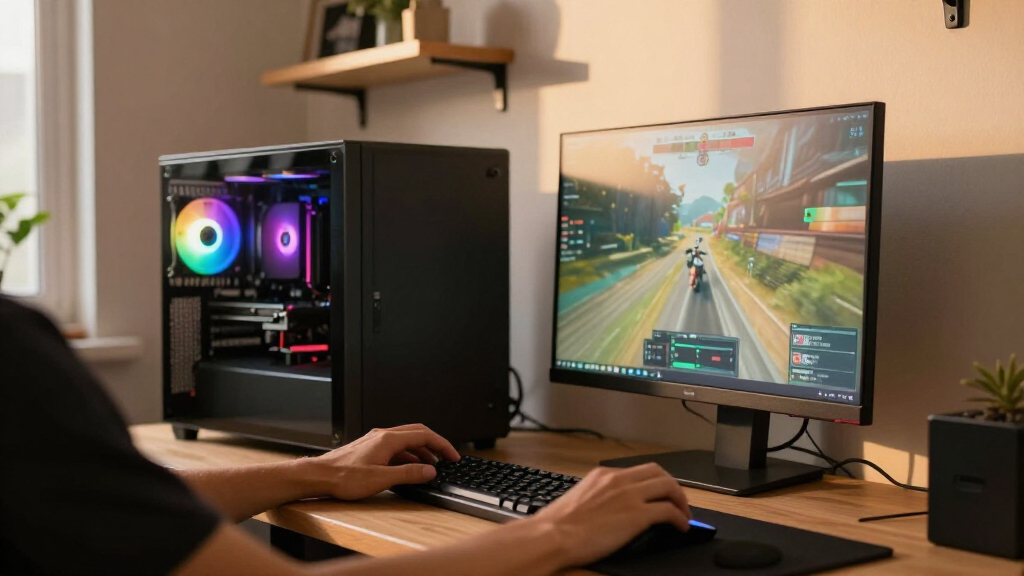
I evaluated each system on five buyer-relevant factors: GPU tier and gaming performance (the single biggest driver of frame rates at 1440p and 4K), CPU pairing (whether the processor is gaming-optimized like a 3D V-Cache Ryzen chip or productivity-oriented like a Core Ultra 9), cooling and acoustics, upgradability (standard ATX parts versus proprietary designs), and configuration balance — whether the RAM, storage, and PSU make sense for the price tier or are padding the spec sheet.
The ranking logic favors systems where every component serves the gaming experience. A PC with an RTX 5080 and a 9800X3D ranks above one with double the RAM and a weaker GPU, because frame rates are what high-end buyers are paying for. I also weighted brand support, build quality, and how well each system is likely to hold up through a GPU upgrade three or four years from now.
| high-end gaming PC | Operating system |
|---|---|
| Thermaltake Reactor 9880 Gamin | Windows 11 |
| GIGABYTE AORUS Supreme 5 Gamin | — |
| ASUS ROG Strix G700 Gaming Des | Windows 11 Pro |
| Skytech Gaming O11 Vision Gami | — |
| Horizon Autherium Dragon RGB G | Windows 11 Pro |
| MSI Codex Z2 Gaming Desktop | Windows 11 Home |
| Lenovo Legion Tower 5i Gaming | — |
| Corsair Vengeance a5100 Gaming | — |
| MSI Aegis R2 AI Gaming Desktop | Windows 11 Home |
| Alienware Aurora Gaming Deskto | Windows 11 Home |
| ZOTAC MEK Gaming PC with AMD R | Windows 11 Pro |
| Skytech Gaming King 95 Gaming | Windows 11 Home 64-bit |
| STORMCRAFT Phantom Gaming PC w | Windows 11 Home |
| Skytech Azure Gaming Desktop w | Windows 11 Home 64-bit |
| Skytech Gaming Desktop with Ry | Windows 11 Home 64-bit |
Factors to Consider When Choosing Best High-end Gaming PCs
A high-end gaming PC is a multi-year commitment, and the mistakes buyers make at this level rarely show up on day one. These are the factors that separate a smart purchase from an expensive regret.GPU First, Everything Else Second
At the high end, the GPU determines 60–70% of your gaming experience, and no amount of CPU or RAM can compensate for a graphics card that’s one tier too low. Decide your target resolution before you shop: an RTX 5070 is a 1440p card, a 5070 Ti stretches into high-refresh 1440p and entry 4K, and a 5080 is built for 4K or high-refresh 1440p. A common mistake is paying for a Core Ultra 9 and 64GB of RAM while the GPU sits a tier below a cheaper rival system — that build will lose in games every time. If you have to cut anywhere, cut storage or memory, never the graphics card.
Gaming CPUs vs. Productivity CPUs
Not all flagship CPUs game equally. AMD’s 3D V-Cache chips (the 7800X3D, 9800X3D, and 9850X3D) are purpose-built for gaming and consistently beat Intel’s Core Ultra 9 chips in frame rates, despite the Intel parts having more cores and higher content-creation throughput. If your PC is purely for play, a 9800X3D build is the smarter buy than a Core Ultra 9 system at the same price. But if you stream, edit video, or run heavy production workloads alongside gaming, the extra cores of a Core Ultra 9 or Ryzen 9 configuration earn their keep. Match the CPU to your actual workload rather than chasing the biggest model number.
RAM and Storage: Where Specs Mislead
High-end listings love to advertise enormous RAM and storage figures because they look impressive on a spec sheet, but modern games rarely use more than 32GB. Anything beyond that is dead weight for gaming, and 64GB or 192GB configurations are better understood as workstation pitches. Storage follows similar logic: 2TB of fast NVMe storage is the sweet spot, and extra terabytes are cheap to add later on any standard-ATX build. The real question to ask is whether that RAM and storage budget should have gone into a better GPU instead. In several systems in this lineup, the answer is yes.
Proprietary Cases vs. Standard ATX
Big-brand prebuilts sometimes use custom motherboards, non-standard power supplies, and shaped cases that limit what you can install later. Alienware’s designs are the classic example — beautiful, compact, and genuinely difficult to upgrade when you want a new GPU in three years. Boutique builders like Skytech, Corsair, and STORMCRAFT typically use off-the-shelf ATX components, which means a future graphics card swap is a ten-minute job with no compatibility surprises. If you plan to keep the PC for five-plus years and upgrade along the way, standard internals are worth more than a distinctive case. If you’ll replace the whole system each generation, proprietary designs matter less.
Cooling, Noise, and Power Headroom
An RTX 5080 system can pull 600+ watts under load, and a prebuilt with a marginal cooler or a cheap power supply will run loud, hot, or unstable. Check whether the builder specifies the PSU wattage and brand — vague listings are a warning sign — and look for at least 240mm liquid cooling or a quality tower cooler on high-TDP CPUs. Case airflow matters too: mesh front panels and multiple included fans keep components cooler than sealed glass fronts, even if glass looks better on a desk. Noise is the tradeoff most buyers forget until the first late-night gaming session.
Warranty, Support, and the Prebuilt Premium
Buying prebuilt means paying for assembly, testing, and a single point of warranty contact — and that premium is worth it for buyers who don’t want to troubleshoot their own build. Read the fine print on depot versus onsite service, who covers return shipping, and whether opening the case voids coverage (with reputable builders, it shouldn’t). Boutique brands in this lineup often offer longer coverage than the big names but slower RMA turnaround. If you’re comfortable swapping a part yourself, a value-oriented builder with standard components gives you the best of both worlds. If you want zero-touch ownership, the big-brand support networks justify their higher pricing.
Frequently Asked Questions
Is the RTX 5080 worth the premium over the RTX 5070 Ti for high-end gaming?
The RTX 5080 pulls ahead most at 4K and in high-refresh 1440p scenarios, where its extra memory bandwidth and shader throughput translate to 15–25% higher frame rates. At standard 1440p with high settings, the 5070 Ti delivers an experience most players would struggle to distinguish, which is why systems like the Skytech King 95 and Legion Tower 5i remain compelling. The gap also matters more the longer you keep the PC — a 5080 build will stay comfortably capable a year or two beyond a 5070 Ti system. If you’re gaming on a 4K display or a 240Hz+ 1440p monitor, pay for the 5080. On a standard 1440p 144Hz screen, the 5070 Ti is the smarter allocation of your budget.
Should I choose a Ryzen 9800X3D or a Core Ultra 9 for a high-end build?
For pure gaming, the Ryzen 7 9800X3D wins clearly — its 3D V-Cache design delivers higher and more consistent frame rates than Intel’s Core Ultra 9 parts in nearly every modern title. The Core Ultra 9 chips counter with more cores and stronger multi-threaded performance, which matters if the PC doubles as a streaming rig, video editing station, or dev machine. Systems like the MSI Aegis R2 and ROG Strix G700 make sense for that hybrid user; systems like the ZOTAC MEK and STORMCRAFT Phantom make sense for everyone else. Also weigh the platform: AMD’s AM5 socket has a clearer upgrade path, while Intel’s current boards are near the end of their CPU compatibility window.
Why do some of these PCs have 64GB or even 192GB of RAM — do I need that much?
For gaming alone, no. Current titles rarely exceed 16–24GB of system memory, so 32GB already provides comfortable headroom for games plus background apps like Discord, browsers, and streaming software. The 64GB and 192GB configurations in this lineup are aimed at creators running large video projects, 3D rendering, virtual machines, or heavy multitasking workloads. If a system with massive RAM is priced similarly to one with a better GPU and 32GB, the gaming-focused configuration is the better buy. RAM is also one of the easiest and cheapest upgrades later, whereas a GPU swap is a major expense — prioritize accordingly.
Are boutique brands like Skytech, STORMCRAFT, and Horizon reliable compared to Alienware or Lenovo?
Boutique builders have closed most of the quality gap with big brands, largely because they use standard off-the-shelf components from the same manufacturers — Corsair power supplies, name-brand motherboards, retail GPUs. The differences show up in support and logistics: big brands offer depot repair networks and phone support at scale, while boutiques typically handle RMAs through individual component channels, which can take longer but often gets you a better replacement part. Build quality varies more between individual boutique units, so a system that arrives properly tested matters. If you can do basic troubleshooting yourself, boutiques usually deliver more performance per dollar. If you want one phone number to call for anything that goes wrong, Alienware or Lenovo earns their premium.
How long will a high-end gaming PC from 2026 stay relevant?
A well-chosen RTX 5080 build with a 9800X3D or 9850X3D should handle max-settings gaming at 1440p for five to six years and remain playable at 4K for four to five. The CPU side ages even more gracefully — 3D V-Cache chips from two generations ago are still gaming flagships today. Upgradability is what extends that lifespan: a standard ATX build with an 850W+ PSU and a roomy case can accept a next-generation GPU with no other changes, while proprietary systems like the Alienware Aurora often force a full replacement instead. Frame-generation and upscaling technologies like DLSS also stretch hardware further each year. Buy one GPU tier above your current need and plan a single mid-life GPU upgrade around year three.
Conclusion
For the best overall high-end gaming PC, the Corsair Vengeance a5100 is my top recommendation — its 7800X3D and RTX 5080 pairing delivers flagship gaming performance in a quiet, upgradable, standard-ATX chassis. The ZOTAC MEK takes best value honors for getting a 9800X3D and RTX 5080 into the same conversation at a lower price point, while the STORMCRAFT Phantom and Skytech 9850X3D/5080 build are strong alternatives if stock and pricing shift. For best premium, the Alienware Aurora offers the most polished big-brand ownership experience — just accept the upgrade limitations. Beginners and first-time prebuilt buyers are best served by the MSI Codex Z2 or Lenovo Legion Tower 5i, which balance capable hardware with mainstream support networks. Hybrid users who game and create should look at the ROG Strix G700 or MSI Aegis R2, whose Core Ultra 9 chips and massive memory make sense for production work. And if you want your PC to be part of the show, the Skytech O11 Vision is the showcase pick — as long as you accept its internals sit below the tier leaders here.
Fall Picks
fall essentials
As an affiliate, we earn on qualifying purchases.