TL;DR

Get the latest gadgets delivered free with Prime
- Fast, free delivery on millions of items
- Prime Video, Amazon Music and more included
- Member-only deals all year
Thorsten Meyer AI reports that 2026 component shortages and price spikes have weakened the old assumption that building an AI workstation is always cheaper. The choice now depends on price checks for an exact configuration, deployment speed, thermal validation, support, customization needs and long-term control.
AI workstation buyers can no longer assume a self-built system is the lower-cost option, according to a 2026 guide from Thorsten Meyer AI, which says component shortages, GPU demand and vendor bulk buying have changed the build-versus-buy calculation for developers, researchers and small teams running local AI workloads.
The guide says the older rule, DIY for savings and prebuilt for convenience, has weakened. It cites price pressure on RAM, GPUs and SSDs, saying a build that once sat below $1,000 can now cost $1,250 or more, depending on the exact parts and timing. The report advises buyers to quote the same configuration both ways before deciding.
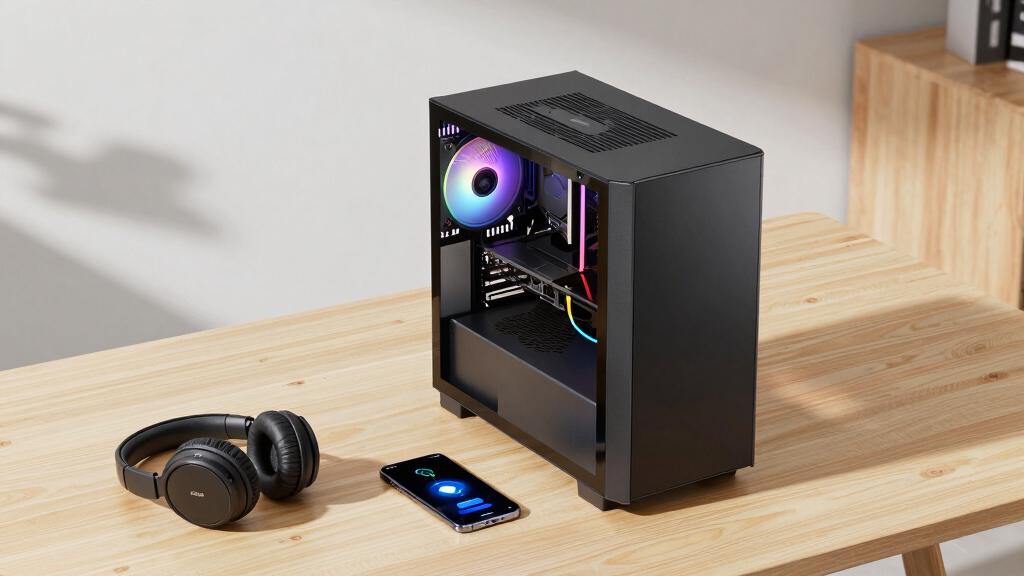
Thorsten Meyer AI frames the decision around five operational factors: GPU undervolting, cooler matching, case airflow, fan tuning and machine placement. A self-built workstation gives the owner direct control over those choices. A prebuilt system shifts much of that work to the vendor, which may ship a machine after thermal checks, fan-curve tuning and sustained-load testing.
The source names Puget Systems, BIZON, Lambda and Apple’s Mac Studio as examples in the prebuilt market. It says Puget performs 24-to-48-hour burn-in testing, BIZON offers water-cooling options and warranties of up to five years, Lambda focuses on validated multi-GPU systems, and the Mac Studio serves buyers who want a quiet integrated system with fewer hardware choices.
Why It Matters
The shift matters because AI workstations are often bought for sustained GPU workloads, not occasional desktop use. A machine that throttles under heat, makes too much noise in an office, or requires days of setup can slow model testing, inference work and local development.
For individual builders, the case for DIY remains strong when customization, security control, upgrade planning or hands-on learning are priorities. For teams, the prebuilt case may be stronger when lost setup time, troubleshooting, warranty handling and support delays carry real cost.
The guide also points readers toward total cost of ownership rather than sticker price alone. That means factoring in maintenance, technical labor, downtime, part-by-part warranty claims and compliance needs where applicable.
As an affiliate, we earn on qualifying purchases.
Background
The market change is tied to the same AI demand that has pushed more users toward local GPU compute. Workstations built for model training, fine-tuning, inference and data-heavy experimentation depend on parts that have faced price pressure during the AI hardware cycle.
Before the latest price environment, DIY builds often won on cost if the buyer had the technical skill and time. The 2026 guide says that assumption is less reliable because system vendors may have inventory advantages, bulk purchasing power and established validation workflows.
The report does not say prebuilt systems are always the better choice. Its main finding is narrower: buyers should treat build versus buy as a configuration-specific decision, not a fixed rule.
“Building is no longer automatically cheaper.”
— Thorsten Meyer AI guide
“Price both, today, for your exact config.”
— Thorsten Meyer AI guide
“There’s no universal winner, only a best fit.”
— Thorsten Meyer AI guide
As an affiliate, we earn on qualifying purchases.
What Remains Unclear
Prices remain unsettled, and the guide does not provide a universal benchmark that applies to every workstation class. It is also unclear how long 2026 component pricing will favor some vendors, since GPU, memory and storage costs can move quickly.
Vendor claims about cooling, testing, noise and support should be checked against the specific system quote, warranty terms and workload profile before purchase.
high performance GPU workstation
As an affiliate, we earn on qualifying purchases.
As an affiliate, we earn on qualifying purchases.
What’s Next
Buyers comparing options should request current quotes for the same GPU, CPU, RAM, storage and cooling setup from both parts retailers and workstation vendors. The next practical step is to compare delivered price, setup time, warranty coverage, expected noise, thermal testing and upgrade path before committing.
As an affiliate, we earn on qualifying purchases.
Key Questions
Is building an AI workstation still cheaper in 2026?
Not always. Thorsten Meyer AI says shortages and price spikes have made DIY savings less predictable, so buyers should price an exact configuration before deciding.
When does a prebuilt AI workstation make more sense?
A prebuilt system may fit better when fast deployment, tested thermals, lower setup burden, warranty support and quiet sustained performance matter more than full hardware control.
When does building still make sense?
Building can still fit users who want maximum control over parts, security, BIOS settings, cooling, future upgrades and cost tradeoffs, and who can spend time testing the system.
What should buyers compare beyond price?
They should compare setup time, warranty length, support quality, thermal validation, noise under load, upgrade limits, maintenance needs and the cost of any downtime.
Source: Thorsten Meyer AI
Halloween Picks
halloween
As an affiliate, we earn on qualifying purchases.